Issue number: N/A
---------
## What is the current behavior?
Currently, every Sass variable in Ionic has the `!default` flag added to
the end.
From the [Sass variables
documentation](https://sass-lang.com/documentation/variables/):
> Normally when you assign a value to a variable, if that variable
already had a value, its old value is overwritten. But if you’re writing
a Sass library, you might want to allow your users to configure your
library’s variables before you use them to generate CSS.
>
> To make this possible, Sass provides the `!default` flag. This assigns
a value to a variable only if that variable isn’t defined or its value
is [null](https://sass-lang.com/documentation/values/null). Otherwise,
the existing value will be used.
In past versions of Ionic Framework, developers wrote Sass variables to
rebuild Ionic Framework using their own values. In the latest versions
of Ionic Framework, this is not possible.
## What is the new behavior?
Removes the `!default` flag from all Sass variables.
## Does this introduce a breaking change?
- [ ] Yes
- [x] No
-------
Co-authored-by: brandyscarney <brandyscarney@users.noreply.github.com>
This PR removes the v5 and v4 lts tags from the release scripts. The
main branch should always be used to deploy to the latest/next tags and
never in the past. Instead, the version branches have the option to
deploy to their respective LTS tags.
Issue number: N/A
---------
<!-- Please do not submit updates to dependencies unless it fixes an
issue. -->
<!-- Please try to limit your pull request to one type (bugfix, feature,
etc). Submit multiple pull requests if needed. -->
## What is the current behavior?
<!-- Please describe the current behavior that you are modifying. -->
## What is the new behavior?
<!-- Please describe the behavior or changes that are being added by
this PR. -->
- Updates to the latest version of Stencil
- Includes a fix for the api.txt diff issue we are experiencing off
`next`
## Does this introduce a breaking change?
- [ ] Yes
- [x] No
<!--
If this introduces a breaking change:
1. Describe the impact and migration path for existing applications
below.
2. Update the BREAKING.md file with the breaking change.
3. Add "BREAKING CHANGE: [...]" to the commit description when merging.
See
https://github.com/ionic-team/ionic-framework/blob/main/docs/CONTRIBUTING.md#footer
for more information.
-->
## Other information
<!-- Any other information that is important to this PR such as
screenshots of how the component looks before and after the change. -->
Issue number: resolves#29358
---------
<!-- Please do not submit updates to dependencies unless it fixes an
issue. -->
<!-- Please try to limit your pull request to one type (bugfix, feature,
etc). Submit multiple pull requests if needed. -->
## What is the current behavior?
<!-- Please describe the current behavior that you are modifying. -->
When the clear button is focused, `focusin` is dispatched and bubbles up
to the `ion-input`. Our [scroll assist utility listens for
`focusin`](2fc81ddc9b/core/src/utils/input-shims/hacks/scroll-assist.ts (L135))
to adjust the scroll position. It also causes the input to be
re-focused. As a result, when swiping to the clear button with a screen
reader, focus will be forcibly moved back to the input. This means that
users cannot swipe away from the input to the right when using a screen
reader.
## What is the new behavior?
<!-- Please describe the behavior or changes that are being added by
this PR. -->
- To fix this, I decided to have the `focusin` event from the clear
button not bubble (as opposed to add a really specific workaround to the
scroll assist utility).
Adding `stopPropagation` was easy enough, but it turned out that the
scroll assist listeners were all configured to listen during the capture
phase instead of the bubble phase. As a result, `stopPropgation` had no
effect because the scroll assist callback had already fired. To address
this, I updated the listeners to listen during the bubbling phase
instead of the capture phase. Based on my testing the capture phase was
not required for scroll assist to work, so it appears safe to remove.
## Does this introduce a breaking change?
- [ ] Yes
- [x] No
<!--
If this introduces a breaking change:
1. Describe the impact and migration path for existing applications
below.
2. Update the BREAKING.md file with the breaking change.
3. Add "BREAKING CHANGE: [...]" to the commit description when merging.
See
https://github.com/ionic-team/ionic-framework/blob/main/docs/CONTRIBUTING.md#footer
for more information.
-->
## Other information
<!-- Any other information that is important to this PR such as
screenshots of how the component looks before and after the change. -->
Dev build: `8.0.1-dev.11713535425.1a4afba3`
Reviewers: Please test this on a physical iOS device and be sure to test
the scroll assist behavior. There is a test at
http://localhost:3333/src/utils/input-shims/hacks/test you can use.
Issue number: resolves#29374
---------
<!-- Please do not submit updates to dependencies unless it fixes an
issue. -->
<!-- Please try to limit your pull request to one type (bugfix, feature,
etc). Submit multiple pull requests if needed. -->
## What is the current behavior?
<!-- Please describe the current behavior that you are modifying. -->
When using Angular binding syntax, the `debounce` value can be set after
`connectedCallback`, but before `componentDidLoad`. This results in the
internal representation of the `debounce` value to be the default and
the watch callback to never fire.
## What is the new behavior?
<!-- Please describe the behavior or changes that are being added by
this PR. -->
- The callback handler for `debounce` is called on component load,
identical to what we do for the same exact reasons for the input `type`.
- `debounce` will correctly reflect and apply the developers value when
using binding syntax on initial load
## Does this introduce a breaking change?
- [ ] Yes
- [x] No
<!--
If this introduces a breaking change:
1. Describe the impact and migration path for existing applications
below.
2. Update the BREAKING.md file with the breaking change.
3. Add "BREAKING CHANGE: [...]" to the commit description when merging.
See
https://github.com/ionic-team/ionic-framework/blob/main/docs/CONTRIBUTING.md#footer
for more information.
-->
## Other information
<!-- Any other information that is important to this PR such as
screenshots of how the component looks before and after the change. -->
Dev-build: `8.0.1-dev.11713879639.102f51a0`
Forked reproduction with the dev-build is available here:
https://github.com/ionic-team/ionic-framework/issues/29374#issuecomment-2072377087
Issue number: N/A
---------
<!-- Please do not submit updates to dependencies unless it fixes an
issue. -->
<!-- Please try to limit your pull request to one type (bugfix, feature,
etc). Submit multiple pull requests if needed. -->
## What is the current behavior?
<!-- Please describe the current behavior that you are modifying. -->
If a dev wants to view a test page in dark mode, they have to manually
add the styles. This can lead to a slowdown. Plus they can't use
Playwright's `goto` to test both light and dark. In order to test dark
mode with Playwright, the dev would need to use `setContent` instead of
`goto`.
## What is the new behavior?
<!-- Please describe the behavior or changes that are being added by
this PR. -->
Dark mode can be added to any page by appending `palette=dark` to the
URL.
- The param will be used to add a link tag with the correct palette
file.
- Playwright will load the correct palette file when a dev uses `goto`
and `{ themes: ['dark'] }`
## Does this introduce a breaking change?
- [ ] Yes
- [x] No
<!--
If this introduces a breaking change:
1. Describe the impact and migration path for existing applications
below.
2. Update the BREAKING.md file with the breaking change.
3. Add "BREAKING CHANGE: [...]" to the commit description when merging.
See
https://github.com/ionic-team/ionic-framework/blob/main/.github/CONTRIBUTING.md#footer
for more information.
-->
## Other information
<!-- Any other information that is important to this PR such as
screenshots of how the component looks before and after the change. -->
I recommend using badge to try this out. It already has a `goto` in the
basic tests.
Issue number: N/A
---------
## What is the current behavior?
Dark palette is hardcoded in style tags in tests.
## What is the new behavior?
Updated the following tests:
- **datetime/basic** - added an import for `dark.class.css` which works
with the checkbox to toggle the `ion-palette-dark` class
- does not update the e2e test to include dark palette because this was
not tested previously
- **datetime/color** - added an import for `dark.class.css` which works
with the checkbox to toggle the `ion-palette-dark` class
- updates the e2e test to use the dark palette
- **modal/dark-mode** - added an import for `dark.always.css` which
always applies the dark palette
- does not update the e2e test to include dark palette because this test
needs to be moved but I am not sure where it should go yet
- **toggle/enable-on-off-labels** - added an import for `dark.class.css`
which works with the checkbox to toggle the `ion-palette-dark` class
- updates the e2e test to use the dark palette & splits the color into a
separate screenshot test
Did not update the following tests:
- **item/buttons** - has already been updated to remove the dark palette
- **toggle/legacy/enable-on-off-labels** - test was removed in v8
## Does this introduce a breaking change?
- [ ] Yes
- [x] No
## Other information
- We could probably remove the checkbox toggles entirely when we add
support for the `palette` query param.
---------
Co-authored-by: ionitron <hi@ionicframework.com>
Issue number: resolves#29219
---------
<!-- Please do not submit updates to dependencies unless it fixes an
issue. -->
<!-- Please try to limit your pull request to one type (bugfix, feature,
etc). Submit multiple pull requests if needed. -->
## What is the current behavior?
<!-- Please describe the current behavior that you are modifying. -->
We got feedback that the current dark theme is a bit jarring when
compared with native. In particular, devs are expecting the contrast to
be white for many of these colors to match native iOS. Currently, text
inside of a primary button is black on dark mode, but devs expect it to
be white. Additionally, the dark mode colors appear to be too washed out
when compared with their light mode counterparts.
The team discussed this and we think we can find a way to make the
colors more in line with what devs expect while still allowing for AA
color contrast levels.
## What is the new behavior?
<!-- Please describe the behavior or changes that are being added by
this PR. -->
- Adjusted the secondary and danger colors to be slightly more
vibrant/inline with what developers expect in mobile apps while still
meeting AA color contrast.
## Does this introduce a breaking change?
- [ ] Yes
- [x] No
<!--
If this introduces a breaking change:
1. Describe the impact and migration path for existing applications
below.
2. Update the BREAKING.md file with the breaking change.
3. Add "BREAKING CHANGE: [...]" to the commit description when merging.
See
https://github.com/ionic-team/ionic-framework/blob/main/.github/CONTRIBUTING.md#footer
for more information.
-->
## Other information
I intentionally did not change the contrast color, and I intentionally
did not significantly change the vibrancy of each color token. I did
some research into how the native platforms handle colors. I'll place
this information here, because there are some subtle differences between
web and native that make a difference.
### Material Design
[Source](https://m2.material.io/design/color/dark-theme.html#ui-application)
Material Design 2 calls for desaturated color tokens as well as flipping
contrast colors. For example, a vibrant purple background with light
text on light mode is a washed purple with dark text on dark mode. The
colors in Ionic <=7 did not follow these patterns. The tokens in Ionic 8
now follows these patterns, so what we have in `main` means we are
aligning closer with native MD than have in the past.

### iOS
[Source](https://developer.apple.com/design/human-interface-guidelines/accessibility#Color-and-effects)
iOS is a bit tricky. On the docs, Apple references the WCAG color
contrast formula (what Ionic follows). However, the table they present
below is slightly different:
| Text Size | Text Weight | Minimum Contrast Ratio |
| - | - | - |
| Up to 17 points | All | 4.5:1 |
| 18 points and larger | All | 3:1 |
| All | Bold | 3:1 |
The last row is the main difference. WCAG states that text that is bold
AND >=14pts (~18.66px) needs to meet a minimum contrast ratio of 3:1.
Apple's guidelines state that any text that is bold (regardless of size)
needs to meet a minimum contrast ratio of 3:1. In other words, **Apple
is using different guidelines to choose colors which is why colored dark
mode buttons on iOS typically use white text**.
However, Apple is inconsistent in implementing its own guidelines.
Consider the following red buttons in the Apple Music app.
| Screenshot | Meets Web guidelines | Meets Apple guidelines | Notes |
| - | - | - | - |
| <img
src="https://github.com/ionic-team/ionic-framework/assets/2721089/6bb0e0b3-c29e-4b96-9ad5-e45e59bf0415"
width="300" /> | ❌ | ❌ | Text is not bold which makes it not meet either
guidelines. |
| <img
src="https://github.com/ionic-team/ionic-framework/assets/2721089/8ce93b45-0b2b-4160-97a4-19852134684c"
width="300" /> | ❌ | ✅ | Text is bold which makes it pass the Apple
guidelines, but it's still too small to also pass the Web guidelines. |
### Ionic
One of the things I tried is adjusting the base color to work well with
white and black backgrounds. It's common to have a blue background with
white text (such as a button) AND to have a blue link on a black
background (such as an `a` element). This approach does not work well
for the shade/tint colors used for hover/focus states. These colors also
need to meet Web guidelines.
Consider the following example:
| Screenshot | Notes | Text/Link passes AA guidelines | Tint passes AA
guidelines |
| - | - | - | - |
| 
| This uses the same primary color found in the light palette | ❌ | ✅ |
| 
| This changes the base color such that the Text/Link passes with a
4.5:1 ratio | ✅ | ❌ |
| 
| This changes the base color such that the Tint passes with a 4:5:1
ratio | ❌ | ✅ |
We also considered adjusting the `a` and `ion-text` colors to use the
tint color. We decided against that because it a) felt a little odd
given that tint is typically used for states (hover, focus, etc) and b)
we were concerned that making this change would impose future
restrictions on how this color palette can evolve.
### Conclusion
While Ionic's colors don't exactly match the iOS colors, the reality is
that we are a web-based tool, so we are going to be evaluated using
web-based tools/standards. As a result, it's recommended that we align
closer with the Web guidelines than Apple's guidelines.
## Testing
Testing:
Developers can look at the colors by opening
http://localhost:3333/src/themes/test/colors
In the video below, the first state is the dark theme in `main`. The
second state is the proposed changes.
| Visual Comparison |
| - |
| <video
src="https://github.com/ionic-team/ionic-framework/assets/2721089/241fb1b6-212b-4f03-83cd-9558b9a53761"></video>
|
Team members on Windows were having trouble running tests inside of
Docker. Given that headed tests must use WSL, I think it makes sense to
have Windows devs use WSL for any E2E tests run inside of Docker. That
way they aren't switching back and forth between shells.
This PR clarifies the Docker docs that instruct devs on how to use WSL.
As part of the Vercel flow for creating public previews of the test
files, we'd like to exclude screenshots from being downloaded as they
are not required to create the previews.
Issue number: resolves#24583
---------
<!-- Please do not submit updates to dependencies unless it fixes an
issue. -->
<!-- Please try to limit your pull request to one type (bugfix, feature,
etc). Submit multiple pull requests if needed. -->
## What is the current behavior?
<!-- Please describe the current behavior that you are modifying. -->
See
https://github.com/ionic-team/ionic-framework/issues/24583#issuecomment-2033478601
## What is the new behavior?
<!-- Please describe the behavior or changes that are being added by
this PR. -->
- See https://github.com/ionic-team/ionic-framework/pull/29260 and
https://github.com/ionic-team/ionic-framework/pull/29259. This PR is a
combination of previously reviewed fixes.
## Does this introduce a breaking change?
- [ ] Yes
- [x] No
<!--
If this introduces a breaking change:
1. Describe the impact and migration path for existing applications
below.
2. Update the BREAKING.md file with the breaking change.
3. Add "BREAKING CHANGE: [...]" to the commit description when merging.
See
https://github.com/ionic-team/ionic-framework/blob/main/docs/CONTRIBUTING.md#footer
for more information.
-->
## Other information
<!-- Any other information that is important to this PR such as
screenshots of how the component looks before and after the change. -->
Dev build: `7.8.3-dev.11712695191.1d7ec370`
Issue number: N/A
---------
<!-- Please do not submit updates to dependencies unless it fixes an
issue. -->
<!-- Please try to limit your pull request to one type (bugfix, feature,
etc). Submit multiple pull requests if needed. -->
## What is the current behavior?
<!-- Please describe the current behavior that you are modifying. -->
## What is the new behavior?
<!-- Please describe the behavior or changes that are being added by
this PR. -->
- Syncs the `feature.8.0` branch with the latest from `main`.
## Does this introduce a breaking change?
- [ ] Yes
- [x] No
<!--
If this introduces a breaking change:
1. Describe the impact and migration path for existing applications
below.
2. Update the BREAKING.md file with the breaking change.
3. Add "BREAKING CHANGE: [...]" to the commit description when merging.
See
https://github.com/ionic-team/ionic-framework/blob/main/docs/CONTRIBUTING.md#footer
for more information.
-->
## Other information
<!-- Any other information that is important to this PR such as
screenshots of how the component looks before and after the change. -->
Discussed with Sean and most of these codeowner directories should be
reviewable by anyone on the team, so we don't want to block on a
specific person.
The exceptions are the gesture/input-shim directories due to the lack of
documentation at the moment.
Start your review here 👉
[docs/README.md](https://github.com/ionic-team/ionic-framework/blob/FW-6107/docs/README.md)
## What is the current behavior?
Documentation files with information on how to contribute, component
implementations, testing, etc. are scattered throughout various folders
in this repository.
## What is the new behavior?
Consolidates the documentation files into a root `docs/` directory for
easier discovery and organization.
`/docs` tree:
```
├── _config.yml
├── component-guide.md
├── CONTRIBUTING.md
├── README.md
├── sass-guidelines.md
├── angular
│ ├── README.md
│ └── testing.md
├── core
│ ├── README.md
│ └── testing
│ ├── README.md
│ ├── api.md
│ ├── best-practices.md
│ ├── preview-changes.md
│ └── usage-instructions.md
├── react
│ ├── README.md
│ └── testing.md
├── react-router
│ ├── README.md
│ └── testing.md
├── vue
│ ├── README.md
│ └── testing.md
└── vue-router
├── README.md
└── testing.md
```
**Migrates the following:**
| Previous Location | New Location |
| ----------------------------------------------------------- |
----------------------------------------- |
| `.github/COMPONENT-GUIDE.md` | `docs/component-guide.md` |
| `.github/CONTRIBUTING.md` | `docs/CONTRIBUTING.md` |
| `core/scripts/README.md` | `docs/core/testing/preview-changes.md` |
| `core/src/utils/test/playwright/docs/api.md` |
`docs/core/testing/api.md` |
| `core/src/utils/test/playwright/docs/best-practices.md` |
`docs/core/testing/best-practices.md` |
| `core/src/utils/test/playwright/docs/README.md` |
`docs/core/testing/README.md` |
| `core/src/utils/test/playwright/docs/usage-instructions.md` |
`docs/core/testing/usage-instructions.md` |
| `packages/angular/test/README.md` | `docs/angular/testing.md` |
| `packages/react-router/test/README.md` |
`docs/react-router/testing.md` |
| `packages/react/test/README.md` | `docs/react/testing.md` |
| `packages/react/test/base/README.md` | `docs/react/testing.md` |
| `packages/vue/test/README.md` | `docs/vue/testing.md` |
**Adds the following:**
| File | Description |
| ----------------------------- |
-----------------------------------------------------------------------
|
| `docs/sass-guidelines.md` | Sass Variable guidelines taken from
`ionic-framework-design-documents` |
| `docs/README.md` | Entry file that should link to all other files |
| `docs/_config.yml` | Config file for use with GitHub pages |
| `docs/core/README.md` | Description of core, links to contributing and
testing |
| `docs/angular/README.md` | Description of angular, links to
contributing and testing |
| `docs/react/README.md` | Description of react, links to contributing
and testing |
| `docs/react-router/README.md` | Description of react-router, links to
contributing and testing |
| `docs/vue/README.md` | Description of vue, links to contributing and
testing |
| `docs/vue-router/README.md` | Description of vue-router, links to
contributing and testing |
| `docs/vue-router/testing.md` | Testing file for vue-router, populated
from vue-router's main README |
**Does not** add any files for `angular-server`. This is because the
README is essentially empty and there is no testing in that directory. I
can add blank files if we want to have something to add to later.
**Does not** migrate the content of the packages' root `README.md`
files. These files are used for their npm package descriptions so we
should not edit them.
## Hosting Documentation
We can (and should) host these files using GitHub Pages. I have
duplicated them in a personal repository to see how this would look:
[docs-consolidation](https://brandyscarney.github.io/docs-consolidation/).
Doing so will require some formatting fixes (see [Sass
Guidelines](https://brandyscarney.github.io/docs-consolidation/sass-guidelines.html#-reusable-values))
so I did not publish them now but we can easily enable GitHub pages by
toggling a setting in this repository.
## Other information
- Verify that no documentation files were missed in the migration
- You can use these commands to search for `*.md` files in a directory:
- `find core/src -type f -name "*.md" -print`
- `find packages/angular -type f -name "*.md" -not -path
"**/node_modules/*" -print`
- I did add some redirect links in some of the existing markdown files
so they might still exist for that reason
- We should probably break up the contributing + component guide
documentation into smaller files, such as including best practices, but
I wanted to get everything in the same place first
- The contributing has sections on each of the packages that we could
move to that package's docs folder:
https://github.com/ionic-team/ionic-framework/blob/main/.github/CONTRIBUTING.md#core
---------
Co-authored-by: Maria Hutt <thetaPC@users.noreply.github.com>
Issue number: N/A
---------
<!-- Please do not submit updates to dependencies unless it fixes an
issue. -->
<!-- Please try to limit your pull request to one type (bugfix, feature,
etc). Submit multiple pull requests if needed. -->
## What is the current behavior?
<!-- Please describe the current behavior that you are modifying. -->
Ionic Framework developers make extensive use of multi-line comments in
the Sass files. However these comments are not stripped from the
generated output.
This leads to a significant increase to the file size of CSS and can
have an impact on runtime performance.
For example: https://cdn.jsdelivr.net/npm/@ionic/core/css/core.css has
183 lines of comment blocks before a single line of CSS.
## What is the new behavior?
<!-- Please describe the behavior or changes that are being added by
this PR. -->
- Compresses the generated output from Sass → CSS to strip out
multi-line comment blocks.
- Developers can use [loud
comments](https://sass-lang.com/documentation/syntax/comments/) if they
want to include comments in the generated output.
- In the case of just the core.css file, the file size goes from 20kb to
10kb.
- The entire CSS global styles goes from 758 KB to 606kb.
## Does this introduce a breaking change?
- [ ] Yes
- [x] No
<!--
If this introduces a breaking change:
1. Describe the impact and migration path for existing applications
below.
2. Update the BREAKING.md file with the breaking change.
3. Add "BREAKING CHANGE: [...]" to the commit description when merging.
See
https://github.com/ionic-team/ionic-framework/blob/main/.github/CONTRIBUTING.md#footer
for more information.
-->
## Other information
<!-- Any other information that is important to this PR such as
screenshots of how the component looks before and after the change. -->
Dev-build: `7.8.4-dev.11712251308.1da8aede`
Issue number: N/A
---------
<!-- Please do not submit updates to dependencies unless it fixes an
issue. -->
<!-- Please try to limit your pull request to one type (bugfix, feature,
etc). Submit multiple pull requests if needed. -->
## What is the current behavior?
<!-- Please describe the current behavior that you are modifying. -->
Developers on a Windows environment using VS Code will experience an
issue when using prettier, where files will be tracked as modified even
though they have no actual diffs.
This is due to differences in how Unix based operating systems and
Windows treat carriage returns.
## What is the new behavior?
<!-- Please describe the behavior or changes that are being added by
this PR. -->
- Updates the contributing guide to educate developers using VS Code on
how to configure their local environment to not track additional diffs
when formatting the codebase.
## Does this introduce a breaking change?
- [ ] Yes
- [x] No
<!--
If this introduces a breaking change:
1. Describe the impact and migration path for existing applications
below.
2. Update the BREAKING.md file with the breaking change.
3. Add "BREAKING CHANGE: [...]" to the commit description when merging.
See
https://github.com/ionic-team/ionic-framework/blob/main/.github/CONTRIBUTING.md#footer
for more information.
-->
## Other information
<!-- Any other information that is important to this PR such as
screenshots of how the component looks before and after the change. -->
This is the same documentation that exists on the ionic-docs repository
for the same reason. I've applied co-authored-by credit to Netkow for
his wonderful contribution to that documentation.
Co-authored-by: Matt Netkow <matt.netkow@gmail.com>
Move the `docs/` directory into the `packages/` directory. This will
enable us to create a top level `docs/` folder for onboarding and
contributing guidelines. It will also be necessary when migrating to
pnpm.
---------
Co-authored-by: Liam DeBeasi <liamdebeasi@users.noreply.github.com>
Issue number: N/A
---------
<!-- Please do not submit updates to dependencies unless it fixes an
issue. -->
<!-- Please try to limit your pull request to one type (bugfix, feature,
etc). Submit multiple pull requests if needed. -->
## What is the current behavior?
<!-- Please describe the current behavior that you are modifying. -->
When using an outline-style button in a toolbar on `md` dark mode, the
activated style causes the button to become invisible.
Steps to repro in `main`:
1. Update the `css-variables` themes test to use the latest dark theme
styles (at least for v7) by replacing the contents of [this
file](https://github.com/ionic-team/ionic-framework/blob/main/core/src/themes/test/css-variables/css/dark.css)
with the [styles from the
docs](https://ionicframework.com/docs/theming/dark-mode#ionic-dark-theme).
2. Host the project locally and navigate to the test at
`themes/test/css-variables/index.html`.
3. Switch to dark mode within the page. Note that the activated outline
button isn't visible:

## What is the new behavior?
<!-- Please describe the behavior or changes that are being added by
this PR. -->
- Button styles corrected. The colors were correct for `ios` mode, but
had to be flipped for `md`, so I pulled the relevant styles into the
mode-specific stylesheets.
- CSS variables test has also been updated to use the same dark mode CSS
as in [the
docs](https://ionicframework.com/docs/theming/dark-mode#ionic-dark-theme),
as per the repro steps above. Let me know if you would rather this be
split into a separate PR.
Changes to the toolbar test were split into a separate PR to keep this
one clean and ensure the screenshot changes can be reviewed more
effectively: https://github.com/ionic-team/ionic-framework/pull/29231
## Does this introduce a breaking change?
- [ ] Yes
- [x] No
<!--
If this introduces a breaking change:
1. Describe the impact and migration path for existing applications
below.
5. Update the BREAKING.md file with the breaking change.
6. Add "BREAKING CHANGE: [...]" to the commit description when merging.
See
https://github.com/ionic-team/ionic-framework/blob/main/.github/CONTRIBUTING.md#footer
for more information.
-->
## Other information
<!-- Any other information that is important to this PR such as
screenshots of how the component looks before and after the change. -->
---------
Co-authored-by: ionitron <hi@ionicframework.com>
I'm removing myself from code owners in several places in favor of the
auto-assignment. However, I did keep my name on areas of the code that I
felt are still higher risk for potential regressions due to the nature
of how the code is built/tested.
Remove myself as the codeowner of specific directories as this bypasses
the random review assignment and automatically assigns me to any PRs
changing these files.
Issue number: resolves#29211
---------
<!-- Please do not submit updates to dependencies unless it fixes an
issue. -->
<!-- Please try to limit your pull request to one type (bugfix, feature,
etc). Submit multiple pull requests if needed. -->
## What is the current behavior?
<!-- Please describe the current behavior that you are modifying. -->
In https://github.com/ionic-team/ionic-framework/pull/28861 I fixed a
bug that caused `.popover-viewport` to have `overflow: hidden`. In
reality, this code should have always applied but due to an incorrect
selector it never did.
As it turns out in
https://github.com/ionic-team/ionic-framework/issues/29211, some
developers were relying on the broken behavior to build their
applications. In particular, developers were using `ion-popover` without
an `ion-content`. The linked change made it so that using popovers
without `ion-content` were not scrollable.
After talking with @mapsandapps we think it makes sense to officially
support this behavior. We support using [modals without
`ion-content`](https://ionicframework.com/docs/api/modal#custom-dialogs),
and we could not think of a reason to not support the same use case for
popover.
## What is the new behavior?
<!-- Please describe the behavior or changes that are being added by
this PR. -->
- If the `.popover-viewport` element has a child content then
`.popover-viewport `will not be scrollable.
- If the `.popover-viewport` element does not have a child content then
`.popover-viewport` will be scrollable.
I implemented this behavior using progressive enhancement via `:has`.
The [`:has` pseudo-class](https://caniuse.com/?search=%3Ahas) has
cross-browser support. Ionic v7 supports some versions of browsers that
do not have `:has` support. As a result, we fall back to the existing
behavior in this environment. Developers are able to get this behavior
on older browsers by explicitly setting `overflow: auto` on
`.popover-viewport`.
Fortunately, we will be dropping support for several of the older
browsers versions in Ionic v8, so the need to do the manual opt-in
should be less frequent as time goes on.
## Does this introduce a breaking change?
- [ ] Yes
- [x] No
<!--
If this introduces a breaking change:
1. Describe the impact and migration path for existing applications
below.
2. Update the BREAKING.md file with the breaking change.
3. Add "BREAKING CHANGE: [...]" to the commit description when merging.
See
https://github.com/ionic-team/ionic-framework/blob/main/.github/CONTRIBUTING.md#footer
for more information.
-->
## Other information
<!-- Any other information that is important to this PR such as
screenshots of how the component looks before and after the change. -->
Dev build: `7.8.2-dev.11711383079.118d48a5`
Testing:
1. Open https://codepen.io/liamdebeasi/pen/JjVJrZQ?editors=1100 (this
has a dev build installed)
2. Click each button to open a popover.
3. Verify that each popover can be scrolled.
I could not find a great way to automate this test, but let me know if
anyone has ideas!
Issue number: N/A
---------
<!-- Please do not submit updates to dependencies unless it fixes an
issue. -->
<!-- Please try to limit your pull request to one type (bugfix, feature,
etc). Submit multiple pull requests if needed. -->
## What is the current behavior?
<!-- Please describe the current behavior that you are modifying. -->
The toolbar `basic` test only checks light theme. Dark theme coverage is
required to test against the bug fixed in
https://github.com/ionic-team/ionic-framework/pull/29216.
## What is the new behavior?
<!-- Please describe the behavior or changes that are being added by
this PR. -->
Dark theme coverage added. This required converting the test to
`page.setContent` instead of `page.goto`, so I went ahead and split the
captured toolbars into multiple tests, including some cleanup of the
test content. Since this included changes across many different tests,
even ones not strictly related to the bug, this work has been split into
a separate PR.
## Does this introduce a breaking change?
- [ ] Yes
- [x] No
<!--
If this introduces a breaking change:
1. Describe the impact and migration path for existing applications
below.
2. Update the BREAKING.md file with the breaking change.
3. Add "BREAKING CHANGE: [...]" to the commit description when merging.
See
https://github.com/ionic-team/ionic-framework/blob/main/.github/CONTRIBUTING.md#footer
for more information.
-->
## Other information
<!-- Any other information that is important to this PR such as
screenshots of how the component looks before and after the change. -->
---------
Co-authored-by: ionitron <hi@ionicframework.com>
Issue number: Internal
---------
<!-- Please do not submit updates to dependencies unless it fixes an
issue. -->
<!-- Please try to limit your pull request to one type (bugfix, feature,
etc). Submit multiple pull requests if needed. -->
## What is the current behavior?
<!-- Please describe the current behavior that you are modifying. -->
When given a password input it is hard to know what users are typing as
the contents of the input are obscured. As a result, it is a common
pattern to have a button that lets users temporarily toggle the
visibility of the password so they can correct any mistakes. Ionic
currently has the infrastructure for developers to implement this on
their own, but this use case is so common that the team thinks it is
worth having this functionality built-in to Ionic.
## What is the new behavior?
<!-- Please describe the behavior or changes that are being added by
this PR. -->
- Introduces the `ion-input-password-toggle` component. This component
is a button that toggles the visibility of the text in the input it is
slotted into.
## Does this introduce a breaking change?
- [ ] Yes
- [x] No
<!--
If this introduces a breaking change:
1. Describe the impact and migration path for existing applications
below.
2. Update the BREAKING.md file with the breaking change.
3. Add "BREAKING CHANGE: [...]" to the commit description when merging.
See
https://github.com/ionic-team/ionic-framework/blob/main/.github/CONTRIBUTING.md#footer
for more information.
-->
## Other information
<!-- Any other information that is important to this PR such as
screenshots of how the component looks before and after the change. -->
⚠️ Give co-author credit to
https://github.com/ionic-team/ionic-framework/pull/29141 on merge.
Docs PR: https://github.com/ionic-team/ionic-docs/pull/3541
Note: We did not do the approach listed in the other PR due to
https://github.com/ionic-team/ionic-framework/pull/29141#discussion_r1523631811.
---------
Co-authored-by: OS-giulianasilva <OS-giulianasilva@users.noreply.github.com>
Issue number: Internal
---------
<!-- Please do not submit updates to dependencies unless it fixes an
issue. -->
<!-- Please try to limit your pull request to one type (bugfix, feature,
etc). Submit multiple pull requests if needed. -->
## What is the current behavior?
<!-- Please describe the current behavior that you are modifying. -->
[Amanda pointed out that the ripple effect for the Button inside of
InputPasswordToggle was not
working](https://github.com/ionic-team/ionic-framework/pull/29175#discussion_r1532627841).
I found out that calling `ev.preventDefault` on `pointerdown` causes
`mouseup` to not get fired. On desktop, we rely on `mouseup` to know
when to add the ripple effect. (`touchend` is not impacted)
Interestingly, calling `ev.preventDefault` on `pointerdown` does **not**
prevent `pointerup` from being fired. The idea here is that if we
migrate the tap click utility to use the PointerEvents API instead of
separate mouse/touch listeners we can keep the existing tap click
behavior while also fixing the bug that Amanda noted.
## What is the new behavior?
<!-- Please describe the behavior or changes that are being added by
this PR. -->
- Tap click nows listens for the Pointer Events instead of separate
mouse/touch events
Impact to developers is fairly minimal. There should be no behavior
change (other than the bug I noted being fixed). There should be a very
small perf boost because this util now only adds 4 event listeners on
the document instead of 7 previously.
## Does this introduce a breaking change?
- [ ] Yes
- [x] No
<!--
If this introduces a breaking change:
1. Describe the impact and migration path for existing applications
below.
2. Update the BREAKING.md file with the breaking change.
3. Add "BREAKING CHANGE: [...]" to the commit description when merging.
See
https://github.com/ionic-team/ionic-framework/blob/main/.github/CONTRIBUTING.md#footer
for more information.
-->
## Other information
<!-- Any other information that is important to this PR such as
screenshots of how the component looks before and after the change. -->
Reviewers: Please manually test this on desktop devices as well as iOS
and Android devices (not Chrome Dev Tools. iOS simulators are fine).
Test that components such as `ion-button` correctly add the activated
state (or ripple effect for MD). Also verify that the activated state is
not added when tapping the button and then scrolling. For desktop, check
that right clicking does not add the activated state.
Issue number: resolves#29193
---------
<!-- Please do not submit updates to dependencies unless it fixes an
issue. -->
<!-- Please try to limit your pull request to one type (bugfix, feature,
etc). Submit multiple pull requests if needed. -->
## What is the current behavior?
<!-- Please describe the current behavior that you are modifying. -->
In an attempt to preserve backwards compatibility when adding
`autocapitalize` to Searchbar, we used `!` to indicate that the prop was
never undefined. The `autocapitalize` on `HTMLElement` expects this
value to be a string and never undefined.
For the purposes of the property on Searchbar, setting this prop to one
of the accepted values would constitute a breaking change because it
would override the default browser behavior (which we previously relied
upon). As a result, we used `!` to not set a default prop but inform
TypeScript that this prop is always defined. This unintentionally made
it so developers needed to define the `autocapitalize` property every
time which is not what we want.
## What is the new behavior?
<!-- Please describe the behavior or changes that are being added by
this PR. -->
- `autocapitalize` now defaults to the `'default'` keyword. This is an
internal keyword that is used to tell Ionic to **not** set the
`autocapitalize` attribute on the inner `input` element and instead rely
on the default browser behavior. This satisfies the `HTMLElement`
requirement that `autocapitalize` is never undefined. In Ionic 8 this
`'default'` value will be replaced with `'off'`.
[Typescript currently sets the `HTMLElement` `autocapitalize` type to
`string`](65812bf3ec/src/lib/dom.generated.d.ts (L10087))
which is why we can add a `'default'` keyword here. There is some risk
that if these type definitions change in the future that applications
may encounter errors. However, changing this on the TypeScript side
would itself be a breaking change. Additionally, we are moving away from
`'default'` in Ionic 8, so I think this is an acceptable amount of risk.
## Does this introduce a breaking change?
- [ ] Yes
- [x] No
<!--
If this introduces a breaking change:
1. Describe the impact and migration path for existing applications
below.
2. Update the BREAKING.md file with the breaking change.
3. Add "BREAKING CHANGE: [...]" to the commit description when merging.
See
https://github.com/ionic-team/ionic-framework/blob/main/.github/CONTRIBUTING.md#footer
for more information.
-->
## Other information
<!-- Any other information that is important to this PR such as
screenshots of how the component looks before and after the change. -->
Dev build: `7.8.2-dev.11711027016.13b2a920`
Tested in a React starter app with Searchbar, and I verified this fix
works.
BREAKING CHANGE: Support for the Cordova Haptics plugin has been removed. Components that integrate with haptics, such as `ion-picker` and `ion-toggle`, will continue to function but will no longer play haptics in Cordova environments. Developers should migrate to Capacitor to continue to have haptics in these components.
Issue number: Internal
---------
<!-- Please do not submit updates to dependencies unless it fixes an
issue. -->
<!-- Please try to limit your pull request to one type (bugfix, feature,
etc). Submit multiple pull requests if needed. -->
## What is the current behavior?
<!-- Please describe the current behavior that you are modifying. -->
While doing other work I noticed that the Angular schematics still
reference the old dark theme.
## What is the new behavior?
<!-- Please describe the behavior or changes that are being added by
this PR. -->
- The Angular schematics now import the new dark theme found in Ionic
v8.
## Does this introduce a breaking change?
- [ ] Yes
- [x] No
<!--
If this introduces a breaking change:
1. Describe the impact and migration path for existing applications
below.
2. Update the BREAKING.md file with the breaking change.
3. Add "BREAKING CHANGE: [...]" to the commit description when merging.
See
https://github.com/ionic-team/ionic-framework/blob/main/.github/CONTRIBUTING.md#footer
for more information.
-->
## Other information
<!-- Any other information that is important to this PR such as
screenshots of how the component looks before and after the change. -->
Issue number: Internal
---------
<!-- Please do not submit updates to dependencies unless it fixes an
issue. -->
<!-- Please try to limit your pull request to one type (bugfix, feature,
etc). Submit multiple pull requests if needed. -->
## What is the current behavior?
<!-- Please describe the current behavior that you are modifying. -->
Ionic Framework provides a small utility wrapper around the Web
Animations API. Historically not all browsers that Ionic Framework
supported, had support for the Web Animations API. To offer backwards
compatibility, Ionic Framework provided fallback behaviors for the
different wrapped APIs.
## What is the new behavior?
<!-- Please describe the behavior or changes that are being added by
this PR. -->
- Removes the legacy CSS animations fallback behavior from the Web
Animations API animation utility. Maintaining a few no-op behaviors for
test environments.
- Resolved a few internal type usages that were casting to any
- Removed spec tests that were testing the fallback CSS animations
behavior and/or already had test coverage from other unit tests.
## Does this introduce a breaking change?
- [x] Yes
- [ ] No
<!--
If this introduces a breaking change:
1. Describe the impact and migration path for existing applications
below.
2. Update the BREAKING.md file with the breaking change.
3. Add "BREAKING CHANGE: [...]" to the commit description when merging.
See
https://github.com/ionic-team/ionic-framework/blob/main/.github/CONTRIBUTING.md#footer
for more information.
-->
All modern browsers support the Web Animations API today. If a developer
needs to target an older browser that does not support Web Animations,
they should either use [a
polyfill](https://github.com/web-animations/web-animations-js), or
implement the fallback behavior themselves.
## Other information
<!-- Any other information that is important to this PR such as
screenshots of how the component looks before and after the change. -->
---------
Co-authored-by: Liam DeBeasi <liamdebeasi@users.noreply.github.com>
Issue number: Internal
---------
<!-- Please do not submit updates to dependencies unless it fixes an
issue. -->
<!-- Please try to limit your pull request to one type (bugfix, feature,
etc). Submit multiple pull requests if needed. -->
## What is the current behavior?
<!-- Please describe the current behavior that you are modifying. -->
We add margin on content in the start/end slots so they do not run up
against either the visible text label of the text in the input. However,
we did not account for when multiple elements are placed into the same
slot. As a result, this margin is added more times than it needs to be.
## What is the new behavior?
<!-- Please describe the behavior or changes that are being added by
this PR. -->
- Updated the selector so the margin is only applied to either the last
or first element in the slot.
## Does this introduce a breaking change?
- [ ] Yes
- [x] No
<!--
If this introduces a breaking change:
1. Describe the impact and migration path for existing applications
below.
2. Update the BREAKING.md file with the breaking change.
3. Add "BREAKING CHANGE: [...]" to the commit description when merging.
See
https://github.com/ionic-team/ionic-framework/blob/main/.github/CONTRIBUTING.md#footer
for more information.
-->
## Other information
<!-- Any other information that is important to this PR such as
screenshots of how the component looks before and after the change. -->
Test Steps:
1. Check out `feature-8.0`
2. Add multiple `ion-button` elements into either the start or end slot
on an input (you can reuse the template in
`src/components/input/test/slots`
3. Observe that margin is added to every `ion-button`.
---------
Co-authored-by: ionitron <hi@ionicframework.com>
Issue number: N/A
---------
<!-- Please do not submit updates to dependencies unless it fixes an
issue. -->
<!-- Please try to limit your pull request to one type (bugfix, feature,
etc). Submit multiple pull requests if needed. -->
## What is the current behavior?
<!-- Please describe the current behavior that you are modifying. -->
GitHub actions allow screenshots to be updated either by updating all
the components or providing a component name.
If a component name is given, then the screenshots will only be updated
on `src/components/{component-name}`. This isn't ideal when wanting to
update a specific path.
## What is the new behavior?
<!-- Please describe the behavior or changes that are being added by
this PR. -->
- The script no longer strips out `ion-`. The developer needs to submit
a valid component name or valid path.
- The script no longer appends the value to `src/components/`
- The script will run all instances of a component if only the name is
given
- The script will run tests within a given path
## Does this introduce a breaking change?
- [ ] Yes
- [x] No
<!--
If this introduces a breaking change:
1. Describe the impact and migration path for existing applications
below.
2. Update the BREAKING.md file with the breaking change.
3. Add "BREAKING CHANGE: [...]" to the commit description when merging.
See
https://github.com/ionic-team/ionic-framework/blob/main/.github/CONTRIBUTING.md#footer
for more information.
-->
## Other information
<!-- Any other information that is important to this PR such as
screenshots of how the component looks before and after the change. -->
How to test:
1. Create a new branch based off this one
2. Make a style change
3. Push it to the new branch
4. Update the reference images using the new branch
5. This will show you all the options
Recommended to test:
- a component name (`chip`)
- a path (`src/components/chip/test/a11y`)
- a component that doesn't exist (`random-component`)
- no provided component, leave the first input blank
Issue number: Internal
---------
<!-- Please do not submit updates to dependencies unless it fixes an
issue. -->
<!-- Please try to limit your pull request to one type (bugfix, feature,
etc). Submit multiple pull requests if needed. -->
## What is the current behavior?
<!-- Please describe the current behavior that you are modifying. -->
Ionic Framework currently plans to offer dark and high contrast "themes"
in v8. However this naming nomenclature conflicts with a significant new
feature that the team is working on towards v9+.
## What is the new behavior?
<!-- Please describe the behavior or changes that are being added by
this PR. -->
- Migrates previous dark and high contrast "themes" to "palettes"
- Updates test infrastructure to import from the new stylesheet
locations
## Does this introduce a breaking change?
- [x] Yes
- [ ] No
<!--
If this introduces a breaking change:
1. Describe the impact and migration path for existing applications
below.
2. Update the BREAKING.md file with the breaking change.
3. Add "BREAKING CHANGE: [...]" to the commit description when merging.
See
https://github.com/ionic-team/ionic-framework/blob/main/.github/CONTRIBUTING.md#footer
for more information.
-->
Developers that have updated to the Ionic v8 beta and have implemented
the dark and high contrast themes, will need to update the import path:
```diff
-@import '@ionic/angular/css/themes/dark.always.css';
+@import '@ionic/angular/css/palettes/dark.always.css';
```
## Other information
<!-- Any other information that is important to this PR such as
screenshots of how the component looks before and after the change. -->
Blocked by: https://github.com/ionic-team/ionic-framework/pull/29148.
Review that first.
Documentation PR: https://github.com/ionic-team/ionic-docs/pull/3521
---------
Co-authored-by: Liam DeBeasi <liamdebeasi@users.noreply.github.com>
Issue number: Internal
---------
<!-- Please do not submit updates to dependencies unless it fixes an
issue. -->
<!-- Please try to limit your pull request to one type (bugfix, feature,
etc). Submit multiple pull requests if needed. -->
## What is the current behavior?
<!-- Please describe the current behavior that you are modifying. -->
The team currently faces two challenges:
1. Verifying visual changes locally is difficult because we cannot use
the existing ground truths as they were generated in Linux environments
and most of our team uses either macOS or Windows. While team members
can generate ground truths in the correct environment, they need to
remember to do that first before making changes.
2. Updating visual diffs is time consuming and can only be done by team
members. Our GitHub Action runs the entire test suite which can take ~10
even if only a handful of screenshots are generated. Additionally, this
job can only be run by team members meaning community contributors
cannot update/add screenshots. This limits them to non-visual tasks when
contributing. In the event that they do want to make visual changes, the
team needs to copy all their code into a branch and manually run
screenshot diffs for them.
## What is the new behavior?
<!-- Please describe the behavior or changes that are being added by
this PR. -->
- This PR introduces the ability to run all Playwright tests inside of a
Docker container using an image with Playwright dependencies. The
container will have access to the local project, so developers can make
changes and then run tests in the container after the changes are
compiled. This enables anyone to propose new screenshot changes.
However, the "update screenshot" job will still be available for folks
who do not want/are unable to use docker.
- There are some typeface differences between GH Actions and the Docker
image which is why there are a handful of screenshots that needed to be
updated.
One risk here is that the Playwright npm and Docker image versions must
be kept in sync. As a result, I also updatRenovate to allow us to auto
update the npm and Docker image versions at the same time.
## Does this introduce a breaking change?
- [ ] Yes
- [x] No
<!--
If this introduces a breaking change:
1. Describe the impact and migration path for existing applications
below.
3. Update the BREAKING.md file with the breaking change.
4. Add "BREAKING CHANGE: [...]" to the commit description when merging.
See
https://github.com/ionic-team/ionic-framework/blob/main/.github/CONTRIBUTING.md#footer
for more information.
-->
## Other information
<!-- Any other information that is important to this PR such as
screenshots of how the component looks before and after the change. -->
⚠️ There are still some issues I need to sort out with mounting the
local project on Windows. However, using Ubuntu with the linux subsystem
for windows can be used as a workaround. I'd like to merge this so we
can start testing it in our day-to-day workflow and ironing out any
bugs.
---------
Co-authored-by: ionitron <hi@ionicframework.com>
Issue number: Internal
---------
<!-- Please do not submit updates to dependencies unless it fixes an
issue. -->
<!-- Please try to limit your pull request to one type (bugfix, feature,
etc). Submit multiple pull requests if needed. -->
## What is the current behavior?
<!-- Please describe the current behavior that you are modifying. -->
With Ionic 8 we are dropping Angular 14 and 15 support.
## What is the new behavior?
<!-- Please describe the behavior or changes that are being added by
this PR. -->
- This PR officially drops Angular 14 and 15 support.
Note: The work to do this was done a while ago, but this branch was
never merged into `feature-8.0`. The breaking change was already noted
in the breaking change guide, so this is not an additional breaking
change on top of what was already specified.
## Does this introduce a breaking change?
- [x] Yes
- [ ] No
<!--
If this introduces a breaking change:
1. Describe the impact and migration path for existing applications
below.
2. Update the BREAKING.md file with the breaking change.
3. Add "BREAKING CHANGE: [...]" to the commit description when merging.
See
https://github.com/ionic-team/ionic-framework/blob/main/.github/CONTRIBUTING.md#footer
for more information.
-->
## Other information
<!-- Any other information that is important to this PR such as
screenshots of how the component looks before and after the change. -->
---------
Co-authored-by: Brandy Carney <brandyscarney@users.noreply.github.com>
Co-authored-by: Maria Hutt <thetaPC@users.noreply.github.com>
Co-authored-by: Amanda Johnston <90629384+amandaejohnston@users.noreply.github.com>
Updates the component guide to use the proper order for the `focused`,
`hover`, and `activated` states. Reorders the sections based on the
recommended order and adds emphasis and blockquotes to call out the
order.
I have created ticket
[FW-6039](https://outsystemsrd.atlassian.net/browse/FW-6039) for
investigating components that don't follow the recommended order here.
---------
Co-authored-by: Sean Perkins <13732623+sean-perkins@users.noreply.github.com>
Issue number: resolves#24542
---------
<!-- Please do not submit updates to dependencies unless it fixes an
issue. -->
<!-- Please try to limit your pull request to one type (bugfix, feature,
etc). Submit multiple pull requests if needed. -->
## What is the current behavior?
<!-- Please describe the current behavior that you are modifying. -->
WebKit has a quirk where IntersectionObserver callbacks are delayed
until after an accelerated animation finishes if the "root" specified in
the config is the browser viewport (the default behavior if "root" is
not specified) This means that when presenting a datetime in a modal on
iOS the calendar body appears blank until the modal animation finishes.
## What is the new behavior?
<!-- Please describe the behavior or changes that are being added by
this PR. -->
- We can work around this issue by observing an element inside of the
datetime component and using the datetime component itself as the root.
To do this, I added an `.intersection-tracker` element inside of
datetime. This element has a dimension of 0x0 so it should not affect
component layout or functionality.
I opted to add this element instead of re-using an existing element
because the existing elements are not guaranteed to always be in the DOM
due to different datetime presentation styles.
| `main` | branch |
| - | - |
| <video
src="https://github.com/ionic-team/ionic-framework/assets/2721089/e84d111d-b156-4f45-887a-d68a1097e5dd"></video>
| <video
src="https://github.com/ionic-team/ionic-framework/assets/2721089/3dccf1e5-cf79-46ab-b542-0537fd46fa76"></video>
|
## Does this introduce a breaking change?
- [ ] Yes
- [x] No
<!--
If this introduces a breaking change:
1. Describe the impact and migration path for existing applications
below.
2. Update the BREAKING.md file with the breaking change.
3. Add "BREAKING CHANGE: [...]" to the commit description when merging.
See
https://github.com/ionic-team/ionic-framework/blob/main/.github/CONTRIBUTING.md#footer
for more information.
-->
## Other information
<!-- Any other information that is important to this PR such as
screenshots of how the component looks before and after the change. -->
Dev build: `7.8.1-dev.11710449785.14ebd5a0`
---------
Co-authored-by: Amanda Johnston <90629384+amandaejohnston@users.noreply.github.com>
Issue number: resolves#28867
---------
<!-- Please do not submit updates to dependencies unless it fixes an
issue. -->
<!-- Please try to limit your pull request to one type (bugfix, feature,
etc). Submit multiple pull requests if needed. -->
## What is the current behavior?
<!-- Please describe the current behavior that you are modifying. -->
I missed an edge case in
https://github.com/ionic-team/ionic-framework/pull/28277 that caused an
MD headers in an MD app to be hidden due to the presence of an iOS
header (via `mode="ios"`). This was happening because I forgot to scope
the selector in `header.ios.scss` to only iOS headers.
## What is the new behavior?
<!-- Please describe the behavior or changes that are being added by
this PR. -->
- The headers in the relevant selector are now scoped to the iOS headers
which avoids this bug while preserving the anti-flicker mechanism added
in the linked PR.
## Does this introduce a breaking change?
- [ ] Yes
- [x] No
<!--
If this introduces a breaking change:
1. Describe the impact and migration path for existing applications
below.
2. Update the BREAKING.md file with the breaking change.
3. Add "BREAKING CHANGE: [...]" to the commit description when merging.
See
https://github.com/ionic-team/ionic-framework/blob/main/.github/CONTRIBUTING.md#footer
for more information.
-->
## Other information
<!-- Any other information that is important to this PR such as
screenshots of how the component looks before and after the change. -->
Dev build: `7.8.1-dev.11710452743.1ca99e5e`
---------
Co-authored-by: ionitron <hi@ionicframework.com>
Issue number: Internal
---------
<!-- Please do not submit updates to dependencies unless it fixes an
issue. -->
<!-- Please try to limit your pull request to one type (bugfix, feature,
etc). Submit multiple pull requests if needed. -->
## What is the current behavior?
<!-- Please describe the current behavior that you are modifying. -->
In https://github.com/ionic-team/ionic-framework/pull/27134 we fixed a
bug for item button colors on dark mode. We added a test for this in
dark mode, but it was created before we had the infrastructure to test
dark mode within Playwright. As a result, the dark mode theme is hard
coded into the test.
## What is the new behavior?
<!-- Please describe the behavior or changes that are being added by
this PR. -->
- This test has been simplified to only test the things we need to test
- It also relies on the built-in dark theme testing instead of hard
coding the theme.
## Does this introduce a breaking change?
- [ ] Yes
- [x] No
<!--
If this introduces a breaking change:
1. Describe the impact and migration path for existing applications
below.
2. Update the BREAKING.md file with the breaking change.
3. Add "BREAKING CHANGE: [...]" to the commit description when merging.
See
https://github.com/ionic-team/ionic-framework/blob/main/.github/CONTRIBUTING.md#footer
for more information.
-->
## Other information
<!-- Any other information that is important to this PR such as
screenshots of how the component looks before and after the change. -->
---------
Co-authored-by: ionitron <hi@ionicframework.com>
Issue number: N/A
---------
<!-- Please do not submit updates to dependencies unless it fixes an
issue. -->
<!-- Please try to limit your pull request to one type (bugfix, feature,
etc). Submit multiple pull requests if needed. -->
## What is the current behavior?
<!-- Please describe the current behavior that you are modifying. -->
## What is the new behavior?
<!-- Please describe the behavior or changes that are being added by
this PR. -->
- Migrates the test infrastructure to use `palettes` instead of `themes`
## Does this introduce a breaking change?
- [ ] Yes
- [x] No
<!--
If this introduces a breaking change:
1. Describe the impact and migration path for existing applications
below.
2. Update the BREAKING.md file with the breaking change.
3. Add "BREAKING CHANGE: [...]" to the commit description when merging.
See
https://github.com/ionic-team/ionic-framework/blob/main/.github/CONTRIBUTING.md#footer
for more information.
-->
## Other information
<!-- Any other information that is important to this PR such as
screenshots of how the component looks before and after the change. -->
This **does not** change where the light/dark/high contrast styles live
or how they are consumed in the test infra. That work is done here:
https://github.com/ionic-team/ionic-framework/pull/29149
Co-authored-by: Liam DeBeasi <liamdebeasi@users.noreply.github.com>
Issue number: resolves#26234
---------
<!-- Please do not submit updates to dependencies unless it fixes an
issue. -->
<!-- Please try to limit your pull request to one type (bugfix, feature,
etc). Submit multiple pull requests if needed. -->
## What is the current behavior?
<!-- Please describe the current behavior that you are modifying. -->
We use an IntersectionObserver to know when each picker column is
visible so we can properly scroll the active option in each column into
view. The IO callback passes an array of entries. Up until this PR, we
have always grabbed the first entry in the array. The problem is that
browsers will sometimes group multiple events into a single array. This
means it's possible to have an event with `isIntersecting: false` and
then another event with `isIntersecting: true` in the same callback.
Since we always grabbed the first event we did not account for the
instances where events were coalesced.
This resulted in column options sometimes not scrolling into view when
presented via an overlay.
## What is the new behavior?
<!-- Please describe the behavior or changes that are being added by
this PR. -->
- Picker column now grabs the last event in the entries array. This
represents the most recent threshold change.
## Does this introduce a breaking change?
- [ ] Yes
- [x] No
<!--
If this introduces a breaking change:
1. Describe the impact and migration path for existing applications
below.
2. Update the BREAKING.md file with the breaking change.
3. Add "BREAKING CHANGE: [...]" to the commit description when merging.
See
https://github.com/ionic-team/ionic-framework/blob/main/.github/CONTRIBUTING.md#footer
for more information.
-->
## Other information
<!-- Any other information that is important to this PR such as
screenshots of how the component looks before and after the change. -->
Dev build: `7.7.5-dev.11710347256.1954cae9`
Issue number: resolves#29139
---------
<!-- Please do not submit updates to dependencies unless it fixes an
issue. -->
<!-- Please try to limit your pull request to one type (bugfix, feature,
etc). Submit multiple pull requests if needed. -->
## What is the current behavior?
<!-- Please describe the current behavior that you are modifying. -->
When implementing
https://github.com/ionic-team/ionic-framework/pull/28997 we did not
consider the case where a Toast could be presented. When presenting a
Toast after presenting a Modal the linked change causes the Modal to be
hidden from screen readers.
## What is the new behavior?
<!-- Please describe the behavior or changes that are being added by
this PR. -->
- If the top-most overlay is a Toast then the closest non-Toast overlay
is also not hidden from screen readers.
## Does this introduce a breaking change?
- [ ] Yes
- [x] No
<!--
If this introduces a breaking change:
1. Describe the impact and migration path for existing applications
below.
2. Update the BREAKING.md file with the breaking change.
3. Add "BREAKING CHANGE: [...]" to the commit description when merging.
See
https://github.com/ionic-team/ionic-framework/blob/main/.github/CONTRIBUTING.md#footer
for more information.
-->
## Other information
<!-- Any other information that is important to this PR such as
screenshots of how the component looks before and after the change. -->
Dev build: `7.7.5-dev.11710260658.1fc29a6c`
---------
Co-authored-by: Amanda Johnston <90629384+amandaejohnston@users.noreply.github.com>
Issue number: N/A
---------
<!-- Please do not submit updates to dependencies unless it fixes an
issue. -->
<!-- Please try to limit your pull request to one type (bugfix, feature,
etc). Submit multiple pull requests if needed. -->
## What is the current behavior?
<!-- Please describe the current behavior that you are modifying. -->
the stencil team has been working on fixing multiple issues with slots
elements in the stencil code base. to make these changes backwards
compatible and communicate that they were volatile, we added two
configuration flags for these fixes that were prefixed with the word
"experimental".
now that the effort to provide these fixes has largely solidified, the
features behind these flags are slightly less volatile. while the
"experimental" aspect still technically holds true, we've requested
the Framework team to enable these flags in a v8 beta. the stencil
team expects these flags to be set to `true` by default in stencil
v5, which ought to help prepare for future migrations the ionic
framework has to undergo.
Previously, Stencil would allow content to project through to a
component even when a slot was not present. However, with the changes in
`extras.experimentalScopedSlotChanges`, this behavior was changed to
hide elements without a destination slot - matching the behavior of a
shadow encapsulated component.
As such, elements projected through the `ion-label` or `ion-buttons`
components would no longer be visible in rendered output.
## What is the new behavior?
<!-- Please describe the behavior or changes that are being added by
this PR. -->
This commit adds an explicit `slot` tag to components in core leveraging
"scoped" encapsulation with no rendered content (i.e. elements with only
a `Host` tag and styles).
`subtree` was added to a mutation observer.
This fixes an issue with the `ion-input` component not re-rendering in
some cases when using the label slot functionality.
HTML element patches in Stencil that are enabled by the
`experimentalSlotFixes` flag result in DOM manipulations that won't
trigger the current mutation observer configuration and callback.
## Does this introduce a breaking change?
- [] Yes
- [x] No
<!--
If this introduces a breaking change:
1. Describe the impact and migration path for existing applications
below.
2. Update the BREAKING.md file with the breaking change.
3. Add "BREAKING CHANGE: [...]" to the commit description when merging.
See
https://github.com/ionic-team/ionic-framework/blob/main/.github/CONTRIBUTING.md#footer
for more information.
-->
## Other information
Would you like us to update the commit message to include the `BREAKING
CHANGE:` comment? Unsure of the actual impact on end users here.
Similarly, would you like us to update the commit message here from
`chore()` to something else?
<!-- Any other information that is important to this PR such as
screenshots of how the component looks before and after the change. -->
---------
Co-authored-by: Tanner Reits <47483144+tanner-reits@users.noreply.github.com>
Co-authored-by: Liam DeBeasi <liamdebeasi@users.noreply.github.com>
Co-authored-by: Tanner Reits <tanner@ionic.io>
Co-authored-by: Maria Hutt <thetaPC@users.noreply.github.com>
Issue number: resolves#29114
---------
<!-- Please do not submit updates to dependencies unless it fixes an
issue. -->
<!-- Please try to limit your pull request to one type (bugfix, feature,
etc). Submit multiple pull requests if needed. -->
## What is the current behavior?
<!-- Please describe the current behavior that you are modifying. -->
The event types for `ion-nav` were not correctly applied to the angular
component wrapper.
## What is the new behavior?
<!-- Please describe the behavior or changes that are being added by
this PR. -->
- `ionNavWillChange` and `ionNavDidChange` event types are added to
`ion-nav` component wrapper in Angular.
## Does this introduce a breaking change?
- [ ] Yes
- [x] No
<!--
If this introduces a breaking change:
1. Describe the impact and migration path for existing applications
below.
2. Update the BREAKING.md file with the breaking change.
3. Add "BREAKING CHANGE: [...]" to the commit description when merging.
See
https://github.com/ionic-team/ionic-framework/blob/main/.github/CONTRIBUTING.md#footer
for more information.
-->
## Other information
<!-- Any other information that is important to this PR such as
screenshots of how the component looks before and after the change. -->
Dev-build: `7.7.5-dev.11709823131.1d3df428`
Testing:
- Open reproduction on original issue
- Observe: Type errors for missing event properties
- Install dev-build
- (May need to reload)
- Observe: Type errors are resolved
Issue number: N/A
---------
<!-- Please do not submit updates to dependencies unless it fixes an
issue. -->
<!-- Please try to limit your pull request to one type (bugfix, feature,
etc). Submit multiple pull requests if needed. -->
## What is the current behavior?
<!-- Please describe the current behavior that you are modifying. -->
N/A
## What is the new behavior?
<!-- Please describe the behavior or changes that are being added by
this PR. -->
- Code reproductions are now required for all new issue reports. The
description around a reproduction and how developers can create one has
been adjusted.
- We only support Ionic v7 to LTS at this point in time. Sending
developers to a readonly repository where they cannot file issues
doesn't add any value. I've updated the description and link to the
relevant support page and enterprise offering.
## Does this introduce a breaking change?
- [ ] Yes
- [x] No
<!--
If this introduces a breaking change:
1. Describe the impact and migration path for existing applications
below.
2. Update the BREAKING.md file with the breaking change.
3. Add "BREAKING CHANGE: [...]" to the commit description when merging.
See
https://github.com/ionic-team/ionic-framework/blob/main/.github/CONTRIBUTING.md#footer
for more information.
-->
## Other information
<!-- Any other information that is important to this PR such as
screenshots of how the component looks before and after the change. -->
Issue number: internal
---------
## What is the current behavior?
In Ionic Framework v7, we [simplified the form control
syntax](https://ionic.io/blog/ionic-7-is-here#simplified-form-control-syntax),
eliminating the requirement to place form controls inside of an
`ion-item`. We ensured backwards compatibility by introducing a `legacy`
property for the form controls and keeping, but deprecating, the
following CSS variables on item:
```css
--highlight-color-focused
--highlight-color-invalid
--highlight-color-valid
--highlight-height
```
While this was supported in v7, console warnings were logged to notify
developers that they needed to update to the modern syntax if they were
using form controls in an item for the best accessibility experience.
## What is the new behavior?
Removes the `--highlight-color-focused`, `--highlight-color-invalid`,
`--highlight-color-valid`, and `--highlight-height` variables from item.
## Does this introduce a breaking change?
- [x] Yes
- [ ] No
Steps taken to mitigate this breaking change:
1. Developers have had console warnings when using the legacy syntax
since the v7 release and the variables were marked as `deprecated`.
2. The removal of these CSS variables has been documented in the
Breaking Changes document with a link to the migration guides for the
affected form controls.
BREAKING CHANGE:
The following CSS variables have been removed from item:
`--highlight-height`, `--highlight-color-focused`,
`--highlight-color-valid`, and `--highlight-color-invalid`. These
variables were used on the bottom border highlight of an item when the
form control inside of that item was focused. The form control syntax
was [simplified in
v7](https://ionic.io/blog/ionic-7-is-here#simplified-form-control-syntax)
so that inputs, selects, and textareas would no longer be required to be
used inside of an item.
If you have not yet migrated to the modern form control syntax,
migration guides for each of the form controls that added a highlight to
item can be found below:
- [Input migration
documentation](https://ionicframework.com/docs/api/input#migrating-from-legacy-input-syntax)
- [Select migration
documentation](https://ionicframework.com/docs/api/select#migrating-from-legacy-select-syntax)
- [Textarea migration
documentation](https://ionicframework.com/docs/api/textarea#migrating-from-legacy-textarea-syntax)
The highlight variables should then be moved from the item to the form
control:
```diff
- ion-item {
+ ion-input,
+ ion-textarea,
+ ion-select {
--highlight-color-focused: purple;
--highlight-color-valid: blue;
--highlight-color-invalid: orange;
--highlight-height: 6px;
}
```
> [!NOTE]
> The input and textarea components are scoped, which means they will
automatically scope their CSS by appending each of the styles with an
additional class at runtime. Overriding scoped selectors in CSS requires
a [higher
specificity](https://developer.mozilla.org/en-US/docs/Web/CSS/Specificity)
selector. Targeting the `ion-input` or `ion-textarea` for customization
will not work; therefore we recommend adding a class and customizing it
that way.
---------
Co-authored-by: Sean Perkins <sean@ionic.io>
Issue number: N/A
---------
<!-- Please do not submit updates to dependencies unless it fixes an
issue. -->
<!-- Please try to limit your pull request to one type (bugfix, feature,
etc). Submit multiple pull requests if needed. -->
## What is the current behavior?
<!-- Please describe the current behavior that you are modifying. -->
`ion-menu` currently accepts any `string` to the `type` property, even
though only `overlay`, `push` and `reveal` are only supported.
## What is the new behavior?
<!-- Please describe the behavior or changes that are being added by
this PR. -->
- Adds more explicit types to the `type` property on `ion-menu`
## Does this introduce a breaking change?
- [ ] Yes
- [x] No
<!--
If this introduces a breaking change:
1. Describe the impact and migration path for existing applications
below.
2. Update the BREAKING.md file with the breaking change.
3. Add "BREAKING CHANGE: [...]" to the commit description when merging.
See
https://github.com/ionic-team/ionic-framework/blob/main/.github/CONTRIBUTING.md#footer
for more information.
-->
## Other information
<!-- Any other information that is important to this PR such as
screenshots of how the component looks before and after the change. -->
Issue number: Internal
---------
<!-- Please do not submit updates to dependencies unless it fixes an
issue. -->
<!-- Please try to limit your pull request to one type (bugfix, feature,
etc). Submit multiple pull requests if needed. -->
## What is the current behavior?
<!-- Please describe the current behavior that you are modifying. -->
In v7, using the legacy syntax, the height of the highlight on an item
could be adjusted using the `--highlight-height` variable. This variable
was not added to input and therefore would not work using the modern
syntax.
## What is the new behavior?
<!-- Please describe the behavior or changes that are being added by
this PR. -->
Adds the `--highlight-height` variable to `ion-input`, `ion-textarea`
and `ion-select` so that developers can customize this height in `md`
mode. Since the highlight element is not added for `ios` mode, this
variable won't do anything for `ios`. Note that this diverges from the
v7 behavior, where setting `--highlight-height` enabled the highlight
for `ios`. A design document outlining this has been proposed here:
https://github.com/ionic-team/ionic-framework-design-documents/pull/252
## Does this introduce a breaking change?
- [ ] Yes
- [x] No
<!--
If this introduces a breaking change:
1. Describe the impact and migration path for existing applications
below.
2. Update the BREAKING.md file with the breaking change.
3. Add "BREAKING CHANGE: [...]" to the commit description when merging.
See
https://github.com/ionic-team/ionic-framework/blob/main/.github/CONTRIBUTING.md#footer
for more information.
-->
## Other information
<!-- Any other information that is important to this PR such as
screenshots of how the component looks before and after the change. -->
---------
Co-authored-by: Brandy Carney <brandyscarney@users.noreply.github.com>
The cache for the `next` tag is not cleared on release. As a result, the
Ionic 8 playgrounds break since the entry point is cached. The cached
entry point references JS chunks that no longer exist.
BREAKING CHANGE:
- The `helper` slot has been removed. Developers should use the `helperText` property on `ion-input` and `ion-textarea`.
- The `error` slot has been removed. Developers should use the `errorText` property on `ion-input` and `ion-textarea`.
- Counter functionality has been removed including the `counter` and `counterFormatter` properties. Developers should use the properties of the same name on `ion-input` and `ion-textarea`.
- The `fill` property has been removed. Developers should use the property of the same name on `ion-input`, `ion-select`, and `ion-textarea`.
- The `shape` property has been removed. Developers should use the property of the same name on `ion-input`, `ion-select`, and `ion-textarea`.
Issue number: resolves#28487
---------
<!-- Please do not submit updates to dependencies unless it fixes an
issue. -->
<!-- Please try to limit your pull request to one type (bugfix, feature,
etc). Submit multiple pull requests if needed. -->
## What is the current behavior?
<!-- Please describe the current behavior that you are modifying. -->
There are two behaviors that need to be addressed.
1. The range value is updated when the gesture `onStart` event is fired.
This can lead to the values being accidentally updated when the user is
scrolling on the view.
The user might tap on the range to scroll on the view, but the range
value is updated instead.
2. The component prevents the view from scrolling while the user has
touched any part of the range.
The user might want to scroll and they happen to touch the range. This
can lead to the user feeling disoriented because they can't scroll on
the view anymore.
These behaviors do not follow the native behavior of mobile devices.
## What is the new behavior?
<!-- Please describe the behavior or changes that are being added by
this PR. -->
- The range value is updated on touch end or when the knob is being
dragged.
- The view can be scrolled while the user is not dragging the knob.
- A new variable `isScrollingView` is used to determine if the user is
scrolling on the view regardless of whether the user is dragging the
knob or not. This determines what logic to apply.
- The `pressedKnob` variable is no longer being set in the `onStart`
event. It is now being set in the `onMove` and `onEnd` events. (the
reason behind this can be found within the newly added comments)
- The `initialContentScrollY` variable is no longer being set in the
`onStart` event. It is now being set in the `onMove` event. (the reason
behind this can be found within the newly added comments)
I did not change the behavior of the range when the user is dragging the
knob. The view should not scroll while the user is dragging the knob.
## Does this introduce a breaking change?
- [ ] Yes
- [x] No
<!--
If this introduces a breaking change:
1. Describe the impact and migration path for existing applications
below.
2. Update the BREAKING.md file with the breaking change.
3. Add "BREAKING CHANGE: [...]" to the commit description when merging.
See
https://github.com/ionic-team/ionic-framework/blob/main/.github/CONTRIBUTING.md#footer
for more information.
-->
## Other information
<!-- Any other information that is important to this PR such as
screenshots of how the component looks before and after the change. -->
The new behavior aligns with the native mobile devices.
Issue number: resolves Internal
---------
<!-- Please do not submit updates to dependencies unless it fixes an
issue. -->
<!-- Please try to limit your pull request to one type (bugfix, feature,
etc). Submit multiple pull requests if needed. -->
## What is the current behavior?
<!-- Please describe the current behavior that you are modifying. -->
We are not ever explicitly setting `aria-checked`. For checked and
unchecked states (i.e. `true` and `false` for aria-checked), we don't
need to set `aria-checked` because an input with a type of 'checkbox'
has built-in semantics making `aria-checked` redundant.
However, when the checkbox is in an indeterminate state, `aria-checked`
should have a value of 'mixed'. We are not currently ever setting it to
'mixed'. See
[MDN](https://developer.mozilla.org/en-US/docs/Web/Accessibility/ARIA/Attributes/aria-checked#description)
for more details.
## What is the new behavior?
<!-- Please describe the behavior or changes that are being added by
this PR. -->
- The checkbox's `aria-checked` has a value of 'true' when it is checked
- The checkbox's `aria-checked` has a value of 'false' when it is
unchecked
- The checkbox's `aria-checked` has a value of 'mixed' when it is
indeterminate
## Does this introduce a breaking change?
- [ ] Yes
- [x] No
<!--
If this introduces a breaking change:
1. Describe the impact and migration path for existing applications
below.
2. Update the BREAKING.md file with the breaking change.
3. Add "BREAKING CHANGE: [...]" to the commit description when merging.
See
https://github.com/ionic-team/ionic-framework/blob/main/.github/CONTRIBUTING.md#footer
for more information.
-->
## Other information
<!-- Any other information that is important to this PR such as
screenshots of how the component looks before and after the change. -->
resolves#21982
BREAKING CHANGE:
- Item no longer automatically delegates focus to the first focusable element. While most developers should not need to make any changes to account for this update, usages of `ion-item` with interactive elements such as form controls (inputs, textareas, etc) should be evaluated to verify that interactions still work as expected.
Issue number: N/A (see below)
---------
<!-- Please do not submit updates to dependencies unless it fixes an
issue. -->
<!-- Please try to limit your pull request to one type (bugfix, feature,
etc). Submit multiple pull requests if needed. -->
## What is the current behavior?
<!-- Please describe the current behavior that you are modifying. -->
Mike found an issue while testing the Ionic 8 beta where there's a
flicker when presenting a picker in a modal on iOS. [We've seen this
issue
before](de13633a18/core/src/utils/forms/notch-controller.ts (L135-L144)),
and the reason why it's happening is there's a quirk in WebKit where the
IntersectionObserver callback is fired _after_ an accelerated animation
completes given a particular IO configuration.
The end result is there's a delay before each picker column is scrolled
to the correct place.
In particular, the modal enter animation on iOS is an accelerated
animation, and we use an IO to control when the picker columns [should
scroll their active options into
view](60056643a9/core/src/components/picker-column/picker-column.tsx (L107)).
## What is the new behavior?
<!-- Please describe the behavior or changes that are being added by
this PR. -->
- The root of the intersection observer is now the parent picker element
which avoids the WebKit quirk.
| `feature-8.0` | branch |
| - | - |
| <video
src="https://github.com/ionic-team/ionic-framework/assets/2721089/7478512b-a691-405e-aafa-e9e377fc47ac"></video>
| <video
src="https://github.com/ionic-team/ionic-framework/assets/2721089/5092e050-733a-4965-8f16-317d251af46a"></video>
|
## Does this introduce a breaking change?
- [ ] Yes
- [x] No
<!--
If this introduces a breaking change:
1. Describe the impact and migration path for existing applications
below.
2. Update the BREAKING.md file with the breaking change.
3. Add "BREAKING CHANGE: [...]" to the commit description when merging.
See
https://github.com/ionic-team/ionic-framework/blob/main/.github/CONTRIBUTING.md#footer
for more information.
-->
## Other information
<!-- Any other information that is important to this PR such as
screenshots of how the component looks before and after the change. -->
Dev build: `8.0.0-dev.11709226349.179192de`
Note: Given that this bug is due to a WebKit quirk and is
timing-related, I did not add a test.
The team discussed these utilities for some upcoming features work. This
PR reflects some of the things I talked about during the discussion for
future reference.
---------
Co-authored-by: Brandy Carney <brandyscarney@users.noreply.github.com>
Issue number: resolves#27606
---------
<!-- Please do not submit updates to dependencies unless it fixes an
issue. -->
<!-- Please try to limit your pull request to one type (bugfix, feature,
etc). Submit multiple pull requests if needed. -->
## What is the current behavior?
<!-- Please describe the current behavior that you are modifying. -->
Certain attributes are not be inherited to the inner searchbar.
Developers need control over these attributes to provide important
context to users for things like language and text direction.
Additionally, being able to control things like autocapitalize,
maxlength, and minlength can help improve the user experience by a)
guiding what should be entered into an input and b) removing
autocapitalize where it's not appropriate.
## What is the new behavior?
<!-- Please describe the behavior or changes that are being added by
this PR. -->
- Added autocapitalize, maxlength, and minlength properties
- lang and dir are global attributes, so adding them as properties will
cause issues. However, developers can still set them as attributes and
they will be inherited to the native `input` element. We also watch them
so any changes to the attributes are also inherited to the native
`input`.
## Does this introduce a breaking change?
- [ ] Yes
- [x] No
<!--
If this introduces a breaking change:
1. Describe the impact and migration path for existing applications
below.
2. Update the BREAKING.md file with the breaking change.
3. Add "BREAKING CHANGE: [...]" to the commit description when merging.
See
https://github.com/ionic-team/ionic-framework/blob/main/.github/CONTRIBUTING.md#footer
for more information.
-->
## Other information
<!-- Any other information that is important to this PR such as
screenshots of how the component looks before and after the change. -->
Note: We expanded the scope of this work to also include input and
textarea, and this work will be handled separately. However, the
original request was only for searchbar so that's why I associated this
PR with the linked issue.
Dev build: `7.7.3-dev.11709159644.114cd8b1`
[](https://renovatebot.com)
This PR contains the following updates:
| Package | Type | Update | Change |
|---|---|---|---|
| [github/codeql-action](https://togithub.com/github/codeql-action) |
action | major | `v2` -> `v3` |
---
### Release Notes
<details>
<summary>github/codeql-action (github/codeql-action)</summary>
### [`v3`](https://togithub.com/github/codeql-action/compare/v2...v3)
[Compare
Source](https://togithub.com/github/codeql-action/compare/v2...v3)
</details>
---
### Configuration
📅 **Schedule**: Branch creation - "every weekday before 11am" (UTC),
Automerge - At any time (no schedule defined).
🚦 **Automerge**: Disabled by config. Please merge this manually once you
are satisfied.
♻ **Rebasing**: Never, or you tick the rebase/retry checkbox.
🔕 **Ignore**: Close this PR and you won't be reminded about this update
again.
---
- [ ] <!-- rebase-check -->If you want to rebase/retry this PR, check
this box
---
This PR has been generated by [Mend
Renovate](https://www.mend.io/free-developer-tools/renovate/). View
repository job log
[here](https://developer.mend.io/github/ionic-team/ionic-framework).
<!--renovate-debug:eyJjcmVhdGVkSW5WZXIiOiIzNy4xNzMuMCIsInVwZGF0ZWRJblZlciI6IjM3LjIyMC4yIiwidGFyZ2V0QnJhbmNoIjoibWFpbiJ9-->
Co-authored-by: renovate[bot] <29139614+renovate[bot]@users.noreply.github.com>
Issue number: resolves#29072
---------
<!-- Please do not submit updates to dependencies unless it fixes an
issue. -->
<!-- Please try to limit your pull request to one type (bugfix, feature,
etc). Submit multiple pull requests if needed. -->
## What is the current behavior?
<!-- Please describe the current behavior that you are modifying. -->
The input blurring utility is causing adverse side effects in developer
applications by causing certain UI components to be blurred. This
utility was [added back in
2017](c10f72b1e2).
That commit claims to fix a number of issues, but
https://github.com/ionic-team/ionic-framework/issues/8933 and
https://github.com/ionic-team/ionic-framework/issues/11484 seem most
relevant here.
While the purpose of this utility is not definitively known it appears
that this was created to solve an issue on iOS where the searchbar was
not being blurred when tapping outside of the input. The linked issues
refer to cases where inputs are not blurred when they should be. This
aligns with the input blurring utility behavior where it only blurs
elements and never focuses them.
Additionally, the two linked issues only happened on iOS which aligns
with the default behavior of the input blurring utility which is to only
be enabled on iOS.
I tested the searchbar on iOS with this utility **disabled** and I was
able to blur the searchbar by tapping outside the input. It seems that
this utility was created to work around a WebKit issue that has since
been resolved.
https://github.com/ionic-team/ionic-framework/assets/2721089/7772688b-a0d4-476e-be72-931cc07cd93a
## What is the new behavior?
<!-- Please describe the behavior or changes that are being added by
this PR. -->
- Given that I am not 100% sure that this utility does what I think it
does, I'd like to propose we disable this feature by default starting in
Ionic 8. This will resolve the linked issue but also give developers an
escape hatch (by manually re-enabling it in their apps) if disabling the
utility does cause issues. The team can evaluate remove the code
altogether if disabling it does not have any known adverse side effects.
## Does this introduce a breaking change?
- [ ] Yes
- [x] No
I don't consider this a breaking change because a) `inputBlurring` is a
private API and b) there current thinking is that there should be no
behavior change (other than the buggy behaviors going away) since this
utility exists to solve a WebKit issue that no longer exists.
<!--
If this introduces a breaking change:
1. Describe the impact and migration path for existing applications
below.
2. Update the BREAKING.md file with the breaking change.
3. Add "BREAKING CHANGE: [...]" to the commit description when merging.
See
https://github.com/ionic-team/ionic-framework/blob/main/.github/CONTRIBUTING.md#footer
for more information.
-->
## Other information
<!-- Any other information that is important to this PR such as
screenshots of how the component looks before and after the change. -->
Dev build: `8.0.0-dev.11709245047.1565a499`
---------
Co-authored-by: Amanda Johnston <90629384+amandaejohnston@users.noreply.github.com>
[](https://renovatebot.com)
This PR contains the following updates:
| Package | Type | Update | Change |
|---|---|---|---|
| [actions/setup-node](https://togithub.com/actions/setup-node) | action
| major | `v3` -> `v4` |
---
### Release Notes
<details>
<summary>actions/setup-node (actions/setup-node)</summary>
### [`v4`](https://togithub.com/actions/setup-node/compare/v3...v4)
[Compare
Source](https://togithub.com/actions/setup-node/compare/v3...v4)
</details>
---
### Configuration
📅 **Schedule**: Branch creation - "every weekday before 11am" (UTC),
Automerge - At any time (no schedule defined).
🚦 **Automerge**: Disabled by config. Please merge this manually once you
are satisfied.
♻ **Rebasing**: Never, or you tick the rebase/retry checkbox.
🔕 **Ignore**: Close this PR and you won't be reminded about this update
again.
---
- [ ] <!-- rebase-check -->If you want to rebase/retry this PR, check
this box
---
This PR has been generated by [Mend
Renovate](https://www.mend.io/free-developer-tools/renovate/). View
repository job log
[here](https://developer.mend.io/github/ionic-team/ionic-framework).
<!--renovate-debug:eyJjcmVhdGVkSW5WZXIiOiIzNy4xNzMuMCIsInVwZGF0ZWRJblZlciI6IjM3LjIxMi4wIiwidGFyZ2V0QnJhbmNoIjoibWFpbiJ9-->
Co-authored-by: renovate[bot] <29139614+renovate[bot]@users.noreply.github.com>
Issue number: Internal
---------
<!-- Please do not submit updates to dependencies unless it fixes an
issue. -->
<!-- Please try to limit your pull request to one type (bugfix, feature,
etc). Submit multiple pull requests if needed. -->
## What is the current behavior?
<!-- Please describe the current behavior that you are modifying. -->
Modal inherits `aria-label` and `role` to an element inside of its
Shadow DOM. However, this only works if developers set the attributes on
the host element directly. Setting the attributes via the
`htmlAttributes` property causes the attributes to be set on the host
and not inherited.
## What is the new behavior?
<!-- Please describe the behavior or changes that are being added by
this PR. -->
- `aria-label` and `role` are inherited even when set using
`htmlAttributes`.
## Does this introduce a breaking change?
- [ ] Yes
- [x] No
<!--
If this introduces a breaking change:
1. Describe the impact and migration path for existing applications
below.
2. Update the BREAKING.md file with the breaking change.
3. Add "BREAKING CHANGE: [...]" to the commit description when merging.
See
https://github.com/ionic-team/ionic-framework/blob/main/.github/CONTRIBUTING.md#footer
for more information.
-->
## Other information
<!-- Any other information that is important to this PR such as
screenshots of how the component looks before and after the change. -->
Dev build: `7.7.4-dev.11709154993.1b49c313`
Issue number: resolves #
---------
<!-- Please do not submit updates to dependencies unless it fixes an
issue. -->
<!-- Please try to limit your pull request to one type (bugfix, feature,
etc). Submit multiple pull requests if needed. -->
## What is the current behavior?
<!-- Please describe the current behavior that you are modifying. -->
## What is the new behavior?
<!-- Please describe the behavior or changes that are being added by
this PR. -->
- Syncs the `feature-8.0` branch with the latest from `main`
## Does this introduce a breaking change?
- [ ] Yes
- [ ] No
<!--
If this introduces a breaking change:
1. Describe the impact and migration path for existing applications
below.
2. Update the BREAKING.md file with the breaking change.
3. Add "BREAKING CHANGE: [...]" to the commit description when merging.
See
https://github.com/ionic-team/ionic-framework/blob/main/.github/CONTRIBUTING.md#footer
for more information.
-->
## Other information
<!-- Any other information that is important to this PR such as
screenshots of how the component looks before and after the change. -->
Set the `--debug` and `--verbose` flags on the Stencil Nightly CI build.
## What is the current behavior?
The Stencil nightly build doesn't provide all the information that it
could!
## What is the new behavior?
This sets the `--debug` and `--verbose` flags when calling `npm run
build` in the 'Build Ionic Core with Stencil Prerelease' github action,
which is used by the workflow which installs nightly Stencil builds and
builds framework with it, thereby checking for regressions.
This change will just ensure that this nightly build provides a bit more
information.
## Does this introduce a breaking change?
- [ ] Yes
- [x] No
<!--
If this introduces a breaking change:
1. Describe the impact and migration path for existing applications
below.
2. Update the BREAKING.md file with the breaking change.
3. Add "BREAKING CHANGE: [...]" to the commit description when merging.
See
https://github.com/ionic-team/ionic-framework/blob/main/.github/CONTRIBUTING.md#footer
for more information.
-->
Issue number: Internal
---------
<!-- Please do not submit updates to dependencies unless it fixes an
issue. -->
<!-- Please try to limit your pull request to one type (bugfix, feature,
etc). Submit multiple pull requests if needed. -->
## What is the current behavior?
<!-- Please describe the current behavior that you are modifying. -->
The Datetime header, Datetime time button, and Datetime Button have
default date formatting that cannot be set by the developer.
## What is the new behavior?
<!-- Please describe the behavior or changes that are being added by
this PR. -->
- The developer can customize the date and time formatting for the
Datetime header and time button
- The developer can customize the date and time formatting for the
Datetime Button
- A warning will appear in the console if they try to provide a time
zone (the time zone will not get used)
- A warning will be logged if they do not include the date or time
object for formatOptions as needed for the presentation of the Datetime
## Does this introduce a breaking change?
- [ ] Yes
- [x] No
<!--
If this introduces a breaking change:
1. Describe the impact and migration path for existing applications
below.
2. Update the BREAKING.md file with the breaking change.
3. Add "BREAKING CHANGE: [...]" to the commit description when merging.
See
https://github.com/ionic-team/ionic-framework/blob/main/.github/CONTRIBUTING.md#footer
for more information.
-->
## Other information
<!-- Any other information that is important to this PR such as
screenshots of how the component looks before and after the change. -->
These changes have been reviewed in #29009 and #29059. This PR just adds
them to the feature branch now that the separate tickets are complete.
---------
Co-authored-by: ionitron <hi@ionicframework.com>
Co-authored-by: Liam DeBeasi <liamdebeasi@users.noreply.github.com>
Issue number: N/A
---------
<!-- Please do not submit updates to dependencies unless it fixes an
issue. -->
<!-- Please try to limit your pull request to one type (bugfix, feature,
etc). Submit multiple pull requests if needed. -->
## What is the current behavior?
<!-- Please describe the current behavior that you are modifying. -->
we have puppeteer as a dep of the project. this isn't a problem per se,
as it isn't actually used. however, we're hitting intermittent errors in
CI when puppeteer tries to pull down the latest version of chrome.
## What is the new behavior?
<!-- Please describe the behavior or changes that are being added by
this PR. -->
remove puppeteer as a dependency for the project. this is no longer
needed, as https://github.com/ionic-team/stencil/issues/4526 has been
fixed as of stencil v4.8.2
## Does this introduce a breaking change?
- [ ] Yes
- [x] No
<!--
If this introduces a breaking change:
1. Describe the impact and migration path for existing applications
below.
2. Update the BREAKING.md file with the breaking change.
3. Add "BREAKING CHANGE: [...]" to the commit description when merging.
See
https://github.com/ionic-team/ionic-framework/blob/main/.github/CONTRIBUTING.md#footer
for more information.
-->
## Other information
<!-- Any other information that is important to this PR such as
screenshots of how the component looks before and after the change. -->
Issue number: Internal
---------
<!-- Please do not submit updates to dependencies unless it fixes an
issue. -->
<!-- Please try to limit your pull request to one type (bugfix, feature,
etc). Submit multiple pull requests if needed. -->
## What is the current behavior?
<!-- Please describe the current behavior that you are modifying. -->
The ticket describes renaming `TextValueAccessorDirective` since
`ion-range` is not a text-based control, however I think this was an
incorrect assumption made during the original implementation.
`ion-range` is a numeric based value accessor (either as a single number
or an object accepting a numeric start/end value).
## What is the new behavior?
<!-- Please describe the behavior or changes that are being added by
this PR. -->
- Migrates the usage of `ion-range` value accessor implementation to the
`NumericValueAccessorDirective`
- Adds tests for validating the value accessor is functioning as
expected
## Does this introduce a breaking change?
- [ ] Yes
- [x] No
<!--
If this introduces a breaking change:
1. Describe the impact and migration path for existing applications
below.
2. Update the BREAKING.md file with the breaking change.
3. Add "BREAKING CHANGE: [...]" to the commit description when merging.
See
https://github.com/ionic-team/ionic-framework/blob/main/.github/CONTRIBUTING.md#footer
for more information.
-->
## Other information
<!-- Any other information that is important to this PR such as
screenshots of how the component looks before and after the change. -->
---------
Co-authored-by: Liam DeBeasi <liamdebeasi@users.noreply.github.com>
BREAKING CHANGE:
The `legacy` property and support for the legacy syntax, which involved placing an `ion-range` inside of an `ion-item` with an `ion-label`, have been removed from range. For more information on migrating from the legacy range syntax, refer to the [Range documentation](https://ionicframework.com/docs/api/range#migrating-from-legacy-range-syntax).
BREAKING CHANGE:
The `legacy` property and support for the legacy syntax, which involved placing an `ion-checkbox` inside of an `ion-item` with an `ion-label`, have been removed from checkbox. For more information on migrating from the legacy checkbox syntax, refer to the [Checkbox documentation](https://ionicframework.com/docs/api/checkbox#migrating-from-legacy-checkbox-syntax).
Issue number: resolves#28261
---------
<!-- Please do not submit updates to dependencies unless it fixes an
issue. -->
<!-- Please try to limit your pull request to one type (bugfix, feature,
etc). Submit multiple pull requests if needed. -->
## What is the current behavior?
<!-- Please describe the current behavior that you are modifying. -->
When moving focus from a focus-trapped overlay to a toast, focus is
moved back to the overlay. This is the correct behavior as focus should
never leave a focus-trapped overlay (unless the overlay is dismissed or
focus is moved to a _new_ top-most overlay). However, the way we return
focus is a bit unexpected because it always returns focus to the last
focusable element in the overlay.
This means that if you were focused on the first focusable element,
presented the toast, and then focused the toast, focus might not be
moved back to that first focusable element. In the case of the linked
issue, this was causing an unexpected scroll so that the last focused
element could be in view.
## What is the new behavior?
<!-- Please describe the behavior or changes that are being added by
this PR. -->
- This fix adds an exception for `ion-toast` (as it is the only overlay
that is **not** focus trapped) that ensures that focus is moved back to
the last focus element.
## Does this introduce a breaking change?
- [ ] Yes
- [x] No
<!--
If this introduces a breaking change:
1. Describe the impact and migration path for existing applications
below.
2. Update the BREAKING.md file with the breaking change.
3. Add "BREAKING CHANGE: [...]" to the commit description when merging.
See
https://github.com/ionic-team/ionic-framework/blob/main/.github/CONTRIBUTING.md#footer
for more information.
-->
## Other information
<!-- Any other information that is important to this PR such as
screenshots of how the component looks before and after the change. -->
Dev build: `7.7.1-dev.11707253408.186eea70`
Note: We don't recommend this pattern in general because it would be
impossible for a screen reader user to focus the toast. However, we can
at least improve the experience for developers who continue to implement
this pattern by returning focus in a more predictable manner.
Docs: https://github.com/ionic-team/ionic-docs/pull/3432
Testing:
Reviewers should manually test the following behaviors:
1. Create a modal with 2 buttons. Have one of the buttons present a
toast. Open the toast and verify that you can still Tab to cycle through
the buttons in the modal.
2. Create a modal with 2 buttons. Have one of the buttons present a
toast. Open the toast. Move focus to the toast and verify that you can
still Tab to cycle through the buttons in the modal (once focus is
returned to the modal).
GitHub Actions is [transitioning from Node 16 to Node
20](https://github.blog/changelog/2023-09-22-github-actions-transitioning-from-node-16-to-node-20/).
As a result, we have several GitHub Actions that need to be updated.
Rather than update these actions manually, I decided to have Renovatebot
do it. This PR adds Renovatebot so it can automatically create PRs to
update our GitHub Actions dependencies. I also migrated the Dependabot
config to use Renovatebot so we don't have two dependency management
tools.
Example test run:
https://github.com/liamdebeasi/framework-renovate-test/pulls
Note: You can ignore the Docker update. I am using this fork for
Docker-related work as well.
As a result of this PR, Renovatebot will create several PRs on this repo
to update GitHub Actions dependencies.
- Fix Internal issue (FW-5205) - Removed the build conditional in the
`item` component since the previous issue is already fixed in Stencil.
---------
<!-- Please do not submit updates to dependencies unless it fixes an
issue. -->
<!-- Please try to limit your pull request to one type (bugfix, feature,
etc). Submit multiple pull requests if needed. -->
## What is the current behavior?
<!-- Please describe the current behavior that you are modifying. -->
- No changes were made in terms of behavior.
## What is the new behavior?
<!-- Please describe the behavior or changes that are being added by
this PR. -->
- No changes were made in terms of behavior so it will work as before.
## Does this introduce a breaking change?
- [ ] Yes
- [x] No
<!--
If this introduces a breaking change:
1. Describe the impact and migration path for existing applications
below.
2. Update the BREAKING.md file with the breaking change.
3. Add "BREAKING CHANGE: [...]" to the commit description when merging.
See
https://github.com/ionic-team/ionic-framework/blob/main/.github/CONTRIBUTING.md#footer
for more information.
-->
## Other information
<!-- Any other information that is important to this PR such as
screenshots of how the component looks before and after the change. -->
- Spec tests still pass even after this change (we can see below the
results before and after the change)
- Ran the command `npm run test.spec
src/components/item/test/item.spec.ts
src/components/item/test/item.spec.tsx`

Issue number: Internal
---------
<!-- Please do not submit updates to dependencies unless it fixes an
issue. -->
<!-- Please try to limit your pull request to one type (bugfix, feature,
etc). Submit multiple pull requests if needed. -->
## What is the current behavior?
<!-- Please describe the current behavior that you are modifying. -->
We currently export two versions of the `ion-back-button` angular
implementation: `IonBackButton` and `IonBackButtonDelegate`.
## What is the new behavior?
<!-- Please describe the behavior or changes that are being added by
this PR. -->
- Removes `IonBackButtonDelegate` in favor of `IonBackButton`
## Does this introduce a breaking change?
- [x] Yes
- [ ] No
<!--
If this introduces a breaking change:
1. Describe the impact and migration path for existing applications
below.
2. Update the BREAKING.md file with the breaking change.
3. Add "BREAKING CHANGE: [...]" to the commit description when merging.
See
https://github.com/ionic-team/ionic-framework/blob/main/.github/CONTRIBUTING.md#footer
for more information.
-->
- The `IonBackButtonDelegate` class has been removed in favor of
`IonBackButton`.
```diff
- import { IonBackButtonDelegate } from '@ionic/angular';
+ import { IonBackButton } from '@ionic/angular';
```
## Other information
<!-- Any other information that is important to this PR such as
screenshots of how the component looks before and after the change. -->
Issue number: N/A
---------
<!-- Please do not submit updates to dependencies unless it fixes an
issue. -->
<!-- Please try to limit your pull request to one type (bugfix, feature,
etc). Submit multiple pull requests if needed. -->
## What is the current behavior?
<!-- Please describe the current behavior that you are modifying. -->
Ionic Framework has fallback detection for Capacitor 2 applications to
avoid applying status bar style changes to the card modal.
## What is the new behavior?
<!-- Please describe the behavior or changes that are being added by
this PR. -->
- Ionic Framework's detection for applying status bar styles will be
based on the APIs available in Capacitor 3+.
- Ionic Framework will no longer support the legacy Capacitor 2
configurations.
## Does this introduce a breaking change?
- [x] Yes
- [ ] No
<!--
If this introduces a breaking change:
1. Describe the impact and migration path for existing applications
below.
2. Update the BREAKING.md file with the breaking change.
3. Add "BREAKING CHANGE: [...]" to the commit description when merging.
See
https://github.com/ionic-team/ionic-framework/blob/main/.github/CONTRIBUTING.md#footer
for more information.
-->
Developer should upgrade to the latest major release of Capacitor.
## Other information
<!-- Any other information that is important to this PR such as
screenshots of how the component looks before and after the change. -->
BREAKING CHANGE:
The `legacy` property and support for the legacy syntax, which involved placing an `ion-radio` inside of an `ion-item` with an `ion-label`, have been removed from radio. For more information on migrating from the legacy radio syntax, refer to the [Radio documentation](https://ionicframework.com/docs/api/radio#migrating-from-legacy-radio-syntax).
BREAKING CHANGE:
The `legacy` property and support for the legacy syntax, which involved placing an `ion-toggle` inside of an `ion-item` with an `ion-label`, have been removed from toggle. For more information on migrating from the legacy toggle syntax, refer to the [Toggle documentation](https://ionicframework.com/docs/api/toggle#migrating-from-legacy-toggle-syntax).
Issue number: internal
---------
## What is the current behavior?
In Ionic Framework v7, we [simplified the select
syntax](https://ionic.io/blog/ionic-7-is-here#simplified-form-control-syntax)
so that it was no longer required to be placed inside of an `ion-item`.
We maintained backwards compatibility by adding a `legacy` property
which allowed it to continue to be styled properly when written in the
following way:
```html
<ion-item>
<ion-label>Label</ion-label>
<ion-select></ion-select>
</ion-item>
```
While this was supported in v7, console warnings were logged to notify
developers that they needed to update this syntax for the best
accessibility experience.
## What is the new behavior?
- Removes the `legacy` property and support for the legacy syntax.
Developers should follow the [migration
guide](https://ionicframework.com/docs/api/select#migrating-from-legacy-select-syntax)
in the select documentation to update their apps. The new syntax
requires a `label` or `aria-label` on `ion-select`:
```html
<ion-item>
<ion-select label="Label"></ion-select>
</ion-item>
```
- Removes the legacy tests under under `select/test/legacy/` and all
related screenshots
- Removes the select usage from `item/test/disabled`,
`item/test/legacy/alignment`, and `item/test/legacy/disabled` and all
related screenshots if the test was removed
## Does this introduce a breaking change?
- [x] Yes
- [ ] No
1. Developers have had console warnings when using the legacy syntax
since the v7 release. The migration guide for the new select syntax is
outlined in the [Select
documentation](https://ionicframework.com/docs/api/select#migrating-from-legacy-select-syntax).
2. This change has been documented in the Breaking Changes document with
a link to the migration guide.
BREAKING CHANGE:
The `legacy` property and support for the legacy syntax, which involved
placing an `ion-select` inside of an `ion-item` with an `ion-label`,
have been removed from select. For more information on migrating from
the legacy select syntax, refer to the [Select
documentation](https://ionicframework.com/docs/api/select#migrating-from-legacy-select-syntax).
---------
Co-authored-by: ionitron <hi@ionicframework.com>
Issue number: internal
---------
## What is the current behavior?
In Ionic Framework v7, we [simplified the input
syntax](https://ionic.io/blog/ionic-7-is-here#simplified-form-control-syntax)
so that it was no longer required to be placed inside of an `ion-item`.
We maintained backwards compatibility by adding a `legacy` property
which allowed it to continue to be styled properly when written in the
following way:
```html
<ion-item>
<ion-label>Label</ion-label>
<ion-input></ion-input>
</ion-item>
```
While this was supported in v7, console warnings were logged to notify
developers that they needed to update this syntax for the best
accessibility experience.
## What is the new behavior?
- Removes the `legacy` property and support for the legacy syntax.
Developers should follow the [migration
guide](https://ionicframework.com/docs/api/input#migrating-from-legacy-input-syntax)
in the input documentation to update their apps. The new syntax requires
a `label` or `aria-label` on `ion-input`:
```html
<ion-item>
<ion-input label="Label"></ion-input>
</ion-item>
```
- Removes the legacy tests under under `input/test/legacy/` and all
related screenshots
- Removes the input usage from `item/test/a11y`, `item/test/counter`,
`item/test/disabled`, `item/test/highlight`,
`item/test/legacy/alignment`, `item/test/legacy/disabled`,
`item/test/legacy/fill`, and `item/test/legacy/form` and all related
screenshots if the test was removed
## Does this introduce a breaking change?
- [x] Yes
- [ ] No
1. Developers have had console warnings when using the legacy syntax
since the v7 release. The migration guide for the new input syntax is
outlined in the [Input
documentation](https://ionicframework.com/docs/api/input#migrating-from-legacy-input-syntax).
2. This change has been documented in the Breaking Changes document with
a link to the migration guide.
BREAKING CHANGE:
The `legacy` property and support for the legacy syntax, which involved
placing an `ion-input` inside of an `ion-item` with an `ion-label`, have
been removed from input. For more information on migrating from the
legacy input syntax, refer to the [Input
documentation](https://ionicframework.com/docs/api/input#migrating-from-legacy-input-syntax).
---------
Co-authored-by: ionitron <hi@ionicframework.com>
⚠️ This is a combination of previously approved PRs with the
exception of
fe9dca513c.
This change was made as a result of
https://github.com/ionic-team/ionic-framework-design-documents/pull/248.
Issue number: Internal
---------
<!-- Please do not submit updates to dependencies unless it fixes an
issue. -->
<!-- Please try to limit your pull request to one type (bugfix, feature,
etc). Submit multiple pull requests if needed. -->
## What is the current behavior?
<!-- Please describe the current behavior that you are modifying. -->
Users do not have a way of increasing the contrast in Ionic apps. This
is valuable for people with low vision as increasing the contrast
between foreground and background content helps improve readability.
## What is the new behavior?
<!-- Please describe the behavior or changes that are being added by
this PR. -->
- Adds a high contrast light and high contrast dark theme. As with our
other themes, developers can choose between system, class, and always
stylesheets.
While we aim to improve contrast for text and UI components, this
feature prioritizes text in the event that both text and UI component
cannot be improved without one negatively impacting the other.
## Does this introduce a breaking change?
- [ ] Yes
- [x] No
<!--
If this introduces a breaking change:
1. Describe the impact and migration path for existing applications
below.
2. Update the BREAKING.md file with the breaking change.
3. Add "BREAKING CHANGE: [...]" to the commit description when merging.
See
https://github.com/ionic-team/ionic-framework/blob/main/.github/CONTRIBUTING.md#footer
for more information.
-->
## Other information
<!-- Any other information that is important to this PR such as
screenshots of how the component looks before and after the change. -->
Dev build: `7.6.7-dev.11706894781.1cd59fde`
Testing instructions:
1. Open `src/themes/test/css-variables`. Activate the high contrast
light and dark themes to verify that contrast does increase.
2. Use the dev build to integrate the theme into a test app (conference
app, starter app, etc).
I'd recommend using these imports:
```css
@import "@ionic/angular/css/themes/high-contrast.system.css";
@import "@ionic/angular/css/themes/high-contrast-dark.system.css";
```
Note: Make sure this is imported **after** `core.scss`
---------
Co-authored-by: Shawn Taylor <shawn@ionic.io>
Co-authored-by: Brandy Carney <brandyscarney@users.noreply.github.com>
Co-authored-by: Sean Perkins <13732623+sean-perkins@users.noreply.github.com>
Co-authored-by: ionitron <hi@ionicframework.com>
Co-authored-by: Maria Hutt <thetaPC@users.noreply.github.com>
Co-authored-by: Amanda Johnston <90629384+amandaejohnston@users.noreply.github.com>
Issue number: Internal
---------
<!-- Please do not submit updates to dependencies unless it fixes an
issue. -->
<!-- Please try to limit your pull request to one type (bugfix, feature,
etc). Submit multiple pull requests if needed. -->
## What is the current behavior?
<!-- Please describe the current behavior that you are modifying. -->
This code was added to account for a Safari 14 issue that would cause
datetime to render incorrectly. The Safari bug was fixed starting in
Safari 15. However, Ionic v7 supported back to Safari 14.
More context is available
[here](https://github.com/ionic-team/ionic-framework/pull/24421#discussion_r796113907)
## What is the new behavior?
<!-- Please describe the behavior or changes that are being added by
this PR. -->
- Removed the Safari 14 workarounds since Ionic v8 does not support
Safari 14
I tested on iOS 15, 16, and 17 to verify that removing this hack does
not cause any issues. Also verified that removing this hack does
reproduce the issue on iOS 14 (to verify that I am reproducing the
original issue correctly)
## Does this introduce a breaking change?
- [ ] Yes
- [x] No
<!--
If this introduces a breaking change:
1. Describe the impact and migration path for existing applications
below.
2. Update the BREAKING.md file with the breaking change.
3. Add "BREAKING CHANGE: [...]" to the commit description when merging.
See
https://github.com/ionic-team/ionic-framework/blob/main/.github/CONTRIBUTING.md#footer
for more information.
-->
## Other information
<!-- Any other information that is important to this PR such as
screenshots of how the component looks before and after the change. -->
Issue number: Internal
---------
<!-- Please do not submit updates to dependencies unless it fixes an
issue. -->
<!-- Please try to limit your pull request to one type (bugfix, feature,
etc). Submit multiple pull requests if needed. -->
## What is the current behavior?
<!-- Please describe the current behavior that you are modifying. -->
Ionic Framework has a patch implementation to workaround a Safari 14 bug
that resulted in the calendar month jumping when opening/closing the
month/year interface.
This bug was fixed in Safari 15.
## What is the new behavior?
<!-- Please describe the behavior or changes that are being added by
this PR. -->
- Ionic v8 no longer supports Safari 14, so we can safely remove this
patch code
- Calendar month does not jump when opening/closing the month/year
interface with Safari/iOS 15-17
## Does this introduce a breaking change?
- [ ] Yes
- [x] No
<!--
If this introduces a breaking change:
1. Describe the impact and migration path for existing applications
below.
2. Update the BREAKING.md file with the breaking change.
3. Add "BREAKING CHANGE: [...]" to the commit description when merging.
See
https://github.com/ionic-team/ionic-framework/blob/main/.github/CONTRIBUTING.md#footer
for more information.
-->
## Other information
<!-- Any other information that is important to this PR such as
screenshots of how the component looks before and after the change. -->
I tested on Sims for iOS 15-17. Tested against a physical device for iOS
17 as well.
Issue number: resolves#28849
---------
## What is the current behavior?
If the developer tries to set focus to a custom element on overlay
dismissal, Ionic will always override that focus.
## What is the new behavior?
- If focus is already set by developer during dismissal, then Ionic will
not restore focus to previous element
## Does this introduce a breaking change?
- [ ] Yes
- [x] No
## Other information
In the before video, you can see the text box is focused by developer
code when "Mention User" is tapped, which opens the keyboard. Shortly
after that, when the bottom sheet fully dismisses, Ionic focuses the
button, removing focus from the text box and hiding the keyboard.
In the after, Ionic detects that the developer has already focused the
text box and does not change that focus.
|Before|After|
|---|---|
|<video
src="https://github.com/ionic-team/ionic-framework/assets/2166114/47d55eff-29af-4019-ac3c-00f9fe722ca7"></video>|
<video
src="https://github.com/ionic-team/ionic-framework/assets/2166114/508ae466-d037-41eb-b518-92338a122b22"></video>|
Issue number: internal
---------
## What is the current behavior?
The old `border-radius` mixin added additional selectors and styles
depending on whether the direction was set to `ltr` or `rtl`.
Old mixin usage:
```scss
.old-border-radius {
@include border-radius(5px, 6px, 7px, 8px)
}
```
generates:
```css
.old-border-radius {
border-top-left-radius: 5px;
border-top-right-radius: 6px;
border-bottom-right-radius: 7px;
border-bottom-left-radius: 8px;
}
:host-context([dir=rtl]) .old-border-radius {
border-top-left-radius: 6px;
border-top-right-radius: 5px;
border-bottom-right-radius: 8px;
border-bottom-left-radius: 7px;
}
[dir=rtl] .old-border-radius {
border-top-left-radius: 6px;
border-top-right-radius: 5px;
border-bottom-right-radius: 8px;
border-bottom-left-radius: 7px;
}
@supports selector(:dir(rtl)) {
.old-border-radius:dir(rtl) {
border-top-left-radius: 6px;
border-top-right-radius: 5px;
border-bottom-right-radius: 8px;
border-bottom-left-radius: 7px;
}
}
```
## What is the new behavior?
The new `border-radius` mixin uses the [logical
properties](https://developer.mozilla.org/en-US/docs/Web/CSS/CSS_logical_properties_and_values/Margins_borders_padding)
which handles switching based on the
[writing-mode](https://developer.mozilla.org/en-US/docs/Web/CSS/writing-mode),
[direction](https://developer.mozilla.org/en-US/docs/Web/CSS/direction),
and
[text-orientation](https://developer.mozilla.org/en-US/docs/Web/CSS/text-orientation):
| Before | After |
| -----------------------------| ----------------------------|
| `border-top-left-radius` | `border-start-start-radius` |
| `border-bottom-left-radius` | `border-end-start-radius` |
| `border-top-right-radius` | `border-start-end-radius` |
| `border-bottom-right-radius` | `border-end-end-radius` |
New mixin usage:
```scss
.new-border-radius {
@include border-radius(5px, 6px, 7px, 8px)
}
```
```css
.new-border-radius {
border-start-start-radius: 5px;
border-start-end-radius: 6px;
border-end-end-radius: 7px;
border-end-start-radius: 8px;
}
```
## Does this introduce a breaking change?
- [ ] Yes
- [x] No
## Other information
The `select` styles have been updated to use the mixin instead of
hardcoding `border-radius`.
Issue number: resolves#23472
---------
<!-- Please do not submit updates to dependencies unless it fixes an
issue. -->
<!-- Please try to limit your pull request to one type (bugfix, feature,
etc). Submit multiple pull requests if needed. -->
## What is the current behavior?
<!-- Please describe the current behavior that you are modifying. -->
If multiple overlays are presented at the same time, none of them
receive `aria-hidden="true"`. This means that screen readers can read
contents from overlays behind the current one, which can be confusing
for users.
The original issue also reports router outlets getting `aria-hidden`
removed when any overlay is dismissed, not just the last one, but we've
since fixed that:
35ab6b4816/core/src/utils/overlays.ts (L573-L576)
## What is the new behavior?
<!-- Please describe the behavior or changes that are being added by
this PR. -->
All overlays besides the topmost one now receive `aria-hidden="true"`.
This means that screen readers will only announce the topmost overlay.
## Does this introduce a breaking change?
- [ ] Yes
- [x] No
<!--
If this introduces a breaking change:
1. Describe the impact and migration path for existing applications
below.
2. Update the BREAKING.md file with the breaking change.
3. Add "BREAKING CHANGE: [...]" to the commit description when merging.
See
https://github.com/ionic-team/ionic-framework/blob/main/.github/CONTRIBUTING.md#footer
for more information.
-->
## Other information
<!-- Any other information that is important to this PR such as
screenshots of how the component looks before and after the change. -->
Bumps [@capacitor/core](https://github.com/ionic-team/capacitor) from
5.6.0 to 5.7.0.
<details>
<summary>Release notes</summary>
<p><em>Sourced from <a
href="https://github.com/ionic-team/capacitor/releases"><code>@capacitor/core</code>'s
releases</a>.</em></p>
<blockquote>
<h2>5.7.0</h2>
<h1><a
href="https://github.com/ionic-team/capacitor/compare/5.6.0...5.7.0">5.7.0</a>
(2024-02-07)</h1>
<h3>Bug Fixes</h3>
<ul>
<li><strong>cli:</strong> correctly build and sign Android apps using
Flavors (<a
href="https://redirect.github.com/ionic-team/capacitor/issues/7211">#7211</a>)
(<a
href="af97904d05">af97904</a>)</li>
<li><strong>http:</strong> better handling of active requests and
shutting down gracefully (<a
href="a56e84546d">a56e845</a>)</li>
</ul>
<h3>Features</h3>
<ul>
<li><strong>webview:</strong> add setServerAssetPath method (<a
href="4e8449c1b5">4e8449c</a>)</li>
</ul>
</blockquote>
</details>
<details>
<summary>Changelog</summary>
<p><em>Sourced from <a
href="https://github.com/ionic-team/capacitor/blob/5.7.0/CHANGELOG.md"><code>@capacitor/core</code>'s
changelog</a>.</em></p>
<blockquote>
<h1><a
href="https://github.com/ionic-team/capacitor/compare/5.6.0...5.7.0">5.7.0</a>
(2024-02-07)</h1>
<h3>Bug Fixes</h3>
<ul>
<li><strong>cli:</strong> correctly build and sign Android apps using
Flavors (<a
href="https://redirect.github.com/ionic-team/capacitor/issues/7211">#7211</a>)
(<a
href="af97904d05">af97904</a>)</li>
<li><strong>http:</strong> better handling of active requests and
shutting down gracefully (<a
href="a56e84546d">a56e845</a>)</li>
</ul>
<h3>Features</h3>
<ul>
<li><strong>webview:</strong> add setServerAssetPath method (<a
href="4e8449c1b5">4e8449c</a>)</li>
</ul>
</blockquote>
</details>
<details>
<summary>Commits</summary>
<ul>
<li><a
href="e1a358d071"><code>e1a358d</code></a>
Release 5.7.0</li>
<li><a
href="a56e84546d"><code>a56e845</code></a>
fix(http): better handling of active requests and shutting down
gracefully</li>
<li><a
href="af97904d05"><code>af97904</code></a>
fix(cli): correctly build and sign Android apps using Flavors (<a
href="https://redirect.github.com/ionic-team/capacitor/issues/7211">#7211</a>)</li>
<li><a
href="bbba372adf"><code>bbba372</code></a>
chore(android): Deprecate PluginCall hasOption (<a
href="https://redirect.github.com/ionic-team/capacitor/issues/7212">#7212</a>)</li>
<li><a
href="4e8449c1b5"><code>4e8449c</code></a>
feat(webview): add setServerAssetPath method</li>
<li>See full diff in <a
href="https://github.com/ionic-team/capacitor/compare/5.6.0...5.7.0">compare
view</a></li>
</ul>
</details>
<br />
[](https://docs.github.com/en/github/managing-security-vulnerabilities/about-dependabot-security-updates#about-compatibility-scores)
Dependabot will resolve any conflicts with this PR as long as you don't
alter it yourself. You can also trigger a rebase manually by commenting
`@dependabot rebase`.
[//]: # (dependabot-automerge-start)
[//]: # (dependabot-automerge-end)
---
<details>
<summary>Dependabot commands and options</summary>
<br />
You can trigger Dependabot actions by commenting on this PR:
- `@dependabot rebase` will rebase this PR
- `@dependabot recreate` will recreate this PR, overwriting any edits
that have been made to it
- `@dependabot merge` will merge this PR after your CI passes on it
- `@dependabot squash and merge` will squash and merge this PR after
your CI passes on it
- `@dependabot cancel merge` will cancel a previously requested merge
and block automerging
- `@dependabot reopen` will reopen this PR if it is closed
- `@dependabot close` will close this PR and stop Dependabot recreating
it. You can achieve the same result by closing it manually
- `@dependabot show <dependency name> ignore conditions` will show all
of the ignore conditions of the specified dependency
- `@dependabot ignore this major version` will close this PR and stop
Dependabot creating any more for this major version (unless you reopen
the PR or upgrade to it yourself)
- `@dependabot ignore this minor version` will close this PR and stop
Dependabot creating any more for this minor version (unless you reopen
the PR or upgrade to it yourself)
- `@dependabot ignore this dependency` will close this PR and stop
Dependabot creating any more for this dependency (unless you reopen the
PR or upgrade to it yourself)
</details>
Signed-off-by: dependabot[bot] <support@github.com>
Co-authored-by: dependabot[bot] <49699333+dependabot[bot]@users.noreply.github.com>
Issue number: Internal
---------
<!-- Please do not submit updates to dependencies unless it fixes an
issue. -->
<!-- Please try to limit your pull request to one type (bugfix, feature,
etc). Submit multiple pull requests if needed. -->
## What is the current behavior?
<!-- Please describe the current behavior that you are modifying. -->
Team members are running into unexpected errors running spec tests:
```
TypeError: Cannot read properties of undefined (reading '$instanceValues$')
```
This line is the culprit:
f885a5526a/core/src/components/toast/test/toast.spec.tsx (L108)
We set the Ionic config for toastDuration to 5000. This means that on
present a setTimeout callback will fire after 5000ms and dismiss the
toast. For this test, this is fine because we never present the toast
therefore the setTimeout is never created.
The problem is that this config is not automatically reset between
tests. As a result, when we have tests that only present the toast (and
never dismiss it) the duration is also 5000 there:
f885a5526a/core/src/components/toast/test/toast.spec.tsx (L179-L184)
This results in a bunch of setTimeouts being created. The timeout
callback runs dismiss, and the body of that function tries to access
data on the host toast. Since the toast instance has already been torn
down (since the tests are done), the undefined error occurs.
## What is the new behavior?
<!-- Please describe the behavior or changes that are being added by
this PR. -->
- Reset the Ionic config after the test that sets `toastDuration` to
`5000`
## Does this introduce a breaking change?
- [ ] Yes
- [x] No
<!--
If this introduces a breaking change:
1. Describe the impact and migration path for existing applications
below.
2. Update the BREAKING.md file with the breaking change.
3. Add "BREAKING CHANGE: [...]" to the commit description when merging.
See
https://github.com/ionic-team/ionic-framework/blob/main/.github/CONTRIBUTING.md#footer
for more information.
-->
## Other information
<!-- Any other information that is important to this PR such as
screenshots of how the component looks before and after the change. -->
In https://github.com/ionic-team/ionic-framework/issues/28981 there was
some confusion surrounding how to remove an overlay from the DOM if it
was never presented. The `dismiss` method will remove the overlay from
the DOM, but only if the overlay is visible. Otherwise, it's a no-op.
This PR updates the `dismiss` method docs for each overlay component to
note that developers can use the browser's remove method to remove the
element from the DOM.
Issue number: internal
---------
## What is the current behavior?
In Ionic Framework v7, we [simplified the textarea
syntax](https://ionic.io/blog/ionic-7-is-here#simplified-form-control-syntax)
so that it was no longer required to be placed inside of an `ion-item`.
We maintained backwards compatibility by adding a `legacy` property
which allowed it to continue to be styled properly when written in the
following way:
```html
<ion-item>
<ion-label>Label</ion-label>
<ion-textarea></ion-textarea>
</ion-item>
```
While this was supported in v7, console warnings were logged to notify
developers that they needed to update this syntax for the best
accessibility experience.
## What is the new behavior?
- Removes the `legacy` property and support for the legacy syntax.
Developers should follow the [migration
guide](https://ionicframework.com/docs/api/textarea#migrating-from-legacy-textarea-syntax)
in the textarea documentation to update their apps. The new syntax
requires a `label` or `aria-label` on `ion-textarea`:
```html
<ion-item>
<ion-textarea label="Label"></ion-textarea>
</ion-item>
```
- Removes the legacy tests under `textarea/test/legacy/` and all related
screenshots
- Removes the textarea usage in `input/test/legacy/spec`,
`item/test/disabled`, `item/test/legacy/disabled` and
`item/test/legacy/fill`
## Does this introduce a breaking change?
- [x] Yes
- [ ] No
1. Developers have had console warnings when using the legacy syntax
since the v7 release. The migration guide for the new textarea syntax is
outlined in the [Textarea
documentation](https://ionicframework.com/docs/api/textarea#migrating-from-legacy-textarea-syntax).
2. This change has been documented in the Breaking Changes document with
a link to the migration guide.
BREAKING CHANGE:
The `legacy` property and support for the legacy syntax, which involved
placing an `ion-textarea` inside of an `ion-item` with an `ion-label`,
have been removed from textarea. For more information on migrating from
the legacy textarea syntax, refer to the [Textarea
documentation](https://ionicframework.com/docs/api/textarea#migrating-from-legacy-textarea-syntax).
---------
Co-authored-by: ionitron <hi@ionicframework.com>
Issue number: resolves#28541
---------
<!-- Please do not submit updates to dependencies unless it fixes an
issue. -->
<!-- Please try to limit your pull request to one type (bugfix, feature,
etc). Submit multiple pull requests if needed. -->
## What is the current behavior?
<!-- Please describe the current behavior that you are modifying. -->
On iOS when dismissing the `ion-action-sheet`, the animation does not
account for the safe area of the device. This results in the action
sheet not completely animating off the visible viewport on a device with
safe area enabled.
## What is the new behavior?
<!-- Please describe the behavior or changes that are being added by
this PR. -->
- The `ion-action-sheet` will animate consistently off the viewport when
dismissing, including the safe area.
To better support custom animations not needing to account for the safe
area, the safe area has been added to the padding of the action sheet
container. This results in the height increasing based on the bottom
safe area and animating correctly when translating between [`100%` and
`0%`](9d57758e3e/core/src/components/action-sheet/animations/ios.enter.ts (L23)).
|Before|After|
|---|---|
|<video
src="https://github.com/ionic-team/ionic-framework/assets/13732623/d9475a54-f1b9-4283-ae1a-86e2b71a9d9e"></video>|<video
src="https://github.com/ionic-team/ionic-framework/assets/13732623/d051b4d9-4f45-4a51-b522-510f8cddef74"></video>|
In the recorded examples the bottom safe area is exaggerated to show the
dismiss animation differences.
## Does this introduce a breaking change?
- [ ] Yes
- [x] No
<!--
If this introduces a breaking change:
1. Describe the impact and migration path for existing applications
below.
2. Update the BREAKING.md file with the breaking change.
3. Add "BREAKING CHANGE: [...]" to the commit description when merging.
See
https://github.com/ionic-team/ionic-framework/blob/main/.github/CONTRIBUTING.md#footer
for more information.
-->
## Other information
<!-- Any other information that is important to this PR such as
screenshots of how the component looks before and after the change. -->
To test this PR, I would recommend adding the following styles to the
action sheet basic test:
```html
<style>
ion-action-sheet {
--ion-safe-area-bottom: 100px;
}
</style>
```
You can then open dev-tools and slow the animation speed to 10%:
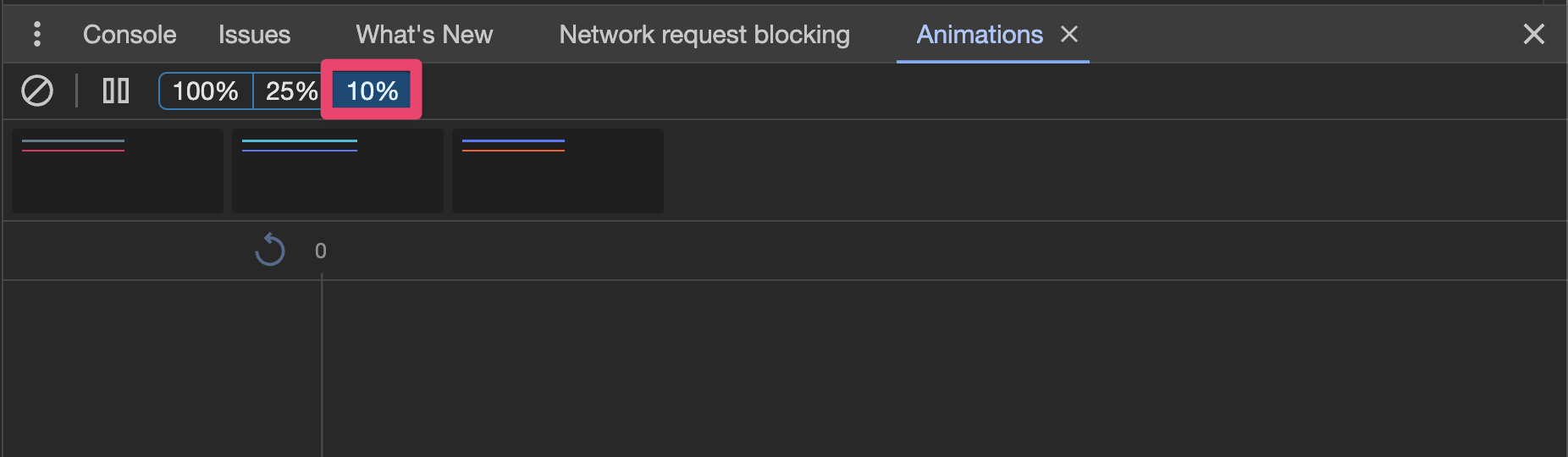
- Open and dismiss the action sheet tied to the "Basic" button.
- Verify that the action sheet animates completely off the view when
dismissed.
- Open the and dismiss the action sheet tied to the "Custom CSS Class"
button. This implementation customizes the `--height` of the action
sheet.
- Verify that the action sheet animates completely off the view when
dismissed.
---------
Co-authored-by: ionitron <hi@ionicframework.com>
Co-authored-by: Liam DeBeasi <liamdebeasi@users.noreply.github.com>
Issue number: resolves#28838
---------
<!-- Please do not submit updates to dependencies unless it fixes an
issue. -->
<!-- Please try to limit your pull request to one type (bugfix, feature,
etc). Submit multiple pull requests if needed. -->
## What is the current behavior?
<!-- Please describe the current behavior that you are modifying. -->
In #28316 we resolved a longstanding misconfiguration where event
listeners being added to the page were not removed. This was due to
incorrect usage of `.bind` creating a new instance of the callback
functions.
By removing the event listener for `ionViewDidLeave`, before the
component has actually unmounted in react, resulted in the registered
destroy callback to not fire:
51c729eafc/packages/react/src/contexts/IonLifeCycleContext.tsx (L208-L216)
and
51c729eafc/packages/react/src/routing/ViewLifeCycleManager.tsx (L21-L32)
This resulted in a scenario that using a `Redirect` could cause the
wrong view to be unmounted (the entering view) and leave the user on an
empty screen.
## What is the new behavior?
<!-- Please describe the behavior or changes that are being added by
this PR. -->
- `ionViewDidEnter` event listener *is not* removed while the component
is unmounting. The browser will naturally remove the event listener when
the element node is detached from the DOM.
- Users are no longer presented with a white screen after clicking a
route that uses a redirect.
## Does this introduce a breaking change?
- [ ] Yes
- [x] No
<!--
If this introduces a breaking change:
1. Describe the impact and migration path for existing applications
below.
2. Update the BREAKING.md file with the breaking change.
3. Add "BREAKING CHANGE: [...]" to the commit description when merging.
See
https://github.com/ionic-team/ionic-framework/blob/main/.github/CONTRIBUTING.md#footer
for more information.
-->
## Other information
<!-- Any other information that is important to this PR such as
screenshots of how the component looks before and after the change. -->
Dev-build: `7.6.7-dev.11706567011.11e782a9`
Issue number: resolves#28963
---------
<!-- Please do not submit updates to dependencies unless it fixes an
issue. -->
<!-- Please try to limit your pull request to one type (bugfix, feature,
etc). Submit multiple pull requests if needed. -->
## What is the current behavior?
<!-- Please describe the current behavior that you are modifying. -->
In https://github.com/ionic-team/ionic-framework/pull/28861 I fixed an
issue that caused the wrong content inside of a popover to be
scrollable. This CSS should have been applied, but it broke back when
popover was converted to the Shadow DOM. Fixing this issue revealed a
misconfiguration with the select-popover that caused the select-popover
to no longer be scrollable.
## What is the new behavior?
<!-- Please describe the behavior or changes that are being added by
this PR. -->
- Content inside of `ion-select-popover` can now be scrolled
Note that I am considering this a bug fix instead of a regression. While
scrolling used to work in select-popover, it only worked by chance. The
`.popover-viewport` styles should have always applied to the
select-popover, thus requiring the use of `overflow-y: auto` in
select-popover.
## Does this introduce a breaking change?
- [ ] Yes
- [x] No
<!--
If this introduces a breaking change:
1. Describe the impact and migration path for existing applications
below.
2. Update the BREAKING.md file with the breaking change.
3. Add "BREAKING CHANGE: [...]" to the commit description when merging.
See
https://github.com/ionic-team/ionic-framework/blob/main/.github/CONTRIBUTING.md#footer
for more information.
-->
## Other information
<!-- Any other information that is important to this PR such as
screenshots of how the component looks before and after the change. -->
Dev build: `7.7.1-dev.11706893059.1bef4b38`
Issue number: N/A
---------
<!-- Please do not submit updates to dependencies unless it fixes an
issue. -->
<!-- Please try to limit your pull request to one type (bugfix, feature,
etc). Submit multiple pull requests if needed. -->
## What is the current behavior?
<!-- Please describe the current behavior that you are modifying. -->
The packages, Angular, React, and Vue, will accept any `app_dir`
parameter when passing it to the build script. This can lead to a user
to entering a directory that doesn't exist within `test/apps`. If this
happens, then the build folder will include an incomplete test app.
For example:
1. `./build ng13`
2. This creates a `build/ng13` folder, but the folder only contains the
contents from the `base` folder. This causes it to be incomplete.
## What is the new behavior?
<!-- Please describe the behavior or changes that are being added by
this PR. -->
- Provides a message that the provided app directory doesn't exist.
- Does not create the incomplete app when an invalid app directory is
given.
## Does this introduce a breaking change?
- [ ] Yes
- [x] No
<!--
If this introduces a breaking change:
1. Describe the impact and migration path for existing applications
below.
4. Update the BREAKING.md file with the breaking change.
5. Add "BREAKING CHANGE: [...]" to the commit description when merging.
See
https://github.com/ionic-team/ionic-framework/blob/main/.github/CONTRIBUTING.md#footer
for more information.
-->
## Other information
<!-- Any other information that is important to this PR such as
screenshots of how the component looks before and after the change. -->
N/A
Issue number: None
---------
<!-- Please do not submit updates to dependencies unless it fixes an
issue. -->
<!-- Please try to limit your pull request to one type (bugfix, feature,
etc). Submit multiple pull requests if needed. -->
## What is the current behavior?
<!-- Please describe the current behavior that you are modifying. -->
People adding a new Angular test app don't know they need to update the
Stencil nightly build.
## What is the new behavior?
<!-- Please describe the behavior or changes that are being added by
this PR. -->
- Documentation exists for adding a new Angular version to the Stencil
nightly build when creating a new Angular test app..
## Does this introduce a breaking change?
- [ ] Yes
- [x] No
<!--
If this introduces a breaking change:
1. Describe the impact and migration path for existing applications
below.
2. Update the BREAKING.md file with the breaking change.
3. Add "BREAKING CHANGE: [...]" to the commit description when merging.
See
https://github.com/ionic-team/ionic-framework/blob/main/.github/CONTRIBUTING.md#footer
for more information.
-->
## Other information
This is related to #28945
<!-- Any other information that is important to this PR such as
screenshots of how the component looks before and after the change. -->
---------
Co-authored-by: Maria Hutt <thetaPC@users.noreply.github.com>
Issue number: Internal
---------
<!-- Please do not submit updates to dependencies unless it fixes an
issue. -->
<!-- Please try to limit your pull request to one type (bugfix, feature,
etc). Submit multiple pull requests if needed. -->
## What is the current behavior?
<!-- Please describe the current behavior that you are modifying. -->
The Stencil nightlies are still attempting to run old Angular test apps
and does not test ng16/17
## What is the new behavior?
<!-- Please describe the behavior or changes that are being added by
this PR. -->
- Removed ng12-15 test apps
- Added ng16-17 test apps
I opted to remove ng14-15 because we are in the process of dropping
support for it in Ionic 8.
## Does this introduce a breaking change?
- [ ] Yes
- [x] No
<!--
If this introduces a breaking change:
1. Describe the impact and migration path for existing applications
below.
2. Update the BREAKING.md file with the breaking change.
3. Add "BREAKING CHANGE: [...]" to the commit description when merging.
See
https://github.com/ionic-team/ionic-framework/blob/main/.github/CONTRIBUTING.md#footer
for more information.
-->
## Other information
<!-- Any other information that is important to this PR such as
screenshots of how the component looks before and after the change. -->
Issue number: resolves#28352
---------
<!-- Please do not submit updates to dependencies unless it fixes an
issue. -->
<!-- Please try to limit your pull request to one type (bugfix, feature,
etc). Submit multiple pull requests if needed. -->
## What is the current behavior?
<!-- Please describe the current behavior that you are modifying. -->
Not all animations are getting properly destroyed after they run. This
means that styles can get stuck at the end value of their animation.
Specifically for this reproduction (as reported in the bug ticket), if
the modal animates from 1 to 0 opacity and then the modal gets reopened
with a different animation where the opacity should be 1 throughout
(i.e. the opacity isn't supposed to animate at all), the modal is
invisible because the opacity got stuck at 0 and never got reset to the
default value of 1.
This bug is probably causing some incorrect behavior on other edge cases
with overlays, but this is the only one I've identified.
### Reproduction steps
Note: you cannot reproduce this when using a modalController
1. Open a modal, e.g. [this
one](http://localhost:3333/src/components/modal/test/card-nav?ionic:mode=ios)
in `ios` mode on a screen wider than 768px
1. Close the modal
1. Open the same modal on a screen narrower than 768px
1. See that the modal does not appear
## What is the new behavior?
<!-- Please describe the behavior or changes that are being added by
this PR. -->
- Animations are properly destroyed after the animation completes
- The modal now appears as expected after following the reproduction
steps above
## Does this introduce a breaking change?
- [ ] Yes
- [x] No
<!--
If this introduces a breaking change:
1. Describe the impact and migration path for existing applications
below.
2. Update the BREAKING.md file with the breaking change.
3. Add "BREAKING CHANGE: [...]" to the commit description when merging.
See
https://github.com/ionic-team/ionic-framework/blob/main/.github/CONTRIBUTING.md#footer
for more information.
-->
<!--
## Other information
Any other information that is important to this PR such as screenshots
of how the component looks before and after the change. -->
---------
Co-authored-by: Liam DeBeasi <liamdebeasi@users.noreply.github.com>
Issue number: Internal
---------
<!-- Please do not submit updates to dependencies unless it fixes an
issue. -->
<!-- Please try to limit your pull request to one type (bugfix, feature,
etc). Submit multiple pull requests if needed. -->
## What is the current behavior?
<!-- Please describe the current behavior that you are modifying. -->
Several tests were still using the legacy form syntax.
## What is the new behavior?
<!-- Please describe the behavior or changes that are being added by
this PR. -->
- Migrated tests in `core`, `angular`, and `vue` to use the modern form
syntax (`react` did not have form controls).
I opted not to migrate `item/test/highlight` and `item/test/counter`
because those tests are going to be removed in the future once the
deprecate item APIs are removed.
## Does this introduce a breaking change?
- [ ] Yes
- [x] No
<!--
If this introduces a breaking change:
1. Describe the impact and migration path for existing applications
below.
2. Update the BREAKING.md file with the breaking change.
3. Add "BREAKING CHANGE: [...]" to the commit description when merging.
See
https://github.com/ionic-team/ionic-framework/blob/main/.github/CONTRIBUTING.md#footer
for more information.
-->
## Other information
<!-- Any other information that is important to this PR such as
screenshots of how the component looks before and after the change. -->
---------
Co-authored-by: ionitron <hi@ionicframework.com>
Co-authored-by: Maria Hutt <thetaPC@users.noreply.github.com>
Issue number: resolves#27965
---------
https://www.youtube.com/watch?v=a_m7jxrTlaw&list=PLIvujZeVDLMx040-j1W4WFs1BxuTGdI_b&index=3
<!-- Please do not submit updates to dependencies unless it fixes an
issue. -->
<!-- Please try to limit your pull request to one type (bugfix, feature,
etc). Submit multiple pull requests if needed. -->
## What is the current behavior?
<!-- Please describe the current behavior that you are modifying. -->
There is a lack of autocomplete support for AlertButton attribute of
`role` (there may be similar situations for other components too,
however, I was working on this component and found it).
## What is the new behavior?
<!-- Please describe the behavior or changes that are being added by
this PR. -->
- Support for autocomplete for the two types defined `cancel` and
`destructive`, and also supports any arbitrary string if passed in.
## Does this introduce a breaking change?
- [ ] Yes
- [x] No
<!-- If this introduces a breaking change, please describe the impact
and migration path for existing applications below. -->
## Other information
<!-- Any other information that is important to this PR such as
screenshots of how the component looks before and after the change. -->
I suggest there to be some global interface similar to the following:
```
interface LooseAutocomplete<T extends string> = T | Omit<string, T>;
```
I referenced this great [video](https://youtu.be/a_m7jxrTlaw) from Matt
@mattpocock
---------
Co-authored-by: Liam DeBeasi <liamdebeasi@users.noreply.github.com>
Bumps
[@capacitor/keyboard](https://github.com/ionic-team/capacitor-plugins)
from 5.0.7 to 5.0.8.
<details>
<summary>Release notes</summary>
<p><em>Sourced from <a
href="https://github.com/ionic-team/capacitor-plugins/releases"><code>@capacitor/keyboard</code>'s
releases</a>.</em></p>
<blockquote>
<h2><code>@capacitor/keyboard</code><a
href="https://github.com/5"><code>@5</code></a>.0.8</h2>
<h2><a
href="https://github.com/ionic-team/capacitor-plugins/compare/@capacitor/keyboard@5.0.7...@capacitor/keyboard@5.0.8">5.0.8</a>
(2024-01-29)</h2>
<p><strong>Note:</strong> Version bump only for package
<code>@capacitor/keyboard</code></p>
</blockquote>
</details>
<details>
<summary>Commits</summary>
<ul>
<li><a
href="d5483ce9f6"><code>d5483ce</code></a>
chore(release): publish [skip ci]</li>
<li><a
href="be9ff28e06"><code>be9ff28</code></a>
docs: fix addListener links (<a
href="https://redirect.github.com/ionic-team/capacitor-plugins/issues/2012">#2012</a>)</li>
<li><a
href="d8540feeb6"><code>d8540fe</code></a>
fix(screen-orientation) Add ScreenOrientationLockType (<a
href="https://redirect.github.com/ionic-team/capacitor-plugins/issues/2005">#2005</a>)</li>
<li><a
href="e2cdf3538b"><code>e2cdf35</code></a>
feat(browser): implement close() method for android</li>
<li><a
href="f9afbe9b03"><code>f9afbe9</code></a>
fix(filesystem): requestPermissions not resolving (<a
href="https://redirect.github.com/ionic-team/capacitor-plugins/issues/1991">#1991</a>)</li>
<li>See full diff in <a
href="https://github.com/ionic-team/capacitor-plugins/compare/@capacitor/keyboard@5.0.7...@capacitor/keyboard@5.0.8">compare
view</a></li>
</ul>
</details>
<br />
[](https://docs.github.com/en/github/managing-security-vulnerabilities/about-dependabot-security-updates#about-compatibility-scores)
Dependabot will resolve any conflicts with this PR as long as you don't
alter it yourself. You can also trigger a rebase manually by commenting
`@dependabot rebase`.
[//]: # (dependabot-automerge-start)
[//]: # (dependabot-automerge-end)
---
<details>
<summary>Dependabot commands and options</summary>
<br />
You can trigger Dependabot actions by commenting on this PR:
- `@dependabot rebase` will rebase this PR
- `@dependabot recreate` will recreate this PR, overwriting any edits
that have been made to it
- `@dependabot merge` will merge this PR after your CI passes on it
- `@dependabot squash and merge` will squash and merge this PR after
your CI passes on it
- `@dependabot cancel merge` will cancel a previously requested merge
and block automerging
- `@dependabot reopen` will reopen this PR if it is closed
- `@dependabot close` will close this PR and stop Dependabot recreating
it. You can achieve the same result by closing it manually
- `@dependabot show <dependency name> ignore conditions` will show all
of the ignore conditions of the specified dependency
- `@dependabot ignore this major version` will close this PR and stop
Dependabot creating any more for this major version (unless you reopen
the PR or upgrade to it yourself)
- `@dependabot ignore this minor version` will close this PR and stop
Dependabot creating any more for this minor version (unless you reopen
the PR or upgrade to it yourself)
- `@dependabot ignore this dependency` will close this PR and stop
Dependabot creating any more for this dependency (unless you reopen the
PR or upgrade to it yourself)
</details>
Signed-off-by: dependabot[bot] <support@github.com>
Co-authored-by: dependabot[bot] <49699333+dependabot[bot]@users.noreply.github.com>
Issue number: Internal
---------
<!-- Please do not submit updates to dependencies unless it fixes an
issue. -->
<!-- Please try to limit your pull request to one type (bugfix, feature,
etc). Submit multiple pull requests if needed. -->
## What is the current behavior?
<!-- Please describe the current behavior that you are modifying. -->
React and React Router packages do not build correctly on Windows
because certain dependencies were not marked as external.
## What is the new behavior?
<!-- Please describe the behavior or changes that are being added by
this PR. -->
- 3rd party packages are correctly marked as external
## Does this introduce a breaking change?
- [ ] Yes
- [x] No
<!--
If this introduces a breaking change:
1. Describe the impact and migration path for existing applications
below.
2. Update the BREAKING.md file with the breaking change.
3. Add "BREAKING CHANGE: [...]" to the commit description when merging.
See
https://github.com/ionic-team/ionic-framework/blob/main/.github/CONTRIBUTING.md#footer
for more information.
-->
## Other information
<!-- Any other information that is important to this PR such as
screenshots of how the component looks before and after the change. -->
Issue number: resolves#28769
---------
<!-- Please do not submit updates to dependencies unless it fixes an
issue. -->
<!-- Please try to limit your pull request to one type (bugfix, feature,
etc). Submit multiple pull requests if needed. -->
## What is the current behavior?
<!-- Please describe the current behavior that you are modifying. -->
As part of https://github.com/ionic-team/ionic-framework/pull/28146, we
allowed text wrapping inside of `ion-item` for accessibility purposes.
One of the behaviors we added was to allow start, default, and end
slotted containers to wrap to the next line to align with the iOS spec.
However, this decision was based on an incorrect assumption.
The following screenshot shows the Settings app on iOS:
| default scale | 310% scale |
| - | - |
| <img width="1170" alt="Frame 4"
src="https://github.com/ionic-team/ionic-framework/assets/2721089/462ef153-a060-41c8-9a00-f0aad17839be">
| <img width="1170" alt="Frame 5"
src="https://github.com/ionic-team/ionic-framework/assets/2721089/f047f880-7b80-4710-939b-96da075fbbf9">
|
At the default scale, the blue icon is in the iOS equivalent of the
"start" slot, "Bluetooth" is in the default slot, and "On" is in the
"end" slot. We incorrectly assumed the same markup was true when scaling
the text up. However, at 310% scale the icon, "Bluetooth" text, and "On"
text all become part of the default slot in a single container that
wraps. You can tell because the bottom border runs underneath the blue
icon at 310% whereas it does not at the default scale. This allows the
text to wrap underneath the blue icon. When we originally implemented
#28146 we thought that this meant the start, default, and end slot
containers should wrap to the next line.
I further validated this behavior by creating an app with Swift UI. I
created a list of items where each item has the native equivalent of a
checkbox in the `start` slot and multiple `ion-labels` in the default
slot of the item:
| Default Scale | 310% Scale |
| - | - |
|

|

|
The content within each label wraps within the container, but the
containers themselves never wrap to the next line.
Demo code:
```swift
import SwiftUI
struct ContentView: View {
struct Item: Identifiable, Hashable {
let id = UUID()
}
private var items = [
Item(),
Item(),
Item(),
Item(),
Item()
]
@State private var multiSelection = Set<UUID>()
var body: some View {
NavigationView {
List(items, selection: $multiSelection) {_ in
HStack {
Text("Column 1 with really long text")
Text("Column 2 with really long text")
Text("Column 3 with really long text")
Text("Column 4 with really long text")
}
}
.toolbar { EditButton() }
}
Text("\(multiSelection.count) selections")
}
}
#Preview {
ContentView()
}
```
## What is the new behavior?
<!-- Please describe the behavior or changes that are being added by
this PR. -->
- This PR removes the ability for the start, default, and end slot
containers to wrap to the next line. This behavior aligns with
pre-v7.6.0 behaviors. The containers inside of the default slot will not
wrap to the next line. However, content within each container (such as
text within an `ion-label`) will continue to wrap to meet the team's
accessibility requirements.
## Does this introduce a breaking change?
- [ ] Yes
- [x] No
<!--
If this introduces a breaking change:
1. Describe the impact and migration path for existing applications
below.
2. Update the BREAKING.md file with the breaking change.
3. Add "BREAKING CHANGE: [...]" to the commit description when merging.
See
https://github.com/ionic-team/ionic-framework/blob/main/.github/CONTRIBUTING.md#footer
for more information.
-->
## Other information
<!-- Any other information that is important to this PR such as
screenshots of how the component looks before and after the change. -->
Dev build: `7.6.5-dev.11704916749.1e64a3a7`
---------
Co-authored-by: ionitron <hi@ionicframework.com>
Issue number: N/A
---------
<!-- Please do not submit updates to dependencies unless it fixes an
issue. -->
<!-- Please try to limit your pull request to one type (bugfix, feature,
etc). Submit multiple pull requests if needed. -->
## What is the current behavior?
<!-- Please describe the current behavior that you are modifying. -->
The `IonPicker` tests in the React app were skipped due to a Stencil bug
that has since been resolved.
## What is the new behavior?
<!-- Please describe the behavior or changes that are being added by
this PR. -->
Tests re-enabled.
## Does this introduce a breaking change?
- [ ] Yes
- [x] No
<!--
If this introduces a breaking change:
1. Describe the impact and migration path for existing applications
below.
2. Update the BREAKING.md file with the breaking change.
3. Add "BREAKING CHANGE: [...]" to the commit description when merging.
See
https://github.com/ionic-team/ionic-framework/blob/main/.github/CONTRIBUTING.md#footer
for more information.
-->
## Other information
<!-- Any other information that is important to this PR such as
screenshots of how the component looks before and after the change. -->
Issue number: N/A
---------
<!-- Please do not submit updates to dependencies unless it fixes an
issue. -->
<!-- Please try to limit your pull request to one type (bugfix, feature,
etc). Submit multiple pull requests if needed. -->
## What is the current behavior?
<!-- Please describe the current behavior that you are modifying. -->
All the E2E tests are run when performing the "Update Reference
Screenshots" GitHub actions.

## What is the new behavior?
<!-- Please describe the behavior or changes that are being added by
this PR. -->
- All E2E tests still run as default.
- The GH action has the option to run a specific component instead of
all tests.
- A specified component has the option to run all tests that include the
component's name in the file path
- A specified component has the option to run all tests that are in the
component's folder
- If a single component is selected, then the default is to only run
tests inside it's folder.

## Does this introduce a breaking change?
- [ ] Yes
- [x] No
<!-- If this introduces a breaking change, please describe the impact
and migration path for existing applications below. -->
## Other information
<!-- Any other information that is important to this PR such as
screenshots of how the component looks before and after the change. -->
How to test:
1. Create a new branch based off this one
2. Make a style change
3. Push it to the new branch
4. Update the reference images using the new branch
5. This will show you all the options
Recommended to test:
- a component with the ion prefix (`ion-button`)
- a component without the prefix (`button`)
- a component that doesn't exist (`random-component`)
- no provided component, leave the first input blank
- the checkbox
---------
Co-authored-by: Liam DeBeasi <liamdebeasi@users.noreply.github.com>
Issue number: resolves#28525
---------
<!-- Please do not submit updates to dependencies unless it fixes an
issue. -->
<!-- Please try to limit your pull request to one type (bugfix, feature,
etc). Submit multiple pull requests if needed. -->
## What is the current behavior?
<!-- Please describe the current behavior that you are modifying. -->
When navigated via tab-key, the ion-item is not highlighted correctly
after switching from button=false to button=true.
## What is the new behavior?
<!-- Please describe the behavior or changes that are being added by
this PR. -->
Now, when dynamically changing the the `button` option to `True`,
there's a `@watch` callback that will make sure the internal
`isFocusable` `@state` will be updated.
- A new unit test was added to item/test. As there was still any unit
test for the `ion-item`, a new files was created - `item.spec.tsx`
## Does this introduce a breaking change?
- [ ] Yes
- [x] No
<!--
If this introduces a breaking change:
1. Describe the impact and migration path for existing applications
below.
2. Update the BREAKING.md file with the breaking change.
3. Add "BREAKING CHANGE: [...]" to the commit description when merging.
See
https://github.com/ionic-team/ionic-framework/blob/main/.github/CONTRIBUTING.md#footer
for more information.
-->
## Other information
<!-- Any other information that is important to this PR such as
screenshots of how the component looks before and after the change. -->
New behavior in runtime:

---------
Co-authored-by: Sean Perkins <sean@ionic.io>
Issue number: N/A
---------
<!-- Please do not submit updates to dependencies unless it fixes an
issue. -->
<!-- Please try to limit your pull request to one type (bugfix, feature,
etc). Submit multiple pull requests if needed. -->
## What is the current behavior?
<!-- Please describe the current behavior that you are modifying. -->
There are some tests that use Playwright's `waitForSelector`
[function](https://playwright.dev/docs/api/class-page#page-wait-for-selector).
However, Playwright has informed the community to not use this function
by labeling it as
[discouraged](https://playwright.dev/docs/api/class-page#page-wait-for-selector).
## What is the new behavior?
<!-- Please describe the behavior or changes that are being added by
this PR. -->
- Replaced `waitForSelector` with the
[recommended](https://playwright.dev/docs/api/class-page#page-wait-for-selector)
`waitFor`
[function](https://playwright.dev/docs/api/class-locator#locator-wait-for).
## Does this introduce a breaking change?
- [ ] Yes
- [x] No
<!--
If this introduces a breaking change:
1. Describe the impact and migration path for existing applications
below.
2. Update the BREAKING.md file with the breaking change.
3. Add "BREAKING CHANGE: [...]" to the commit description when merging.
See
https://github.com/ionic-team/ionic-framework/blob/main/.github/CONTRIBUTING.md#footer
for more information.
-->
## Other information
<!-- Any other information that is important to this PR such as
screenshots of how the component looks before and after the change. -->
N/A
This script was used to aid in the test of local version of
`@ionic/angular`. However, these instructions have been replaced by the
instructions in `packages/angular/test/README.md`. This PR removes the
old script.
Issue number: Internal
---------
<!-- Please do not submit updates to dependencies unless it fixes an
issue. -->
<!-- Please try to limit your pull request to one type (bugfix, feature,
etc). Submit multiple pull requests if needed. -->
## What is the current behavior?
<!-- Please describe the current behavior that you are modifying. -->
As part of FW-2832 the team has an initiative to remove much of the
`any` usage in favor of stronger types. This will make modifications to
this codebase safer as we will have access to proper type checking.
## What is the new behavior?
<!-- Please describe the behavior or changes that are being added by
this PR. -->
- Removed the `any` case from window.matchMedia. This causes the linter
to fail because `window.matchMedia` is always defined. I removed the
check altogether. `matchMedia` is supported on all browsers that Ionic 7
supports. This should not cause any changes for Ionic developers, but I
want to ship this a) in a separate patch and b) in a minor release to
de-risk just in case there's an edge case I am not considering
## Does this introduce a breaking change?
- [ ] Yes
- [x] No
<!--
If this introduces a breaking change:
1. Describe the impact and migration path for existing applications
below.
2. Update the BREAKING.md file with the breaking change.
3. Add "BREAKING CHANGE: [...]" to the commit description when merging.
See
https://github.com/ionic-team/ionic-framework/blob/main/.github/CONTRIBUTING.md#footer
for more information.
-->
## Other information
<!-- Any other information that is important to this PR such as
screenshots of how the component looks before and after the change. -->
Issue number: Internal
---------
<!-- Please do not submit updates to dependencies unless it fixes an
issue. -->
<!-- Please try to limit your pull request to one type (bugfix, feature,
etc). Submit multiple pull requests if needed. -->
## What is the current behavior?
<!-- Please describe the current behavior that you are modifying. -->
As part of FW-2832 the team has an initiative to remove much of the
`any` usage in favor of stronger types. This will make modifications to
this codebase safer as we will have access to proper type checking.
## What is the new behavior?
<!-- Please describe the behavior or changes that are being added by
this PR. -->
- Added stronger types to the `animationTimeout` variable. Making this
change causes our linter to fail because we are using a number value in
a conditional which we do not allow. To avoid this, I needed to check if
`animationTimeout` was `undefined`. This should not cause any changes
for Ionic developers, but I want to ship this a) in a separate patch and
b) in a minor release to de-risk just in case there's an edge case I am
not considering.
## Does this introduce a breaking change?
- [ ] Yes
- [x] No
<!--
If this introduces a breaking change:
1. Describe the impact and migration path for existing applications
below.
2. Update the BREAKING.md file with the breaking change.
3. Add "BREAKING CHANGE: [...]" to the commit description when merging.
See
https://github.com/ionic-team/ionic-framework/blob/main/.github/CONTRIBUTING.md#footer
for more information.
-->
## Other information
<!-- Any other information that is important to this PR such as
screenshots of how the component looks before and after the change. -->
description:Which version(s) of Ionic Framework does this issue impact? For Ionic Framework 1.x issues, please use https://github.com/ionic-team/ionic-v1. For Ionic Framework 2.x and 3.x issues, please use https://github.com/ionic-team/ionic-v3.
description: Which version(s) of Ionic Framework does this issue impact? [Ionic Framework 1.x to 6.x are no longer supported](https://ionicframework.com/docs/reference/support#framework-maintenance-and-support-status). For extended support, considering visiting [Ionic's Enterprise offering](https://ionic.io/enterprise).
options:
- v4.x
- v5.x
- v6.x
- v7.x
- v8.x
- Nightly
multiple:true
validations:
@@ -51,11 +49,11 @@ body:
id:steps-to-reproduce
attributes:
label:Steps to Reproduce
description:Please explain the steps required to duplicate this issue.
description:Explain the steps required to reproduce this issue.
placeholder:|
1.
2.
3.
1. Go to '...'
2. Click on '...'
3. Observe: '...'
validations:
required:true
@@ -63,8 +61,15 @@ body:
id:reproduction-url
attributes:
label:Code Reproduction URL
description:Please reproduce this issue in a blank Ionic Framework starter application and provide a link to the repo. Try out our [Getting Started Wizard](https://ionicframework.com/start#basics) to quickly spin up an Ionic Framework starter app. This is the best way to ensure this issue is triaged quickly. Issues without a code reproduction may be closed if the Ionic Team cannot reproduce the issue you are reporting.
description:|
Reproduce this issue in a blank [Ionic Framework starter application](https://ionicframework.com/start#basics) or a Stackblitz example.
You can use the Stackblitz button available on any of the [component playgrounds](https://ionicframework.com/docs/components) to open an editable example. Remember to save your changes to obtain a link to copy.
Reproductions cases must be minimal and focused around the specific problem you are experiencing. This is the best way to ensure this issue is triaged quickly. Issues without a code reproduction may be closed if the Ionic Team cannot reproduce the issue you are reporting.
1. Describe the impact and migration path for existing applications below.
2. Update the BREAKING.md file with the breaking change.
3. Add "BREAKING CHANGE: [...]" to the commit description when merging. See https://github.com/ionic-team/ionic-framework/blob/main/.github/CONTRIBUTING.md#footer for more information.
3. Add "BREAKING CHANGE: [...]" to the commit description when merging. See https://github.com/ionic-team/ionic-framework/blob/main/docs/CONTRIBUTING.md#footer for more information.
# Screenshots can be updated for all components or specified component(s).
# If the `component` variable is set, then the test has the option to
# - run all the instances of the specified component(s) in the `src/components` folder
# -- For example: if the `component` value is "item", then the following command will be: `npm run test.e2e item`
# - run the specified file path
# -- For example: if the `component` value is "src/components/item/test/basic", then the following command will be: `npm run test.e2e src/components/item/test/basic`
# - run multiple specified components based on the space-separated value
# -- For example: if the `component` value is "item basic", then the following command will be: `npm run test.e2e item basic`
# -- For example: if the `component` value is "src/components/item/test/basic src/components/item/test/a11y", then the following command will be: `npm run test.e2e src/components/item/test/basic src/components/item/test/a11y`
#
# If the `component` variable is not set, then the test will run all the instances of the components in the `src/components` folder.
# - For example: `npm run test.e2e`
#
# More common options can be found at the Playwright Command line page: https://playwright.dev/docs/test-cli
component:
description:'What component(s) should be updated? (leave blank to update all or use a space-separated list for multiple components)'
<h2 id="version-8x-browser-platform-support">Browser and Platform Support</h2>
@@ -50,9 +62,12 @@ This section details the desktop browser, JavaScript framework, and mobile platf
| iOS | 15+ |
| Android | 5.1+ with Chromium 89+ |
<h2 id="version-8x-dark-theme">Dark Theme</h2>
Ionic Framework v8 removes backwards support for CSS Animations in favor of the [Web Animations API](https://developer.mozilla.org/en-US/docs/Web/API/Web_Animations_API). All minimum browser versions listed above support the Web Animations API.
In previous versions, it was recommended to define the dark theme in the following way:
<h2 id="version-8x-dark-mode">Dark Mode</h2>
In previous versions, it was recommended to define the dark palette in the following way:
```css
@media(prefers-color-scheme:dark){
@@ -70,15 +85,15 @@ In previous versions, it was recommended to define the dark theme in the followi
}
```
In Ionic Framework version 8, the dark theme is being distributed via css files that can be imported. Below is an example of importing a dark theme file in Angular:
In Ionic Framework version 8, the dark palette is being distributed via css files that can be imported. Below is an example of importing a dark palette file in Angular:
By importing the `dark.system.css` file, the dark theme variables will be defined like the following:
By importing the `dark.system.css` file, the dark palette variables will be defined like the following:
```css
@media(prefers-color-scheme:dark){
@@ -96,11 +111,11 @@ By importing the `dark.system.css` file, the dark theme variables will be define
}
```
Notice that the dark theme is now applied to the `:root` selector instead of the `body` selector. The [`:root`](https://developer.mozilla.org/en-US/docs/Web/CSS/:root) selector represents the `<html>` element and is identical to the selector `html`, except that its specificity is higher.
Notice that the dark palette is now applied to the `:root` selector instead of the `body` selector. The [`:root`](https://developer.mozilla.org/en-US/docs/Web/CSS/:root) selector represents the `<html>` element and is identical to the selector `html`, except that its specificity is higher.
While migrating to include the new dark theme files is unlikely to cause breaking changes, these new selectors can lead to unexpected overrides if custom CSS variables are being set on the `body` element. We recommend updating any instances where global application variables are set to target the `:root` selector instead.
While migrating to include the new dark palette files is unlikely to cause breaking changes, these new selectors can lead to unexpected overrides if custom CSS variables are being set on the `body` element. We recommend updating any instances where global application variables are set to target the `:root` selector instead.
For more information on the new dark theme files, refer to the [Dark Mode documentation](https://ionicframework.com/docs/theming/dark-mode).
For more information on the new dark palette files, refer to the [Dark Mode documentation](https://ionicframework.com/docs/theming/dark-mode).
@@ -127,12 +142,21 @@ Developers who had previously chosen dynamic font scaling by activating it in th
Developers who want to disable dynamic font scaling can set `--ion-dynamic-font: initial;` in their global stylesheets. However, this is not recommended because it may introduce accessibility challenges for users who depend on enlarged font sizes.
For more information on the dynamic font, refer to the [Dynamic Font Scaling documentation](https://ionicframework.com/docs/layout/dynamic-font-scaling).
<h2 id="version-8x-haptics">Haptics</h2>
- Support for the Cordova Haptics plugin has been removed. Components that integrate with haptics, such as `ion-picker` and `ion-toggle`, will continue to function but will no longer play haptics in Cordova environments. Developers should migrate to Capacitor to continue to have haptics in these components.
<h2 id="version-8x-components">Components</h2>
<h4 id="version-8x-button">Button</h4>
- Button text now wraps by default. If this behavior is not desired, add the `ion-text-nowrap` class from the [CSS Utilities](https://ionicframework.com/docs/layout/css-utilities).
<h4 id="version-8x-checkbox">Checkbox</h4>
The `legacy` property and support for the legacy syntax, which involved placing an `ion-checkbox` inside of an `ion-item` with an `ion-label`, have been removed. For more information on migrating from the legacy checkbox syntax, refer to the [Checkbox documentation](https://ionicframework.com/docs/api/checkbox#migrating-from-legacy-checkbox-syntax).
<h4 id="version-8x-content">Content</h4>
- Content no longer sets the `--background` custom property when the `.outer-content` class is set on the host.
@@ -153,6 +177,65 @@ For more information on the dynamic font, refer to the [Dynamic Font Scaling doc
- `size` has been removed from the `ion-input` component. Developers should use CSS to specify the visible width of the input.
- `accept` has been removed from the `ion-input` component. This was previously used in conjunction with the `type="file"`. However, the `file` value for `type` is not a valid value in Ionic Framework.
- The `legacy` property and support for the legacy syntax, which involved placing an `ion-input` inside of an `ion-item` with an `ion-label`, have been removed. For more information on migrating from the legacy input syntax, refer to the [Input documentation](https://ionicframework.com/docs/api/input#migrating-from-legacy-input-syntax).
<h4 id="version-8x-item">Item</h4>
- The `helper` slot has been removed. Developers should use the `helperText` property on `ion-input` and `ion-textarea`.
- The `error` slot has been removed. Developers should use the `errorText` property on `ion-input` and `ion-textarea`.
- Counter functionality has been removed including the `counter` and `counterFormatter` properties. Developers should use the properties of the same name on `ion-input` and `ion-textarea`.
- The `fill` property has been removed. Developers should use the property of the same name on `ion-input`, `ion-select`, and `ion-textarea`.
- The `shape` property has been removed. Developers should use the property of the same name on `ion-input`, `ion-select`, and `ion-textarea`.
- Item no longer automatically delegates focus to the first focusable element. While most developers should not need to make any changes to account for this update, usages of `ion-item` with interactive elements such as form controls (inputs, textareas, etc) should be evaluated to verify that interactions still work as expected.
<h5>CSS variables</h4>
The following deprecated CSS variables have been removed: `--highlight-height`, `--highlight-color-focused`, `--highlight-color-valid`, and `--highlight-color-invalid`. These variables were used on the bottom border highlight of an item when the form control inside of that item was focused. The form control syntax was [simplified in v7](https://ionic.io/blog/ionic-7-is-here#simplified-form-control-syntax) so that inputs, selects, and textareas would no longer be required to be used inside of an item.
If you have not yet migrated to the modern form control syntax, migration guides for each of the form controls that added a highlight to item can be found below:
| `--highlight-color-focused` | The color of the highlight when focused |
| `--highlight-color-invalid` | The color of the highlight when invalid |
| `--highlight-color-valid` | The color of the highlight when valid |
| `--highlight-height` | The height of the highlight indicator |
The following styles for item:
```css
ion-item {
--highlight-color-focused: purple;
--highlight-color-valid: blue;
--highlight-color-invalid: orange;
--highlight-height: 6px;
}
```
will instead be applied on the form controls:
```css
ion-input,
ion-textarea,
ion-select {
--highlight-color-focused: purple;
--highlight-color-valid: blue;
--highlight-color-invalid: orange;
--highlight-height: 6px;
}
```
> [!NOTE]
> The input and textarea components are scoped, which means they will automatically scope their CSS by appending each of the styles with an additional class at runtime. Overriding scoped selectors in CSS requires a [higher specificity](https://developer.mozilla.org/en-US/docs/Web/CSS/Specificity) selector. Targeting the `ion-input` or `ion-textarea` for customization will not work; therefore we recommend adding a class and customizing it that way.
<h4 id="version-8x-modal">Modal</h4>
- Detection for Capacitor <= 2 with applying status bar styles has been removed. Developers should ensure they are using Capacitor 3 or later when using the card modal presentation.
<h4 id="version-8x-nav">Nav</h4>
@@ -162,7 +245,7 @@ For more information on the dynamic font, refer to the [Dynamic Font Scaling doc
- `ion-picker` and `ion-picker-column` have been renamed to `ion-picker-legacy` and `ion-picker-legacy-column`, respectively. This change was made to accommodate the new inline picker component while allowing developers to continue to use the legacy picker during this migration period.
- Only the component names have been changed. Usages such as `ion-picker` or `IonPicker` should be changed to `ion-picker-legacy` and `IonPickerLegacy`, respectively.
- Non-component usages such as `pickerController` or `useIonPicker` remain unchanged. The new picker displays inline with your page content and does not have equivalents for these non-component usages.
- Non-component usages such as `pickerController` or `useIonPicker` remain unchanged. The new picker displays inline with your page content and does not have equivalents for these non-component usages.
@@ -172,4 +255,39 @@ For more information on the dynamic font, refer to the [Dynamic Font Scaling doc
- `cssClass` has been removed from the `ToastButton` interface. This was previously used to apply a custom class to the toast buttons. Developers can use the "button" shadow part to style the buttons.
For more information on styling toast buttons, refer to the [Toast Theming documentation](https://ionicframework.com/docs/api/toast#theming).
For more information on styling toast buttons, refer to the [Toast Theming documentation](https://ionicframework.com/docs/api/toast#theming).
<h4 id="version-8x-radio">Radio</h4>
- The `legacy` property and support for the legacy syntax, which involved placing an `ion-radio` inside of an `ion-item` with an `ion-label`, have been removed. For more information on migrating from the legacy radio syntax, refer to the [Radio documentation](https://ionicframework.com/docs/api/radio#migrating-from-legacy-radio-syntax).
<h4 id="version-8x-range">Range</h4>
- The `legacy` property and support for the legacy syntax, which involved placing an `ion-range` inside of an `ion-item` with an `ion-label`, have been removed. Ionic will also no longer attempt to automatically associate form controls with sibling `<label>` elements as these label elements are now used inside the form control. Developers should provide a label (either visible text or `aria-label`) directly to the form control. For more information on migrating from the legacy range syntax, refer to the [Range documentation](https://ionicframework.com/docs/api/range#migrating-from-legacy-range-syntax).
<h4 id="version-8x-searchbar">Searchbar</h4>
- The `autocapitalize` property now defaults to `'off'`.
<h4 id="version-8x-select">Select</h4>
- The `legacy` property and support for the legacy syntax, which involved placing an `ion-select` inside of an `ion-item` with an `ion-label`, have been removed. Ionic will also no longer attempt to automatically associate form controls with sibling `<label>` elements as these label elements are now used inside the form control. Developers should provide a label (either visible text or `aria-label`) directly to the form control. For more information on migrating from the legacy select syntax, refer to the [Select documentation](https://ionicframework.com/docs/api/select#migrating-from-legacy-select-syntax).
<h4 id="version-8x-textarea">Textarea</h4>
- The `legacy` property and support for the legacy syntax, which involved placing an `ion-textarea` inside of an `ion-item` with an `ion-label`, have been removed. For more information on migrating from the legacy textarea syntax, refer to the [Textarea documentation](https://ionicframework.com/docs/api/textarea#migrating-from-legacy-textarea-syntax).
<h4 id="version-8x-toggle">Toggle</h4>
- The `legacy` property and support for the legacy syntax, which involved placing an `ion-toggle` inside of an `ion-item` with an `ion-label`, have been removed. For more information on migrating from the legacy toggle syntax, refer to the [Toggle documentation](https://ionicframework.com/docs/api/toggle#migrating-from-legacy-toggle-syntax).
* **input:** clear button can be navigated using screen reader ([#29366](https://github.com/ionic-team/ionic-framework/issues/29366)) ([ee49824](https://github.com/ionic-team/ionic-framework/commit/ee49824a84df7a7b002f41dab7b935fbcdb64946)), closes [#29358](https://github.com/ionic-team/ionic-framework/issues/29358)
* **input:** debounce is set with binding syntax in angular on load ([#29377](https://github.com/ionic-team/ionic-framework/issues/29377)) ([23321f7](https://github.com/ionic-team/ionic-framework/commit/23321f7ab2a242c3c4193fd6cece3f1c7c0034ef)), closes [#29374](https://github.com/ionic-team/ionic-framework/issues/29374)
* **button:** use clamp for font sizes on circle shape ([#29200](https://github.com/ionic-team/ionic-framework/issues/29200)) ([4d6edee](https://github.com/ionic-team/ionic-framework/commit/4d6edee89c7bb2cb669d67730d7ddf24c78b3cb1))
* **button:** activated outline button in toolbar no longer blends into background on MD dark mode ([#29216](https://github.com/ionic-team/ionic-framework/issues/29216)) ([ee5da7a](https://github.com/ionic-team/ionic-framework/commit/ee5da7a747c0a0b420c5e371a9fe9ec4938d179e))
* **popover:** viewport can be scrolled if no content present ([#29215](https://github.com/ionic-team/ionic-framework/issues/29215)) ([f08759c](https://github.com/ionic-team/ionic-framework/commit/f08759c2b8256ff66f8d1901bd8e0be4617db262)), closes [#29211](https://github.com/ionic-team/ionic-framework/issues/29211)
* **angular:** schematics account for new theme files ([#29185](https://github.com/ionic-team/ionic-framework/issues/29185)) ([b0a10df](https://github.com/ionic-team/ionic-framework/commit/b0a10dfa56a65ee3905cc2c3d48d2221a42f222f))
### Code Refactoring
* **haptics:** remove cordova haptics support ([#29186](https://github.com/ionic-team/ionic-framework/issues/29186)) ([9efeb0a](https://github.com/ionic-team/ionic-framework/commit/9efeb0ad31aadee5f5ae542641d928ecf93fe82a))
* **searchbar:** autocapitalize defaults to off ([#29107](https://github.com/ionic-team/ionic-framework/issues/29107)) ([6e477b7](https://github.com/ionic-team/ionic-framework/commit/6e477b743e41b2b37627c8208901704f599b762a))
### Features
* **button:** add circular shape as round ([#29161](https://github.com/ionic-team/ionic-framework/issues/29161)) ([44529f0](https://github.com/ionic-team/ionic-framework/commit/44529f0a62f1b1ce42750a20f19e829b2789febd))
* remove css animations support for ionic animations ([#29123](https://github.com/ionic-team/ionic-framework/issues/29123)) ([892594d](https://github.com/ionic-team/ionic-framework/commit/892594de0665e8fc5c8a737d292812842ea03d64))
### BREAKING CHANGES
* **searchbar:** The `autocapitalize` property on Searchbar now defaults to `'off'`.
* **haptics:** Support for the Cordova Haptics plugin has been removed. Components that integrate with haptics, such as `ion-picker` and `ion-toggle`, will continue to function but will no longer play haptics in Cordova environments. Developers should migrate to Capacitor to continue to have haptics in these components.
* **header:** iOS headers in MD app are not hidden ([#29164](https://github.com/ionic-team/ionic-framework/issues/29164)) ([fdfecd3](https://github.com/ionic-team/ionic-framework/commit/fdfecd32c33c41cf202d3b30c073bfb1b077e2d6)), closes [#28867](https://github.com/ionic-team/ionic-framework/issues/28867)
* **datetime:** calendar body shows immediately in modal on ios ([#29163](https://github.com/ionic-team/ionic-framework/issues/29163)) ([f759776](https://github.com/ionic-team/ionic-framework/commit/f75977699dae5aeea3d97d4318377633e935afb9)), closes [#24542](https://github.com/ionic-team/ionic-framework/issues/24542)
* **menu:** apply strict type for menu type ([#28982](https://github.com/ionic-team/ionic-framework/issues/28982)) ([03d2670](https://github.com/ionic-team/ionic-framework/commit/03d26702f6444c195f54d3d2ab5aac490fb972b0))
### BREAKING CHANGES
* **item:** - The `helper` slot has been removed. Developers should use the `helperText` property on `ion-input` and `ion-textarea`.
- The `error` slot has been removed. Developers should use the `errorText` property on `ion-input` and `ion-textarea`.
- Counter functionality has been removed including the `counter` and `counterFormatter` properties. Developers should use the properties of the same name on `ion-input` and `ion-textarea`.
- The `fill` property has been removed. Developers should use the property of the same name on `ion-input`, `ion-select`, and `ion-textarea`.
- The `shape` property has been removed. Developers should use the property of the same name on `ion-input`, `ion-select`, and `ion-textarea`.
* **angular:** add ionNavWillChange and ionNavDidChange types for nav ([#29122](https://github.com/ionic-team/ionic-framework/issues/29122)) ([85b9d5c](https://github.com/ionic-team/ionic-framework/commit/85b9d5c35f626ffc273d220549b0126ddc1f7e4b)), closes [#29114](https://github.com/ionic-team/ionic-framework/issues/29114)
* **checkbox:** set aria-checked of indeterminate checkbox to 'mixed' ([#29115](https://github.com/ionic-team/ionic-framework/issues/29115)) ([b2d636f](https://github.com/ionic-team/ionic-framework/commit/b2d636f14dcd33313f6604cfd4a64b542c831b34))
* **overlay:** do not hide overlay if toast is presented ([#29140](https://github.com/ionic-team/ionic-framework/issues/29140)) ([c0f5e5e](https://github.com/ionic-team/ionic-framework/commit/c0f5e5ebc0c9d45d71e10e09903b00b3ba8e6bba)), closes [#29139](https://github.com/ionic-team/ionic-framework/issues/29139)
* **item, item-divider:** slotted spacing is correct ([#29103](https://github.com/ionic-team/ionic-framework/issues/29103)) ([ac72531](https://github.com/ionic-team/ionic-framework/commit/ac7253108a91945803ea4a01d1c90f0e576c25d7))
### Code Refactoring
* **item:** do not automatically delegate focus ([#29091](https://github.com/ionic-team/ionic-framework/issues/29091)) ([05e721d](https://github.com/ionic-team/ionic-framework/commit/05e721db1cd777880719ebb2345193a266522121)), closes [#21982](https://github.com/ionic-team/ionic-framework/issues/21982)
### Performance Improvements
* **picker:** avoid flicker on ios ([#29101](https://github.com/ionic-team/ionic-framework/issues/29101)) ([94c3ffc](https://github.com/ionic-team/ionic-framework/commit/94c3ffcffe63e1285e968bbc0d69bba5207e65bb))
### BREAKING CHANGES
* **item:** - Item no longer automatically delegates focus to the first focusable element. While most developers should not need to make any changes to account for this update, usages of `ion-item` with interactive elements such as form controls (inputs, textareas, etc) should be evaluated to verify that interactions still work as expected.
* **modal:** ariaLabel and role are inherited when set via htmlAttributes ([#29099](https://github.com/ionic-team/ionic-framework/issues/29099)) ([de13633](https://github.com/ionic-team/ionic-framework/commit/de13633a182d963876434db773aa346833f956fd))
* **angular:** transition plays when using browser buttons ([#28530](https://github.com/ionic-team/ionic-framework/issues/28530)) ([9883eac](https://github.com/ionic-team/ionic-framework/commit/9883eac0f74b4ebce6de02d88941cf1ce3efecb3)), closes [#16569](https://github.com/ionic-team/ionic-framework/issues/16569)
* **button:** wrap text by default ([#28682](https://github.com/ionic-team/ionic-framework/issues/28682)) ([666a01d](https://github.com/ionic-team/ionic-framework/commit/666a01dd6e9c236755adeb289fbc63e835acd9e8)), closes [#8700](https://github.com/ionic-team/ionic-framework/issues/8700)
* **datetime:** set default background color correctly ([#28809](https://github.com/ionic-team/ionic-framework/issues/28809)) ([3929b01](https://github.com/ionic-team/ionic-framework/commit/3929b0188a6b3a019e4e3ef64a42f59f77fe3769))
* **menu:** menu can be encapsulated in a component ([#28801](https://github.com/ionic-team/ionic-framework/issues/28801)) ([76f6362](https://github.com/ionic-team/ionic-framework/commit/76f6362410fc98d588373025c992dcdede5a107c)), closes [#16304](https://github.com/ionic-team/ionic-framework/issues/16304) [#20681](https://github.com/ionic-team/ionic-framework/issues/20681)
* **nav:** getLength is part of the public API ([#28832](https://github.com/ionic-team/ionic-framework/issues/28832)) ([4fd05b6](https://github.com/ionic-team/ionic-framework/commit/4fd05b6416d6d108a24737ecd348445999c65c17)), closes [#28826](https://github.com/ionic-team/ionic-framework/issues/28826)
* **overlays:** prevent scroll gestures when the overlay is presented ([#28415](https://github.com/ionic-team/ionic-framework/issues/28415)) ([7ba939f](https://github.com/ionic-team/ionic-framework/commit/7ba939fb9401c9a2d807ee5aa7c15c97dd904140)), closes [#23942](https://github.com/ionic-team/ionic-framework/issues/23942)
* **themes:** modify the dark themes to use :root for mode-specific styles ([#28833](https://github.com/ionic-team/ionic-framework/issues/28833)) ([a8e1e16](https://github.com/ionic-team/ionic-framework/commit/a8e1e168ee739ac70305d6d2bf097e56b5844f05))
* **toggle:** set switch icon color correctly ([#28812](https://github.com/ionic-team/ionic-framework/issues/28812)) ([749df5b](https://github.com/ionic-team/ionic-framework/commit/749df5bdcec95e718199c4915c2a762ee29cdefb))
### Code Refactoring
* **checkbox:** remove legacy property and support for legacy syntax ([#29043](https://github.com/ionic-team/ionic-framework/issues/29043)) ([fb5ae5b](https://github.com/ionic-team/ionic-framework/commit/fb5ae5b07f98a3b62a35ab07192a0fc7898ecbea))
* **radio:** remove legacy property and support for legacy syntax ([#29038](https://github.com/ionic-team/ionic-framework/issues/29038)) ([58d7315](https://github.com/ionic-team/ionic-framework/commit/58d731580237363be039d9b08ed5268cdae94629))
* **range:** remove legacy property and support for legacy syntax ([#29040](https://github.com/ionic-team/ionic-framework/issues/29040)) ([58c795f](https://github.com/ionic-team/ionic-framework/commit/58c795f31583800c86253fb11bd4dc19370883b0))
* **toast:** remove cssClass from ToastButton ([#28977](https://github.com/ionic-team/ionic-framework/issues/28977)) ([9856295](https://github.com/ionic-team/ionic-framework/commit/9856295915f1460ba1cd4b6f8c8d420627a533e6))
* **toggle:** remove legacy property and support for legacy syntax ([#29037](https://github.com/ionic-team/ionic-framework/issues/29037)) ([c72eced](https://github.com/ionic-team/ionic-framework/commit/c72ecedc09fff0af9af8e077fc816110549fca57))
* **checkbox:** update styles to iOS 17 specs ([#28729](https://github.com/ionic-team/ionic-framework/issues/28729)) ([45907aa](https://github.com/ionic-team/ionic-framework/commit/45907aa907958933c55346a0eb1253a08df32d3a))
* **datetime-button:** update design to match iOS 17 spec ([#28730](https://github.com/ionic-team/ionic-framework/issues/28730)) ([4649637](https://github.com/ionic-team/ionic-framework/commit/4649637ad9b3b3f5a1cf12dea737a43f9e3aa2f1))
* **datetime:** align active datetime font size with ios 17 ([#28738](https://github.com/ionic-team/ionic-framework/issues/28738)) ([a3b8254](https://github.com/ionic-team/ionic-framework/commit/a3b825475e95118b8fd599ed2266b64d1d551926))
* **input:** remove size property in favor of CSS styling ([#28903](https://github.com/ionic-team/ionic-framework/issues/28903)) ([a393d2a](https://github.com/ionic-team/ionic-framework/commit/a393d2a86c37165f35eb556a6150170b5338c40d))
* **modal:** remove capacitor 2 support for status bar styles ([#29028](https://github.com/ionic-team/ionic-framework/issues/29028)) ([1fb8ff7](https://github.com/ionic-team/ionic-framework/commit/1fb8ff78618aacbe7d67df295f2bb157d54a93d0))
* **modal:** update styles to iOS 17 specs ([#28748](https://github.com/ionic-team/ionic-framework/issues/28748)) ([ff80155](https://github.com/ionic-team/ionic-framework/commit/ff8015511a352ed8adbd59bcea07a00da9834875))
* **theme:** improved color contrast with color palette ([#28791](https://github.com/ionic-team/ionic-framework/issues/28791)) ([15e368c](https://github.com/ionic-team/ionic-framework/commit/15e368c37829b14a5e138914d834bcad5033cf13))
* **toggle:** update styles to iOS 17 specs ([#28722](https://github.com/ionic-team/ionic-framework/issues/28722)) ([0ce0693](https://github.com/ionic-team/ionic-framework/commit/0ce0693af1cd468192ea58a08106c704da04640c))
### Performance Improvements
* **angular:** views are not moved on mount ([#28544](https://github.com/ionic-team/ionic-framework/issues/28544)) ([77a0640](https://github.com/ionic-team/ionic-framework/commit/77a0640e92dc4300b9e89221ef03e96206eca9ae)), closes [#28534](https://github.com/ionic-team/ionic-framework/issues/28534)
### BREAKING CHANGES
* **range:** The `legacy` property and support for the legacy syntax, which involved placing an `ion-range` inside of an `ion-item` with an `ion-label`, have been removed from range. For more information on migrating from the legacy range syntax, refer to the [Range documentation](https://ionicframework.com/docs/api/range#migrating-from-legacy-range-syntax).
* **checkbox:** The `legacy` property and support for the legacy syntax, which involved placing an `ion-checkbox` inside of an `ion-item` with an `ion-label`, have been removed from checkbox. For more information on migrating from the legacy checkbox syntax, refer to the [Checkbox documentation](https://ionicframework.com/docs/api/checkbox#migrating-from-legacy-checkbox-syntax).
* **radio:** The `legacy` property and support for the legacy syntax, which involved placing an `ion-radio` inside of an `ion-item` with an `ion-label`, have been removed from radio. For more information on migrating from the legacy radio syntax, refer to the [Radio documentation](https://ionicframework.com/docs/api/radio#migrating-from-legacy-radio-syntax).
* **toggle:** The `legacy` property and support for the legacy syntax, which involved placing an `ion-toggle` inside of an `ion-item` with an `ion-label`, have been removed from toggle. For more information on migrating from the legacy toggle syntax, refer to the [Toggle documentation](https://ionicframework.com/docs/api/toggle#migrating-from-legacy-toggle-syntax).
* **toast:** The `cssClass` property has been removed from `ToastButton`
* **input:** The `accept` property has been removed from `ion-input`.
* **nav:** `getLength` returns `Promise<number>` instead of `<number>`. This method was not previously available in Nav's TypeScript interface, but developers could still access it by casting Nav as `any`. Developers should ensure they `await` their `getLength` call before accessing the returned value.
* **button:** Button text now wraps by default.
* Content no longer sets the `--background` custom property when the `.outer-content` class is set on the host.
* **breaking:** The supported JS Framework and Browser/Platform versions have been revised for Ionic 8
* **label:** do not grow when in end slot ([#29036](https://github.com/ionic-team/ionic-framework/issues/29036)) ([1fc4b76](https://github.com/ionic-team/ionic-framework/commit/1fc4b76f5940b38fd89e19561d6b4738dfb8ae5d)), closes [#29033](https://github.com/ionic-team/ionic-framework/issues/29033)
* **overlays:** focus is returned to last focus element when focusing toast ([#28950](https://github.com/ionic-team/ionic-framework/issues/28950)) ([2ed0ada](https://github.com/ionic-team/ionic-framework/commit/2ed0ada9237b3f4dbf5959746ce2d1744936eebe)), closes [#28261](https://github.com/ionic-team/ionic-framework/issues/28261)
* **overlays:** do not return focus if application has already moved focus manually ([#28850](https://github.com/ionic-team/ionic-framework/issues/28850)) ([a016670](https://github.com/ionic-team/ionic-framework/commit/a016670a8a46e101d23235b17bc8a2081fb992eb)), closes [#28849](https://github.com/ionic-team/ionic-framework/issues/28849)
* **overlays:** ensure that only topmost overlay is announced by screen readers ([#28997](https://github.com/ionic-team/ionic-framework/issues/28997)) ([ba4ba61](https://github.com/ionic-team/ionic-framework/commit/ba4ba6161c1a6c67f7804b07f49c64ac9ad2b14c)), closes [#23472](https://github.com/ionic-team/ionic-framework/issues/23472)
* **overlays:** tear down animations after dismiss ([#28907](https://github.com/ionic-team/ionic-framework/issues/28907)) ([950fa40](https://github.com/ionic-team/ionic-framework/commit/950fa40c5597c81d5cbaeb9276b09adfea5e79fb)), closes [#28352](https://github.com/ionic-team/ionic-framework/issues/28352)
* **react:** route with redirect will mount page ([#28961](https://github.com/ionic-team/ionic-framework/issues/28961)) ([5777ce2](https://github.com/ionic-team/ionic-framework/commit/5777ce258119d2715b1326cdc103bd4ad7612bd1)), closes [#28838](https://github.com/ionic-team/ionic-framework/issues/28838)
* **select:** popover can be scrolled ([#28965](https://github.com/ionic-team/ionic-framework/issues/28965)) ([35ab6b4](https://github.com/ionic-team/ionic-framework/commit/35ab6b4816bd627239de8d8b25ce0c86db8c74b4)), closes [#28963](https://github.com/ionic-team/ionic-framework/issues/28963)
* add experimental hardware back button support in browsers ([#28705](https://github.com/ionic-team/ionic-framework/issues/28705)) ([658d1ca](https://github.com/ionic-team/ionic-framework/commit/658d1caccd530350843b85c0e24544ec27dd9eb4)), closes [#28703](https://github.com/ionic-team/ionic-framework/issues/28703)
@@ -1255,7 +1635,7 @@ Developers can add the following CSS to their global stylesheet if they need the
display: none !important;
}
```
* **overlays:** Ionic now listens on the `keydown` event instead of the `keyup` event when determining when to dismiss overlays via the "Escape" key. Any applications that were listening on `keyup` to suppress this behavior should listen on `keydown` instead.
* **overlays:** Ionic now listens on the `keydown` event instead of the `keyup` event when determining when to dismiss overlays via the "Escape" key. Any applications that were listening on `keyup` to suppress this behavior should listen on `keydown` instead.
* **input:** clear button can be navigated using screen reader ([#29366](https://github.com/ionic-team/ionic-framework/issues/29366)) ([ee49824](https://github.com/ionic-team/ionic-framework/commit/ee49824a84df7a7b002f41dab7b935fbcdb64946)), closes [#29358](https://github.com/ionic-team/ionic-framework/issues/29358)
* **input:** debounce is set with binding syntax in angular on load ([#29377](https://github.com/ionic-team/ionic-framework/issues/29377)) ([23321f7](https://github.com/ionic-team/ionic-framework/commit/23321f7ab2a242c3c4193fd6cece3f1c7c0034ef)), closes [#29374](https://github.com/ionic-team/ionic-framework/issues/29374)
* **button:** use clamp for font sizes on circle shape ([#29200](https://github.com/ionic-team/ionic-framework/issues/29200)) ([4d6edee](https://github.com/ionic-team/ionic-framework/commit/4d6edee89c7bb2cb669d67730d7ddf24c78b3cb1))
* **button:** activated outline button in toolbar no longer blends into background on MD dark mode ([#29216](https://github.com/ionic-team/ionic-framework/issues/29216)) ([ee5da7a](https://github.com/ionic-team/ionic-framework/commit/ee5da7a747c0a0b420c5e371a9fe9ec4938d179e))
* **popover:** viewport can be scrolled if no content present ([#29215](https://github.com/ionic-team/ionic-framework/issues/29215)) ([f08759c](https://github.com/ionic-team/ionic-framework/commit/f08759c2b8256ff66f8d1901bd8e0be4617db262)), closes [#29211](https://github.com/ionic-team/ionic-framework/issues/29211)
* **haptics:** remove cordova haptics support ([#29186](https://github.com/ionic-team/ionic-framework/issues/29186)) ([9efeb0a](https://github.com/ionic-team/ionic-framework/commit/9efeb0ad31aadee5f5ae542641d928ecf93fe82a))
* **searchbar:** autocapitalize defaults to off ([#29107](https://github.com/ionic-team/ionic-framework/issues/29107)) ([6e477b7](https://github.com/ionic-team/ionic-framework/commit/6e477b743e41b2b37627c8208901704f599b762a))
### Features
* **button:** add circular shape as round ([#29161](https://github.com/ionic-team/ionic-framework/issues/29161)) ([44529f0](https://github.com/ionic-team/ionic-framework/commit/44529f0a62f1b1ce42750a20f19e829b2789febd))
* remove css animations support for ionic animations ([#29123](https://github.com/ionic-team/ionic-framework/issues/29123)) ([892594d](https://github.com/ionic-team/ionic-framework/commit/892594de0665e8fc5c8a737d292812842ea03d64))
### BREAKING CHANGES
* **searchbar:** The `autocapitalize` property on Searchbar now defaults to `'off'`.
* **haptics:** Support for the Cordova Haptics plugin has been removed. Components that integrate with haptics, such as `ion-picker` and `ion-toggle`, will continue to function but will no longer play haptics in Cordova environments. Developers should migrate to Capacitor to continue to have haptics in these components.
* **header:** iOS headers in MD app are not hidden ([#29164](https://github.com/ionic-team/ionic-framework/issues/29164)) ([fdfecd3](https://github.com/ionic-team/ionic-framework/commit/fdfecd32c33c41cf202d3b30c073bfb1b077e2d6)), closes [#28867](https://github.com/ionic-team/ionic-framework/issues/28867)
### Performance Improvements
* **datetime:** calendar body shows immediately in modal on ios ([#29163](https://github.com/ionic-team/ionic-framework/issues/29163)) ([f759776](https://github.com/ionic-team/ionic-framework/commit/f75977699dae5aeea3d97d4318377633e935afb9)), closes [#24542](https://github.com/ionic-team/ionic-framework/issues/24542)
* **menu:** apply strict type for menu type ([#28982](https://github.com/ionic-team/ionic-framework/issues/28982)) ([03d2670](https://github.com/ionic-team/ionic-framework/commit/03d26702f6444c195f54d3d2ab5aac490fb972b0))
### BREAKING CHANGES
* **item:** - The `helper` slot has been removed. Developers should use the `helperText` property on `ion-input` and `ion-textarea`.
- The `error` slot has been removed. Developers should use the `errorText` property on `ion-input` and `ion-textarea`.
- Counter functionality has been removed including the `counter` and `counterFormatter` properties. Developers should use the properties of the same name on `ion-input` and `ion-textarea`.
- The `fill` property has been removed. Developers should use the property of the same name on `ion-input`, `ion-select`, and `ion-textarea`.
- The `shape` property has been removed. Developers should use the property of the same name on `ion-input`, `ion-select`, and `ion-textarea`.
* **checkbox:** set aria-checked of indeterminate checkbox to 'mixed' ([#29115](https://github.com/ionic-team/ionic-framework/issues/29115)) ([b2d636f](https://github.com/ionic-team/ionic-framework/commit/b2d636f14dcd33313f6604cfd4a64b542c831b34))
* **overlay:** do not hide overlay if toast is presented ([#29140](https://github.com/ionic-team/ionic-framework/issues/29140)) ([c0f5e5e](https://github.com/ionic-team/ionic-framework/commit/c0f5e5ebc0c9d45d71e10e09903b00b3ba8e6bba)), closes [#29139](https://github.com/ionic-team/ionic-framework/issues/29139)
* **item, item-divider:** slotted spacing is correct ([#29103](https://github.com/ionic-team/ionic-framework/issues/29103)) ([ac72531](https://github.com/ionic-team/ionic-framework/commit/ac7253108a91945803ea4a01d1c90f0e576c25d7))
### Code Refactoring
* **item:** do not automatically delegate focus ([#29091](https://github.com/ionic-team/ionic-framework/issues/29091)) ([05e721d](https://github.com/ionic-team/ionic-framework/commit/05e721db1cd777880719ebb2345193a266522121)), closes [#21982](https://github.com/ionic-team/ionic-framework/issues/21982)
### Performance Improvements
* **picker:** avoid flicker on ios ([#29101](https://github.com/ionic-team/ionic-framework/issues/29101)) ([94c3ffc](https://github.com/ionic-team/ionic-framework/commit/94c3ffcffe63e1285e968bbc0d69bba5207e65bb))
### BREAKING CHANGES
* **item:** - Item no longer automatically delegates focus to the first focusable element. While most developers should not need to make any changes to account for this update, usages of `ion-item` with interactive elements such as form controls (inputs, textareas, etc) should be evaluated to verify that interactions still work as expected.
* **modal:** ariaLabel and role are inherited when set via htmlAttributes ([#29099](https://github.com/ionic-team/ionic-framework/issues/29099)) ([de13633](https://github.com/ionic-team/ionic-framework/commit/de13633a182d963876434db773aa346833f956fd))
* **button:** wrap text by default ([#28682](https://github.com/ionic-team/ionic-framework/issues/28682)) ([666a01d](https://github.com/ionic-team/ionic-framework/commit/666a01dd6e9c236755adeb289fbc63e835acd9e8)), closes [#8700](https://github.com/ionic-team/ionic-framework/issues/8700)
* **datetime:** set default background color correctly ([#28809](https://github.com/ionic-team/ionic-framework/issues/28809)) ([3929b01](https://github.com/ionic-team/ionic-framework/commit/3929b0188a6b3a019e4e3ef64a42f59f77fe3769))
* **menu:** menu can be encapsulated in a component ([#28801](https://github.com/ionic-team/ionic-framework/issues/28801)) ([76f6362](https://github.com/ionic-team/ionic-framework/commit/76f6362410fc98d588373025c992dcdede5a107c)), closes [#16304](https://github.com/ionic-team/ionic-framework/issues/16304) [#20681](https://github.com/ionic-team/ionic-framework/issues/20681)
* **nav:** getLength is part of the public API ([#28832](https://github.com/ionic-team/ionic-framework/issues/28832)) ([4fd05b6](https://github.com/ionic-team/ionic-framework/commit/4fd05b6416d6d108a24737ecd348445999c65c17)), closes [#28826](https://github.com/ionic-team/ionic-framework/issues/28826)
* **overlays:** prevent scroll gestures when the overlay is presented ([#28415](https://github.com/ionic-team/ionic-framework/issues/28415)) ([7ba939f](https://github.com/ionic-team/ionic-framework/commit/7ba939fb9401c9a2d807ee5aa7c15c97dd904140)), closes [#23942](https://github.com/ionic-team/ionic-framework/issues/23942)
* **themes:** modify the dark themes to use :root for mode-specific styles ([#28833](https://github.com/ionic-team/ionic-framework/issues/28833)) ([a8e1e16](https://github.com/ionic-team/ionic-framework/commit/a8e1e168ee739ac70305d6d2bf097e56b5844f05))
* **toggle:** set switch icon color correctly ([#28812](https://github.com/ionic-team/ionic-framework/issues/28812)) ([749df5b](https://github.com/ionic-team/ionic-framework/commit/749df5bdcec95e718199c4915c2a762ee29cdefb))
### Code Refactoring
* **checkbox:** remove legacy property and support for legacy syntax ([#29043](https://github.com/ionic-team/ionic-framework/issues/29043)) ([fb5ae5b](https://github.com/ionic-team/ionic-framework/commit/fb5ae5b07f98a3b62a35ab07192a0fc7898ecbea))
* **radio:** remove legacy property and support for legacy syntax ([#29038](https://github.com/ionic-team/ionic-framework/issues/29038)) ([58d7315](https://github.com/ionic-team/ionic-framework/commit/58d731580237363be039d9b08ed5268cdae94629))
* **range:** remove legacy property and support for legacy syntax ([#29040](https://github.com/ionic-team/ionic-framework/issues/29040)) ([58c795f](https://github.com/ionic-team/ionic-framework/commit/58c795f31583800c86253fb11bd4dc19370883b0))
* **toast:** remove cssClass from ToastButton ([#28977](https://github.com/ionic-team/ionic-framework/issues/28977)) ([9856295](https://github.com/ionic-team/ionic-framework/commit/9856295915f1460ba1cd4b6f8c8d420627a533e6))
* **toggle:** remove legacy property and support for legacy syntax ([#29037](https://github.com/ionic-team/ionic-framework/issues/29037)) ([c72eced](https://github.com/ionic-team/ionic-framework/commit/c72ecedc09fff0af9af8e077fc816110549fca57))
* add high contrast themes ([#29010](https://github.com/ionic-team/ionic-framework/issues/29010)) ([ca61e50](https://github.com/ionic-team/ionic-framework/commit/ca61e5061babead06b2cf3a3c38736e1c0101135))
* **alert:** update styles to iOS 17 specs ([#28726](https://github.com/ionic-team/ionic-framework/issues/28726)) ([979b2f6](https://github.com/ionic-team/ionic-framework/commit/979b2f68f00c585d99aacc65dd47f2bc954d3271))
* **checkbox:** update styles to iOS 17 specs ([#28729](https://github.com/ionic-team/ionic-framework/issues/28729)) ([45907aa](https://github.com/ionic-team/ionic-framework/commit/45907aa907958933c55346a0eb1253a08df32d3a))
* **datetime-button:** update design to match iOS 17 spec ([#28730](https://github.com/ionic-team/ionic-framework/issues/28730)) ([4649637](https://github.com/ionic-team/ionic-framework/commit/4649637ad9b3b3f5a1cf12dea737a43f9e3aa2f1))
* **datetime:** align active datetime font size with ios 17 ([#28738](https://github.com/ionic-team/ionic-framework/issues/28738)) ([a3b8254](https://github.com/ionic-team/ionic-framework/commit/a3b825475e95118b8fd599ed2266b64d1d551926))
* **input:** remove size property in favor of CSS styling ([#28903](https://github.com/ionic-team/ionic-framework/issues/28903)) ([a393d2a](https://github.com/ionic-team/ionic-framework/commit/a393d2a86c37165f35eb556a6150170b5338c40d))
* **modal:** remove capacitor 2 support for status bar styles ([#29028](https://github.com/ionic-team/ionic-framework/issues/29028)) ([1fb8ff7](https://github.com/ionic-team/ionic-framework/commit/1fb8ff78618aacbe7d67df295f2bb157d54a93d0))
* **modal:** update styles to iOS 17 specs ([#28748](https://github.com/ionic-team/ionic-framework/issues/28748)) ([ff80155](https://github.com/ionic-team/ionic-framework/commit/ff8015511a352ed8adbd59bcea07a00da9834875))
* **theme:** improved color contrast with color palette ([#28791](https://github.com/ionic-team/ionic-framework/issues/28791)) ([15e368c](https://github.com/ionic-team/ionic-framework/commit/15e368c37829b14a5e138914d834bcad5033cf13))
* **toggle:** update styles to iOS 17 specs ([#28722](https://github.com/ionic-team/ionic-framework/issues/28722)) ([0ce0693](https://github.com/ionic-team/ionic-framework/commit/0ce0693af1cd468192ea58a08106c704da04640c))
### BREAKING CHANGES
* **range:** The `legacy` property and support for the legacy syntax, which involved placing an `ion-range` inside of an `ion-item` with an `ion-label`, have been removed from range. For more information on migrating from the legacy range syntax, refer to the [Range documentation](https://ionicframework.com/docs/api/range#migrating-from-legacy-range-syntax).
* **checkbox:** The `legacy` property and support for the legacy syntax, which involved placing an `ion-checkbox` inside of an `ion-item` with an `ion-label`, have been removed from checkbox. For more information on migrating from the legacy checkbox syntax, refer to the [Checkbox documentation](https://ionicframework.com/docs/api/checkbox#migrating-from-legacy-checkbox-syntax).
* **radio:** The `legacy` property and support for the legacy syntax, which involved placing an `ion-radio` inside of an `ion-item` with an `ion-label`, have been removed from radio. For more information on migrating from the legacy radio syntax, refer to the [Radio documentation](https://ionicframework.com/docs/api/radio#migrating-from-legacy-radio-syntax).
* **toggle:** The `legacy` property and support for the legacy syntax, which involved placing an `ion-toggle` inside of an `ion-item` with an `ion-label`, have been removed from toggle. For more information on migrating from the legacy toggle syntax, refer to the [Toggle documentation](https://ionicframework.com/docs/api/toggle#migrating-from-legacy-toggle-syntax).
* **toast:** The `cssClass` property has been removed from `ToastButton`
* **input:** The `accept` property has been removed from `ion-input`.
* **nav:** `getLength` returns `Promise<number>` instead of `<number>`. This method was not previously available in Nav's TypeScript interface, but developers could still access it by casting Nav as `any`. Developers should ensure they `await` their `getLength` call before accessing the returned value.
* **button:** Button text now wraps by default.
* Content no longer sets the `--background` custom property when the `.outer-content` class is set on the host.
* **label:** do not grow when in end slot ([#29036](https://github.com/ionic-team/ionic-framework/issues/29036)) ([1fc4b76](https://github.com/ionic-team/ionic-framework/commit/1fc4b76f5940b38fd89e19561d6b4738dfb8ae5d)), closes [#29033](https://github.com/ionic-team/ionic-framework/issues/29033)
* **overlays:** focus is returned to last focus element when focusing toast ([#28950](https://github.com/ionic-team/ionic-framework/issues/28950)) ([2ed0ada](https://github.com/ionic-team/ionic-framework/commit/2ed0ada9237b3f4dbf5959746ce2d1744936eebe)), closes [#28261](https://github.com/ionic-team/ionic-framework/issues/28261)
* **overlays:** do not return focus if application has already moved focus manually ([#28850](https://github.com/ionic-team/ionic-framework/issues/28850)) ([a016670](https://github.com/ionic-team/ionic-framework/commit/a016670a8a46e101d23235b17bc8a2081fb992eb)), closes [#28849](https://github.com/ionic-team/ionic-framework/issues/28849)
* **overlays:** ensure that only topmost overlay is announced by screen readers ([#28997](https://github.com/ionic-team/ionic-framework/issues/28997)) ([ba4ba61](https://github.com/ionic-team/ionic-framework/commit/ba4ba6161c1a6c67f7804b07f49c64ac9ad2b14c)), closes [#23472](https://github.com/ionic-team/ionic-framework/issues/23472)
* **overlays:** tear down animations after dismiss ([#28907](https://github.com/ionic-team/ionic-framework/issues/28907)) ([950fa40](https://github.com/ionic-team/ionic-framework/commit/950fa40c5597c81d5cbaeb9276b09adfea5e79fb)), closes [#28352](https://github.com/ionic-team/ionic-framework/issues/28352)
* **select:** popover can be scrolled ([#28965](https://github.com/ionic-team/ionic-framework/issues/28965)) ([35ab6b4](https://github.com/ionic-team/ionic-framework/commit/35ab6b4816bd627239de8d8b25ce0c86db8c74b4)), closes [#28963](https://github.com/ionic-team/ionic-framework/issues/28963)
* add experimental hardware back button support in browsers ([#28705](https://github.com/ionic-team/ionic-framework/issues/28705)) ([658d1ca](https://github.com/ionic-team/ionic-framework/commit/658d1caccd530350843b85c0e24544ec27dd9eb4)), closes [#28703](https://github.com/ionic-team/ionic-framework/issues/28703)
**Note:** Version bump only for package @ionic/core
@@ -1225,7 +1591,7 @@ Developers can add the following CSS to their global stylesheet if they need the
display: none !important;
}
```
* **overlays:** Ionic now listens on the `keydown` event instead of the `keyup` event when determining when to dismiss overlays via the "Escape" key. Any applications that were listening on `keyup` to suppress this behavior should listen on `keydown` instead.
* **overlays:** Ionic now listens on the `keydown` event instead of the `keyup` event when determining when to dismiss overlays via the "Escape" key. Any applications that were listening on `keyup` to suppress this behavior should listen on `keydown` instead.
console.warn(chalk.yellow.bold('\n⚠️ You are running tests in headed mode, but one or more of your headed config files was not found.\nPlease ensure that both docker-display.txt and docker-display-volume.txt have been created in the correct location.\n'));
With the `dev` command, Ionic components will be built with [Stencil](https://stenciljs.com/), changes to source files are watched, a local http server will startup, and http://localhost:3333/ will open in a browser.
### 4. Preview
Navigate to http://localhost:3333/src/components/. Each component has small e2e apps found in the `test` directory, for example: http://localhost:3333/src/components/button/test/basic
As changes are made in an editor to source files, the e2e app will live-reload.
## How to contribute
1.`npm start` allows you to modify the components and have live reloading, just like another ionic app.
2. When everything looks good, run `npm run validate` to verify the tests linter and production build passes.
# Deploy
1.`npm run prepare.deploy`
2. Review/update changelog
3. Commit updates using the package name and version number as the commit message.
4.`npm run deploy`
5. :tada:
This file has been moved to [/docs/core/testing/preview-changes.md](/docs/core/testing/preview-changes.md).
* Dismiss the action sheet overlay after it has been presented.
* @param data Any data to emit in the dismiss events.
* @param role The role of the element that is dismissing the action sheet. This can be useful in a button handler for determining which button was clicked to dismiss the action sheet. Some examples include: ``"cancel"`, `"destructive"`, "selected"`, and `"backdrop"`.
* @param role The role of the element that is dismissing the action sheet. This can be useful in a button handler for determining which button was clicked to dismiss the action sheet. Some examples include: ``"cancel"`, `"destructive"`, "selected"`, and `"backdrop"`. This is a no-op if the overlay has not been presented yet. If you want to remove an overlay from the DOM that was never presented, use the [remove](https://developer.mozilla.org/en-US/docs/Web/API/Element/remove) method.
* Dismiss the alert overlay after it has been presented.
* @param data Any data to emit in the dismiss events.
* @param role The role of the element that is dismissing the alert. This can be useful in a button handler for determining which button was clicked to dismiss the alert. Some examples include: ``"cancel"`, `"destructive"`, "selected"`, and `"backdrop"`.
* @param role The role of the element that is dismissing the alert. This can be useful in a button handler for determining which button was clicked to dismiss the alert. Some examples include: ``"cancel"`, `"destructive"`, "selected"`, and `"backdrop"`. This is a no-op if the overlay has not been presented yet. If you want to remove an overlay from the DOM that was never presented, use the [remove](https://developer.mozilla.org/en-US/docs/Web/API/Element/remove) method.
* Where to place the label relative to the checkbox. `"start"`: The label will appear to the left of the checkbox in LTR and to the right in RTL. `"end"`: The label will appear to the right of the checkbox in LTR and to the left in RTL. `"fixed"`: The label has the same behavior as `"start"` except it also has a fixed width. Long text will be truncated with ellipses ("..."). `"stacked"`: The label will appear above the checkbox regardless of the direction. The alignment of the label can be controlled with the `alignment` property.
*/
"labelPlacement":'start'|'end'|'fixed'|'stacked';
/**
* Set the `legacy` property to `true` to forcibly use the legacy form control markup. Ionic will only opt checkboxes in to the modern form markup when they are using either the `aria-label` attribute or have text in the default slot. As a result, the `legacy` property should only be used as an escape hatch when you want to avoid this automatic opt-in behavior. Note that this property will be removed in an upcoming major release of Ionic, and all form components will be opted-in to using the modern form markup.
*/
"legacy"?:boolean;
/**
* The mode determines which platform styles to use.
* The first day of the week to use for `ion-datetime`. The default value is `0` and represents Sunday.
*/
"firstDayOfWeek":number;
/**
* Formatting options for dates and times. Should include a 'date' and/or 'time' object, each of which is of type [Intl.DateTimeFormatOptions](https://developer.mozilla.org/en-US/docs/Web/JavaScript/Reference/Global_Objects/Intl/DateTimeFormat/DateTimeFormat#options).
*/
"formatOptions"?:FormatOptions;
/**
* Used to apply custom text and background colors to specific dates. Can be either an array of objects containing ISO strings and colors, or a callback that receives an ISO string and returns the colors. Only applies to the `date`, `date-time`, and `time-date` presentations, with `preferWheel="false"`.
* Where to place the label relative to the input. `"start"`: The label will appear to the left of the input in LTR and to the right in RTL. `"end"`: The label will appear to the right of the input in LTR and to the left in RTL. `"floating"`: The label will appear smaller and above the input when the input is focused or it has a value. Otherwise it will appear on top of the input. `"stacked"`: The label will appear smaller and above the input regardless even when the input is blurred or has no value. `"fixed"`: The label has the same behavior as `"start"` except it also has a fixed width. Long text will be truncated with ellipses ("...").
* Set the `legacy` property to `true` to forcibly use the legacy form control markup. Ionic will only opt components in to the modern form markup when they are using either the `aria-label` attribute or the `label` property. As a result, the `legacy` property should only be used as an escape hatch when you want to avoid this automatic opt-in behavior. Note that this property will be removed in an upcoming major release of Ionic, and all form components will be opted-in to using the modern form markup.
*/
"legacy"?:boolean;
/**
* The maximum value, which must not be less than its minimum (min attribute) value.
* The color to use from your application's color palette. Default options are: `"primary"`, `"secondary"`, `"tertiary"`, `"success"`, `"warning"`, `"danger"`, `"light"`, `"medium"`, and `"dark"`. For more information on colors, see [theming](/docs/theming/basics).
*/
"color"?:Color;
/**
* The icon that can be used to represent hiding a password. If not set, the "eyeOff" Ionicon will be used.
*/
"hideIcon"?:string;
/**
* The mode determines which platform styles to use.
*/
"mode"?:"ios"|"md";
/**
* The icon that can be used to represent showing a password. If not set, the "eye" Ionicon will be used.
*/
"showIcon"?:string;
"type":TextFieldTypes;
}
interfaceIonItem{
/**
* If `true`, a button tag will be rendered and the item will be tappable.
* The color to use from your application's color palette. Default options are: `"primary"`, `"secondary"`, `"tertiary"`, `"success"`, `"warning"`, `"danger"`, `"light"`, `"medium"`, and `"dark"`. For more information on colors, see [theming](/docs/theming/basics).
*/
"color"?:Color;
/**
* If `true`, a character counter will display the ratio of characters used and the total character limit. Only applies when the `maxlength` property is set on the inner `ion-input` or `ion-textarea`.
* @deprecated Use the `counter` property on `ion-input` or `ion-textarea` instead.
*/
"counter":boolean;
/**
* A callback used to format the counter text. By default the counter text is set to "itemLength / maxLength".
* @deprecated Use the `counterFormatter` property on `ion-input` or `ion-textarea` instead.
*/
"counterFormatter"?:CounterFormatter;
/**
* If `true`, a detail arrow will appear on the item. Defaults to `false` unless the `mode` is `ios` and an `href` or `button` property is present.
* This attribute instructs browsers to download a URL instead of navigating to it, so the user will be prompted to save it as a local file. If the attribute has a value, it is used as the pre-filled file name in the Save prompt (the user can still change the file name if they want).
*/
"download":string|undefined;
/**
* The fill for the item. If `"solid"` the item will have a background. If `"outline"` the item will be transparent with a border. Only available in `md` mode.
* @deprecated Use the `fill` property on `ion-input` or `ion-textarea` instead.
*/
"fill"?:'outline'|'solid';
/**
* Contains a URL or a URL fragment that the hyperlink points to. If this property is set, an anchor tag will be rendered.
* Dismiss the loading overlay after it has been presented.
* @param data Any data to emit in the dismiss events.
* @param role The role of the element that is dismissing the loading. This can be useful in a button handler for determining which button was clicked to dismiss the loading. Some examples include: ``"cancel"`, `"destructive"`, "selected"`, and `"backdrop"`.
* @param role The role of the element that is dismissing the loading. This can be useful in a button handler for determining which button was clicked to dismiss the loading. Some examples include: ``"cancel"`, `"destructive"`, "selected"`, and `"backdrop"`. This is a no-op if the overlay has not been presented yet. If you want to remove an overlay from the DOM that was never presented, use the [remove](https://developer.mozilla.org/en-US/docs/Web/API/Element/remove) method.
* Dismiss the modal overlay after it has been presented.
* @param data Any data to emit in the dismiss events.
* @param role The role of the element that is dismissing the modal. For example, 'cancel' or 'backdrop'.
* @param role The role of the element that is dismissing the modal. For example, 'cancel' or 'backdrop'. This is a no-op if the overlay has not been presented yet. If you want to remove an overlay from the DOM that was never presented, use the [remove](https://developer.mozilla.org/en-US/docs/Web/API/Element/remove) method.
* Dismiss the popover overlay after it has been presented.
* @param data Any data to emit in the dismiss events.
* @param role The role of the element that is dismissing the popover. For example, 'cancel' or 'backdrop'.
* @param dismissParentPopover If `true`, dismissing this popover will also dismiss a parent popover if this popover is nested. Defaults to `true`.
* @param dismissParentPopover If `true`, dismissing this popover will also dismiss a parent popover if this popover is nested. Defaults to `true`. This is a no-op if the overlay has not been presented yet. If you want to remove an overlay from the DOM that was never presented, use the [remove](https://developer.mozilla.org/en-US/docs/Web/API/Element/remove) method.
* Where to place the label relative to the radio. `"start"`: The label will appear to the left of the radio in LTR and to the right in RTL. `"end"`: The label will appear to the right of the radio in LTR and to the left in RTL. `"fixed"`: The label has the same behavior as `"start"` except it also has a fixed width. Long text will be truncated with ellipses ("..."). `"stacked"`: The label will appear above the radio regardless of the direction. The alignment of the label can be controlled with the `alignment` property.
*/
"labelPlacement":'start'|'end'|'fixed'|'stacked';
/**
* Set the `legacy` property to `true` to forcibly use the legacy form control markup. Ionic will only opt components in to the modern form markup when they are using either the `aria-label` attribute or the default slot that contains the label text. As a result, the `legacy` property should only be used as an escape hatch when you want to avoid this automatic opt-in behavior. Note that this property will be removed in an upcoming major release of Ionic, and all form components will be opted-in to using the modern form markup.
*/
"legacy"?:boolean;
/**
* The mode determines which platform styles to use.
* Where to place the label relative to the range. `"start"`: The label will appear to the left of the range in LTR and to the right in RTL. `"end"`: The label will appear to the right of the range in LTR and to the left in RTL. `"fixed"`: The label has the same behavior as `"start"` except it also has a fixed width. Long text will be truncated with ellipses ("..."). `"stacked"`: The label will appear above the range regardless of the direction.
*/
"labelPlacement":'start'|'end'|'fixed'|'stacked';
/**
* Set the `legacy` property to `true` to forcibly use the legacy form control markup. Ionic will only opt components in to the modern form markup when they are using either the `aria-label` attribute or the `label` property. As a result, the `legacy` property should only be used as an escape hatch when you want to avoid this automatic opt-in behavior. Note that this property will be removed in an upcoming major release of Ionic, and all form components will be opted-in to using the modern form markup.
* Indicates whether and how the text value should be automatically capitalized as it is entered/edited by the user. Available options: `"off"`, `"none"`, `"on"`, `"sentences"`, `"words"`, `"characters"`.
* A hint to the browser for which keyboard to display. Possible values: `"none"`, `"text"`, `"tel"`, `"url"`, `"email"`, `"numeric"`, `"decimal"`, and `"search"`.
* Where to place the label relative to the select. `"start"`: The label will appear to the left of the select in LTR and to the right in RTL. `"end"`: The label will appear to the right of the select in LTR and to the left in RTL. `"floating"`: The label will appear smaller and above the select when the select is focused or it has a value. Otherwise it will appear on top of the select. `"stacked"`: The label will appear smaller and above the select regardless even when the select is blurred or has no value. `"fixed"`: The label has the same behavior as `"start"` except it also has a fixed width. Long text will be truncated with ellipses ("..."). When using `"floating"` or `"stacked"` we recommend initializing the select with either a `value` or a `placeholder`.
* Set the `legacy` property to `true` to forcibly use the legacy form control markup. Ionic will only opt components in to the modern form markup when they are using either the `aria-label` attribute or the `label` property. As a result, the `legacy` property should only be used as an escape hatch when you want to avoid this automatic opt-in behavior. Note that this property will be removed in an upcoming major release of Ionic, and all form components will be opted-in to using the modern form markup.
*/
"legacy"?:boolean;
/**
* The mode determines which platform styles to use.
* Where to place the label relative to the textarea. `"start"`: The label will appear to the left of the textarea in LTR and to the right in RTL. `"end"`: The label will appear to the right of the textarea in LTR and to the left in RTL. `"floating"`: The label will appear smaller and above the textarea when the textarea is focused or it has a value. Otherwise it will appear on top of the textarea. `"stacked"`: The label will appear smaller and above the textarea regardless even when the textarea is blurred or has no value. `"fixed"`: The label has the same behavior as `"start"` except it also has a fixed width. Long text will be truncated with ellipses ("...").
* Set the `legacy` property to `true` to forcibly use the legacy form control markup. Ionic will only opt components in to the modern form markup when they are using either the `aria-label` attribute or the default slot that contains the label text. As a result, the `legacy` property should only be used as an escape hatch when you want to avoid this automatic opt-in behavior. Note that this property will be removed in an upcoming major release of Ionic, and all form components will be opted-in to using the modern form markup.
*/
"legacy"?:boolean;
/**
* This attribute specifies the maximum number of characters that the user can enter.
* Dismiss the toast overlay after it has been presented.
* @param data Any data to emit in the dismiss events.
* @param role The role of the element that is dismissing the toast. This can be useful in a button handler for determining which button was clicked to dismiss the toast. Some examples include: ``"cancel"`, `"destructive"`, "selected"`, and `"backdrop"`.
* @param role The role of the element that is dismissing the toast. This can be useful in a button handler for determining which button was clicked to dismiss the toast. Some examples include: ``"cancel"`, `"destructive"`, "selected"`, and `"backdrop"`. This is a no-op if the overlay has not been presented yet. If you want to remove an overlay from the DOM that was never presented, use the [remove](https://developer.mozilla.org/en-US/docs/Web/API/Element/remove) method.
* How to control the alignment of the toggle and label on the cross axis. ``"start"`: The label and control will appear on the left of the cross axis in LTR, and on the right side in RTL. `"center"`: The label and control will appear at the center of the cross axis in both LTR and RTL.
* How to control the alignment of the toggle and label on the cross axis. `"start"`: The label and control will appear on the left of the cross axis in LTR, and on the right side in RTL. `"center"`: The label and control will appear at the center of the cross axis in both LTR and RTL.
* Where to place the label relative to the input. `"start"`: The label will appear to the left of the toggle in LTR and to the right in RTL. `"end"`: The label will appear to the right of the toggle in LTR and to the left in RTL. `"fixed"`: The label has the same behavior as `"start"` except it also has a fixed width. Long text will be truncated with ellipses ("..."). `"stacked"`: The label will appear above the toggle regardless of the direction. The alignment of the label can be controlled with the `alignment` property.
*/
"labelPlacement":'start'|'end'|'fixed'|'stacked';
/**
* Set the `legacy` property to `true` to forcibly use the legacy form control markup. Ionic will only opt components in to the modern form markup when they are using either the `aria-label` attribute or the default slot that contains the label text. As a result, the `legacy` property should only be used as an escape hatch when you want to avoid this automatic opt-in behavior. Note that this property will be removed in an upcoming major release of Ionic, and all form components will be opted-in to using the modern form markup.
*/
"legacy"?:boolean;
/**
* The mode determines which platform styles to use.
* Where to place the label relative to the checkbox. `"start"`: The label will appear to the left of the checkbox in LTR and to the right in RTL. `"end"`: The label will appear to the right of the checkbox in LTR and to the left in RTL. `"fixed"`: The label has the same behavior as `"start"` except it also has a fixed width. Long text will be truncated with ellipses ("..."). `"stacked"`: The label will appear above the checkbox regardless of the direction. The alignment of the label can be controlled with the `alignment` property.
* Set the `legacy` property to `true` to forcibly use the legacy form control markup. Ionic will only opt checkboxes in to the modern form markup when they are using either the `aria-label` attribute or have text in the default slot. As a result, the `legacy` property should only be used as an escape hatch when you want to avoid this automatic opt-in behavior. Note that this property will be removed in an upcoming major release of Ionic, and all form components will be opted-in to using the modern form markup.
*/
"legacy"?:boolean;
/**
* The mode determines which platform styles to use.
* The value of the checkbox does not mean if it's checked or not, use the `checked` property for that. The value of a checkbox is analogous to the value of an `<input type="checkbox">`, it's only used when the checkbox participates in a native `<form>`.
* The first day of the week to use for `ion-datetime`. The default value is `0` and represents Sunday.
*/
"firstDayOfWeek"?:number;
/**
* Formatting options for dates and times. Should include a 'date' and/or 'time' object, each of which is of type [Intl.DateTimeFormatOptions](https://developer.mozilla.org/en-US/docs/Web/JavaScript/Reference/Global_Objects/Intl/DateTimeFormat/DateTimeFormat#options).
*/
"formatOptions"?:FormatOptions;
/**
* Used to apply custom text and background colors to specific dates. Can be either an array of objects containing ISO strings and colors, or a callback that receives an ISO string and returns the colors. Only applies to the `date`, `date-time`, and `time-date` presentations, with `preferWheel="false"`.
* Where to place the label relative to the input. `"start"`: The label will appear to the left of the input in LTR and to the right in RTL. `"end"`: The label will appear to the right of the input in LTR and to the left in RTL. `"floating"`: The label will appear smaller and above the input when the input is focused or it has a value. Otherwise it will appear on top of the input. `"stacked"`: The label will appear smaller and above the input regardless even when the input is blurred or has no value. `"fixed"`: The label has the same behavior as `"start"` except it also has a fixed width. Long text will be truncated with ellipses ("...").
* Set the `legacy` property to `true` to forcibly use the legacy form control markup. Ionic will only opt components in to the modern form markup when they are using either the `aria-label` attribute or the `label` property. As a result, the `legacy` property should only be used as an escape hatch when you want to avoid this automatic opt-in behavior. Note that this property will be removed in an upcoming major release of Ionic, and all form components will be opted-in to using the modern form markup.
*/
"legacy"?:boolean;
/**
* The maximum value, which must not be less than its minimum (min attribute) value.
* The `ionInput` event is fired each time the user modifies the input's value. Unlike the `ionChange` event, the `ionInput` event is fired for each alteration to the input's value. This typically happens for each keystroke as the user types. For elements that accept text input (`type=text`, `type=tel`, etc.), the interface is [`InputEvent`](https://developer.mozilla.org/en-US/docs/Web/API/InputEvent); for others, the interface is [`Event`](https://developer.mozilla.org/en-US/docs/Web/API/Event). If the input is cleared on edit, the type is `null`.
* A regular expression that the value is checked against. The pattern must match the entire value, not just some subset. Use the title attribute to describe the pattern to help the user. This attribute applies when the value of the type attribute is `"text"`, `"search"`, `"tel"`, `"url"`, `"email"`, `"date"`, or `"password"`, otherwise it is ignored. When the type attribute is `"date"`, `pattern` will only be used in browsers that do not support the `"date"` input type natively. See https://developer.mozilla.org/en-US/docs/Web/HTML/Element/input/date for more information.
* The color to use from your application's color palette. Default options are: `"primary"`, `"secondary"`, `"tertiary"`, `"success"`, `"warning"`, `"danger"`, `"light"`, `"medium"`, and `"dark"`. For more information on colors, see [theming](/docs/theming/basics).
*/
"color"?:Color;
/**
* The icon that can be used to represent hiding a password. If not set, the "eyeOff" Ionicon will be used.
*/
"hideIcon"?:string;
/**
* The mode determines which platform styles to use.
*/
"mode"?:"ios"|"md";
/**
* The icon that can be used to represent showing a password. If not set, the "eye" Ionicon will be used.
*/
"showIcon"?:string;
"type"?:TextFieldTypes;
}
interfaceIonItem{
/**
* If `true`, a button tag will be rendered and the item will be tappable.
* The color to use from your application's color palette. Default options are: `"primary"`, `"secondary"`, `"tertiary"`, `"success"`, `"warning"`, `"danger"`, `"light"`, `"medium"`, and `"dark"`. For more information on colors, see [theming](/docs/theming/basics).
*/
"color"?:Color;
/**
* If `true`, a character counter will display the ratio of characters used and the total character limit. Only applies when the `maxlength` property is set on the inner `ion-input` or `ion-textarea`.
* @deprecated Use the `counter` property on `ion-input` or `ion-textarea` instead.
*/
"counter"?:boolean;
/**
* A callback used to format the counter text. By default the counter text is set to "itemLength / maxLength".
* @deprecated Use the `counterFormatter` property on `ion-input` or `ion-textarea` instead.
*/
"counterFormatter"?:CounterFormatter;
/**
* If `true`, a detail arrow will appear on the item. Defaults to `false` unless the `mode` is `ios` and an `href` or `button` property is present.
* This attribute instructs browsers to download a URL instead of navigating to it, so the user will be prompted to save it as a local file. If the attribute has a value, it is used as the pre-filled file name in the Save prompt (the user can still change the file name if they want).
*/
"download"?:string|undefined;
/**
* The fill for the item. If `"solid"` the item will have a background. If `"outline"` the item will be transparent with a border. Only available in `md` mode.
* @deprecated Use the `fill` property on `ion-input` or `ion-textarea` instead.
*/
"fill"?:'outline'|'solid';
/**
* Contains a URL or a URL fragment that the hyperlink points to. If this property is set, an anchor tag will be rendered.
* Where to place the label relative to the radio. `"start"`: The label will appear to the left of the radio in LTR and to the right in RTL. `"end"`: The label will appear to the right of the radio in LTR and to the left in RTL. `"fixed"`: The label has the same behavior as `"start"` except it also has a fixed width. Long text will be truncated with ellipses ("..."). `"stacked"`: The label will appear above the radio regardless of the direction. The alignment of the label can be controlled with the `alignment` property.
* Set the `legacy` property to `true` to forcibly use the legacy form control markup. Ionic will only opt components in to the modern form markup when they are using either the `aria-label` attribute or the default slot that contains the label text. As a result, the `legacy` property should only be used as an escape hatch when you want to avoid this automatic opt-in behavior. Note that this property will be removed in an upcoming major release of Ionic, and all form components will be opted-in to using the modern form markup.
*/
"legacy"?:boolean;
/**
* The mode determines which platform styles to use.
* Where to place the label relative to the range. `"start"`: The label will appear to the left of the range in LTR and to the right in RTL. `"end"`: The label will appear to the right of the range in LTR and to the left in RTL. `"fixed"`: The label has the same behavior as `"start"` except it also has a fixed width. Long text will be truncated with ellipses ("..."). `"stacked"`: The label will appear above the range regardless of the direction.
* Set the `legacy` property to `true` to forcibly use the legacy form control markup. Ionic will only opt components in to the modern form markup when they are using either the `aria-label` attribute or the `label` property. As a result, the `legacy` property should only be used as an escape hatch when you want to avoid this automatic opt-in behavior. Note that this property will be removed in an upcoming major release of Ionic, and all form components will be opted-in to using the modern form markup.
* Indicates whether and how the text value should be automatically capitalized as it is entered/edited by the user. Available options: `"off"`, `"none"`, `"on"`, `"sentences"`, `"words"`, `"characters"`.
* A hint to the browser for which keyboard to display. Possible values: `"none"`, `"text"`, `"tel"`, `"url"`, `"email"`, `"numeric"`, `"decimal"`, and `"search"`.
* Where to place the label relative to the select. `"start"`: The label will appear to the left of the select in LTR and to the right in RTL. `"end"`: The label will appear to the right of the select in LTR and to the left in RTL. `"floating"`: The label will appear smaller and above the select when the select is focused or it has a value. Otherwise it will appear on top of the select. `"stacked"`: The label will appear smaller and above the select regardless even when the select is blurred or has no value. `"fixed"`: The label has the same behavior as `"start"` except it also has a fixed width. Long text will be truncated with ellipses ("..."). When using `"floating"` or `"stacked"` we recommend initializing the select with either a `value` or a `placeholder`.
* Set the `legacy` property to `true` to forcibly use the legacy form control markup. Ionic will only opt components in to the modern form markup when they are using either the `aria-label` attribute or the `label` property. As a result, the `legacy` property should only be used as an escape hatch when you want to avoid this automatic opt-in behavior. Note that this property will be removed in an upcoming major release of Ionic, and all form components will be opted-in to using the modern form markup.
*/
"legacy"?:boolean;
/**
* The mode determines which platform styles to use.
* Where to place the label relative to the textarea. `"start"`: The label will appear to the left of the textarea in LTR and to the right in RTL. `"end"`: The label will appear to the right of the textarea in LTR and to the left in RTL. `"floating"`: The label will appear smaller and above the textarea when the textarea is focused or it has a value. Otherwise it will appear on top of the textarea. `"stacked"`: The label will appear smaller and above the textarea regardless even when the textarea is blurred or has no value. `"fixed"`: The label has the same behavior as `"start"` except it also has a fixed width. Long text will be truncated with ellipses ("...").
* Set the `legacy` property to `true` to forcibly use the legacy form control markup. Ionic will only opt components in to the modern form markup when they are using either the `aria-label` attribute or the default slot that contains the label text. As a result, the `legacy` property should only be used as an escape hatch when you want to avoid this automatic opt-in behavior. Note that this property will be removed in an upcoming major release of Ionic, and all form components will be opted-in to using the modern form markup.
*/
"legacy"?:boolean;
/**
* This attribute specifies the maximum number of characters that the user can enter.
* The `ionInput` event is fired each time the user modifies the textarea's value. Unlike the `ionChange` event, the `ionInput` event is fired for each alteration to the textarea's value. This typically happens for each keystroke as the user types. When `clearOnEdit` is enabled, the `ionInput` event will be fired when the user clears the textarea by performing a keydown event.
* How to control the alignment of the toggle and label on the cross axis. ``"start"`: The label and control will appear on the left of the cross axis in LTR, and on the right side in RTL. `"center"`: The label and control will appear at the center of the cross axis in both LTR and RTL.
* How to control the alignment of the toggle and label on the cross axis. `"start"`: The label and control will appear on the left of the cross axis in LTR, and on the right side in RTL. `"center"`: The label and control will appear at the center of the cross axis in both LTR and RTL.
* Where to place the label relative to the input. `"start"`: The label will appear to the left of the toggle in LTR and to the right in RTL. `"end"`: The label will appear to the right of the toggle in LTR and to the left in RTL. `"fixed"`: The label has the same behavior as `"start"` except it also has a fixed width. Long text will be truncated with ellipses ("..."). `"stacked"`: The label will appear above the toggle regardless of the direction. The alignment of the label can be controlled with the `alignment` property.
* Set the `legacy` property to `true` to forcibly use the legacy form control markup. Ionic will only opt components in to the modern form markup when they are using either the `aria-label` attribute or the default slot that contains the label text. As a result, the `legacy` property should only be used as an escape hatch when you want to avoid this automatic opt-in behavior. Note that this property will be removed in an upcoming major release of Ionic, and all form components will be opted-in to using the modern form markup.
*/
"legacy"?:boolean;
/**
* The mode determines which platform styles to use.
* The value of the toggle does not mean if it's checked or not, use the `checked` property for that. The value of a toggle is analogous to the value of a `<input type="checkbox">`, it's only used when the toggle participates in a native `<form>`.
* If an app sets hardwareBackButton: false and experimentalCloseWatcher: true
* then the close watcher will not be used.
*/
if(shouldUseCloseWatcher()){
printIonWarning(
'experimentalCloseWatcher was set to `true`, but hardwareBackButton was set to `false`. Both config options must be `true` for the Close Watcher API to be used.'
Some files were not shown because too many files have changed in this diff
Show More
Reference in New Issue
Block a user
Blocking a user prevents them from interacting with repositories, such as opening or commenting on pull requests or issues. Learn more about blocking a user.




