mirror of
https://github.com/ionic-team/ionic-framework.git
synced 2026-03-13 10:22:08 +08:00

6039 lines
184 KiB
JavaScript
6039 lines
184 KiB
JavaScript
/*!
|
|
* Copyright 2014 Drifty Co.
|
|
* http://drifty.com/
|
|
*
|
|
* Ionic, v1.0.0-beta.1
|
|
* A powerful HTML5 mobile app framework.
|
|
* http://ionicframework.com/
|
|
*
|
|
* By @maxlynch, @benjsperry, @adamdbradley <3
|
|
*
|
|
* Licensed under the MIT license. Please see LICENSE for more information.
|
|
*
|
|
*/
|
|
|
|
(function() {
|
|
/**
|
|
* Create a wrapping module to ease having to include too many
|
|
* modules.
|
|
*/
|
|
|
|
/**
|
|
* @ngdoc module
|
|
* @name ionic
|
|
* @description
|
|
* Ionic main module.
|
|
*/
|
|
|
|
angular.module('ionic.service', [
|
|
'ionic.service.bind',
|
|
'ionic.service.platform',
|
|
'ionic.service.actionSheet',
|
|
'ionic.service.gesture',
|
|
'ionic.service.loading',
|
|
'ionic.service.modal',
|
|
'ionic.service.popup',
|
|
'ionic.service.templateLoad',
|
|
'ionic.service.view',
|
|
'ionic.decorator.location'
|
|
]);
|
|
|
|
angular.module('ionic.ui', [
|
|
'ionic.ui.checkbox',
|
|
'ionic.ui.content',
|
|
'ionic.ui.header',
|
|
'ionic.ui.list',
|
|
'ionic.ui.navBar',
|
|
'ionic.ui.popup',
|
|
'ionic.ui.radio',
|
|
'ionic.ui.scroll',
|
|
'ionic.ui.sideMenu',
|
|
'ionic.ui.slideBox',
|
|
'ionic.ui.tabs',
|
|
'ionic.ui.toggle',
|
|
'ionic.ui.touch',
|
|
'ionic.ui.viewState'
|
|
]);
|
|
|
|
angular.module('ionic', [
|
|
'ionic.service',
|
|
'ionic.ui',
|
|
|
|
// Angular deps
|
|
'ngAnimate',
|
|
'ngSanitize',
|
|
'ui.router'
|
|
]);
|
|
|
|
|
|
angular.element.prototype.addClass = function(cssClasses) {
|
|
var x, y, cssClass, el, splitClasses, existingClasses;
|
|
if (cssClasses && cssClasses != 'ng-scope' && cssClasses != 'ng-isolate-scope') {
|
|
for(x=0; x<this.length; x++) {
|
|
el = this[x];
|
|
if(el.setAttribute) {
|
|
|
|
if(cssClasses.indexOf(' ') < 0) {
|
|
el.classList.add(cssClasses);
|
|
} else {
|
|
existingClasses = (' ' + (el.getAttribute('class') || '') + ' ')
|
|
.replace(/[\n\t]/g, " ");
|
|
splitClasses = cssClasses.split(' ');
|
|
|
|
for (y=0; y<splitClasses.length; y++) {
|
|
cssClass = splitClasses[y].trim();
|
|
if (existingClasses.indexOf(' ' + cssClass + ' ') === -1) {
|
|
existingClasses += cssClass + ' ';
|
|
}
|
|
}
|
|
el.setAttribute('class', existingClasses.trim());
|
|
}
|
|
}
|
|
}
|
|
}
|
|
return this;
|
|
};
|
|
|
|
angular.element.prototype.removeClass = function(cssClasses) {
|
|
var x, y, splitClasses, cssClass, el;
|
|
if (cssClasses) {
|
|
for(x=0; x<this.length; x++) {
|
|
el = this[x];
|
|
if(el.getAttribute) {
|
|
if(cssClasses.indexOf(' ') < 0) {
|
|
el.classList.remove(cssClasses);
|
|
} else {
|
|
splitClasses = cssClasses.split(' ');
|
|
|
|
for (y=0; y<splitClasses.length; y++) {
|
|
cssClass = splitClasses[y];
|
|
el.setAttribute('class', (
|
|
(" " + (el.getAttribute('class') || '') + " ")
|
|
.replace(/[\n\t]/g, " ")
|
|
.replace(" " + cssClass.trim() + " ", " ")).trim()
|
|
);
|
|
}
|
|
}
|
|
}
|
|
}
|
|
}
|
|
return this;
|
|
};
|
|
|
|
|
|
function delegateService(methodNames) {
|
|
return ['$log', function($log) {
|
|
var delegate = this;
|
|
|
|
var instances = this._instances = [];
|
|
this._registerInstance = function(instance, handle) {
|
|
handle || (handle = ionic.Utils.nextUid());
|
|
|
|
instance.$$delegateHandle = handle;
|
|
instances.push(instance);
|
|
|
|
return function deregister() {
|
|
var index = instances.indexOf(instance);
|
|
if (index !== -1) {
|
|
instances.splice(index, 1);
|
|
}
|
|
};
|
|
};
|
|
|
|
this.$getByHandle = function(handle) {
|
|
if (!handle) {
|
|
return delegate;
|
|
}
|
|
return new InstanceForHandle(handle);
|
|
};
|
|
|
|
/*
|
|
* Creates a new object that will have all the methodNames given,
|
|
* and call them on the given the controller instance matching given
|
|
* handle.
|
|
* The reason we don't just let $getByHandle return the controller instance
|
|
* itself is that the controller instance might not exist yet.
|
|
*
|
|
* We want people to be able to do
|
|
* `var instance = $ionicScrollDelegate.$getByHandle('foo')` on controller
|
|
* instantiation, but on controller instantiation a child directive
|
|
* may not have been compiled yet!
|
|
*
|
|
* So this is our way of solving this problem: we create an object
|
|
* that will only try to fetch the controller with given handle
|
|
* once the methods are actually called.
|
|
*/
|
|
function InstanceForHandle(handle) {
|
|
this.handle = handle;
|
|
}
|
|
methodNames.forEach(function(methodName) {
|
|
InstanceForHandle.prototype[methodName] = function() {
|
|
var handle = this.handle;
|
|
var instancesToUse = instances.filter(function(instance) {
|
|
return instance.$$delegateHandle === handle;
|
|
});
|
|
if (!instancesToUse.length) {
|
|
return $log.warn(
|
|
'Delegate for handle "'+this.handle+'" could not find a',
|
|
'corresponding element with delegate-handle="'+this.handle+'"!',
|
|
methodName, 'was not called!');
|
|
}
|
|
return callMethod(instancesToUse, methodName, arguments);
|
|
};
|
|
delegate[methodName] = function() {
|
|
return callMethod(instances, methodName, arguments);
|
|
};
|
|
|
|
function callMethod(instancesToUse, methodName, args) {
|
|
var finalResult;
|
|
var result;
|
|
instancesToUse.forEach(function(instance, index) {
|
|
result = instance[methodName].apply(instance, args);
|
|
//Make it so the first result is the one returned
|
|
if (index === 0) {
|
|
finalResult = result;
|
|
}
|
|
});
|
|
return finalResult;
|
|
}
|
|
});
|
|
}];
|
|
}
|
|
|
|
angular.module('ionic.service.actionSheet', ['ionic.service.templateLoad', 'ionic.service.platform', 'ionic.ui.actionSheet', 'ngAnimate'])
|
|
|
|
/**
|
|
* @ngdoc service
|
|
* @name $ionicActionSheet
|
|
* @module ionic
|
|
* @description
|
|
* The Action Sheet is a slide-up pane that lets the user choose from a set of options.
|
|
* Dangerous options are highlighted in red and made obvious.
|
|
*
|
|
* There are easy ways to cancel out of the action sheet, such as tapping the backdrop or even
|
|
* hitting escape on the keyboard for desktop testing.
|
|
*
|
|
* 
|
|
*
|
|
* @usage
|
|
* To trigger an Action Sheet in your code, use the $ionicActionSheet service in your angular controllers:
|
|
*
|
|
* ```js
|
|
* angular.module('mySuperApp', ['ionic'])
|
|
* .controller(function($scope, $ionicActionSheet) {
|
|
*
|
|
* // Triggered on a button click, or some other target
|
|
* $scope.show = function() {
|
|
*
|
|
* // Show the action sheet
|
|
* $ionicActionSheet.show({
|
|
* buttons: [
|
|
* { text: 'Share' },
|
|
* { text: 'Move' },
|
|
* ],
|
|
* destructiveText: 'Delete',
|
|
* titleText: 'Modify your album',
|
|
* cancelText: 'Cancel',
|
|
* buttonClicked: function(index) {
|
|
* return true;
|
|
* }
|
|
* });
|
|
*
|
|
* };
|
|
* });
|
|
* ```
|
|
*
|
|
*/
|
|
.factory('$ionicActionSheet', ['$rootScope', '$document', '$compile', '$animate', '$timeout', '$ionicTemplateLoader', '$ionicPlatform',
|
|
function($rootScope, $document, $compile, $animate, $timeout, $ionicTemplateLoader, $ionicPlatform) {
|
|
|
|
return {
|
|
/**
|
|
* @ngdoc method
|
|
* @name $ionicActionSheet#show
|
|
* @description
|
|
* Load and return a new action sheet.
|
|
*
|
|
* A new isolated scope will be created for the
|
|
* action sheet and the new element will be appended into the body.
|
|
*
|
|
* @param {object} opts The options for this ActionSheet. Properties:
|
|
*
|
|
* - `[Object]` `buttons` Which buttons to show. Each button is an object with a `text` field.
|
|
* - `{string}` `titleText` The title to show on the action sheet.
|
|
* - `{string=}` `cancelText` The text for a 'cancel' button on the action sheet.
|
|
* - `{string=}` `destructiveText` The text for a 'danger' on the action sheet.
|
|
* - `{function=}` `cancel` Called if the cancel button is pressed or the backdrop is tapped.
|
|
* - `{function=}` `buttonClicked` Called when one of the non-destructive buttons is clicked,
|
|
* with the index of the button that was clicked. Return true to close the action sheet,
|
|
* or false to keep it opened.
|
|
* - `{function=}` `destructiveButtonClicked` Called when the destructive button is clicked.
|
|
* Return true to close the action sheet, or false to keep it opened.
|
|
*/
|
|
show: function(opts) {
|
|
var scope = $rootScope.$new(true);
|
|
|
|
angular.extend(scope, opts);
|
|
|
|
// Compile the template
|
|
var element = $compile('<ion-action-sheet buttons="buttons"></ion-action-sheet>')(scope);
|
|
|
|
// Grab the sheet element for animation
|
|
var sheetEl = angular.element(element[0].querySelector('.action-sheet-wrapper'));
|
|
|
|
var hideSheet = function(didCancel) {
|
|
sheetEl.removeClass('action-sheet-up');
|
|
if(didCancel) {
|
|
$timeout(function(){
|
|
opts.cancel();
|
|
}, 200);
|
|
}
|
|
|
|
$animate.removeClass(element, 'active', function() {
|
|
scope.$destroy();
|
|
});
|
|
|
|
$document[0].body.classList.remove('action-sheet-open');
|
|
|
|
scope.$deregisterBackButton && scope.$deregisterBackButton();
|
|
};
|
|
|
|
// Support Android back button to close
|
|
scope.$deregisterBackButton = $ionicPlatform.registerBackButtonAction(function(){
|
|
hideSheet();
|
|
}, 300);
|
|
|
|
scope.cancel = function() {
|
|
hideSheet(true);
|
|
};
|
|
|
|
scope.buttonClicked = function(index) {
|
|
// Check if the button click event returned true, which means
|
|
// we can close the action sheet
|
|
if((opts.buttonClicked && opts.buttonClicked(index)) === true) {
|
|
hideSheet(false);
|
|
}
|
|
};
|
|
|
|
scope.destructiveButtonClicked = function() {
|
|
// Check if the destructive button click event returned true, which means
|
|
// we can close the action sheet
|
|
if((opts.destructiveButtonClicked && opts.destructiveButtonClicked()) === true) {
|
|
hideSheet(false);
|
|
}
|
|
};
|
|
|
|
$document[0].body.appendChild(element[0]);
|
|
|
|
$document[0].body.classList.add('action-sheet-open');
|
|
|
|
var sheet = new ionic.views.ActionSheet({el: element[0] });
|
|
scope.sheet = sheet;
|
|
|
|
$animate.addClass(element, 'active');
|
|
|
|
$timeout(function(){
|
|
sheetEl.addClass('action-sheet-up');
|
|
}, 20);
|
|
|
|
return sheet;
|
|
}
|
|
};
|
|
|
|
}]);
|
|
|
|
angular.module('ionic.service.bind', [])
|
|
/**
|
|
* @private
|
|
*/
|
|
.factory('$ionicBind', ['$parse', '$interpolate', function($parse, $interpolate) {
|
|
var LOCAL_REGEXP = /^\s*([@=&])(\??)\s*(\w*)\s*$/;
|
|
return function(scope, attrs, bindDefinition) {
|
|
angular.forEach(bindDefinition || {}, function (definition, scopeName) {
|
|
//Adapted from angular.js $compile
|
|
var match = definition.match(LOCAL_REGEXP) || [],
|
|
attrName = match[3] || scopeName,
|
|
mode = match[1], // @, =, or &
|
|
parentGet,
|
|
unwatch;
|
|
|
|
switch(mode) {
|
|
case '@':
|
|
if (!attrs[attrName]) {
|
|
return;
|
|
}
|
|
attrs.$observe(attrName, function(value) {
|
|
scope[scopeName] = value;
|
|
});
|
|
// we trigger an interpolation to ensure
|
|
// the value is there for use immediately
|
|
if (attrs[attrName]) {
|
|
scope[scopeName] = $interpolate(attrs[attrName])(scope);
|
|
}
|
|
break;
|
|
|
|
case '=':
|
|
if (!attrs[attrName]) {
|
|
return;
|
|
}
|
|
unwatch = scope.$watch(attrs[attrName], function(value) {
|
|
scope[scopeName] = value;
|
|
});
|
|
//Destroy parent scope watcher when this scope is destroyed
|
|
scope.$on('$destroy', unwatch);
|
|
break;
|
|
|
|
case '&':
|
|
/* jshint -W044 */
|
|
if (attrs[attrName] && attrs[attrName].match(RegExp(scopeName + '\(.*?\)'))) {
|
|
throw new Error('& expression binding "' + scopeName + '" looks like it will recursively call "' +
|
|
attrs[attrName] + '" and cause a stack overflow! Please choose a different scopeName.');
|
|
}
|
|
parentGet = $parse(attrs[attrName]);
|
|
scope[scopeName] = function(locals) {
|
|
return parentGet(scope, locals);
|
|
};
|
|
break;
|
|
}
|
|
});
|
|
};
|
|
}]);
|
|
|
|
angular.module('ionic.service.gesture', [])
|
|
|
|
/**
|
|
* @ngdoc service
|
|
* @name $ionicGesture
|
|
* @module ionic
|
|
* @description An angular service exposing ionic
|
|
* {@link ionic.utility:ionic.EventController}'s gestures.
|
|
*/
|
|
.factory('$ionicGesture', [function() {
|
|
return {
|
|
/**
|
|
* @ngdoc method
|
|
* @name $ionicGesture#on
|
|
* @description Add an event listener for a gesture on an element. See {@link ionic.utility:ionic.EventController#onGesture}.
|
|
* @param {string} eventType The gesture event to listen for.
|
|
* @param {function(e)} callback The function to call when the gesture
|
|
* happens.
|
|
* @param {element} $element The angular element to listen for the event on.
|
|
*/
|
|
on: function(eventType, cb, $element) {
|
|
return window.ionic.onGesture(eventType, cb, $element[0]);
|
|
},
|
|
/**
|
|
* @ngdoc method
|
|
* @name $ionicGesture#on
|
|
* @description Remove an event listener for a gesture on an element. See {@link ionic.utility:ionic.EventController#offGesture}.
|
|
* @param {string} eventType The gesture event to remove the listener for.
|
|
* @param {function(e)} callback The listener to remove.
|
|
* @param {element} $element The angular element that was listening for the event.
|
|
*/
|
|
off: function(gesture, eventType, cb) {
|
|
return window.ionic.offGesture(gesture, eventType, cb);
|
|
}
|
|
};
|
|
}]);
|
|
|
|
angular.module('ionic.service.loading', ['ionic.ui.loading'])
|
|
|
|
/**
|
|
* @ngdoc service
|
|
* @name $ionicLoading
|
|
* @module ionic
|
|
* @description
|
|
* An overlay that can be used to indicate activity while blocking user
|
|
* interaction.
|
|
*
|
|
* @usage
|
|
* ```js
|
|
* angular.module('LoadingApp', ['ionic'])
|
|
* .controller('LoadingCtrl', function($scope, $ionicLoading) {
|
|
* $scope.show = function() {
|
|
* $scope.loading = $ionicLoading.show({
|
|
* content: 'Loading',
|
|
* });
|
|
* };
|
|
* $scope.hide = function(){
|
|
* $scope.loading.hide();
|
|
* };
|
|
* });
|
|
* ```
|
|
*/
|
|
.factory('$ionicLoading', ['$rootScope', '$document', '$compile', function($rootScope, $document, $compile) {
|
|
return {
|
|
/**
|
|
* @ngdoc method
|
|
* @name $ionicLoading#show
|
|
* @param {object} opts The options for the indicator. Available properties:
|
|
* - `{string=}` `content` The content of the indicator. Default: none.
|
|
* - `{string=}` `animation` The animation of the indicator.
|
|
* Default: 'fade-in'.
|
|
* - `{boolean=}` `showBackdrop` Whether to show a backdrop. Default: true.
|
|
* - `{number=}` `maxWidth` The maximum width of the indicator, in pixels.
|
|
* Default: 200.
|
|
* - `{number=}` `showDelay` How many milliseconds to delay showing the
|
|
* indicator. Default: 0.
|
|
* @returns {object} A shown loader with the following methods:
|
|
* - `hide()` - Hides the loader.
|
|
* - `show()` - Shows the loader.
|
|
* - `setContent(string)` - Sets the html content of the loader.
|
|
*/
|
|
show: function(opts) {
|
|
var defaults = {
|
|
content: '',
|
|
animation: 'fade-in',
|
|
showBackdrop: true,
|
|
maxWidth: 200,
|
|
showDelay: 0
|
|
};
|
|
|
|
opts = angular.extend(defaults, opts);
|
|
|
|
var scope = $rootScope.$new(true);
|
|
angular.extend(scope, opts);
|
|
|
|
// Make sure there is only one loading element on the page at one point in time
|
|
var existing = angular.element($document[0].querySelector('.loading-backdrop'));
|
|
if(existing.length) {
|
|
existing.remove();
|
|
}
|
|
|
|
// Compile the template
|
|
var element = $compile('<ion-loading>' + opts.content + '</ion-loading>')(scope);
|
|
|
|
$document[0].body.appendChild(element[0]);
|
|
|
|
var loading = new ionic.views.Loading({
|
|
el: element[0],
|
|
maxWidth: opts.maxWidth,
|
|
showDelay: opts.showDelay
|
|
});
|
|
|
|
loading.show();
|
|
|
|
scope.loading = loading;
|
|
|
|
return loading;
|
|
}
|
|
};
|
|
}]);
|
|
|
|
angular.module('ionic.service.modal', ['ionic.service.templateLoad', 'ionic.service.platform', 'ionic.ui.modal'])
|
|
|
|
/**
|
|
* @ngdoc service
|
|
* @name $ionicModal
|
|
* @module ionic
|
|
* @description
|
|
* The Modal is a content pane that can go over the user's main view
|
|
* temporarily. Usually used for making a choice or editing an item.
|
|
*
|
|
* @usage
|
|
* ```html
|
|
* <script id="my-modal.html" type="text/ng-template">
|
|
* <div class="modal">
|
|
* <ion-header-bar title="My Modal Title"></ion-header-bar>
|
|
* <ion-content>
|
|
* Hello!
|
|
* </ion-content>
|
|
* </div>
|
|
* </script>
|
|
* ```
|
|
* ```js
|
|
* angular.module('testApp', ['ionic'])
|
|
* .controller('MyController', function($scope, $ionicModal) {
|
|
* $ionicModal.fromTemplateUrl('modal.html', {
|
|
* scope: $scope,
|
|
* animation: 'slide-in-up'
|
|
* }).then(function(modal) {
|
|
* $scope.modal = modal;
|
|
* });
|
|
* $scope.openModal = function() {
|
|
* $scope.modal.show();
|
|
* };
|
|
* $scope.closeModal = function() {
|
|
* $scope.modal.hide();
|
|
* };
|
|
* //Cleanup the modal when we're done with it!
|
|
* $scope.$on('$destroy', function() {
|
|
* $scope.modal.remove();
|
|
* });
|
|
* });
|
|
* ```
|
|
*/
|
|
.factory('$ionicModal', ['$rootScope', '$document', '$compile', '$timeout', '$ionicPlatform', '$ionicTemplateLoader',
|
|
function( $rootScope, $document, $compile, $timeout, $ionicPlatform, $ionicTemplateLoader) {
|
|
|
|
/**
|
|
* @ngdoc controller
|
|
* @name ionicModal
|
|
* @module ionic
|
|
* @description
|
|
* Instantiated by the {@link ionic.service:$ionicModal} service.
|
|
*
|
|
* Hint: Be sure to call [remove()](#remove) when you are done with each modal
|
|
* to clean it up and avoid memory leaks.
|
|
*/
|
|
var ModalView = ionic.views.Modal.inherit({
|
|
/**
|
|
* @ngdoc method
|
|
* @name ionicModal#initialize
|
|
* @description Creates a new modal controller instance.
|
|
* @param {object} options An options object with the following properties:
|
|
* - `{object=}` `scope` The scope to be a child of.
|
|
* Default: creates a child of $rootScope.
|
|
* - `{string=}` `animation` The animation to show & hide with.
|
|
* Default: 'slide-in-up'
|
|
* - `{boolean=}` `focusFirstInput` Whether to autofocus the first input of
|
|
* the modal when shown. Default: false.
|
|
*/
|
|
initialize: function(opts) {
|
|
ionic.views.Modal.prototype.initialize.call(this, opts);
|
|
this.animation = opts.animation || 'slide-in-up';
|
|
},
|
|
|
|
/**
|
|
* @ngdoc method
|
|
* @name ionicModal#show
|
|
* @description Show this modal instance.
|
|
*/
|
|
show: function() {
|
|
var self = this;
|
|
var modalEl = angular.element(self.modalEl);
|
|
|
|
self.el.classList.remove('hide');
|
|
|
|
$document[0].body.classList.add('modal-open');
|
|
|
|
self._isShown = true;
|
|
|
|
if(!self.el.parentElement) {
|
|
modalEl.addClass(self.animation);
|
|
$document[0].body.appendChild(self.el);
|
|
}
|
|
|
|
modalEl.addClass('ng-enter active')
|
|
.removeClass('ng-leave ng-leave-active');
|
|
|
|
$timeout(function(){
|
|
modalEl.addClass('ng-enter-active');
|
|
self.scope.$parent && self.scope.$parent.$broadcast('modal.shown');
|
|
self.el.classList.add('active');
|
|
}, 20);
|
|
|
|
self._deregisterBackButton = $ionicPlatform.registerBackButtonAction(function(){
|
|
self.hide();
|
|
}, 200);
|
|
|
|
ionic.views.Modal.prototype.show.call(self);
|
|
|
|
},
|
|
|
|
/**
|
|
* @ngdoc method
|
|
* @name ionicModal#hide
|
|
* @description Hide this modal instance.
|
|
*/
|
|
hide: function() {
|
|
var self = this;
|
|
self._isShown = false;
|
|
var modalEl = angular.element(self.modalEl);
|
|
|
|
self.el.classList.remove('active');
|
|
modalEl.addClass('ng-leave');
|
|
|
|
$timeout(function(){
|
|
modalEl.addClass('ng-leave-active')
|
|
.removeClass('ng-enter ng-enter-active active');
|
|
}, 20);
|
|
|
|
$timeout(function(){
|
|
$document[0].body.classList.remove('modal-open');
|
|
self.el.classList.add('hide');
|
|
}, 350);
|
|
|
|
ionic.views.Modal.prototype.hide.call(self);
|
|
|
|
self.scope.$parent && self.scope.$parent.$broadcast('modal.hidden');
|
|
|
|
self._deregisterBackButton && self._deregisterBackButton();
|
|
},
|
|
|
|
/**
|
|
* @ngdoc method
|
|
* @name ionicModal#remove
|
|
* @description Remove this modal instance from the DOM and clean up.
|
|
*/
|
|
remove: function() {
|
|
var self = this;
|
|
self.hide();
|
|
self.scope.$parent && self.scope.$parent.$broadcast('modal.removed');
|
|
|
|
$timeout(function(){
|
|
self.scope.$destroy();
|
|
self.el && self.el.parentElement && self.el.parentElement.removeChild(self.el);
|
|
}, 750);
|
|
},
|
|
|
|
/**
|
|
* @ngdoc method
|
|
* @name ionicModal#isShown
|
|
* @returns boolean Whether this modal is currently shown.
|
|
*/
|
|
isShown: function() {
|
|
return !!this._isShown;
|
|
}
|
|
});
|
|
|
|
var createModal = function(templateString, options) {
|
|
// Create a new scope for the modal
|
|
var scope = options.scope && options.scope.$new() || $rootScope.$new(true);
|
|
|
|
// Compile the template
|
|
var element = $compile('<ion-modal>' + templateString + '</ion-modal>')(scope);
|
|
|
|
options.el = element[0];
|
|
options.modalEl = options.el.querySelector('.modal');
|
|
var modal = new ModalView(options);
|
|
|
|
modal.scope = scope;
|
|
|
|
// If this wasn't a defined scope, we can assign 'modal' to the isolated scope
|
|
// we created
|
|
if(!options.scope) {
|
|
scope.modal = modal;
|
|
}
|
|
|
|
return modal;
|
|
};
|
|
|
|
return {
|
|
/**
|
|
* @ngdoc method
|
|
* @name $ionicModal#fromTemplate
|
|
* @param {string} templateString The template string to use as the modal's
|
|
* content.
|
|
* @param {object} options Options to be passed {@link ionic.controller:ionicModal#initialize ionicModal#initialize} method.
|
|
* @returns {object} An instance of an {@link ionic.controller:ionicModal}
|
|
* controller.
|
|
*/
|
|
fromTemplate: function(templateString, options) {
|
|
var modal = createModal(templateString, options || {});
|
|
return modal;
|
|
},
|
|
/**
|
|
* @ngdoc method
|
|
* @name $ionicModal#fromTemplateUrl
|
|
* @param {string} templateUrl The url to load the template from.
|
|
* @param {object} options Options to be passed {@link ionic.controller:ionicModal#initialize ionicModal#initialize} method.
|
|
* options object.
|
|
* @returns {promise} A promise that will be resolved with an instance of
|
|
* an {@link ionic.controller:ionicModal} controller.
|
|
*/
|
|
fromTemplateUrl: function(url, options, _) {
|
|
var cb;
|
|
//Deprecated: allow a callback as second parameter. Now we return a promise.
|
|
if (angular.isFunction(options)) {
|
|
cb = options;
|
|
options = _;
|
|
}
|
|
return $ionicTemplateLoader.load(url).then(function(templateString) {
|
|
var modal = createModal(templateString, options || {});
|
|
cb && cb(modal);
|
|
return modal;
|
|
});
|
|
}
|
|
};
|
|
}]);
|
|
|
|
(function(ionic) {'use strict';
|
|
|
|
angular.module('ionic.service.platform', [])
|
|
|
|
/**
|
|
* @ngdoc service
|
|
* @name $ionicPlatform
|
|
* @module ionic
|
|
* @description
|
|
* An angular abstraction of {@link ionic.utility:ionic.Platform}.
|
|
*
|
|
* Used to detect the current platform, as well as do things like override the
|
|
* Android back button in PhoneGap/Cordova.
|
|
*/
|
|
.provider('$ionicPlatform', function() {
|
|
|
|
return {
|
|
$get: ['$q', '$rootScope', function($q, $rootScope) {
|
|
return {
|
|
/**
|
|
* @ngdoc method
|
|
* @name $ionicPlatform#onHardwareBackButton
|
|
* @description
|
|
* Some platforms have a hardware back button, so this is one way to
|
|
* bind to it.
|
|
* @param {function} callback the callback to trigger when this event occurs
|
|
*/
|
|
onHardwareBackButton: function(cb) {
|
|
ionic.Platform.ready(function() {
|
|
document.addEventListener('backbutton', cb, false);
|
|
});
|
|
},
|
|
|
|
/**
|
|
* @ngdoc method
|
|
* @name $ionicPlatform#offHardwareBackButton
|
|
* @description
|
|
* Remove an event listener for the backbutton.
|
|
* @param {function} callback The listener function that was
|
|
* originally bound.
|
|
*/
|
|
offHardwareBackButton: function(fn) {
|
|
ionic.Platform.ready(function() {
|
|
document.removeEventListener('backbutton', fn);
|
|
});
|
|
},
|
|
|
|
/**
|
|
* @ngdoc method
|
|
* @name $ionicPlatform#registerBackButtonAction
|
|
* @description
|
|
* Register a hardware back button action. Only one action will execute
|
|
* when the back button is clicked, so this method decides which of
|
|
* the registered back button actions has the highest priority.
|
|
*
|
|
* For example, if an actionsheet is showing, the back button should
|
|
* close the actionsheet, but it should not also go back a page view
|
|
* or close a modal which may be open.
|
|
*
|
|
* @param {function} callback Called when the back button is pressed,
|
|
* if this listener is the highest priority.
|
|
* @param {number} priority Only the highest priority will execute.
|
|
* @param {*=} actionId The id to assign this action. Default: a
|
|
* random unique id.
|
|
* @returns {function} A function that, when called, will deregister
|
|
* this backButtonAction.
|
|
*/
|
|
registerBackButtonAction: function(fn, priority, actionId) {
|
|
var self = this;
|
|
|
|
if(!self._hasBackButtonHandler) {
|
|
// add a back button listener if one hasn't been setup yet
|
|
$rootScope.$backButtonActions = {};
|
|
self.onHardwareBackButton(self.hardwareBackButtonClick);
|
|
self._hasBackButtonHandler = true;
|
|
}
|
|
|
|
var action = {
|
|
id: (actionId ? actionId : ionic.Utils.nextUid()),
|
|
priority: (priority ? priority : 0),
|
|
fn: fn
|
|
};
|
|
$rootScope.$backButtonActions[action.id] = action;
|
|
|
|
// return a function to de-register this back button action
|
|
return function() {
|
|
delete $rootScope.$backButtonActions[action.id];
|
|
};
|
|
},
|
|
|
|
/**
|
|
* @private
|
|
*/
|
|
hardwareBackButtonClick: function(e){
|
|
// loop through all the registered back button actions
|
|
// and only run the last one of the highest priority
|
|
var priorityAction, actionId;
|
|
for(actionId in $rootScope.$backButtonActions) {
|
|
if(!priorityAction || $rootScope.$backButtonActions[actionId].priority >= priorityAction.priority) {
|
|
priorityAction = $rootScope.$backButtonActions[actionId];
|
|
}
|
|
}
|
|
if(priorityAction) {
|
|
priorityAction.fn(e);
|
|
return priorityAction;
|
|
}
|
|
},
|
|
|
|
is: function(type) {
|
|
return ionic.Platform.is(type);
|
|
},
|
|
|
|
/**
|
|
* @ngdoc method
|
|
* @name $ionicPlatform#ready
|
|
* @description
|
|
* Trigger a callback once the device is ready,
|
|
* or immediately if the device is already ready.
|
|
* @param {function} callback The function to call.
|
|
*/
|
|
ready: function(cb) {
|
|
var q = $q.defer();
|
|
|
|
ionic.Platform.ready(function(){
|
|
q.resolve();
|
|
cb();
|
|
});
|
|
|
|
return q.promise;
|
|
}
|
|
};
|
|
}]
|
|
};
|
|
|
|
});
|
|
|
|
})(ionic);
|
|
|
|
(function(ionic) {
|
|
'use strict';
|
|
|
|
angular.module('ionic.service.popup', ['ionic.service.templateLoad'])
|
|
|
|
/**
|
|
* @ngdoc service
|
|
* @name $ionicPopup
|
|
* @module ionic
|
|
* @restrict E
|
|
* @codepen zkmhJ
|
|
* @description
|
|
*
|
|
* The Ionic Popup service makes it easy to programatically create and show popup
|
|
* windows that require the user to respond in order to continue:
|
|
*
|
|
* The popup system has support for nicer versions of the built in `alert()` `prompt()` and `confirm()` functions
|
|
* you are used to in the browser, but with more powerful support for customizing input types in the case of
|
|
* prompt, or customizing the look of the window.
|
|
*
|
|
* But the true power of the Popup is when a built-in popup just won't cut it. Luckily, the popup window
|
|
* has full support for arbitrary popup content, and a simple promise-based system for returning data
|
|
* entered by the user.
|
|
*
|
|
* @usage
|
|
* To trigger a Popup in your code, use the $ionicPopup service in your angular controllers:
|
|
*
|
|
* ```js
|
|
* angular.module('mySuperApp', ['ionic'])
|
|
* .controller(function($scope, $ionicPopup) {
|
|
*
|
|
* // Triggered on a button click, or some other target
|
|
$scope.showPopup = function() {
|
|
$scope.data = {}
|
|
|
|
// An elaborate, custom popup
|
|
$ionicPopup.show({
|
|
templateUrl: 'popup-template.html',
|
|
title: 'Enter Wi-Fi Password',
|
|
subTitle: 'Please use normal things',
|
|
scope: $scope,
|
|
buttons: [
|
|
{ text: 'Cancel', onTap: function(e) { return true; } },
|
|
{
|
|
text: '<b>Save</b>',
|
|
type: 'button-positive',
|
|
onTap: function(e) {
|
|
return $scope.data.wifi;
|
|
}
|
|
},
|
|
]
|
|
}).then(function(res) {
|
|
console.log('Tapped!', res);
|
|
}, function(err) {
|
|
console.log('Err:', err);
|
|
}, function(popup) {
|
|
// If you need to access the popup directly, do it in the notify method
|
|
// This is also where you can programatically close the popup:
|
|
// popup.close();
|
|
});
|
|
|
|
// A confirm dialog
|
|
$scope.showConfirm = function() {
|
|
$ionicPopup.confirm({
|
|
title: 'Consume Ice Cream',
|
|
content: 'Are you sure you want to eat this ice cream?'
|
|
}).then(function(res) {
|
|
if(res) {
|
|
console.log('You are sure');
|
|
} else {
|
|
console.log('You are not sure');
|
|
}
|
|
});
|
|
};
|
|
|
|
// A prompt dialog
|
|
$scope.showPrompt = function() {
|
|
$ionicPopup.prompt({
|
|
title: 'ID Check',
|
|
content: 'What is your name?'
|
|
}).then(function(res) {
|
|
console.log('Your name is', res);
|
|
});
|
|
};
|
|
|
|
// A prompt with password input dialog
|
|
$scope.showPasswordPrompt = function() {
|
|
$ionicPopup.prompt({
|
|
title: 'Password Check',
|
|
content: 'Enter your secret password',
|
|
inputType: 'password',
|
|
inputPlaceholder: 'Your password'
|
|
}).then(function(res) {
|
|
console.log('Your password is', res);
|
|
});
|
|
};
|
|
|
|
// An alert dialog
|
|
$scope.showAlert = function() {
|
|
$ionicPopup.alert({
|
|
title: 'Don\'t eat that!',
|
|
content: 'It might taste good'
|
|
}).then(function(res) {
|
|
console.log('Thank you for not eating my delicious ice cream cone');
|
|
});
|
|
};
|
|
};
|
|
});
|
|
```
|
|
|
|
|
|
*/
|
|
.factory('$ionicPopup', ['$rootScope', '$q', '$document', '$compile', '$timeout', '$ionicTemplateLoader',
|
|
function($rootScope, $q, $document, $compile, $timeout, $ionicTemplateLoader) {
|
|
|
|
// TODO: Make this configurable
|
|
var popupOptions = {
|
|
// How long to wait after a popup is already shown to show another one
|
|
stackPushDelay: 50
|
|
}
|
|
|
|
// Center the given popup
|
|
var positionPopup = function(popup) {
|
|
popup.el.style.marginLeft = (-popup.el.offsetWidth) / 2 + 'px';
|
|
popup.el.style.marginTop = (-popup.el.offsetHeight) / 2 + 'px';
|
|
};
|
|
|
|
// Hide the body of the given popup if it's empty
|
|
var hideBody = function(popup) {
|
|
var bodyEl = popup.el.querySelector('.popup-body');
|
|
if(bodyEl && bodyEl.innerHTML.trim() == '') {
|
|
bodyEl.style.display = 'none';
|
|
}
|
|
};
|
|
|
|
var focusLastButton = function(popup) {
|
|
var buttons, lastButton;
|
|
buttons = popup.el.querySelectorAll('button');
|
|
lastButton = buttons[buttons.length-1];
|
|
if(lastButton) {
|
|
lastButton.focus();
|
|
}
|
|
}
|
|
|
|
// Show a single popup
|
|
var showSinglePopup = function(popup, opts) {
|
|
var _this = this;
|
|
|
|
ionic.requestAnimationFrame(function() {
|
|
hideBody(popup);
|
|
positionPopup(popup);
|
|
popup.el.classList.remove('popup-hidden');
|
|
popup.el.classList.add('popup-showing');
|
|
popup.el.classList.add('active');
|
|
|
|
focusLastButton(popup);
|
|
});
|
|
};
|
|
|
|
// Show a popup that was already shown at one point in the past
|
|
var reshowSinglePopup = function(popup) {
|
|
ionic.requestAnimationFrame(function() {
|
|
popup.el.classList.remove('popup-hidden');
|
|
popup.el.classList.add('popup-showing');
|
|
popup.el.classList.add('active');
|
|
focusLastButton(popup);
|
|
});
|
|
};
|
|
|
|
// Hide a single popup
|
|
var hideSinglePopup = function(popup) {
|
|
ionic.requestAnimationFrame(function() {
|
|
popup.el.classList.remove('active');
|
|
popup.el.classList.add('popup-hidden');
|
|
});
|
|
};
|
|
|
|
// Remove a popup once and for all
|
|
var removeSinglePopup = function(popup) {
|
|
// Force a reflow so the animation will actually run
|
|
popup.el.offsetWidth;
|
|
|
|
popup.el.classList.remove('active');
|
|
popup.el.classList.add('popup-hidden');
|
|
|
|
$timeout(function() {
|
|
popup.el.remove();
|
|
}, 400);
|
|
};
|
|
|
|
|
|
/**
|
|
* Popup stack and directive
|
|
*/
|
|
|
|
var popupStack = [];
|
|
var backdropEl = null;
|
|
|
|
// Show the backdrop element
|
|
var showBackdrop = function() {
|
|
var el = $compile('<ion-popup-backdrop></ion-popup-backdrop>')($rootScope.$new(true));
|
|
$document[0].body.appendChild(el[0]);
|
|
backdropEl = el;
|
|
$document[0].body.classList.add('popup-open');
|
|
};
|
|
|
|
// Remove the backdrop element
|
|
var removeBackdrop = function() {
|
|
backdropEl.remove();
|
|
$timeout(function(){
|
|
$document[0].body.classList.remove('popup-open');
|
|
}, 300);
|
|
};
|
|
|
|
// Push the new popup onto the stack with the given data and scope.
|
|
// If this is the first one in the stack, show the backdrop, otherwise don't.
|
|
var pushAndShow = function(popup, data) {
|
|
var lastPopup = popupStack[popupStack.length-1];
|
|
|
|
popupStack.push(popup);
|
|
|
|
// If this is the first popup, show the backdrop
|
|
if(popupStack.length == 1) {
|
|
showBackdrop();
|
|
}
|
|
|
|
// If we have an existing popup, add a delay between hiding and showing it
|
|
if(lastPopup) {
|
|
hideSinglePopup(lastPopup);
|
|
$timeout(function() {
|
|
showSinglePopup(popup);
|
|
}, popupOptions.stackPushDelay);
|
|
} else {
|
|
// Otherwise, immediately show it
|
|
showSinglePopup(popup);
|
|
}
|
|
|
|
};
|
|
|
|
// Pop the current popup off the stack. If there are other popups, show them
|
|
// otherwise hide the backdrop.
|
|
var popAndRemove = function(popup) {
|
|
var lastPopup = popupStack.pop();
|
|
var nextPopup = popupStack[popupStack.length-1];
|
|
removeSinglePopup(lastPopup);
|
|
|
|
if(nextPopup) {
|
|
reshowSinglePopup(nextPopup);
|
|
} else {
|
|
removeBackdrop();
|
|
}
|
|
};
|
|
|
|
// Append the element to the screen, create the popup view,
|
|
// and add the popup to the scope
|
|
var constructPopupOnScope = function(element, scope) {
|
|
var popup = {
|
|
el: element[0],
|
|
scope: scope,
|
|
close: function() {
|
|
popAndRemove(this);
|
|
}
|
|
};
|
|
|
|
scope.popup = popup;
|
|
|
|
return popup;
|
|
}
|
|
|
|
var buildPopupTemplate = function(opts, content) {
|
|
return '<ion-popup title="' + opts.title + '" buttons="buttons" on-button-tap="onButtonTap(button, event)" on-close="onClose(button, result, event)">'
|
|
+ (content || '') +
|
|
'</ion-popup>';
|
|
};
|
|
|
|
|
|
// Given an options object, build a new popup window and return a promise
|
|
// which will contain the constructed popup at a later date. Perhaps at a later
|
|
// year even. At this point, it's hard to say.
|
|
var createPopup = function(opts, responseDeferred) {
|
|
var q = $q.defer();
|
|
|
|
// Create some defaults
|
|
var defaults = {
|
|
title: '',
|
|
animation: 'fade-in',
|
|
};
|
|
|
|
opts = angular.extend(defaults, opts);
|
|
|
|
// Create a new scope, and bind some of the options stuff to that scope
|
|
var scope = opts.scope && opts.scope.$new() || $rootScope.$new(true);
|
|
angular.extend(scope, opts);
|
|
|
|
scope.onClose = function(button, result, event) {
|
|
popAndRemove(scope.popup);
|
|
responseDeferred.resolve(result);
|
|
};
|
|
|
|
// Check if we need to load a template for the content of the popup
|
|
if(opts.templateUrl) {
|
|
|
|
// Load the template externally
|
|
$ionicTemplateLoader.load(opts.templateUrl).then(function(templateString) {
|
|
|
|
var popupTemplate = buildPopupTemplate(opts, templateString);
|
|
var element = $compile(popupTemplate)(scope);
|
|
$document[0].body.appendChild(element[0]);
|
|
q.resolve(constructPopupOnScope(element, scope));
|
|
|
|
}, function(err) {
|
|
// Error building the popup
|
|
q.reject(err);
|
|
});
|
|
|
|
} else {
|
|
// Compile the template
|
|
var popupTemplate = buildPopupTemplate(opts, opts.content);
|
|
var element = $compile(popupTemplate)(scope);
|
|
$document[0].body.appendChild(element[0]);
|
|
q.resolve(constructPopupOnScope(element, scope));
|
|
}
|
|
|
|
return q.promise;
|
|
};
|
|
|
|
|
|
|
|
// Public API
|
|
return {
|
|
/**
|
|
* @private
|
|
*/
|
|
showPopup: function(data) {
|
|
var q = $q.defer();
|
|
|
|
createPopup(data, q).then(function(popup, scope) {
|
|
|
|
// Send the popup back
|
|
q.notify(popup);
|
|
|
|
// We constructed the popup, push it on the stack and show it
|
|
pushAndShow(popup, data);
|
|
|
|
}, function(err) {
|
|
void 0;
|
|
});
|
|
|
|
return q.promise;
|
|
},
|
|
|
|
/**
|
|
* @ngdoc method
|
|
* @name $ionicPopup#show
|
|
* @description show a complex popup. This is the master show function for all popups
|
|
* @param {data} object The options for showing a popup, of the form:
|
|
* @returns {Promise} an Angular promise which resolves when the user enters the correct data, and also
|
|
* sends the constructed popup in the notify function (for programatic closing, as shown in the example above).
|
|
* ```
|
|
* {
|
|
* content: '', // String. The content of the popup
|
|
* title: '', // String. The title of the popup
|
|
* subTitle: '', // String (optional). The sub-title of the popup
|
|
* templateUrl: '', // URL String (optional). The URL of a template to load as the content (instead of the `content` field)
|
|
* scope: null, // Scope (optional). A scope to apply to the popup content (for using ng-model in a template, for example)
|
|
* buttons:
|
|
* [
|
|
* {
|
|
* text: 'Cancel',
|
|
* type: 'button-default',
|
|
* onTap: function(e) {
|
|
* // e.preventDefault() is the only way to return a false value
|
|
* e.preventDefault();
|
|
* }
|
|
* },
|
|
* {
|
|
* text: 'OK',
|
|
* type: 'button-positive',
|
|
* onTap: function(e) {
|
|
* // When the user taps one of the buttons, you need to return the
|
|
* // Data you want back to the popup service which will then resolve
|
|
* // the promise waiting for a response.
|
|
* //
|
|
* // To return "false", call e.preventDefault();
|
|
* return scope.data.response;
|
|
* }
|
|
* }
|
|
* ]
|
|
*
|
|
* }
|
|
* ```
|
|
*/
|
|
show: function(data) {
|
|
return this.showPopup(data);
|
|
},
|
|
|
|
/**
|
|
* @ngdoc method
|
|
* @name $ionicPopup#alert
|
|
* @description show a simple popup with one button that the user has to tap
|
|
*
|
|
* Show a simple alert dialog
|
|
*
|
|
* ```javascript
|
|
* $ionicPopup.alert({
|
|
* title: 'Hey!',
|
|
* content: 'Don\'t do that!'
|
|
* }).then(function(res) {
|
|
* // Accepted
|
|
* });
|
|
* ```
|
|
*
|
|
* @returns {Promise} that resolves when the alert is accepted
|
|
* @param {data} object The options for showing an alert, of the form:
|
|
*
|
|
* ```
|
|
* {
|
|
* content: '', // String. The content of the popup
|
|
* title: '', // String. The title of the popup
|
|
* okText: '', // String. The text of the OK button
|
|
* okType: '', // String (default: button-positive). The type of the OK button
|
|
* }
|
|
* ```
|
|
*/
|
|
alert: function(opts) {
|
|
return this.showPopup({
|
|
content: opts.content || '',
|
|
title: opts.title || '',
|
|
buttons: [
|
|
{
|
|
text: opts.okText || 'OK',
|
|
type: opts.okType || 'button-positive',
|
|
onTap: function(e) {
|
|
return true;
|
|
}
|
|
}
|
|
]
|
|
});
|
|
},
|
|
|
|
/**
|
|
* @ngdoc method
|
|
* @name $ionicPopup#confirm
|
|
* @description
|
|
* Show a simple confirm popup with a cancel and accept button:
|
|
*
|
|
* ```javascript
|
|
* $ionicPopup.confirm({
|
|
* title: 'Consume Ice Cream',
|
|
* content: 'Are you sure you want to eat this ice cream?'
|
|
* }).then(function(res) {
|
|
* if(res) {
|
|
* console.log('You are sure');
|
|
* } else {
|
|
* console.log('You are not sure');
|
|
* }
|
|
* });
|
|
* ```
|
|
*
|
|
* @returns {Promise} that resolves with the chosen option
|
|
* @param {data} object The options for showing a confirm dialog, of the form:
|
|
*
|
|
* ```
|
|
* {
|
|
* content: '', // String. The content of the popup
|
|
* title: '', // String. The title of the popup
|
|
* cancelText: '', // String. The text of the Cancel button
|
|
* cancelType: '', // String (default: button-default). The type of the kCancel button
|
|
* okText: '', // String. The text of the OK button
|
|
* okType: '', // String (default: button-positive). The type of the OK button
|
|
* }
|
|
* ```
|
|
*/
|
|
confirm: function(opts) {
|
|
return this.showPopup({
|
|
content: opts.content || '',
|
|
title: opts.title || '',
|
|
buttons: [
|
|
{
|
|
text: opts.cancelText || 'Cancel' ,
|
|
type: opts.cancelType || 'button-default',
|
|
onTap: function(e) { e.preventDefault(); }
|
|
},
|
|
{
|
|
text: opts.okText || 'OK',
|
|
type: opts.okType || 'button-positive',
|
|
onTap: function(e) {
|
|
return true;
|
|
}
|
|
}
|
|
]
|
|
});
|
|
},
|
|
|
|
/**
|
|
* @ngdoc method
|
|
* @name $ionicPopup#prompt
|
|
* @description show a simple prompt dialog.
|
|
*
|
|
* ```javascript
|
|
* $ionicPopup.prompt({
|
|
* title: 'Password Check',
|
|
* content: 'Enter your secret password',
|
|
* inputType: 'password',
|
|
* inputPlaceholder: 'Your password'
|
|
* }).then(function(res) {
|
|
* console.log('Your password is', res);
|
|
* });
|
|
* ```
|
|
*
|
|
* @returns {Promise} that resolves with the entered data
|
|
* @param {data} object The options for showing a prompt dialog, of the form:
|
|
*
|
|
* ```
|
|
* {
|
|
* content: // String. The content of the popup
|
|
* title: // String. The title of the popup
|
|
* subTitle: // String. The sub title of the popup
|
|
* inputType: // String (default: "text"). The type of input to use
|
|
* inputPlaceholder: // String (default: ""). A placeholder to use for the input.
|
|
* cancelText: // String. The text of the Cancel button
|
|
* cancelType: // String (default: button-default). The type of the kCancel button
|
|
* okText: // String. The text of the OK button
|
|
* okType: // String (default: button-positive). The type of the OK button
|
|
* }
|
|
* ```
|
|
*/
|
|
prompt: function(opts) {
|
|
var scope = $rootScope.$new(true);
|
|
scope.data = {};
|
|
return this.showPopup({
|
|
content: opts.content || '<input ng-model="data.response" type="' + (opts.inputType || 'text') + '" placeholder="' + (opts.inputPlaceholder || '') + '">',
|
|
title: opts.title || '',
|
|
subTitle: opts.subTitle || '',
|
|
scope: scope,
|
|
buttons: [
|
|
{
|
|
text: opts.cancelText || 'Cancel',
|
|
type: opts.cancelType|| 'button-default',
|
|
onTap: function(e) { e.preventDefault(); }
|
|
},
|
|
{
|
|
text: opts.okText || 'OK',
|
|
type: opts.okType || 'button-positive',
|
|
onTap: function(e) {
|
|
return scope.data.response;
|
|
}
|
|
}
|
|
]
|
|
});
|
|
}
|
|
|
|
};
|
|
}]);
|
|
|
|
})(ionic);
|
|
|
|
angular.module('ionic.service.templateLoad', [])
|
|
|
|
/**
|
|
* @private
|
|
*/
|
|
.factory('$ionicTemplateLoader', ['$q', '$http', '$templateCache', function($q, $http, $templateCache) {
|
|
return {
|
|
load: function(url) {
|
|
return $http.get(url, {cache: $templateCache})
|
|
.then(function(response) {
|
|
return response.data && response.data.trim();
|
|
});
|
|
}
|
|
};
|
|
}]);
|
|
|
|
angular.module('ionic.service.view', ['ui.router', 'ionic.service.platform'])
|
|
|
|
|
|
/**
|
|
* @private
|
|
* TODO document
|
|
*/
|
|
.run(['$rootScope', '$state', '$location', '$document', '$animate', '$ionicPlatform',
|
|
function( $rootScope, $state, $location, $document, $animate, $ionicPlatform) {
|
|
|
|
// init the variables that keep track of the view history
|
|
$rootScope.$viewHistory = {
|
|
histories: { root: { historyId: 'root', parentHistoryId: null, stack: [], cursor: -1 } },
|
|
views: {},
|
|
backView: null,
|
|
forwardView: null,
|
|
currentView: null,
|
|
disabledRegistrableTagNames: []
|
|
};
|
|
|
|
$rootScope.$on('viewState.changeHistory', function(e, data) {
|
|
if(!data) return;
|
|
|
|
var hist = (data.historyId ? $rootScope.$viewHistory.histories[ data.historyId ] : null );
|
|
if(hist && hist.cursor > -1 && hist.cursor < hist.stack.length) {
|
|
// the history they're going to already exists
|
|
// go to it's last view in its stack
|
|
var view = hist.stack[ hist.cursor ];
|
|
return view.go(data);
|
|
}
|
|
|
|
// this history does not have a URL, but it does have a uiSref
|
|
// figure out its URL from the uiSref
|
|
if(!data.url && data.uiSref) {
|
|
data.url = $state.href(data.uiSref);
|
|
}
|
|
|
|
if(data.url) {
|
|
// don't let it start with a #, messes with $location.url()
|
|
if(data.url.indexOf('#') === 0) {
|
|
data.url = data.url.replace('#', '');
|
|
}
|
|
if(data.url !== $location.url()) {
|
|
// we've got a good URL, ready GO!
|
|
$location.url(data.url);
|
|
}
|
|
}
|
|
});
|
|
|
|
// Set the document title when a new view is shown
|
|
$rootScope.$on('viewState.viewEnter', function(e, data) {
|
|
if(data && data.title) {
|
|
$document[0].title = data.title;
|
|
}
|
|
});
|
|
|
|
// Triggered when devices with a hardware back button (Android) is clicked by the user
|
|
// This is a Cordova/Phonegap platform specifc method
|
|
function onHardwareBackButton(e) {
|
|
if($rootScope.$viewHistory.backView) {
|
|
// there is a back view, go to it
|
|
$rootScope.$viewHistory.backView.go();
|
|
} else {
|
|
// there is no back view, so close the app instead
|
|
ionic.Platform.exitApp();
|
|
}
|
|
e.preventDefault();
|
|
return false;
|
|
}
|
|
$ionicPlatform.registerBackButtonAction(onHardwareBackButton, 100);
|
|
|
|
}])
|
|
|
|
.factory('$ionicViewService', ['$rootScope', '$state', '$location', '$window', '$injector',
|
|
function( $rootScope, $state, $location, $window, $injector) {
|
|
var $animate = $injector.has('$animate') ? $injector.get('$animate') : false;
|
|
|
|
var View = function(){};
|
|
View.prototype.initialize = function(data) {
|
|
if(data) {
|
|
for(var name in data) this[name] = data[name];
|
|
return this;
|
|
}
|
|
return null;
|
|
};
|
|
View.prototype.go = function() {
|
|
|
|
if(this.stateName) {
|
|
return $state.go(this.stateName, this.stateParams);
|
|
}
|
|
|
|
if(this.url && this.url !== $location.url()) {
|
|
|
|
if($rootScope.$viewHistory.backView === this) {
|
|
return $window.history.go(-1);
|
|
} else if($rootScope.$viewHistory.forwardView === this) {
|
|
return $window.history.go(1);
|
|
}
|
|
|
|
$location.url(this.url);
|
|
return;
|
|
}
|
|
|
|
return null;
|
|
};
|
|
View.prototype.destroy = function() {
|
|
if(this.scope) {
|
|
this.scope.$destroy && this.scope.$destroy();
|
|
this.scope = null;
|
|
}
|
|
};
|
|
|
|
function createViewId(stateId) {
|
|
return ionic.Utils.nextUid();
|
|
}
|
|
|
|
return {
|
|
|
|
register: function(containerScope, element) {
|
|
|
|
var viewHistory = $rootScope.$viewHistory,
|
|
currentStateId = this.getCurrentStateId(),
|
|
hist = this._getHistory(containerScope),
|
|
currentView = viewHistory.currentView,
|
|
backView = viewHistory.backView,
|
|
forwardView = viewHistory.forwardView,
|
|
nextViewOptions = this.nextViewOptions(),
|
|
rsp = {
|
|
viewId: null,
|
|
navAction: null,
|
|
navDirection: null,
|
|
historyId: hist.historyId
|
|
};
|
|
|
|
if(element && !this.isTagNameRegistrable(element)) {
|
|
// first check to see if this element can even be registered as a view.
|
|
// Certain tags are only containers for views, but are not views themselves.
|
|
// For example, the <ion-tabs> directive contains a <ion-tab> and the <ion-tab> is the
|
|
// view, but the <ion-tabs> directive itself should not be registered as a view.
|
|
rsp.navAction = 'disabledByTagName';
|
|
return rsp;
|
|
}
|
|
|
|
if(currentView &&
|
|
currentView.stateId === currentStateId &&
|
|
currentView.historyId === hist.historyId) {
|
|
// do nothing if its the same stateId in the same history
|
|
rsp.navAction = 'noChange';
|
|
return rsp;
|
|
}
|
|
|
|
if(viewHistory.forcedNav) {
|
|
// we've previously set exactly what to do
|
|
ionic.Utils.extend(rsp, viewHistory.forcedNav);
|
|
$rootScope.$viewHistory.forcedNav = null;
|
|
|
|
} else if(backView && backView.stateId === currentStateId) {
|
|
// they went back one, set the old current view as a forward view
|
|
rsp.viewId = backView.viewId;
|
|
rsp.navAction = 'moveBack';
|
|
rsp.viewId = backView.viewId;
|
|
if(backView.historyId === currentView.historyId) {
|
|
// went back in the same history
|
|
rsp.navDirection = 'back';
|
|
}
|
|
|
|
} else if(forwardView && forwardView.stateId === currentStateId) {
|
|
// they went to the forward one, set the forward view to no longer a forward view
|
|
rsp.viewId = forwardView.viewId;
|
|
rsp.navAction = 'moveForward';
|
|
if(forwardView.historyId === currentView.historyId) {
|
|
rsp.navDirection = 'forward';
|
|
}
|
|
|
|
var parentHistory = this._getParentHistoryObj(containerScope);
|
|
if(forwardView.historyId && parentHistory.scope) {
|
|
// if a history has already been created by the forward view then make sure it stays the same
|
|
parentHistory.scope.$historyId = forwardView.historyId;
|
|
rsp.historyId = forwardView.historyId;
|
|
}
|
|
|
|
} else if(currentView && currentView.historyId !== hist.historyId &&
|
|
hist.cursor > -1 && hist.stack.length > 0 && hist.cursor < hist.stack.length &&
|
|
hist.stack[hist.cursor].stateId === currentStateId) {
|
|
// they just changed to a different history and the history already has views in it
|
|
rsp.viewId = hist.stack[hist.cursor].viewId;
|
|
rsp.navAction = 'moveBack';
|
|
|
|
} else {
|
|
|
|
// set a new unique viewId
|
|
rsp.viewId = createViewId(currentStateId);
|
|
|
|
if(currentView) {
|
|
// set the forward view if there is a current view (ie: if its not the first view)
|
|
currentView.forwardViewId = rsp.viewId;
|
|
|
|
// its only moving forward if its in the same history
|
|
if(hist.historyId === currentView.historyId) {
|
|
rsp.navDirection = 'forward';
|
|
}
|
|
rsp.navAction = 'newView';
|
|
|
|
// check if there is a new forward view
|
|
if(forwardView && currentView.stateId !== forwardView.stateId) {
|
|
// they navigated to a new view but the stack already has a forward view
|
|
// since its a new view remove any forwards that existed
|
|
var forwardsHistory = this._getHistoryById(forwardView.historyId);
|
|
if(forwardsHistory) {
|
|
// the forward has a history
|
|
for(var x=forwardsHistory.stack.length - 1; x >= forwardView.index; x--) {
|
|
// starting from the end destroy all forwards in this history from this point
|
|
forwardsHistory.stack[x].destroy();
|
|
forwardsHistory.stack.splice(x);
|
|
}
|
|
}
|
|
}
|
|
|
|
} else {
|
|
// there's no current view, so this must be the initial view
|
|
rsp.navAction = 'initialView';
|
|
}
|
|
|
|
// add the new view
|
|
viewHistory.views[rsp.viewId] = this.createView({
|
|
viewId: rsp.viewId,
|
|
index: hist.stack.length,
|
|
historyId: hist.historyId,
|
|
backViewId: (currentView && currentView.viewId ? currentView.viewId : null),
|
|
forwardViewId: null,
|
|
stateId: currentStateId,
|
|
stateName: this.getCurrentStateName(),
|
|
stateParams: this.getCurrentStateParams(),
|
|
url: $location.url(),
|
|
});
|
|
|
|
if (rsp.navAction == 'moveBack') {
|
|
//moveBack(from, to);
|
|
$rootScope.$emit('$viewHistory.viewBack', currentView.viewId, rsp.viewId);
|
|
}
|
|
|
|
// add the new view to this history's stack
|
|
hist.stack.push(viewHistory.views[rsp.viewId]);
|
|
}
|
|
|
|
if(nextViewOptions) {
|
|
if(nextViewOptions.disableAnimate) rsp.navDirection = null;
|
|
if(nextViewOptions.disableBack) viewHistory.views[rsp.viewId].backViewId = null;
|
|
this.nextViewOptions(null);
|
|
}
|
|
|
|
this.setNavViews(rsp.viewId);
|
|
|
|
hist.cursor = viewHistory.currentView.index;
|
|
|
|
return rsp;
|
|
},
|
|
|
|
setNavViews: function(viewId) {
|
|
var viewHistory = $rootScope.$viewHistory;
|
|
|
|
viewHistory.currentView = this._getViewById(viewId);
|
|
viewHistory.backView = this._getBackView(viewHistory.currentView);
|
|
viewHistory.forwardView = this._getForwardView(viewHistory.currentView);
|
|
|
|
$rootScope.$broadcast('$viewHistory.historyChange', {
|
|
showBack: (viewHistory.backView && viewHistory.backView.historyId === viewHistory.currentView.historyId)
|
|
});
|
|
},
|
|
|
|
registerHistory: function(scope) {
|
|
scope.$historyId = ionic.Utils.nextUid();
|
|
},
|
|
|
|
createView: function(data) {
|
|
var newView = new View();
|
|
return newView.initialize(data);
|
|
},
|
|
|
|
getCurrentView: function() {
|
|
return $rootScope.$viewHistory.currentView;
|
|
},
|
|
|
|
getBackView: function() {
|
|
return $rootScope.$viewHistory.backView;
|
|
},
|
|
|
|
getForwardView: function() {
|
|
return $rootScope.$viewHistory.forwardView;
|
|
},
|
|
|
|
getNavDirection: function() {
|
|
return $rootScope.$viewHistory.navDirection;
|
|
},
|
|
|
|
getCurrentStateName: function() {
|
|
return ($state && $state.current ? $state.current.name : null);
|
|
},
|
|
|
|
isCurrentStateNavView: function(navView) {
|
|
return ($state &&
|
|
$state.current &&
|
|
$state.current.views &&
|
|
$state.current.views[navView] ? true : false);
|
|
},
|
|
|
|
getCurrentStateParams: function() {
|
|
var rtn;
|
|
if ($state && $state.params) {
|
|
for(var key in $state.params) {
|
|
if($state.params.hasOwnProperty(key)) {
|
|
rtn = rtn || {};
|
|
rtn[key] = $state.params[key];
|
|
}
|
|
}
|
|
}
|
|
return rtn;
|
|
},
|
|
|
|
getCurrentStateId: function() {
|
|
var id;
|
|
if($state && $state.current && $state.current.name) {
|
|
id = $state.current.name;
|
|
if($state.params) {
|
|
for(var key in $state.params) {
|
|
if($state.params.hasOwnProperty(key) && $state.params[key]) {
|
|
id += "_" + key + "=" + $state.params[key];
|
|
}
|
|
}
|
|
}
|
|
return id;
|
|
}
|
|
// if something goes wrong make sure its got a unique stateId
|
|
return ionic.Utils.nextUid();
|
|
},
|
|
|
|
goToHistoryRoot: function(historyId) {
|
|
if(historyId) {
|
|
var hist = $rootScope.$viewHistory.histories[ historyId ];
|
|
if(hist && hist.stack.length) {
|
|
if($rootScope.$viewHistory.currentView && $rootScope.$viewHistory.currentView.viewId === hist.stack[0].viewId) {
|
|
return;
|
|
}
|
|
$rootScope.$viewHistory.forcedNav = {
|
|
viewId: hist.stack[0].viewId,
|
|
navAction: 'moveBack',
|
|
navDirection: 'back'
|
|
};
|
|
hist.stack[0].go();
|
|
}
|
|
}
|
|
},
|
|
|
|
_getViewById: function(viewId) {
|
|
return (viewId ? $rootScope.$viewHistory.views[ viewId ] : null );
|
|
},
|
|
|
|
_getBackView: function(view) {
|
|
return (view ? this._getViewById(view.backViewId) : null );
|
|
},
|
|
|
|
_getForwardView: function(view) {
|
|
return (view ? this._getViewById(view.forwardViewId) : null );
|
|
},
|
|
|
|
_getHistoryById: function(historyId) {
|
|
return (historyId ? $rootScope.$viewHistory.histories[ historyId ] : null );
|
|
},
|
|
|
|
_getHistory: function(scope) {
|
|
var histObj = this._getParentHistoryObj(scope);
|
|
|
|
if( !$rootScope.$viewHistory.histories[ histObj.historyId ] ) {
|
|
// this history object exists in parent scope, but doesn't
|
|
// exist in the history data yet
|
|
$rootScope.$viewHistory.histories[ histObj.historyId ] = {
|
|
historyId: histObj.historyId,
|
|
parentHistoryId: this._getParentHistoryObj(histObj.scope.$parent).historyId,
|
|
stack: [],
|
|
cursor: -1
|
|
};
|
|
}
|
|
|
|
return $rootScope.$viewHistory.histories[ histObj.historyId ];
|
|
},
|
|
|
|
_getParentHistoryObj: function(scope) {
|
|
var parentScope = scope;
|
|
while(parentScope) {
|
|
if(parentScope.hasOwnProperty('$historyId')) {
|
|
// this parent scope has a historyId
|
|
return { historyId: parentScope.$historyId, scope: parentScope };
|
|
}
|
|
// nothing found keep climbing up
|
|
parentScope = parentScope.$parent;
|
|
}
|
|
// no history for for the parent, use the root
|
|
return { historyId: 'root', scope: $rootScope };
|
|
},
|
|
|
|
nextViewOptions: function(opts) {
|
|
if(arguments.length) {
|
|
this._nextOpts = opts;
|
|
} else {
|
|
return this._nextOpts;
|
|
}
|
|
},
|
|
|
|
getRenderer: function(navViewElement, navViewAttrs, navViewScope) {
|
|
var service = this;
|
|
var registerData;
|
|
var doAnimation;
|
|
|
|
// climb up the DOM and see which animation classname to use, if any
|
|
var animationClass = angular.isDefined(navViewScope.$nextAnimation) ?
|
|
navViewScope.$nextAnimation :
|
|
getParentAnimationClass(navViewElement[0]);
|
|
|
|
navViewScope.$nextAnimation = undefined;
|
|
|
|
function getParentAnimationClass(el) {
|
|
var className = '';
|
|
while(!className && el) {
|
|
className = el.getAttribute('animation');
|
|
el = el.parentElement;
|
|
}
|
|
return className;
|
|
}
|
|
|
|
function setAnimationClass() {
|
|
// add the animation CSS class we're gonna use to transition between views
|
|
if (animationClass) {
|
|
navViewElement[0].classList.add(animationClass);
|
|
}
|
|
|
|
if(registerData.navDirection === 'back') {
|
|
// animate like we're moving backward
|
|
navViewElement[0].classList.add('reverse');
|
|
} else {
|
|
// defaults to animate forward
|
|
// make sure the reverse class isn't already added
|
|
navViewElement[0].classList.remove('reverse');
|
|
}
|
|
}
|
|
|
|
return function(shouldAnimate) {
|
|
|
|
return {
|
|
|
|
enter: function(element) {
|
|
|
|
if(doAnimation && shouldAnimate) {
|
|
// enter with an animation
|
|
setAnimationClass();
|
|
|
|
element.addClass('ng-enter');
|
|
document.body.classList.add('disable-pointer-events');
|
|
|
|
$animate.enter(element, navViewElement, null, function() {
|
|
document.body.classList.remove('disable-pointer-events');
|
|
if (animationClass) {
|
|
navViewElement[0].classList.remove(animationClass);
|
|
}
|
|
});
|
|
return;
|
|
}
|
|
|
|
// no animation
|
|
navViewElement.append(element);
|
|
},
|
|
|
|
leave: function() {
|
|
var element = navViewElement.contents();
|
|
|
|
if(doAnimation && shouldAnimate) {
|
|
// leave with an animation
|
|
setAnimationClass();
|
|
|
|
$animate.leave(element, function() {
|
|
element.remove();
|
|
});
|
|
return;
|
|
}
|
|
|
|
// no animation
|
|
element.remove();
|
|
},
|
|
|
|
register: function(element) {
|
|
// register a new view
|
|
registerData = service.register(navViewScope, element);
|
|
doAnimation = (animationClass !== null && registerData.navDirection !== null);
|
|
return registerData;
|
|
}
|
|
|
|
};
|
|
};
|
|
},
|
|
|
|
disableRegisterByTagName: function(tagName) {
|
|
// not every element should animate betwee transitions
|
|
// For example, the <ion-tabs> directive should not animate when it enters,
|
|
// but instead the <ion-tabs> directve would just show, and its children
|
|
// <ion-tab> directives would do the animating, but <ion-tabs> itself is not a view
|
|
$rootScope.$viewHistory.disabledRegistrableTagNames.push(tagName.toUpperCase());
|
|
},
|
|
|
|
isTagNameRegistrable: function(element) {
|
|
// check if this element has a tagName (at its root, not recursively)
|
|
// that shouldn't be animated, like <ion-tabs> or <ion-side-menu>
|
|
var x, y, disabledTags = $rootScope.$viewHistory.disabledRegistrableTagNames;
|
|
for(x=0; x<element.length; x++) {
|
|
if(element[x].nodeType !== 1) continue;
|
|
for(y=0; y<disabledTags.length; y++) {
|
|
if(element[x].tagName === disabledTags[y]) {
|
|
return false;
|
|
}
|
|
}
|
|
}
|
|
return true;
|
|
},
|
|
|
|
clearHistory: function() {
|
|
var
|
|
histories = $rootScope.$viewHistory.histories,
|
|
currentView = $rootScope.$viewHistory.currentView;
|
|
|
|
for(var historyId in histories) {
|
|
|
|
if(histories[historyId].stack) {
|
|
histories[historyId].stack = [];
|
|
histories[historyId].cursor = -1;
|
|
}
|
|
|
|
if(currentView.historyId === historyId) {
|
|
currentView.backViewId = null;
|
|
currentView.forwardViewId = null;
|
|
histories[historyId].stack.push(currentView);
|
|
} else if(histories[historyId].destroy) {
|
|
histories[historyId].destroy();
|
|
}
|
|
|
|
}
|
|
|
|
for(var viewId in $rootScope.$viewHistory.views) {
|
|
if(viewId !== currentView.viewId) {
|
|
delete $rootScope.$viewHistory.views[viewId];
|
|
}
|
|
}
|
|
|
|
this.setNavViews(currentView.viewId);
|
|
}
|
|
|
|
};
|
|
|
|
}]);
|
|
|
|
angular.module('ionic.decorator.location', [])
|
|
|
|
/**
|
|
* @private
|
|
*/
|
|
.config(['$provide', function($provide) {
|
|
function $LocationDecorator($location, $timeout) {
|
|
|
|
$location.__hash = $location.hash;
|
|
//Fix: when window.location.hash is set, the scrollable area
|
|
//found nearest to body's scrollTop is set to scroll to an element
|
|
//with that ID.
|
|
$location.hash = function(value) {
|
|
if (angular.isDefined(value)) {
|
|
$timeout(function() {
|
|
var scroll = document.querySelector('.scroll-content');
|
|
if (scroll)
|
|
scroll.scrollTop = 0;
|
|
}, 0, false);
|
|
}
|
|
return $location.__hash(value);
|
|
};
|
|
|
|
return $location;
|
|
}
|
|
|
|
$provide.decorator('$location', ['$delegate', '$timeout', $LocationDecorator]);
|
|
}]);
|
|
|
|
(function() {
|
|
'use strict';
|
|
|
|
angular.module('ionic.ui.actionSheet', [])
|
|
|
|
/*
|
|
* We don't document the ionActionSheet directive, we instead document
|
|
* the $ionicActionSheet service
|
|
*/
|
|
.directive('ionActionSheet', ['$document', function($document) {
|
|
return {
|
|
restrict: 'E',
|
|
scope: true,
|
|
replace: true,
|
|
link: function($scope, $element){
|
|
var keyUp = function(e) {
|
|
if(e.which == 27) {
|
|
$scope.cancel();
|
|
$scope.$apply();
|
|
}
|
|
};
|
|
|
|
var backdropClick = function(e) {
|
|
if(e.target == $element[0]) {
|
|
$scope.cancel();
|
|
$scope.$apply();
|
|
}
|
|
};
|
|
$scope.$on('$destroy', function() {
|
|
$element.remove();
|
|
$document.unbind('keyup', keyUp);
|
|
});
|
|
|
|
$document.bind('keyup', keyUp);
|
|
$element.bind('click', backdropClick);
|
|
},
|
|
template: '<div class="action-sheet-backdrop">' +
|
|
'<div class="action-sheet-wrapper">' +
|
|
'<div class="action-sheet">' +
|
|
'<div class="action-sheet-group">' +
|
|
'<div class="action-sheet-title" ng-if="titleText">{{titleText}}</div>' +
|
|
'<button class="button" ng-click="buttonClicked($index)" ng-repeat="button in buttons">{{button.text}}</button>' +
|
|
'</div>' +
|
|
'<div class="action-sheet-group" ng-if="destructiveText">' +
|
|
'<button class="button destructive" ng-click="destructiveButtonClicked()">{{destructiveText}}</button>' +
|
|
'</div>' +
|
|
'<div class="action-sheet-group" ng-if="cancelText">' +
|
|
'<button class="button" ng-click="cancel()">{{cancelText}}</button>' +
|
|
'</div>' +
|
|
'</div>' +
|
|
'</div>' +
|
|
'</div>'
|
|
};
|
|
}]);
|
|
|
|
})();
|
|
|
|
(function(ionic) {
|
|
'use strict';
|
|
|
|
angular.module('ionic.ui.header', ['ngAnimate', 'ngSanitize'])
|
|
|
|
.directive('ionNavBar', tapScrollToTopDirective())
|
|
.directive('ionHeaderBar', tapScrollToTopDirective())
|
|
|
|
/**
|
|
* @ngdoc directive
|
|
* @name ionHeaderBar
|
|
* @module ionic
|
|
* @restrict E
|
|
*
|
|
* @description
|
|
* Adds a fixed header bar above some content.
|
|
*
|
|
* @param {string=} align-title Where to align the title.
|
|
* Avaialble: 'left', 'right', or 'center'. Defaults to 'center'.
|
|
*
|
|
* @usage
|
|
* ```html
|
|
* <ion-header-bar align-title="left" class="bar-positive">
|
|
* <div class="buttons">
|
|
* <button class="button" ng-click="doSomething()">Left Button</button>
|
|
* </div>
|
|
* <h1 class="title">Title!</h1>
|
|
* <div class="buttons">
|
|
* <button class="button">Right Button</button>
|
|
* </div>
|
|
* </ion-header-bar>
|
|
* <ion-content>
|
|
* Some content!
|
|
* </ion-content>
|
|
* ```
|
|
*/
|
|
.directive('ionHeaderBar', barDirective(true))
|
|
|
|
/**
|
|
* @ngdoc directive
|
|
* @name ionFooterBar
|
|
* @module ionic
|
|
* @restrict E
|
|
*
|
|
* @description
|
|
* Adds a fixed footer bar below some content.
|
|
*
|
|
* @param {string=} align-title Where to align the title.
|
|
* Avaialble: 'left', 'right', or 'center'. Defaults to 'center'.
|
|
*
|
|
* @usage
|
|
* ```html
|
|
* <ion-content>
|
|
* Some content!
|
|
* </ion-content>
|
|
* <ion-footer-bar align-title="left" class="bar-assertive">
|
|
* <div class="buttons">
|
|
* <button class="button">Left Button</button>
|
|
* </div>
|
|
* <h1 class="title">Title!</h1>
|
|
* <div class="buttons" ng-click="doSomething()">
|
|
* <button class="button">Right Button</button>
|
|
* </div>
|
|
* </ion-footer-bar>
|
|
* ```
|
|
*/
|
|
.directive('ionFooterBar', barDirective(false));
|
|
|
|
function tapScrollToTopDirective() {
|
|
return ['$ionicScrollDelegate', function($ionicScrollDelegate) {
|
|
return {
|
|
restrict: 'E',
|
|
link: function($scope, $element, $attr) {
|
|
ionic.on('tap', onTap, $element[0]);
|
|
$scope.$on('$destroy', function() {
|
|
ionic.off('tap', onTap, $element[0]);
|
|
});
|
|
|
|
function onTap(e) {
|
|
if (ionic.DomUtil.getParentOrSelfWithClass(e.target, 'button', 4)) {
|
|
return;
|
|
}
|
|
var touch = e.gesture && e.gesture.touches[0] || e.detail.touches[0];
|
|
var bounds = $element[0].getBoundingClientRect();
|
|
if (ionic.DomUtil.rectContains(
|
|
touch.pageX, touch.pageY,
|
|
bounds.left, bounds.top - 20,
|
|
bounds.left + bounds.width, bounds.top + bounds.height
|
|
)) {
|
|
$ionicScrollDelegate.scrollTop(true);
|
|
}
|
|
}
|
|
}
|
|
};
|
|
}];
|
|
}
|
|
|
|
|
|
function barDirective(isHeader) {
|
|
return [function() {
|
|
return {
|
|
restrict: 'E',
|
|
compile: function($element, $attr) {
|
|
$element.addClass(isHeader ? 'bar bar-header' : 'bar bar-footer');
|
|
|
|
return { pre: prelink };
|
|
function prelink($scope, $element, $attr) {
|
|
var hb = new ionic.views.HeaderBar({
|
|
el: $element[0],
|
|
alignTitle: $attr.alignTitle || 'center'
|
|
});
|
|
|
|
var el = $element[0];
|
|
//just incase header is on rootscope
|
|
var parentScope = $scope.$parent || $scope;
|
|
|
|
if (isHeader) {
|
|
$scope.$watch(function() { return el.className; }, function(value) {
|
|
var isSubheader = value.indexOf('bar-subheader') !== -1;
|
|
parentScope.$hasHeader = !isSubheader;
|
|
parentScope.$hasSubheader = isSubheader;
|
|
});
|
|
$scope.$on('$destroy', function() {
|
|
parentScope.$hasHeader = parentScope.$hasSubheader = null;
|
|
});
|
|
} else {
|
|
$scope.$watch(function() { return el.className; }, function(value) {
|
|
var isSubfooter = value.indexOf('bar-subfooter') !== -1;
|
|
parentScope.$hasFooter = !isSubfooter;
|
|
parentScope.$hasSubfooter = isSubfooter;
|
|
});
|
|
$scope.$on('$destroy', function() {
|
|
parentScope.$hasFooter = parentScope.$hasSubfooter = null;
|
|
});
|
|
$scope.$watch('$hasTabs', function(val) {
|
|
$element.toggleClass('has-tabs', !!val);
|
|
});
|
|
}
|
|
}
|
|
}
|
|
};
|
|
}];
|
|
}
|
|
|
|
})(ionic);
|
|
|
|
(function() {
|
|
'use strict';
|
|
|
|
angular.module('ionic.ui.checkbox', [])
|
|
|
|
/**
|
|
* @ngdoc directive
|
|
* @name ionCheckbox
|
|
* @module ionic
|
|
* @restrict E
|
|
* @description
|
|
* No different than the HTML checkbox input, except it's styled differently.
|
|
*
|
|
* Behaves like any [AngularJS checkbox](http://docs.angularjs.org/api/ng/input/input[checkbox]).
|
|
*
|
|
* @usage
|
|
* ```html
|
|
* <ion-checkbox ng-model="isChecked">Checkbox Label</ion-checkbox>
|
|
* ```
|
|
*/
|
|
.directive('ionCheckbox', function() {
|
|
return {
|
|
restrict: 'E',
|
|
replace: true,
|
|
require: '?ngModel',
|
|
scope: {
|
|
ngModel: '=?',
|
|
ngValue: '=?',
|
|
ngChecked: '=?',
|
|
ngChange: '&'
|
|
},
|
|
transclude: true,
|
|
|
|
template: '<div class="item item-checkbox disable-pointer-events">' +
|
|
'<label class="checkbox enable-pointer-events">' +
|
|
'<input type="checkbox" ng-model="ngModel" ng-value="ngValue" ng-change="ngChange()">' +
|
|
'</label>' +
|
|
'<div class="item-content" ng-transclude></div>' +
|
|
'</div>',
|
|
|
|
compile: function(element, attr) {
|
|
var input = element.find('input');
|
|
if(attr.name) input.attr('name', attr.name);
|
|
if(attr.ngChecked) input.attr('ng-checked', 'ngChecked');
|
|
if(attr.ngTrueValue) input.attr('ng-true-value', attr.ngTrueValue);
|
|
if(attr.ngFalseValue) input.attr('ng-false-value', attr.ngFalseValue);
|
|
}
|
|
|
|
};
|
|
});
|
|
|
|
})();
|
|
|
|
(function() {
|
|
'use strict';
|
|
|
|
angular.module('ionic.ui.content', ['ionic.ui.scroll'])
|
|
|
|
/**
|
|
* Panel is a simple 100% width and height, fixed panel. It's meant for content to be
|
|
* added to it, or animated around.
|
|
*/
|
|
/**
|
|
* @ngdoc directive
|
|
* @name ionPane
|
|
* @module ionic
|
|
* @restrict E
|
|
*
|
|
* @description A simple container that fits content, with no side effects. Adds the 'pane' class to the element.
|
|
*/
|
|
.directive('ionPane', function() {
|
|
return {
|
|
restrict: 'E',
|
|
link: function(scope, element, attr) {
|
|
element.addClass('pane');
|
|
}
|
|
};
|
|
})
|
|
|
|
/**
|
|
* @ngdoc directive
|
|
* @name ionContent
|
|
* @module ionic
|
|
* @delegate ionic.service:$ionicScrollDelegate
|
|
* @restrict E
|
|
*
|
|
* @description
|
|
* The ionContent directive provides an easy to use content area that can be configured
|
|
* to use Ionic's custom Scroll View, or the built in overflow scrolling of the browser.
|
|
*
|
|
* While we recommend using the custom Scroll features in Ionic in most cases, sometimes
|
|
* (for performance reasons) only the browser's native overflow scrolling will suffice,
|
|
* and so we've made it easy to toggle between the Ionic scroll implementation and
|
|
* overflow scrolling.
|
|
*
|
|
* You can implement pull-to-refresh with the {@link ionic.directive:ionRefresher}
|
|
* directive, and infinite scrolling with the {@link ionic.directive:ionInfiniteScroll}
|
|
* directive.
|
|
*
|
|
* @param {string=} delegate-handle The handle used to identify this scrollView
|
|
* with {@link ionic.service:$ionicScrollDelegate}.
|
|
* @param {boolean=} padding Whether to add padding to the content.
|
|
* of the content. Defaults to true on iOS, false on Android.
|
|
* @param {boolean=} scroll Whether to allow scrolling of content. Defaults to true.
|
|
* @param {boolean=} overflow-scroll Whether to use overflow-scrolling instead of
|
|
* Ionic scroll.
|
|
* @param {boolean=} has-bouncing Whether to allow scrolling to bounce past the edges
|
|
* of the content. Defaults to true on iOS, false on Android.
|
|
* @param {expression=} on-scroll Expression to evaluate when the content is scrolled.
|
|
* @param {expression=} on-scroll-complete Expression to evaluate when a scroll action completes.
|
|
*/
|
|
.directive('ionContent', [
|
|
'$timeout',
|
|
'$controller',
|
|
'$ionicBind',
|
|
function($timeout, $controller, $ionicBind) {
|
|
return {
|
|
restrict: 'E',
|
|
require: '^?ionNavView',
|
|
scope: true,
|
|
compile: function(element, attr) {
|
|
element.addClass('scroll-content');
|
|
|
|
//We cannot transclude here because it breaks element.data() inheritance on compile
|
|
var innerElement = angular.element('<div class="scroll"></div>');
|
|
innerElement.append(element.contents());
|
|
element.append(innerElement);
|
|
|
|
return { pre: prelink };
|
|
function prelink($scope, $element, $attr, navViewCtrl) {
|
|
$scope.$watch(function() {
|
|
return ($scope.$hasHeader ? ' has-header' : '') +
|
|
($scope.$hasSubheader ? ' has-subheader' : '') +
|
|
($scope.$hasFooter ? ' has-footer' : '') +
|
|
($scope.$hasSubfooter ? ' has-subfooter' : '') +
|
|
($scope.$hasTabs ? ' has-tabs' : '') +
|
|
($scope.$hasTabsTop ? ' has-tabs-top' : '');
|
|
}, function(className, oldClassName) {
|
|
$element.removeClass(oldClassName);
|
|
$element.addClass(className);
|
|
});
|
|
|
|
$ionicBind($scope, $attr, {
|
|
$onScroll: '&onScroll',
|
|
$onScrollComplete: '&onScrollComplete',
|
|
hasBouncing: '@',
|
|
scroll: '@',
|
|
padding: '@',
|
|
hasScrollX: '@',
|
|
hasScrollY: '@',
|
|
scrollbarX: '@',
|
|
scrollbarY: '@',
|
|
startX: '@',
|
|
startY: '@',
|
|
scrollEventInterval: '@'
|
|
});
|
|
|
|
if (angular.isDefined($attr.padding)) {
|
|
$scope.$watch($attr.padding, function(newVal) {
|
|
innerElement.toggleClass('padding', !!newVal);
|
|
});
|
|
}
|
|
|
|
if ($scope.scroll === "false") {
|
|
//do nothing
|
|
} else if(attr.overflowScroll === "true") {
|
|
$element.addClass('overflow-scroll');
|
|
} else {
|
|
$controller('$ionicScroll', {
|
|
$scope: $scope,
|
|
scrollViewOptions: {
|
|
el: $element[0],
|
|
delegateHandle: attr.delegateHandle,
|
|
bouncing: $scope.$eval($scope.hasBouncing),
|
|
startX: $scope.$eval($scope.startX) || 0,
|
|
startY: $scope.$eval($scope.startY) || 0,
|
|
scrollbarX: $scope.$eval($scope.scrollbarX) !== false,
|
|
scrollbarY: $scope.$eval($scope.scrollbarY) !== false,
|
|
scrollingX: $scope.$eval($scope.hasScrollX) === true,
|
|
scrollingY: $scope.$eval($scope.hasScrollY) !== false,
|
|
scrollEventInterval: parseInt($scope.scrollEventInterval, 10) || 20,
|
|
scrollingComplete: function() {
|
|
$scope.$onScrollComplete({
|
|
scrollTop: this.__scrollTop,
|
|
scrollLeft: this.__scrollLeft
|
|
});
|
|
}
|
|
}
|
|
});
|
|
}
|
|
|
|
}
|
|
}
|
|
};
|
|
}])
|
|
|
|
/**
|
|
* @ngdoc directive
|
|
* @name ionRefresher
|
|
* @module ionic
|
|
* @restrict E
|
|
* @parent ionic.directive:ionContent, ionic.directive:ionScroll
|
|
* @description
|
|
* Allows you to add pull-to-refresh to a scrollView.
|
|
*
|
|
* Place it as the first child of your {@link ionic.directive:ionContent} or
|
|
* {@link ionic.directive:ionScroll} element.
|
|
*
|
|
* When refreshing is complete, $broadcast the 'scroll.refreshComplete' event
|
|
* from your controller.
|
|
*
|
|
* @usage
|
|
*
|
|
* ```html
|
|
* <ion-content ng-controller="MyController">
|
|
* <ion-refresher
|
|
* pulling-text="Pull to refresh..."
|
|
* on-refresh="doRefresh()">
|
|
* </ion-refresher>
|
|
* <ion-list>
|
|
* <ion-item ng-repeat="item in items"></ion-item>
|
|
* </ion-list>
|
|
* </ion-content>
|
|
* ```
|
|
* ```js
|
|
* angular.module('testApp', ['ionic'])
|
|
* .controller('MyController', function($scope, $http) {
|
|
* $scope.items = [1,2,3];
|
|
* $scope.doRefresh = function() {
|
|
* $http.get('/new-items').success(function(newItems) {
|
|
* $scope.items = newItems;
|
|
* //Stop the ion-refresher from spinning
|
|
* $scope.$broadcast('scroll.refreshComplete');
|
|
* });
|
|
* };
|
|
* });
|
|
* ```
|
|
*
|
|
* @param {expression=} on-refresh Called when the user pulls down enough and lets go
|
|
* of the refresher.
|
|
* @param {expression=} on-pulling Called when the user starts to pull down
|
|
* on the refresher.
|
|
* @param {string=} pulling-icon The icon to display while the user is pulling down.
|
|
* Default: 'ion-arrow-down-c'.
|
|
* @param {string=} pulling-text The text to display while the user is pulling down.
|
|
* @param {string=} refreshing-icon The icon to display after user lets go of the
|
|
* refresher.
|
|
* @param {string=} refreshing-text The text to display after the user lets go of
|
|
* the refresher.
|
|
*
|
|
*/
|
|
.directive('ionRefresher', ['$ionicBind', function($ionicBind) {
|
|
return {
|
|
restrict: 'E',
|
|
replace: true,
|
|
require: '^$ionicScroll',
|
|
template:
|
|
'<div class="scroll-refresher">' +
|
|
'<div class="ionic-refresher-content">' +
|
|
'<i class="icon {{pullingIcon}} icon-pulling"></i>' +
|
|
'<span class="icon-pulling" ng-bind-html="pullingText"></span>' +
|
|
'<i class="icon {{refreshingIcon}} icon-refreshing"></i>' +
|
|
'<span class="icon-refreshing" ng-bind-html="refreshingText"></span>' +
|
|
'</div>' +
|
|
'</div>',
|
|
compile: function($element, $attrs) {
|
|
if (angular.isUndefined($attrs.pullingIcon)) {
|
|
$attrs.$set('pullingIcon', 'ion-arrow-down-c');
|
|
}
|
|
if (angular.isUndefined($attrs.refreshingIcon)) {
|
|
$attrs.$set('refreshingIcon', 'ion-loading-d');
|
|
}
|
|
return function($scope, $element, $attrs, scrollCtrl) {
|
|
$ionicBind($scope, $attrs, {
|
|
pullingIcon: '@',
|
|
pullingText: '@',
|
|
refreshingIcon: '@',
|
|
refreshingText: '@',
|
|
$onRefresh: '&onRefresh',
|
|
$onPulling: '&onPulling'
|
|
});
|
|
|
|
scrollCtrl._setRefresher($scope, $element[0]);
|
|
$scope.$on('scroll.refreshComplete', function() {
|
|
$element[0].classList.remove('active');
|
|
scrollCtrl.scrollView.finishPullToRefresh();
|
|
});
|
|
};
|
|
}
|
|
};
|
|
}])
|
|
|
|
/**
|
|
* @ngdoc directive
|
|
* @name ionInfiniteScroll
|
|
* @module ionic
|
|
* @parent ionic.directive:ionContent, ionic.directive:ionScroll
|
|
* @restrict E
|
|
*
|
|
* @description
|
|
* The ionInfiniteScroll directive allows you to call a function whenever
|
|
* the user gets to the bottom of the page or near the bottom of the page.
|
|
*
|
|
* The expression you pass in for `on-infinite` is called when the user scrolls
|
|
* greater than `distance` away from the bottom of the content.
|
|
*
|
|
* @param {expression} on-infinite What to call when the scroller reaches the
|
|
* bottom.
|
|
* @param {string=} distance The distance from the bottom that the scroll must
|
|
* reach to trigger the on-infinite expression. Default: 1%.
|
|
* @param {string=} icon The icon to show while loading. Default: 'ion-loading-d'.
|
|
*
|
|
* @usage
|
|
* ```html
|
|
* <ion-content ng-controller="MyController">
|
|
* <ion-infinite-scroll
|
|
* on-infinite="loadMore()"
|
|
* distance="1%">
|
|
* </ion-infinite-scroll>
|
|
* </ion-content>
|
|
* ```
|
|
* ```js
|
|
* function MyController($scope, $http) {
|
|
* $scope.items = [];
|
|
* $scope.loadMore = function() {
|
|
* $http.get('/more-items').success(function(items) {
|
|
* useItems(items);
|
|
* $scope.$broadcast('scroll.infiniteScrollComplete');
|
|
* });
|
|
* };
|
|
* }
|
|
* ```
|
|
*
|
|
* An easy to way to stop infinite scroll once there is no more data to load
|
|
* is to use angular's `ng-if` directive:
|
|
*
|
|
* ```html
|
|
* <ion-infinite-scroll
|
|
* ng-if="moreDataCanBeLoaded()"
|
|
* icon="ion-loading-c"
|
|
* on-infinite="loadMoreData()">
|
|
* </ion-infinite-scroll>
|
|
* ```
|
|
*/
|
|
.directive('ionInfiniteScroll', ['$timeout', function($timeout) {
|
|
return {
|
|
restrict: 'E',
|
|
require: ['^$ionicScroll', 'ionInfiniteScroll'],
|
|
template:
|
|
'<div class="scroll-infinite">' +
|
|
'<div class="scroll-infinite-content">' +
|
|
'<i class="icon {{icon()}} icon-refreshing"></i>' +
|
|
'</div>' +
|
|
'</div>',
|
|
scope: true,
|
|
controller: ['$scope', '$attrs', function($scope, $attrs) {
|
|
this.isLoading = false;
|
|
this.scrollView = null; //given by link function
|
|
this.getMaxScroll = function() {
|
|
var dist = $attrs.distance || '1%';
|
|
return dist.indexOf('%') > -1 ?
|
|
this.scrollView.getScrollMax().top * (1 - parseInt(dist,10) / 100) :
|
|
this.scrollView.getScrollMax().top - parseInt(dist, 10);
|
|
};
|
|
}],
|
|
link: function($scope, $element, $attrs, ctrls) {
|
|
var scrollCtrl = ctrls[0];
|
|
var infiniteScrollCtrl = ctrls[1];
|
|
var scrollView = infiniteScrollCtrl.scrollView = scrollCtrl.scrollView;
|
|
|
|
$scope.icon = function() {
|
|
return angular.isDefined($attrs.icon) ? $attrs.icon : 'ion-loading-d';
|
|
};
|
|
|
|
$scope.$on('scroll.infiniteScrollComplete', function() {
|
|
$element[0].classList.remove('active');
|
|
$timeout(function() {
|
|
scrollView.resize();
|
|
}, 0, false);
|
|
infiniteScrollCtrl.isLoading = false;
|
|
});
|
|
|
|
scrollCtrl.$element.on('scroll', ionic.animationFrameThrottle(function() {
|
|
if (!infiniteScrollCtrl.isLoading &&
|
|
scrollView.getValues().top >= infiniteScrollCtrl.getMaxScroll()) {
|
|
$element[0].classList.add('active');
|
|
infiniteScrollCtrl.isLoading = true;
|
|
$scope.$parent.$apply($attrs.onInfinite || '');
|
|
}
|
|
}));
|
|
}
|
|
};
|
|
}]);
|
|
|
|
})();
|
|
|
|
(function() {
|
|
'use strict';
|
|
|
|
angular.module('ionic.ui.list', ['ngAnimate'])
|
|
|
|
/**
|
|
* @ngdoc directive
|
|
* @name ionItem
|
|
* @module ionic
|
|
* @restrict E
|
|
* @parent ionic.directive:ionList
|
|
*
|
|
* @description
|
|
* The ionItem directive creates a list-item that can easily be swiped,
|
|
* deleted, reordered, edited, and more.
|
|
*
|
|
* @usage
|
|
* ```html
|
|
* <ion-list>
|
|
* <ion-item ng-repeat="item in items"
|
|
* item="item"
|
|
* can-swipe="true"
|
|
* left-buttons="myItemButtons">
|
|
* </ion-item>
|
|
* </ion-list>
|
|
* ```
|
|
*
|
|
* @param {string=} item-type The type of this item. See [the list CSS page](/docs/components/#list) for available item types.
|
|
* @param {expression=} option-buttons The option buttons to show when swiping the item to the left (if swiping is enabled). Defaults to the ionList parent's option-buttons setting. The format of each button object is:
|
|
* ```js
|
|
* {
|
|
* text: 'Edit',
|
|
* type: 'Button',
|
|
* onTap: function(item) {}
|
|
* }
|
|
* ```
|
|
*
|
|
* @param {expression=} item The 'object' representing this item, to be passed in to swipe, delete, and reorder callbacks.
|
|
* @param {boolean=} can-swipe Whether or not this item can be swiped. Defaults ot hte ionList parent's can-swipe setting.
|
|
* @param {boolean=} can-delete Whether or not this item can be deleted. Defaults to the ionList parent's can-delete setting.
|
|
* @param {boolean=} can-reorder Whether or not this item can be reordered. Defaults to the ionList parent's can-reorder setting.
|
|
* @param {expression=} on-delete The expression to call when this item is deleted.
|
|
* @param {string=} delete-icon The class name of the icon to show on this item while deleting. Defaults to the ionList parent's delete-icon setting.
|
|
* @param {string=} reorder-icon The class name of the icon to show on this item while reordering. Defaults to the ionList parent's reorder-icon setting.
|
|
*/
|
|
.directive('ionItem', ['$timeout', '$parse', function($timeout, $parse) {
|
|
return {
|
|
restrict: 'E',
|
|
require: '?^ionList',
|
|
replace: true,
|
|
transclude: true,
|
|
|
|
scope: {
|
|
item: '=',
|
|
itemType: '@',
|
|
canDelete: '@',
|
|
canReorder: '@',
|
|
canSwipe: '@',
|
|
onDelete: '&',
|
|
optionButtons: '&',
|
|
deleteIcon: '@',
|
|
reorderIcon: '@'
|
|
},
|
|
|
|
template: '<div class="item item-complex">\
|
|
<div class="item-left-edit item-delete" ng-if="deleteClick !== undefined">\
|
|
<button class="button button-icon icon" ng-class="deleteIconClass" ng-click="deleteClick()" ion-stop-event="click"></button>\
|
|
</div>\
|
|
<a class="item-content" ng-href="{{ href }}" ng-transclude></a>\
|
|
<div class="item-right-edit item-reorder" ng-if="reorderIconClass !== undefined">\
|
|
<button data-ionic-action="reorder" data-prevent-scroll="true" class="button button-icon icon" ng-class="reorderIconClass"></button>\
|
|
</div>\
|
|
<div class="item-options" ng-if="itemOptionButtons">\
|
|
<button ng-click="b.onTap(item, b)" ion-stop-event="click" class="button" ng-class="b.type" ng-repeat="b in itemOptionButtons" ng-bind="b.text"></button>\
|
|
</div>\
|
|
</div>',
|
|
|
|
link: function($scope, $element, $attr, list) {
|
|
if(!list) return;
|
|
|
|
var $parentScope = list.scope;
|
|
var $parentAttrs = list.attrs;
|
|
|
|
$attr.$observe('href', function(value) {
|
|
if(value) $scope.href = value.trim();
|
|
});
|
|
|
|
if(!$scope.itemType) {
|
|
$scope.itemType = $parentScope.itemType;
|
|
}
|
|
|
|
// Set this item's class, first from the item directive attr, and then the list attr if item not set
|
|
$element.addClass($scope.itemType || $parentScope.itemType);
|
|
|
|
$scope.itemClass = $scope.itemType;
|
|
|
|
// Decide if this item can do stuff, and follow a certain priority
|
|
// depending on where the value comes from
|
|
if(($attr.canDelete ? $scope.canDelete : $parentScope.canDelete) !== "false") {
|
|
if($attr.onDelete || $parentAttrs.onDelete) {
|
|
|
|
// only assign this method when we need to
|
|
// and use its existence to decide if the delete should show or not
|
|
$scope.deleteClick = function() {
|
|
if($attr.onDelete) {
|
|
// this item has an on-delete attribute
|
|
$scope.onDelete({ item: $scope.item, index: $scope.$parent.$index });
|
|
} else if($parentAttrs.onDelete) {
|
|
// run the parent list's onDelete method
|
|
// if it doesn't exist nothing will happen
|
|
$parentScope.onDelete({ item: $scope.item, index: $scope.$parent.$index });
|
|
}
|
|
};
|
|
|
|
// Set which icons to use for deleting
|
|
$scope.deleteIconClass = $scope.deleteIcon || $parentScope.deleteIcon || 'ion-minus-circled';
|
|
$element.addClass('item-left-editable');
|
|
}
|
|
}
|
|
|
|
// set the reorder Icon Class only if the item or list set can-reorder="true"
|
|
if(($attr.canReorder ? $scope.canReorder : $parentScope.canReorder) === "true") {
|
|
$scope.reorderIconClass = $scope.reorderIcon || $parentScope.reorderIcon || 'ion-navicon';
|
|
$element.addClass('item-right-editable');
|
|
}
|
|
|
|
// Set the option buttons which can be revealed by swiping to the left
|
|
// if canSwipe was set to false don't even bother
|
|
if(($attr.canSwipe ? $scope.canSwipe : $parentScope.canSwipe) !== "false") {
|
|
$scope.itemOptionButtons = $scope.optionButtons();
|
|
if(typeof $scope.itemOptionButtons === "undefined") {
|
|
$scope.itemOptionButtons = $parentScope.optionButtons();
|
|
}
|
|
$element.addClass('item-swipeable');
|
|
}
|
|
|
|
}
|
|
};
|
|
}])
|
|
|
|
/**
|
|
* @ngdoc directive
|
|
* @name ionList
|
|
* @module ionic
|
|
* @restrict E
|
|
* @codepen jsHjf
|
|
*
|
|
* @description
|
|
* The List is a widely used interface element in almost any mobile app,
|
|
* and can include content ranging from basic text all the way to buttons,
|
|
* toggles, icons, and thumbnails.
|
|
*
|
|
* Both the list, which contains items, and the list items themselves can be
|
|
* any HTML element. The containing element requires the list class and each
|
|
* list item requires the item class. Ionic also comes with pre-built Angular
|
|
* directives to make it easier to create a complex list.
|
|
*
|
|
* Using the ionList and {@link ionic.directive:ionItem} directives
|
|
* make it easy to support various interaction modes such as swipe to edit,
|
|
* drag to reorder, and removing items.
|
|
*
|
|
* However, if you need just a simple list you won't be required to use the
|
|
* directives, but rather just use the classnames.
|
|
* This demo is a simple list without using the directives.
|
|
*
|
|
* See the {@link ionic.directive:ionItem} documentation for more information on list items.
|
|
*
|
|
* @usage
|
|
* ```html
|
|
* <ion-list>
|
|
* <ion-item ng-repeat="item in items" item="item">
|
|
* </ion-item>
|
|
* </ion-list>
|
|
* ```
|
|
*
|
|
* @param {string=} item-type The type of this item. See [the list CSS page](/docs/components/#list) for available item types.
|
|
* @param {expression=} on-delete Called when a child item is deleted.
|
|
* @param {expression=} on-reorder Called when a child item is reordered.
|
|
* @param {boolean=} show-delete Whether to show each item delete button.
|
|
* @param {boolean=} show-reoder Whether to show each item's reorder button.
|
|
* @param {boolean=} can-delete Whether child items are able to be deleted or not.
|
|
* @param {boolean=} can-reorder Whether child items can be reordered or not.
|
|
* @param {boolean=} can-swipe Whether child items can be swiped to reveal option buttons.
|
|
* @param {string=} delete-icon The class name of the icon to show on child items while deleting. Defaults to `ion-minus-circled`.
|
|
* @param {string=} reorder-icon The class name to show on child items while reordering. Defaults to `ion-navicon`.
|
|
* @param {string=} animation An animation class to apply to the list for animating when child items enter or exit the list.
|
|
*/
|
|
.directive('ionList', ['$timeout', function($timeout) {
|
|
return {
|
|
restrict: 'E',
|
|
replace: true,
|
|
transclude: true,
|
|
require: '^?$ionicScroll',
|
|
scope: {
|
|
itemType: '@',
|
|
canDelete: '@',
|
|
canReorder: '@',
|
|
canSwipe: '@',
|
|
showDelete: '=',
|
|
showReorder: '=',
|
|
onDelete: '&',
|
|
onReorder: '&',
|
|
optionButtons: '&',
|
|
deleteIcon: '@',
|
|
reorderIcon: '@'
|
|
},
|
|
|
|
template: '<div class="list" ng-class="{\'list-left-editing\': showDelete, \'list-right-editing\': showReorder}" ng-transclude></div>',
|
|
|
|
controller: ['$scope', '$attrs', function($scope, $attrs) {
|
|
this.scope = $scope;
|
|
this.attrs = $attrs;
|
|
}],
|
|
|
|
link: function($scope, $element, $attr, ionicScrollCtrl) {
|
|
$scope.listView = new ionic.views.ListView({
|
|
canSwipe: $scope.canSwipe !== "false" && !!$scope.optionButtons(),
|
|
el: $element[0],
|
|
listEl: $element[0].children[0],
|
|
scrollEl: ionicScrollCtrl && ionicScrollCtrl.element,
|
|
scrollView: ionicScrollCtrl && ionicScrollCtrl.scrollView,
|
|
onReorder: function(el, oldIndex, newIndex) {
|
|
$scope.$apply(function() {
|
|
$scope.onReorder({el: el, start: oldIndex, end: newIndex});
|
|
});
|
|
}
|
|
});
|
|
|
|
if($attr.animation) {
|
|
$element[0].classList.add($attr.animation);
|
|
}
|
|
|
|
var destroyShowReorderWatch = $scope.$watch('showReorder', function(val) {
|
|
if(val) {
|
|
$element[0].classList.add('item-options-hide');
|
|
$scope.listView && $scope.listView.clearDragEffects();
|
|
} else if(val === false) {
|
|
// false checking is because it could be undefined
|
|
// if its undefined then we don't care to do anything
|
|
$timeout(function(){
|
|
$element[0].classList.remove('item-options-hide');
|
|
}, 250);
|
|
}
|
|
});
|
|
|
|
$scope.$on('$destroy', function () {
|
|
destroyShowReorderWatch();
|
|
});
|
|
|
|
}
|
|
};
|
|
}]);
|
|
|
|
})();
|
|
|
|
(function() {
|
|
'use strict';
|
|
|
|
angular.module('ionic.ui.loading', [])
|
|
|
|
/**
|
|
* @private
|
|
* $ionicLoading service is documented
|
|
*/
|
|
.directive('ionLoading', function() {
|
|
return {
|
|
restrict: 'E',
|
|
replace: true,
|
|
transclude: true,
|
|
link: function($scope, $element){
|
|
$element.addClass($scope.animation || '');
|
|
},
|
|
template: '<div class="loading-backdrop" ng-class="{\'show-backdrop\': showBackdrop}">' +
|
|
'<div class="loading" ng-transclude>' +
|
|
'</div>' +
|
|
'</div>'
|
|
};
|
|
});
|
|
|
|
})();
|
|
|
|
(function() {
|
|
'use strict';
|
|
|
|
angular.module('ionic.ui.modal', [])
|
|
|
|
/*
|
|
* We don't document the ionModal directive, we instead document
|
|
* the $ionicModal service
|
|
*/
|
|
.directive('ionModal', [function() {
|
|
return {
|
|
restrict: 'E',
|
|
transclude: true,
|
|
replace: true,
|
|
template: '<div class="modal-backdrop">' +
|
|
'<div class="modal-wrapper" ng-transclude></div>' +
|
|
'</div>'
|
|
};
|
|
}]);
|
|
|
|
})();
|
|
|
|
|
|
angular.module('ionic.ui.navBar', ['ionic.service.view', 'ngSanitize'])
|
|
|
|
/**
|
|
* @ngdoc service
|
|
* @name $ionicNavBarDelegate
|
|
* @module ionic
|
|
* @description
|
|
* Delegate for controlling the {@link ionic.directive:ionNavBar} directive.
|
|
*
|
|
* @usage
|
|
*
|
|
* ```html
|
|
* <body ng-controller="MyCtrl">
|
|
* <ion-nav-bar>
|
|
* <button ng-click="setNavTitle('banana')">
|
|
* Set title to banana!
|
|
* </button>
|
|
* </ion-nav-bar>
|
|
* </body>
|
|
* ```
|
|
* ```js
|
|
* function MyCtrl($scope, $ionicNavBarDelegate) {
|
|
* $scope.setNavTitle = function(title) {
|
|
* $ionicNavBarDelegate.setTitle(title);
|
|
* }
|
|
* }
|
|
* ```
|
|
*/
|
|
.service('$ionicNavBarDelegate', delegateService([
|
|
/**
|
|
* @ngdoc method
|
|
* @name $ionicNavBarDelegate#back
|
|
* @description Goes back in the view history.
|
|
* @param {DOMEvent=} event The event object (eg from a tap event)
|
|
*/
|
|
'back',
|
|
/**
|
|
* @ngdoc method
|
|
* @name $ionicNavBarDelegate#align
|
|
* @description Aligns the title with the buttons in a given direction.
|
|
* @param {string=} direction The direction to the align the title text towards.
|
|
* Available: 'left', 'right', 'center'. Default: 'center'.
|
|
*/
|
|
'align',
|
|
/**
|
|
* @ngdoc method
|
|
* @name $ionicNavBarDelegate#showBackButton
|
|
* @description
|
|
* Set whether the {@link ionic.directive:ionNavBackButton} should be shown
|
|
* (if it exists).
|
|
* @param {boolean} show Whether to show the back button.
|
|
*/
|
|
'showBackButton',
|
|
/**
|
|
* @ngdoc method
|
|
* @name $ionicNavBarDelegate#showBar
|
|
* @description
|
|
* Set whether the {@link ionic.directive:ionNavBar} should be shown.
|
|
* @param {boolean} show Whether to show the bar.
|
|
*/
|
|
'showBar',
|
|
/**
|
|
* @ngdoc method
|
|
* @name $ionicNavBarDelegate#setTitle
|
|
* @description
|
|
* Set the title for the {@link ionic.directive:ionNavBar}.
|
|
* @param {string} title The new title to show.
|
|
*/
|
|
'setTitle',
|
|
/**
|
|
* @ngdoc method
|
|
* @name $ionicNavBarDelegate#changeTitle
|
|
* @description
|
|
* Change the title, transitioning the new title in and the old one out in a given direction.
|
|
* @param {string} title The new title to show.
|
|
* @param {string} direction The direction to transition the new title in.
|
|
* Available: 'forward', 'back'.
|
|
*/
|
|
'changeTitle',
|
|
/**
|
|
* @ngdoc method
|
|
* @name $ionicNavBarDelegate#getTitle
|
|
* @returns {string} The current title of the navbar.
|
|
*/
|
|
'getTitle',
|
|
/**
|
|
* @ngdoc method
|
|
* @name $ionicNavBarDelegate#getPreviousTitle
|
|
* @returns {string} The previous title of the navbar.
|
|
*/
|
|
'getPreviousTitle'
|
|
/**
|
|
* @ngdoc method
|
|
* @name $ionicNavBarDelegate#$getByHandle
|
|
* @param {string} handle
|
|
* @returns `delegateInstance` A delegate instance that controls only the
|
|
* navBars with delegate-handle matching the given handle.
|
|
*
|
|
* Example: `$ionicNavBarDelegate.$getByHandle('myHandle').setTitle('newTitle')`
|
|
*/
|
|
]))
|
|
|
|
.controller('$ionicNavBar', [
|
|
'$scope',
|
|
'$element',
|
|
'$attrs',
|
|
'$ionicViewService',
|
|
'$animate',
|
|
'$compile',
|
|
'$ionicNavBarDelegate',
|
|
function($scope, $element, $attrs, $ionicViewService, $animate, $compile, $ionicNavBarDelegate) {
|
|
//Let the parent know about our controller too so that children of
|
|
//sibling content elements can know about us
|
|
$element.parent().data('$ionNavBarController', this);
|
|
|
|
var deregisterInstance = $ionicNavBarDelegate._registerInstance(this, $attrs.delegateHandle);
|
|
|
|
$scope.$on('$destroy', deregisterInstance);
|
|
|
|
var self = this;
|
|
|
|
this.leftButtonsElement = angular.element(
|
|
$element[0].querySelector('.buttons.left-buttons')
|
|
);
|
|
this.rightButtonsElement = angular.element(
|
|
$element[0].querySelector('.buttons.right-buttons')
|
|
);
|
|
|
|
this.back = function(e) {
|
|
var backView = $ionicViewService.getBackView();
|
|
backView && backView.go();
|
|
e && (e.alreadyHandled = true);
|
|
return false;
|
|
};
|
|
|
|
this.align = function(direction) {
|
|
this._headerBarView.align(direction);
|
|
};
|
|
|
|
this.showBackButton = function(show) {
|
|
$scope.backButtonShown = !!show;
|
|
};
|
|
|
|
this.showBar = function(show) {
|
|
$scope.isInvisible = !show;
|
|
};
|
|
|
|
this.setTitle = function(title) {
|
|
$scope.oldTitle = $scope.title;
|
|
$scope.title = title || '';
|
|
};
|
|
|
|
this.changeTitle = function(title, direction) {
|
|
if ($scope.title === title) {
|
|
return false;
|
|
}
|
|
this.setTitle(title);
|
|
$scope.isReverse = direction == 'back';
|
|
$scope.shouldAnimate = !!direction;
|
|
|
|
if (!$scope.shouldAnimate) {
|
|
//We're done!
|
|
this._headerBarView.align();
|
|
} else {
|
|
this._animateTitles();
|
|
}
|
|
return true;
|
|
};
|
|
|
|
this.getTitle = function() {
|
|
return $scope.title || '';
|
|
};
|
|
|
|
this.getPreviousTitle = function() {
|
|
return $scope.oldTitle || '';
|
|
};
|
|
|
|
/**
|
|
* Exposed for testing
|
|
*/
|
|
this._animateTitles = function() {
|
|
var oldTitleEl, newTitleEl, currentTitles;
|
|
|
|
//If we have any title right now
|
|
//(or more than one, they could be transitioning on switch),
|
|
//replace the first one with an oldTitle element
|
|
currentTitles = $element[0].querySelectorAll('.title');
|
|
if (currentTitles.length) {
|
|
oldTitleEl = $compile('<h1 class="title" ng-bind-html="oldTitle"></h1>')($scope);
|
|
angular.element(currentTitles[0]).replaceWith(oldTitleEl);
|
|
}
|
|
//Compile new title
|
|
newTitleEl = $compile('<h1 class="title invisible" ng-bind-html="title"></h1>')($scope);
|
|
|
|
//Animate in on next frame
|
|
ionic.requestAnimationFrame(function() {
|
|
|
|
oldTitleEl && $animate.leave(angular.element(oldTitleEl));
|
|
|
|
var insert = oldTitleEl && angular.element(oldTitleEl) || null;
|
|
$animate.enter(newTitleEl, $element, insert, function() {
|
|
self._headerBarView.align();
|
|
});
|
|
|
|
//Cleanup any old titles leftover (besides the one we already did replaceWith on)
|
|
angular.forEach(currentTitles, function(el) {
|
|
if (el && el.parentNode) {
|
|
//Use .remove() to cleanup things like .data()
|
|
angular.element(el).remove();
|
|
}
|
|
});
|
|
|
|
//$apply so bindings fire
|
|
$scope.$digest();
|
|
|
|
//Stop flicker of new title on ios7
|
|
ionic.requestAnimationFrame(function() {
|
|
newTitleEl[0].classList.remove('invisible');
|
|
});
|
|
});
|
|
};
|
|
}])
|
|
|
|
/**
|
|
* @ngdoc directive
|
|
* @name ionNavBar
|
|
* @module ionic
|
|
* @delegate ionic.service:$ionicNavBarDelegate
|
|
* @restrict E
|
|
*
|
|
* @description
|
|
* If we have an {@link ionic.directive:ionNavView} directive, we can also create an
|
|
* `<ion-nav-bar>`, which will create a topbar that updates as the application state changes.
|
|
*
|
|
* We can add a back button by putting an {@link ionic.directive:ionNavBackButton} inside.
|
|
*
|
|
* We can add buttons depending on the currently visible view using
|
|
* {@link ionic.directive:ionNavButtons}.
|
|
*
|
|
* Assign an [animation class](/docs/components#animations) to the element to
|
|
* enable animated changing of titles (recommended: 'slide-left-right' or 'nav-title-slide-ios7')
|
|
*
|
|
* @usage
|
|
*
|
|
* ```html
|
|
* <body ng-app="starter">
|
|
* <!-- The nav bar that will be updated as we navigate -->
|
|
* <ion-nav-bar class="bar-positive nav-title-slide-ios7">
|
|
* </ion-nav-bar>
|
|
*
|
|
* <!-- where the initial view template will be rendered -->
|
|
* <ion-nav-view></ion-nav-view>
|
|
* </body>
|
|
* ```
|
|
*
|
|
* @param {string=} delegate-handle The handle used to identify this navBar
|
|
* with {@link ionic.service:$ionicNavBarDelegate}.
|
|
* @param align-title {string=} Where to align the title of the navbar.
|
|
* Available: 'left', 'right', 'center'. Defaults to 'center'.
|
|
*/
|
|
.directive('ionNavBar', ['$ionicViewService', '$rootScope', '$animate', '$compile',
|
|
function($ionicViewService, $rootScope, $animate, $compile) {
|
|
|
|
return {
|
|
restrict: 'E',
|
|
controller: '$ionicNavBar',
|
|
scope: true,
|
|
compile: function(tElement, tAttrs) {
|
|
//We cannot transclude here because it breaks element.data() inheritance on compile
|
|
tElement
|
|
.addClass('bar bar-header nav-bar')
|
|
.append(
|
|
'<div class="buttons left-buttons"> ' +
|
|
'</div>' +
|
|
'<h1 ng-bind-html="title" class="title"></h1>' +
|
|
'<div class="buttons right-buttons"> ' +
|
|
'</div>'
|
|
);
|
|
|
|
return { pre: prelink };
|
|
function prelink($scope, $element, $attr, navBarCtrl) {
|
|
navBarCtrl._headerBarView = new ionic.views.HeaderBar({
|
|
el: $element[0],
|
|
alignTitle: $attr.alignTitle || 'center'
|
|
});
|
|
|
|
//defaults
|
|
$scope.backButtonShown = false;
|
|
$scope.shouldAnimate = true;
|
|
$scope.isReverse = false;
|
|
$scope.isInvisible = true;
|
|
$scope.$parent.$hasHeader = true;
|
|
|
|
$scope.$on('$destroy', function() {
|
|
$scope.$parent.$hasHeader = false;
|
|
});
|
|
|
|
$scope.$watch(function() {
|
|
return ($scope.isReverse ? ' reverse' : '') +
|
|
($scope.isInvisible ? ' invisible' : '') +
|
|
(!$scope.shouldAnimate ? ' no-animation' : '');
|
|
}, function(className, oldClassName) {
|
|
$element.removeClass(oldClassName);
|
|
$element.addClass(className);
|
|
});
|
|
|
|
}
|
|
}
|
|
};
|
|
}])
|
|
|
|
/**
|
|
* @ngdoc directive
|
|
* @name ionNavBackButton
|
|
* @module ionic
|
|
* @restrict E
|
|
* @parent ionNavBar
|
|
* @description
|
|
* Creates a back button inside an {@link ionic.directive:ionNavBar}.
|
|
*
|
|
* Will show up when the user is able to go back in the current navigation stack.
|
|
*
|
|
* By default, will go back when clicked. If you wish for more advanced behavior, see the
|
|
* examples below.
|
|
*
|
|
* @usage
|
|
*
|
|
* With default click action:
|
|
*
|
|
* ```html
|
|
* <ion-nav-bar>
|
|
* <ion-nav-back-button class="button-icon">
|
|
* <i class="ion-arrow-left-c"></i> Back!
|
|
* </ion-nav-back-button>
|
|
* </ion-nav-bar>
|
|
* ```
|
|
*
|
|
* With custom click action, using {@link ionic.service:$ionicNavBarDelegate}:
|
|
*
|
|
* ```html
|
|
* <ion-nav-bar ng-controller="MyCtrl">
|
|
* <ion-nav-back-button class="button-icon"
|
|
* ng-click="canGoBack && goBack()">
|
|
* <i class="ion-arrow-left-c"></i> Back
|
|
* </ion-nav-back-button>
|
|
* </ion-nav-bar>
|
|
* ```
|
|
* ```js
|
|
* function MyCtrl($scope, $ionicNavBarDelegate) {
|
|
* $scope.goBack = function() {
|
|
* $ionicNavBarDelegate.back();
|
|
* };
|
|
* }
|
|
* ```
|
|
*
|
|
* Displaying the previous title on the back button, again using
|
|
* {@link ionic.service:$ionicNavBarDelegate}.
|
|
*
|
|
* ```html
|
|
* <ion-nav-bar ng-controller="MyCtrl">
|
|
* <ion-nav-back-button class="button button-icon ion-arrow-left-c">
|
|
* {% raw %}{{getPreviousTitle() || 'Back'}}{% endraw %}
|
|
* </ion-nav-back-button>
|
|
* </ion-nav-bar>
|
|
* ```
|
|
* ```js
|
|
* function MyCtrl($scope, $ionicNavBarDelegate) {
|
|
* $scope.getPreviousTitle = function() {
|
|
* return $ionicNavBarDelegate.getPreviousTitle();
|
|
* };
|
|
* }
|
|
* ```
|
|
*/
|
|
.directive('ionNavBackButton', ['$ionicNgClick', function($ionicNgClick) {
|
|
return {
|
|
restrict: 'E',
|
|
require: '^ionNavBar',
|
|
compile: function(tElement, tAttrs) {
|
|
tElement.addClass('button back-button');
|
|
return function($scope, $element, $attr, navBarCtrl) {
|
|
if (!$attr.ngClick) {
|
|
$scope.$navBack = navBarCtrl.back;
|
|
$ionicNgClick($scope, $element, '$navBack($event)');
|
|
}
|
|
|
|
//If the current viewstate does not allow a back button,
|
|
//always hide it.
|
|
var deregisterListener = $scope.$parent.$on(
|
|
'$viewHistory.historyChange',
|
|
function(e, data) {
|
|
$scope.hasBackButton = !!data.showBack;
|
|
}
|
|
);
|
|
$scope.$on('$destroy', deregisterListener);
|
|
|
|
//Make sure both that a backButton is allowed in the first place,
|
|
//and that it is shown by the current view.
|
|
$scope.$watch('!!(backButtonShown && hasBackButton)', function(show) {
|
|
$element.toggleClass('hide', !show);
|
|
});
|
|
};
|
|
}
|
|
};
|
|
}])
|
|
|
|
/**
|
|
* @ngdoc directive
|
|
* @name ionNavButtons
|
|
* @module ionic
|
|
* @restrict E
|
|
* @parent ionNavView
|
|
*
|
|
* @description
|
|
* Use ionNavButtons to set the buttons on your {@link ionic.directive:ionNavBar}
|
|
* from within an {@link ionic.directive:ionView}.
|
|
*
|
|
* Any buttons you declare will be placed onto the navbar's corresponding side,
|
|
* and then destroyed when the user leaves their parent view.
|
|
*
|
|
* @usage
|
|
* ```html
|
|
* <ion-nav-bar>
|
|
* </ion-nav-bar>
|
|
* <ion-nav-view>
|
|
* <ion-view>
|
|
* <ion-nav-buttons side="left">
|
|
* <button class="button" ng-click="doSomething()">
|
|
* I'm a button on the left of the navbar!
|
|
* </button>
|
|
* </ion-nav-buttons>
|
|
* <ion-content>
|
|
* Some super content here!
|
|
* </ion-content>
|
|
* </ion-view>
|
|
* </ion-nav-view>
|
|
* ```
|
|
*
|
|
* @param {string} side The side to place the buttons on in the parent
|
|
* {@link ionic.directive:ionNavBar}. Available: 'left' or 'right'.
|
|
*/
|
|
.directive('ionNavButtons', ['$compile', '$animate', function($compile, $animate) {
|
|
return {
|
|
require: '^ionNavBar',
|
|
restrict: 'E',
|
|
compile: function($element, $attrs) {
|
|
var content = $element.contents().remove();
|
|
return function($scope, $element, $attrs, navBarCtrl) {
|
|
var navElement = $attrs.side === 'right' ?
|
|
navBarCtrl.rightButtonsElement :
|
|
navBarCtrl.leftButtonsElement;
|
|
|
|
//Put all of our inside buttons into their own div,
|
|
//so we can remove them all when this element dies -
|
|
//even if the buttons have changed through an ng-repeat or the like,
|
|
//we just remove their div parent and they are gone.
|
|
var buttons = angular.element('<div>').append(content);
|
|
|
|
//Compile buttons inside content so they have access to everything
|
|
//something inside content does (eg parent ionicScroll)
|
|
$element.append(buttons);
|
|
$compile(buttons)($scope);
|
|
|
|
//Append buttons to navbar
|
|
$animate.enter(buttons, navElement);
|
|
|
|
//When our ion-nav-buttons container is destroyed,
|
|
//destroy everything in the navbar
|
|
$scope.$on('$destroy', function() {
|
|
$animate.leave(buttons);
|
|
});
|
|
|
|
// The original element is just a completely empty <ion-nav-buttons> element.
|
|
// make it invisible just to be sure it doesn't change any layout
|
|
$element.css('display', 'none');
|
|
};
|
|
}
|
|
};
|
|
}]);
|
|
|
|
(function() {
|
|
'use strict';
|
|
|
|
angular.module('ionic.ui.popup', [])
|
|
|
|
/**
|
|
* @private
|
|
*/
|
|
.directive('ionPopupBackdrop', function() {
|
|
return {
|
|
restrict: 'E',
|
|
replace: true,
|
|
template: '<div class="popup-backdrop"></div>'
|
|
}
|
|
})
|
|
|
|
/**
|
|
* @private
|
|
*/
|
|
.directive('ionPopup', ['$ionicBind', function($ionicBind) {
|
|
return {
|
|
restrict: 'E',
|
|
replace: true,
|
|
transclude: true,
|
|
scope: true,
|
|
template:
|
|
'<div class="popup">' +
|
|
'<div class="popup-head">' +
|
|
'<h3 class="popup-title" ng-bind-html="title"></h3>' +
|
|
'<h5 class="popup-sub-title" ng-bind-html="subTitle" ng-if="subTitle"></h5>' +
|
|
'</div>' +
|
|
'<div class="popup-body" ng-transclude>' +
|
|
'</div>' +
|
|
'<div class="popup-buttons row">' +
|
|
'<button ng-repeat="button in buttons" ng-click="_buttonTapped(button, $event)" class="button col" ng-class="button.type || \'button-default\'" ng-bind-html="button.text"></button>' +
|
|
'</div>' +
|
|
'</div>',
|
|
link: function($scope, $element, $attr) {
|
|
$ionicBind($scope, $attr, {
|
|
title: '@',
|
|
buttons: '=',
|
|
$onButtonTap: '&onButtonTap',
|
|
$onClose: '&onClose'
|
|
});
|
|
|
|
$scope._buttonTapped = function(button, event) {
|
|
var result = button.onTap && button.onTap(event);
|
|
|
|
// A way to return false
|
|
if(event.defaultPrevented) {
|
|
return $scope.$onClose({button: button, result: false, event: event });
|
|
}
|
|
|
|
// Truthy test to see if we should close the window
|
|
if(result) {
|
|
return $scope.$onClose({button: button, result: result, event: event });
|
|
}
|
|
$scope.$onButtonTap({button: button, event: event});
|
|
}
|
|
}
|
|
};
|
|
}]);
|
|
|
|
})();
|
|
|
|
(function(ionic) {
|
|
'use strict';
|
|
|
|
angular.module('ionic.ui.radio', [])
|
|
|
|
/**
|
|
* @ngdoc directive
|
|
* @name ionRadio
|
|
* @module ionic
|
|
* @restrict E
|
|
* @description
|
|
* No different than the HTML radio input, except it's styled differently.
|
|
*
|
|
* Behaves like any [AngularJS radio](http://docs.angularjs.org/api/ng/input/input[radio]).
|
|
*
|
|
* @usage
|
|
* ```html
|
|
* <ion-radio ng-model="choice" value="A">Choose A</ion-radio>
|
|
* <ion-radio ng-model="choice" value="B">Choose B</ion-radio>
|
|
* <ion-radio ng-model="choice" value="C">Choose C</ion-radio>
|
|
* ```
|
|
*/
|
|
.directive('ionRadio', function() {
|
|
return {
|
|
restrict: 'E',
|
|
replace: true,
|
|
require: '?ngModel',
|
|
scope: {
|
|
ngModel: '=?',
|
|
ngValue: '=?',
|
|
ngChange: '&',
|
|
icon: '@'
|
|
},
|
|
transclude: true,
|
|
template: '<label class="item item-radio">' +
|
|
'<input type="radio" name="radio-group"' +
|
|
' ng-model="ngModel" ng-value="ngValue" ng-change="ngChange()">' +
|
|
'<div class="item-content disable-pointer-events" ng-transclude></div>' +
|
|
'<i class="radio-icon disable-pointer-events icon ion-checkmark"></i>' +
|
|
'</label>',
|
|
|
|
compile: function(element, attr) {
|
|
if(attr.name) element.children().eq(0).attr('name', attr.name);
|
|
if(attr.icon) element.children().eq(2).removeClass('ion-checkmark').addClass(attr.icon);
|
|
}
|
|
};
|
|
})
|
|
|
|
// The radio button is a radio powered element with only
|
|
// one possible selection in a set of options.
|
|
.directive('ionRadioButtons', function() {
|
|
return {
|
|
restrict: 'E',
|
|
replace: true,
|
|
require: '?ngModel',
|
|
scope: {
|
|
value: '@'
|
|
},
|
|
transclude: true,
|
|
template: '<div class="button-bar button-bar-inline" ng-transclude></div>',
|
|
|
|
controller: ['$scope', '$element', function($scope, $element) {
|
|
|
|
this.select = function(element) {
|
|
var c, children = $element.children();
|
|
for(var i = 0; i < children.length; i++) {
|
|
c = children[i];
|
|
if(c != element[0]) {
|
|
c.classList.remove('active');
|
|
}
|
|
}
|
|
};
|
|
|
|
}],
|
|
|
|
link: function($scope, $element, $attr, ngModel) {
|
|
var radio;
|
|
|
|
if(ngModel) {
|
|
//$element.bind('tap', tapHandler);
|
|
|
|
ngModel.$render = function() {
|
|
var children = $element.children();
|
|
for(var i = 0; i < children.length; i++) {
|
|
children[i].classList.remove('active');
|
|
}
|
|
$scope.$parent.$broadcast('radioButton.select', ngModel.$viewValue);
|
|
};
|
|
}
|
|
}
|
|
};
|
|
})
|
|
|
|
.directive('ionButtonRadio', function() {
|
|
return {
|
|
restrict: 'CA',
|
|
require: ['?^ngModel', '?^ionRadioButtons'],
|
|
link: function($scope, $element, $attr, ctrls) {
|
|
var ngModel = ctrls[0];
|
|
var radioButtons = ctrls[1];
|
|
if(!ngModel || !radioButtons) { return; }
|
|
|
|
var setIt = function() {
|
|
$element.addClass('active');
|
|
ngModel.$setViewValue($scope.$eval($attr.ngValue));
|
|
|
|
radioButtons.select($element);
|
|
};
|
|
|
|
var clickHandler = function(e) {
|
|
setIt();
|
|
};
|
|
|
|
$scope.$on('radioButton.select', function(e, val) {
|
|
if(val == $scope.$eval($attr.ngValue)) {
|
|
$element.addClass('active');
|
|
}
|
|
});
|
|
|
|
ionic.on('tap', clickHandler, $element[0]);
|
|
|
|
$scope.$on('$destroy', function() {
|
|
ionic.off('tap', clickHandler);
|
|
});
|
|
}
|
|
};
|
|
});
|
|
|
|
})(window.ionic);
|
|
|
|
(function() {
|
|
'use strict';
|
|
|
|
angular.module('ionic.ui.scroll', [])
|
|
|
|
/**
|
|
* @ngdoc directive
|
|
* @name ionScroll
|
|
* @module ionic
|
|
* @delegate ionic.service:$ionicScrollDelegate
|
|
* @restrict E
|
|
*
|
|
* @description
|
|
* Creates a scrollable container for all content inside.
|
|
*
|
|
* @param {string=} delegate-handle The handle used to identify this scrollView
|
|
* with {@link ionic.service:$ionicScrollDelegate}.
|
|
* @param {string=} direction Which way to scroll. 'x' or 'y'. Default 'y'.
|
|
* @param {boolean=} paging Whether to scroll with paging.
|
|
* @param {expression=} on-refresh Called on pull-to-refresh, triggered by an {@link ionic.directive:ionRefresher}.
|
|
* @param {expression=} on-scroll Called whenever the user scrolls.
|
|
* @param {boolean=} scrollbar-x Whether to show the horizontal scrollbar. Default false.
|
|
* @param {boolean=} scrollbar-x Whether to show the vertical scrollbar. Default true.
|
|
*/
|
|
.directive('ionScroll', [
|
|
'$timeout',
|
|
'$controller',
|
|
'$ionicBind',
|
|
function($timeout, $controller, $ionicBind) {
|
|
return {
|
|
restrict: 'E',
|
|
scope: true,
|
|
controller: function() {},
|
|
compile: function(element, attr) {
|
|
element.addClass('scroll-view');
|
|
|
|
//We cannot transclude here because it breaks element.data() inheritance on compile
|
|
var innerElement = angular.element('<div class="scroll"></div>');
|
|
innerElement.append(element.contents());
|
|
element.append(innerElement);
|
|
|
|
return { pre: prelink };
|
|
function prelink($scope, $element, $attr) {
|
|
var scrollView, scrollCtrl;
|
|
|
|
$ionicBind($scope, $attr, {
|
|
direction: '@',
|
|
paging: '@',
|
|
$onScroll: '&onScroll',
|
|
scroll: '@',
|
|
scrollbarX: '@',
|
|
scrollbarY: '@',
|
|
});
|
|
|
|
if (angular.isDefined($attr.padding)) {
|
|
$scope.$watch($attr.padding, function(newVal) {
|
|
innerElement.toggleClass('padding', !!newVal);
|
|
});
|
|
}
|
|
if($scope.$eval($scope.paging) === true) {
|
|
innerElement.addClass('scroll-paging');
|
|
}
|
|
|
|
if(!$scope.direction) { $scope.direction = 'y'; }
|
|
var isPaging = $scope.$eval($scope.paging) === true;
|
|
|
|
var scrollViewOptions= {
|
|
el: $element[0],
|
|
delegateHandle: $attr.delegateHandle,
|
|
paging: isPaging,
|
|
scrollbarX: $scope.$eval($scope.scrollbarX) !== false,
|
|
scrollbarY: $scope.$eval($scope.scrollbarY) !== false,
|
|
scrollingX: $scope.direction.indexOf('x') >= 0,
|
|
scrollingY: $scope.direction.indexOf('y') >= 0
|
|
};
|
|
if (isPaging) {
|
|
scrollViewOptions.speedMultiplier = 0.8;
|
|
scrollViewOptions.bouncing = false;
|
|
}
|
|
|
|
scrollCtrl = $controller('$ionicScroll', {
|
|
$scope: $scope,
|
|
scrollViewOptions: scrollViewOptions
|
|
});
|
|
scrollView = $scope.$parent.scrollView = scrollCtrl.scrollView;
|
|
}
|
|
}
|
|
};
|
|
}]);
|
|
|
|
})();
|
|
|
|
(function() {
|
|
'use strict';
|
|
|
|
/**
|
|
* @description
|
|
* The sideMenuCtrl lets you quickly have a draggable side
|
|
* left and/or right menu, which a center content area.
|
|
*/
|
|
|
|
angular.module('ionic.ui.sideMenu', ['ionic.service.gesture', 'ionic.service.view'])
|
|
|
|
/**
|
|
* The internal controller for the side menu controller. This
|
|
* extends our core Ionic side menu controller and exposes
|
|
* some side menu stuff on the current scope.
|
|
*/
|
|
|
|
.run(['$ionicViewService', function($ionicViewService) {
|
|
// set that the side-menus directive should not animate when transitioning to it
|
|
$ionicViewService.disableRegisterByTagName('ion-side-menus');
|
|
}])
|
|
|
|
/**
|
|
* @ngdoc service
|
|
* @name $ionicSideMenuDelegate
|
|
* @module ionic
|
|
*
|
|
* @description
|
|
* Delegate for controlling the {@link ionic.directive:ionSideMenus} directive.
|
|
*
|
|
* Methods called directly on the $ionicSideMenuDelegate service will control all side
|
|
* menus. Use the {@link ionic.service:$ionicSideMenuDelegate#$getByHandle $getByHandle}
|
|
* method to control specific ionSideMenus instances.
|
|
*
|
|
* @usage
|
|
*
|
|
* ```html
|
|
* <body ng-controller="MainCtrl">
|
|
* <ion-side-menus>
|
|
* <ion-pane ion-side-menu-content>
|
|
* Content!
|
|
* <button ng-click="toggleLeftSideMenu()">
|
|
* Toggle Left Side Menu
|
|
* </button>
|
|
* </ion-pane>
|
|
* <ion-side-menu side="left">
|
|
* Left Menu!
|
|
* <ion-side-menu>
|
|
* </ion-side-menus>
|
|
* </body>
|
|
* ```
|
|
* ```js
|
|
* function MainCtrl($scope, $ionicSideMenuDelegate) {
|
|
* $scope.toggleLeftSideMenu = function() {
|
|
* $ionicSideMenuDelegate.toggleLeft();
|
|
* };
|
|
* }
|
|
* ```
|
|
*/
|
|
.service('$ionicSideMenuDelegate', delegateService([
|
|
/**
|
|
* @ngdoc method
|
|
* @name $ionicSideMenuDelegate#toggleLeft
|
|
* @description Toggle the left side menu (if it exists).
|
|
* @param {boolean=} isOpen Whether to open or close the menu.
|
|
* Default: Toggles the menu.
|
|
*/
|
|
'toggleLeft',
|
|
/**
|
|
* @ngdoc method
|
|
* @name $ionicSideMenuDelegate#toggleRight
|
|
* @description Toggle the right side menu (if it exists).
|
|
* @param {boolean=} isOpen Whether to open or close the menu.
|
|
* Default: Toggles the menu.
|
|
*/
|
|
'toggleRight',
|
|
/**
|
|
* @ngdoc method
|
|
* @name $ionicSideMenuDelegate#isOpenLeft
|
|
* @returns {boolean} Whether the left menu is currently opened.
|
|
*/
|
|
'isOpenLeft',
|
|
/**
|
|
* @ngdoc method
|
|
* @name $ionicSideMenuDelegate#isOpenRight
|
|
* @returns {boolean} Whether the right menu is currently opened.
|
|
*/
|
|
'isOpenRight',
|
|
/**
|
|
* @ngdoc method
|
|
* @name $ionicSideMenuDelegate#canDragContent
|
|
* @param {boolean=} canDrag Set whether the content can or cannot be dragged to open
|
|
* side menus.
|
|
* @returns {boolean} Whether the content can be dragged to open side menus.
|
|
*/
|
|
'canDragContent',
|
|
/**
|
|
* @ngdoc method
|
|
* @name $ionicSideMenuDelegate#$getByHandle
|
|
* @param {string} handle
|
|
* @returns `delegateInstance` A delegate instance that controls only the
|
|
* {@link ionic.directive:ionSideMenus} directives with `delegate-handle` matching
|
|
* the given handle.
|
|
*
|
|
* Example: `$ionicSideMenuDelegate.$getByHandle('my-handle').toggleLeft();`
|
|
*/
|
|
]))
|
|
|
|
/**
|
|
* @ngdoc directive
|
|
* @name ionSideMenus
|
|
* @module ionic
|
|
* @delegate ionic.service:$ionicSideMenuDelegate
|
|
* @restrict E
|
|
*
|
|
* @description
|
|
* A container element for side menu(s) and the main content. Allows the left
|
|
* and/or right side menu to be toggled by dragging the main content area side
|
|
* to side.
|
|
*
|
|
* 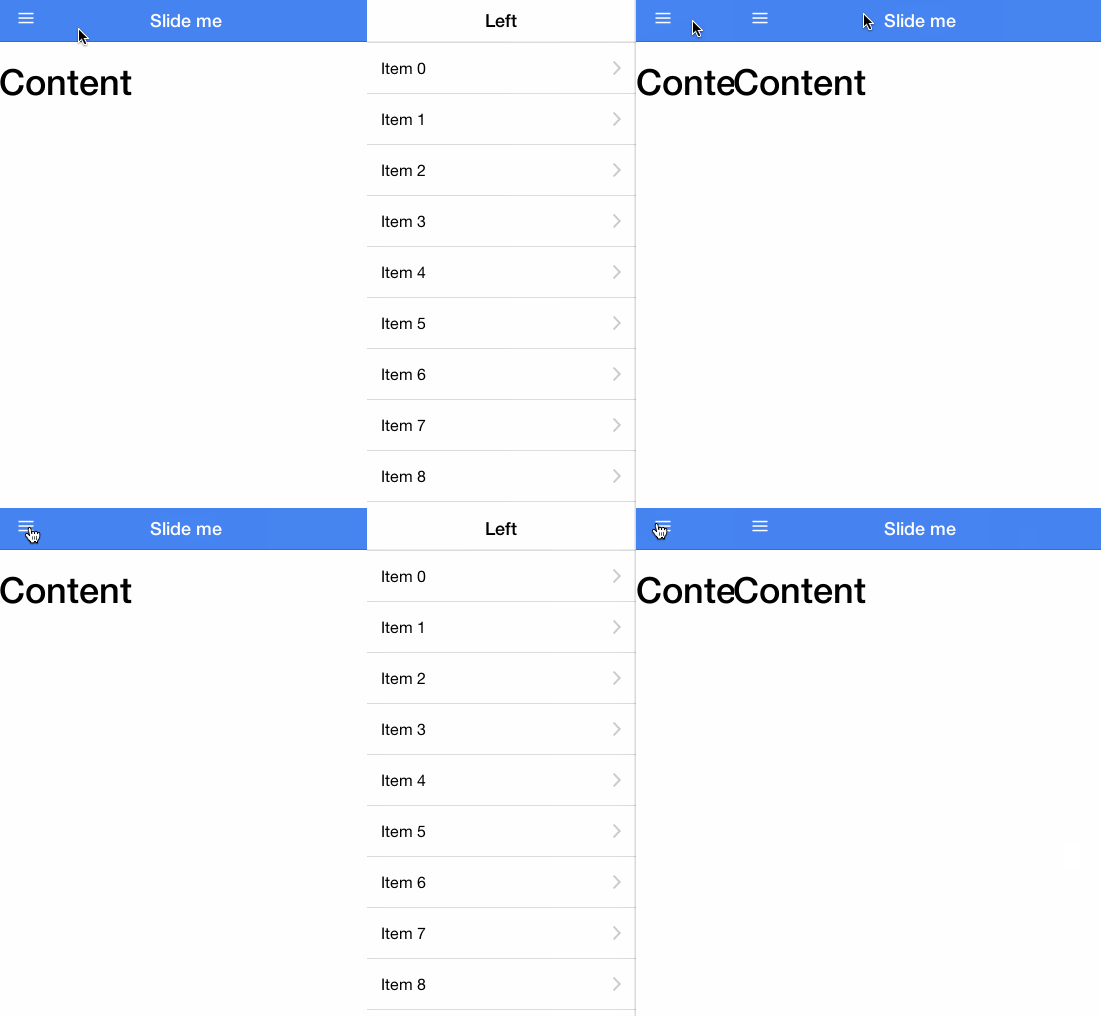
|
|
*
|
|
* For more information on side menus, check out the documenation for
|
|
* {@link ionic.directive:ionSideMenuContent} and
|
|
* {@link ionic.directive:ionSideMenu}.
|
|
*
|
|
* @usage
|
|
* To use side menus, add an `<ion-side-menus>` parent element,
|
|
* an `<ion-side-menu-content>` for the center content,
|
|
* and one or more `<ion-side-menu>` directives.
|
|
*
|
|
* ```html
|
|
* <ion-side-menus>
|
|
* <!-- Center content -->
|
|
* <ion-side-menu-content ng-controller="ContentController">
|
|
* </io-side-menu-content>
|
|
*
|
|
* <!-- Left menu -->
|
|
* <ion-side-menu side="left">
|
|
* </ion-side-menu>
|
|
*
|
|
* <!-- Right menu -->
|
|
* <ion-side-menu side="right">
|
|
* </ion-side-menu>
|
|
* </ion-side-menus>
|
|
* ```
|
|
* ```js
|
|
* function ContentController($scope, $ionicSideMenuDelegate) {
|
|
* $scope.toggleLeft = function() {
|
|
* $ionicSideMenuDelegate.toggleLeft();
|
|
* };
|
|
* }
|
|
* ```
|
|
*
|
|
* @param {string=} delegate-handle The handle used to identify this side menu
|
|
* with {@link ionic.service:$ionicSideMenuDelegate}.
|
|
*
|
|
*/
|
|
.directive('ionSideMenus', function() {
|
|
return {
|
|
restrict: 'ECA',
|
|
controller: ['$scope', '$attrs', '$ionicSideMenuDelegate', function($scope, $attrs, $ionicSideMenuDelegate) {
|
|
var _this = this;
|
|
|
|
angular.extend(this, ionic.controllers.SideMenuController.prototype);
|
|
|
|
ionic.controllers.SideMenuController.call(this, {
|
|
left: { width: 275 },
|
|
right: { width: 275 }
|
|
});
|
|
|
|
this.canDragContent = function(canDrag) {
|
|
if (arguments.length) {
|
|
$scope.dragContent = !!canDrag;
|
|
}
|
|
return $scope.dragContent;
|
|
};
|
|
|
|
$scope.sideMenuContentTranslateX = 0;
|
|
|
|
var deregisterInstance = $ionicSideMenuDelegate._registerInstance(
|
|
this, $attrs.delegateHandle
|
|
);
|
|
|
|
$scope.$on('$destroy', deregisterInstance);
|
|
}],
|
|
replace: true,
|
|
transclude: true,
|
|
template: '<div class="view" ng-transclude></div>'
|
|
};
|
|
})
|
|
|
|
/**
|
|
* @ngdoc directive
|
|
* @name ionSideMenuContent
|
|
* @module ionic
|
|
* @restrict E
|
|
* @parent ionic.directive:ionSideMenus
|
|
*
|
|
* @description
|
|
* A container for the main visible content, sibling to one or more
|
|
* {@link ionic.directive:ionSideMenu} directives.
|
|
*
|
|
* @usage
|
|
* ```html
|
|
* <ion-side-menu-content
|
|
* drag-content="canDrag">
|
|
* </ion-side-menu-content>
|
|
* ```
|
|
* For a complete side menu example, see the
|
|
* {@link ionic.directive:ionSideMenus} documentation.
|
|
*
|
|
* @param {boolean=} drag-content Whether the content can be dragged.
|
|
*
|
|
*/
|
|
.directive('ionSideMenuContent', ['$timeout', '$ionicGesture', function($timeout, $ionicGesture) {
|
|
return {
|
|
restrict: 'EA', //DEPRECATED 'A'
|
|
require: '^ionSideMenus',
|
|
scope: true,
|
|
compile: function(element, attr) {
|
|
return { pre: prelink };
|
|
function prelink($scope, $element, $attr, sideMenuCtrl) {
|
|
|
|
$element.addClass('menu-content pane');
|
|
|
|
if (angular.isDefined(attr.dragContent)) {
|
|
$scope.$watch(attr.dragContent, function(value) {
|
|
sideMenuCtrl.canDragContent(value);
|
|
});
|
|
} else {
|
|
sideMenuCtrl.canDragContent(true);
|
|
}
|
|
|
|
var defaultPrevented = false;
|
|
var isDragging = false;
|
|
|
|
// Listen for taps on the content to close the menu
|
|
function contentTap(e) {
|
|
if(sideMenuCtrl.getOpenAmount() !== 0) {
|
|
sideMenuCtrl.close();
|
|
e.gesture.srcEvent.preventDefault();
|
|
}
|
|
}
|
|
ionic.on('tap', contentTap, $element[0]);
|
|
|
|
var dragFn = function(e) {
|
|
if($scope.dragContent) {
|
|
if(defaultPrevented || e.gesture.srcEvent.defaultPrevented) {
|
|
return;
|
|
}
|
|
isDragging = true;
|
|
sideMenuCtrl._handleDrag(e);
|
|
e.gesture.srcEvent.preventDefault();
|
|
}
|
|
};
|
|
|
|
var dragVertFn = function(e) {
|
|
if(isDragging) {
|
|
e.gesture.srcEvent.preventDefault();
|
|
}
|
|
};
|
|
|
|
//var dragGesture = Gesture.on('drag', dragFn, $element);
|
|
var dragRightGesture = $ionicGesture.on('dragright', dragFn, $element);
|
|
var dragLeftGesture = $ionicGesture.on('dragleft', dragFn, $element);
|
|
var dragUpGesture = $ionicGesture.on('dragup', dragVertFn, $element);
|
|
var dragDownGesture = $ionicGesture.on('dragdown', dragVertFn, $element);
|
|
|
|
var dragReleaseFn = function(e) {
|
|
isDragging = false;
|
|
if(!defaultPrevented) {
|
|
sideMenuCtrl._endDrag(e);
|
|
}
|
|
defaultPrevented = false;
|
|
};
|
|
|
|
var releaseGesture = $ionicGesture.on('release', dragReleaseFn, $element);
|
|
|
|
sideMenuCtrl.setContent({
|
|
onDrag: function(e) {},
|
|
endDrag: function(e) {},
|
|
getTranslateX: function() {
|
|
return $scope.sideMenuContentTranslateX || 0;
|
|
},
|
|
setTranslateX: ionic.animationFrameThrottle(function(amount) {
|
|
$element[0].style[ionic.CSS.TRANSFORM] = 'translate3d(' + amount + 'px, 0, 0)';
|
|
$timeout(function() {
|
|
$scope.sideMenuContentTranslateX = amount;
|
|
});
|
|
}),
|
|
enableAnimation: function() {
|
|
//this.el.classList.add(this.animateClass);
|
|
$scope.animationEnabled = true;
|
|
$element[0].classList.add('menu-animated');
|
|
},
|
|
disableAnimation: function() {
|
|
//this.el.classList.remove(this.animateClass);
|
|
$scope.animationEnabled = false;
|
|
$element[0].classList.remove('menu-animated');
|
|
}
|
|
});
|
|
|
|
// Cleanup
|
|
$scope.$on('$destroy', function() {
|
|
$ionicGesture.off(dragLeftGesture, 'dragleft', dragFn);
|
|
$ionicGesture.off(dragRightGesture, 'dragright', dragFn);
|
|
$ionicGesture.off(dragUpGesture, 'dragup', dragFn);
|
|
$ionicGesture.off(dragDownGesture, 'dragdown', dragFn);
|
|
$ionicGesture.off(releaseGesture, 'release', dragReleaseFn);
|
|
ionic.off('tap', contentTap, $element[0]);
|
|
});
|
|
}
|
|
}
|
|
};
|
|
}])
|
|
|
|
/**
|
|
* @ngdoc directive
|
|
* @name ionSideMenu
|
|
* @module ionic
|
|
* @restrict E
|
|
* @parent ionic.directive:ionSideMenus
|
|
*
|
|
* @description
|
|
* A container for a side menu, sibling to an {@link ionic.directive:ionSideMenuContent} directive.
|
|
*
|
|
* @usage
|
|
* ```html
|
|
* <ion-side-menu
|
|
* side="left"
|
|
* width="myWidthValue + 20"
|
|
* is-enabled="shouldLeftSideMenuBeEnabled()">
|
|
* </ion-side-menu>
|
|
* ```
|
|
* For a complete side menu example, see the
|
|
* {@link ionic.directive:ionSideMenus} documentation.
|
|
*
|
|
* @param {string} side Which side the side menu is currently on. Allowed values: 'left' or 'right'.
|
|
* @param {boolean=} is-enabled Whether this side menu is enabled.
|
|
* @param {number=} width How many pixels wide the side menu should be. Defaults to 275.
|
|
*/
|
|
.directive('ionSideMenu', function() {
|
|
return {
|
|
restrict: 'E',
|
|
require: '^ionSideMenus',
|
|
scope: true,
|
|
compile: function(element, attr) {
|
|
angular.isUndefined(attr.isEnabled) && attr.$set('isEnabled', 'true');
|
|
angular.isUndefined(attr.width) && attr.$set('width', '275');
|
|
|
|
element.addClass('menu menu-' + attr.side);
|
|
|
|
return function($scope, $element, $attr, sideMenuCtrl) {
|
|
$scope.side = $attr.side || 'left';
|
|
|
|
var sideMenu = sideMenuCtrl[$scope.side] = new ionic.views.SideMenu({
|
|
width: 275,
|
|
el: $element[0],
|
|
isEnabled: true
|
|
});
|
|
|
|
$scope.$watch($attr.width, function(val) {
|
|
var numberVal = +val;
|
|
if (numberVal && numberVal == val) {
|
|
sideMenu.setWidth(+val);
|
|
}
|
|
});
|
|
$scope.$watch($attr.isEnabled, function(val) {
|
|
sideMenu.setIsEnabled(!!val);
|
|
});
|
|
};
|
|
}
|
|
};
|
|
})
|
|
|
|
/**
|
|
* @ngdoc directive
|
|
* @name menuToggle
|
|
* @module ionic
|
|
* @restrict AC
|
|
*
|
|
* @description
|
|
* Toggle a side menu on the given side
|
|
*
|
|
* @usage
|
|
* Below is an example of a link within a nav bar. Tapping this link would
|
|
* automatically open the given side menu
|
|
*
|
|
* ```html
|
|
* <ion-view>
|
|
* <ion-nav-buttons side="left">
|
|
* <button menu-toggle="left" class="button button-icon icon ion-navicon"></button>
|
|
* </ion-nav-buttons>
|
|
* ...
|
|
* </ion-view>
|
|
* ```
|
|
*/
|
|
.directive('menuToggle', ['$ionicViewService', function($ionicViewService) {
|
|
return {
|
|
restrict: 'AC',
|
|
require: '^ionSideMenus',
|
|
link: function($scope, $element, $attr, sideMenuCtrl) {
|
|
var side = $scope.$eval($attr.menuToggle) || 'left';
|
|
$element.bind('click', function(){
|
|
if(side === 'left') {
|
|
sideMenuCtrl.toggleLeft();
|
|
} else if(side === 'right') {
|
|
sideMenuCtrl.toggleRight();
|
|
}
|
|
});
|
|
}
|
|
};
|
|
}])
|
|
|
|
/**
|
|
* @ngdoc directive
|
|
* @name menuClose
|
|
* @module ionic
|
|
* @restrict AC
|
|
*
|
|
* @description
|
|
* Closes a side menu which is currently opened.
|
|
*
|
|
* @usage
|
|
* Below is an example of a link within a side menu. Tapping this link would
|
|
* automatically close the currently opened menu
|
|
*
|
|
* ```html
|
|
* <a nav-clear menu-close href="#/home" class="item">Home</a>
|
|
* ```
|
|
*/
|
|
.directive('menuClose', ['$ionicViewService', function($ionicViewService) {
|
|
return {
|
|
restrict: 'AC',
|
|
require: '^ionSideMenus',
|
|
link: function($scope, $element, $attr, sideMenuCtrl) {
|
|
$element.bind('click', function(){
|
|
sideMenuCtrl.close();
|
|
});
|
|
}
|
|
};
|
|
}]);
|
|
|
|
})();
|
|
|
|
(function() {
|
|
'use strict';
|
|
|
|
angular.module('ionic.ui.slideBox', [])
|
|
|
|
/**
|
|
* @ngdoc service
|
|
* @name $ionicSlideBoxDelegate
|
|
* @module ionic
|
|
* @description
|
|
* Delegate that controls the {@link ionic.directive:ionSlideBox} directive.
|
|
*
|
|
* Methods called directly on the $ionicSlideBoxDelegate service will control all side
|
|
* menus. Use the {@link ionic.service:$ionicSlideBoxDelegate#$getByHandle $getByHandle}
|
|
* method to control specific slide box instances.
|
|
*
|
|
* @usage
|
|
*
|
|
* ```html
|
|
* <body ng-controller="MyCtrl">
|
|
* <ion-slide-box>
|
|
* <ion-slide>
|
|
* <div class="box blue">
|
|
* <button ng-click="nextSlide()">Next slide!</button>
|
|
* </div>
|
|
* </ion-slide>
|
|
* <ion-slide>
|
|
* <div class="box red">
|
|
* Slide 2!
|
|
* </div>
|
|
* </ion-slide>
|
|
* </ion-slide-box>
|
|
* </body>
|
|
* ```
|
|
* ```js
|
|
* function MyCtrl($scope, $ionicSlideBoxDelegate) {
|
|
* $scope.nextSlide = function() {
|
|
* $ionicSlideBoxDelegate.next();
|
|
* }
|
|
* }
|
|
* ```
|
|
*/
|
|
.service('$ionicSlideBoxDelegate', delegateService([
|
|
/**
|
|
* @ngdoc method
|
|
* @name $ionicSlideBoxDelegate#update
|
|
* @description
|
|
* Update the slidebox (for example if using Angular with ng-repeat,
|
|
* resize it for the elements inside).
|
|
*/
|
|
'update',
|
|
/**
|
|
* @ngdoc method
|
|
* @name $ionicSlideBoxDelegate#slide
|
|
* @param {number} to The index to slide to.
|
|
* @param {number=} speed The number of milliseconds for the change to take.
|
|
*/
|
|
'slide',
|
|
/**
|
|
* @ngdoc method
|
|
* @name $ionicSlideBoxDelegate#previous
|
|
* @description Go to the previous slide. Wraps around if at the beginning.
|
|
*/
|
|
'previous',
|
|
/**
|
|
* @ngdoc method
|
|
* @name $ionicSlideBoxDelegate#next
|
|
* @description Go to the next slide. Wraps around if at the end.
|
|
*/
|
|
'next',
|
|
/**
|
|
* @ngdoc method
|
|
* @name $ionicSlideBoxDelegate#stop
|
|
* @description Stop sliding. The slideBox will not move again until
|
|
* explicitly told to do so.
|
|
*/
|
|
'stop',
|
|
/**
|
|
* @ngdoc method
|
|
* @name $ionicSlideBoxDelegate#currentIndex
|
|
* @returns number The index of the current slide.
|
|
*/
|
|
'currentIndex',
|
|
/**
|
|
* @ngdoc method
|
|
* @name $ionicSlideBoxDelegate#slidesCount
|
|
* @returns number The number of slides there are currently.
|
|
*/
|
|
'slidesCount'
|
|
/**
|
|
* @ngdoc method
|
|
* @name $ionicSlideBoxDelegate#$getByHandle
|
|
* @param {string} handle
|
|
* @returns `delegateInstance` A delegate instance that controls only the
|
|
* {@link ionic.directive:ionSlideBox} directives with `delegate-handle` matching
|
|
* the given handle.
|
|
*
|
|
* Example: `$ionicSlideBoxDelegate.$getByHandle('my-handle').stop();`
|
|
*/
|
|
]))
|
|
|
|
/**
|
|
* The internal controller for the slide box controller.
|
|
*/
|
|
|
|
/**
|
|
* @ngdoc directive
|
|
* @name ionSlideBox
|
|
* @module ionic
|
|
* @delegate ionic.service:$ionicSlideBoxDelegate
|
|
* @restrict E
|
|
* @description
|
|
* The Slide Box is a multi-page container where each page can be swiped or dragged between:
|
|
*
|
|
* 
|
|
*
|
|
* @usage
|
|
* ```html
|
|
* <ion-slide-box>
|
|
* <ion-slide>
|
|
* <div class="box blue"><h1>BLUE</h1></div>
|
|
* </ion-slide>
|
|
* <ion-slide>
|
|
* <div class="box yellow"><h1>YELLOW</h1></div>
|
|
* </ion-slide>
|
|
* <ion-slide>
|
|
* <div class="box pink"><h1>PINK</h1></div>
|
|
* </ion-slide>
|
|
* </ion-slide-box>
|
|
* ```
|
|
*
|
|
* @param {string=} delegate-handle The handle used to identify this slideBox
|
|
* with {@link ionic.service:$ionicSlideBoxDelegate}.
|
|
* @param {boolean=} does-continue Whether the slide box should automatically slide.
|
|
* @param {number=} slide-interval How many milliseconds to wait to change slides (if does-continue is true). Defaults to 4000.
|
|
* @param {boolean=} show-pager Whether a pager should be shown for this slide box.
|
|
* @param {boolean=} disable-scroll Whether to disallow scrolling/dragging of the slide-box content.
|
|
* @param {expression=} on-slide-changed Expression called whenever the slide is changed.
|
|
* @param {expression=} active-slide Model to bind the current slide to.
|
|
*/
|
|
.directive('ionSlideBox', [
|
|
'$timeout',
|
|
'$compile',
|
|
'$ionicSlideBoxDelegate',
|
|
function($timeout, $compile, $ionicSlideBoxDelegate) {
|
|
return {
|
|
restrict: 'E',
|
|
replace: true,
|
|
transclude: true,
|
|
scope: {
|
|
doesContinue: '@',
|
|
slideInterval: '@',
|
|
showPager: '@',
|
|
disableScroll: '@',
|
|
onSlideChanged: '&',
|
|
activeSlide: '=?'
|
|
},
|
|
controller: ['$scope', '$element', '$attrs', function($scope, $element, $attrs) {
|
|
var _this = this;
|
|
|
|
var continuous = $scope.$eval($scope.doesContinue) === true;
|
|
var slideInterval = continuous ? $scope.$eval($scope.slideInterval) || 4000 : 0;
|
|
|
|
var slider = new ionic.views.Slider({
|
|
el: $element[0],
|
|
auto: slideInterval,
|
|
disableScroll: ($scope.$eval($scope.disableScroll) === true) || false,
|
|
continuous: continuous,
|
|
startSlide: $scope.activeSlide,
|
|
slidesChanged: function() {
|
|
$scope.currentSlide = slider.currentIndex();
|
|
|
|
// Try to trigger a digest
|
|
$timeout(function() {});
|
|
},
|
|
callback: function(slideIndex) {
|
|
$scope.currentSlide = slideIndex;
|
|
$scope.onSlideChanged({index:$scope.currentSlide});
|
|
$scope.$parent.$broadcast('slideBox.slideChanged', slideIndex);
|
|
$scope.activeSlide = slideIndex;
|
|
// Try to trigger a digest
|
|
$timeout(function() {});
|
|
}
|
|
});
|
|
|
|
$scope.$watch('activeSlide', function(nv) {
|
|
if(angular.isDefined(nv)){
|
|
slider.slide(nv);
|
|
}
|
|
});
|
|
|
|
$scope.$on('slideBox.nextSlide', function() {
|
|
slider.next();
|
|
});
|
|
|
|
$scope.$on('slideBox.prevSlide', function() {
|
|
slider.prev();
|
|
});
|
|
|
|
$scope.$on('slideBox.setSlide', function(e, index) {
|
|
slider.slide(index);
|
|
});
|
|
|
|
//Exposed for testing
|
|
this.__slider = slider;
|
|
|
|
var deregisterInstance = $ionicSlideBoxDelegate._registerInstance(slider, $attrs.delegateHandle);
|
|
|
|
$scope.$on('$destroy', deregisterInstance);
|
|
|
|
this.slidesCount = function() {
|
|
return slider.slidesCount();
|
|
};
|
|
|
|
$timeout(function() {
|
|
slider.load();
|
|
});
|
|
}],
|
|
template: '<div class="slider">\
|
|
<div class="slider-slides" ng-transclude>\
|
|
</div>\
|
|
</div>',
|
|
|
|
link: function($scope, $element, $attr, slideBoxCtrl) {
|
|
// If the pager should show, append it to the slide box
|
|
if($scope.$eval($scope.showPager) !== false) {
|
|
var childScope = $scope.$new();
|
|
var pager = angular.element('<ion-pager></ion-pager>');
|
|
$element.append(pager);
|
|
$compile(pager)(childScope);
|
|
}
|
|
}
|
|
};
|
|
}])
|
|
|
|
.directive('ionSlide', function() {
|
|
return {
|
|
restrict: 'E',
|
|
require: '^ionSlideBox',
|
|
compile: function(element, attr) {
|
|
element.addClass('slider-slide');
|
|
return function($scope, $element, $attr) {};
|
|
},
|
|
};
|
|
})
|
|
|
|
.directive('ionPager', function() {
|
|
return {
|
|
restrict: 'E',
|
|
replace: true,
|
|
require: '^ionSlideBox',
|
|
template: '<div class="slider-pager"><span class="slider-pager-page" ng-repeat="slide in numSlides() track by $index" ng-class="{active: $index == currentSlide}"><i class="icon ion-record"></i></span></div>',
|
|
link: function($scope, $element, $attr, slideBox) {
|
|
var selectPage = function(index) {
|
|
var children = $element[0].children;
|
|
var length = children.length;
|
|
for(var i = 0; i < length; i++) {
|
|
if(i == index) {
|
|
children[i].classList.add('active');
|
|
} else {
|
|
children[i].classList.remove('active');
|
|
}
|
|
}
|
|
};
|
|
|
|
$scope.numSlides = function() {
|
|
return new Array(slideBox.slidesCount());
|
|
};
|
|
|
|
$scope.$watch('currentSlide', function(v) {
|
|
selectPage(v);
|
|
});
|
|
}
|
|
};
|
|
|
|
});
|
|
|
|
})();
|
|
|
|
angular.module('ionic.ui.tabs', ['ionic.service.view'])
|
|
|
|
.run(['$ionicViewService', function($ionicViewService) {
|
|
// set that the tabs directive should not animate when transitioning
|
|
// to it. Instead, the children <tab> directives would animate
|
|
$ionicViewService.disableRegisterByTagName('ion-tabs');
|
|
}])
|
|
|
|
/**
|
|
* @ngdoc service
|
|
* @name $ionicTabsDelegate
|
|
* @module ionic
|
|
*
|
|
* @description
|
|
* Delegate for controlling the {@link ionic.directive:ionTabs} directive.
|
|
*
|
|
* Methods called directly on the $ionicTabsDelegate service will control all ionTabs
|
|
* directives. Use the {@link ionic.service:$ionicTabsDelegate#$getByHandle $getByHandle}
|
|
* method to control specific ionTabs instances.
|
|
*
|
|
* @usage
|
|
*
|
|
* ```html
|
|
* <body ng-controller="MyCtrl">
|
|
* <ion-tabs>
|
|
*
|
|
* <ion-tab title="Tab 1">
|
|
* Hello tab 1!
|
|
* <button ng-click="selectTabWithIndex(1)">Select tab 2!</button>
|
|
* </ion-tab>
|
|
* <ion-tab title="Tab 2">Hello tab 2!</ion-tab>
|
|
*
|
|
* </ion-tabs>
|
|
* </body>
|
|
* ```
|
|
* ```js
|
|
* function MyCtrl($scope, $ionicTabsDelegate) {
|
|
* $scope.selectTabWithIndex = function(index) {
|
|
* $ionicTabsDelegate.select(index);
|
|
* }
|
|
* }
|
|
* ```
|
|
*/
|
|
.service('$ionicTabsDelegate', delegateService([
|
|
/**
|
|
* @ngdoc method
|
|
* @name $ionicTabsDelegate#select
|
|
* @description Select the tab matching the given index.
|
|
*
|
|
* @param {number} index Index of the tab to select.
|
|
* @param {boolean=} shouldChangeHistory Whether this selection should load this tab's
|
|
* view history (if it exists) and use it, or just load the default page.
|
|
* Default false.
|
|
* Hint: you probably want this to be true if you have an
|
|
* {@link ionic.directive:ionNavView} inside your tab.
|
|
*/
|
|
'select',
|
|
/**
|
|
* @ngdoc method
|
|
* @name $ionicTabsDelegate#selectedIndex
|
|
* @returns `number` The index of the selected tab, or -1.
|
|
*/
|
|
'selectedIndex'
|
|
/**
|
|
* @ngdoc method
|
|
* @name $ionicTabsDelegate#$getByHandle
|
|
* @param {string} handle
|
|
* @returns `delegateInstance` A delegate instance that controls only the
|
|
* {@link ionic.directive:ionTabs} directives with `delegate-handle` matching
|
|
* the given handle.
|
|
*
|
|
* Example: `$ionicTabsDelegate.$getByHandle('my-handle').select(0);`
|
|
*/
|
|
]))
|
|
|
|
.controller('ionicTabs', ['$scope', '$ionicViewService', '$element', function($scope, $ionicViewService, $element) {
|
|
var _selectedTab = null;
|
|
var self = this;
|
|
self.tabs = [];
|
|
|
|
self.selectedIndex = function() {
|
|
return self.tabs.indexOf(_selectedTab);
|
|
};
|
|
self.selectedTab = function() {
|
|
return _selectedTab;
|
|
};
|
|
|
|
self.add = function(tab) {
|
|
$ionicViewService.registerHistory(tab);
|
|
self.tabs.push(tab);
|
|
if(self.tabs.length === 1) {
|
|
self.select(tab);
|
|
}
|
|
};
|
|
|
|
self.remove = function(tab) {
|
|
var tabIndex = self.tabs.indexOf(tab);
|
|
if (tabIndex === -1) {
|
|
return;
|
|
}
|
|
//Use a field like '$tabSelected' so developers won't accidentally set it in controllers etc
|
|
if (tab.$tabSelected) {
|
|
self.deselect(tab);
|
|
//Try to select a new tab if we're removing a tab
|
|
if (self.tabs.length === 1) {
|
|
//do nothing if there are no other tabs to select
|
|
} else {
|
|
//Select previous tab if it's the last tab, else select next tab
|
|
var newTabIndex = tabIndex === self.tabs.length - 1 ? tabIndex - 1 : tabIndex + 1;
|
|
self.select(self.tabs[newTabIndex]);
|
|
}
|
|
}
|
|
self.tabs.splice(tabIndex, 1);
|
|
};
|
|
|
|
self.deselect = function(tab) {
|
|
if (tab.$tabSelected) {
|
|
_selectedTab = null;
|
|
tab.$tabSelected = false;
|
|
(tab.onDeselect || angular.noop)();
|
|
}
|
|
};
|
|
|
|
self.select = function(tab, shouldEmitEvent) {
|
|
var tabIndex;
|
|
if (angular.isNumber(tab)) {
|
|
tabIndex = tab;
|
|
tab = self.tabs[tabIndex];
|
|
} else {
|
|
tabIndex = self.tabs.indexOf(tab);
|
|
}
|
|
if (!tab || tabIndex == -1) {
|
|
throw new Error('Cannot select tab "' + tabIndex + '"!');
|
|
}
|
|
|
|
if (_selectedTab && _selectedTab.$historyId == tab.$historyId) {
|
|
if (shouldEmitEvent) {
|
|
$ionicViewService.goToHistoryRoot(tab.$historyId);
|
|
}
|
|
} else {
|
|
angular.forEach(self.tabs, function(tab) {
|
|
self.deselect(tab);
|
|
});
|
|
|
|
_selectedTab = tab;
|
|
//Use a funny name like $tabSelected so the developer doesn't overwrite the var in a child scope
|
|
tab.$tabSelected = true;
|
|
(tab.onSelect || angular.noop)();
|
|
|
|
if (shouldEmitEvent) {
|
|
var viewData = {
|
|
type: 'tab',
|
|
tabIndex: tabIndex,
|
|
historyId: tab.$historyId,
|
|
navViewName: tab.navViewName,
|
|
hasNavView: !!tab.navViewName,
|
|
title: tab.title,
|
|
//Skip the first character of href if it's #
|
|
url: tab.href,
|
|
uiSref: tab.uiSref
|
|
};
|
|
$scope.$emit('viewState.changeHistory', viewData);
|
|
}
|
|
}
|
|
};
|
|
}])
|
|
|
|
/**
|
|
* @ngdoc directive
|
|
* @name ionTabs
|
|
* @module ionic
|
|
* @delegate ionic.service:$ionicTabsDelegate
|
|
* @restrict E
|
|
* @codepen KbrzJ
|
|
*
|
|
* @description
|
|
* Powers a multi-tabbed interface with a Tab Bar and a set of "pages" that can be tabbed
|
|
* through.
|
|
*
|
|
* Assign any [tabs class](/docs/components#tabs) or
|
|
* [animation class](/docs/components#animation) to the element to define
|
|
* its look and feel.
|
|
*
|
|
* See the {@link ionic.directive:ionTab} directive's documentation for more details on
|
|
* individual tabs.
|
|
*
|
|
* @usage
|
|
* ```html
|
|
* <ion-tabs class="tabs-positive tabs-icon-only">
|
|
*
|
|
* <ion-tab title="Home" icon-on="ion-ios7-filing" icon-off="ion-ios7-filing-outline">
|
|
* <!-- Tab 1 content -->
|
|
* </ion-tab>
|
|
*
|
|
* <ion-tab title="About" icon-on="ion-ios7-clock" icon-off="ion-ios7-clock-outline">
|
|
* <!-- Tab 2 content -->
|
|
* </ion-tab>
|
|
*
|
|
* <ion-tab title="Settings" icon-on="ion-ios7-gear" icon-off="ion-ios7-gear-outline">
|
|
* <!-- Tab 3 content -->
|
|
* </ion-tab>
|
|
*
|
|
* </ion-tabs>
|
|
* ```
|
|
*
|
|
* @param {string=} delegate-handle The handle used to identify these tabs
|
|
* with {@link ionic.service:$ionicTabsDelegate}.
|
|
*/
|
|
|
|
.directive('ionTabs', ['$ionicViewService', '$ionicTabsDelegate', function($ionicViewService, $ionicTabsDelegate) {
|
|
return {
|
|
restrict: 'E',
|
|
scope: true,
|
|
controller: 'ionicTabs',
|
|
compile: function(element, attr) {
|
|
element.addClass('view');
|
|
//We cannot transclude here because it breaks element.data() inheritance on compile
|
|
var innerElement = angular.element('<div class="tabs"></div>');
|
|
innerElement.append(element.contents());
|
|
element.append(innerElement);
|
|
|
|
return { pre: prelink };
|
|
function prelink($scope, $element, $attr, tabsCtrl) {
|
|
var deregisterInstance = $ionicTabsDelegate._registerInstance(
|
|
tabsCtrl, $attr.delegateHandle
|
|
);
|
|
|
|
$scope.$on('$destroy', deregisterInstance);
|
|
|
|
tabsCtrl.$scope = $scope;
|
|
tabsCtrl.$element = $element;
|
|
tabsCtrl.$tabsElement = angular.element($element[0].querySelector('.tabs'));
|
|
|
|
var el = $element[0];
|
|
$scope.$watch(function() { return el.className; }, function(value) {
|
|
var isTabsTop = value.indexOf('tabs-top') !== -1;
|
|
var isHidden = value.indexOf('tabs-item-hide') !== -1;
|
|
$scope.$hasTabs = !isTabsTop && !isHidden;
|
|
$scope.$hasTabsTop = isTabsTop && !isHidden;
|
|
});
|
|
$scope.$on('$destroy', function() {
|
|
$scope.$hasTabs = $scope.$hasTabsTop = null;
|
|
});
|
|
}
|
|
}
|
|
};
|
|
}])
|
|
|
|
.controller('ionicTab', ['$scope', '$ionicViewService', '$rootScope', '$element',
|
|
function($scope, $ionicViewService, $rootScope, $element) {
|
|
this.$scope = $scope;
|
|
}])
|
|
|
|
/**
|
|
* @ngdoc directive
|
|
* @name ionTab
|
|
* @module ionic
|
|
* @restrict E
|
|
* @parent ionic.directive:ionTabs
|
|
*
|
|
* @description
|
|
* Contains a tab's content. The content only exists while the given tab is selected.
|
|
*
|
|
* Each ionTab has its own view history.
|
|
*
|
|
* @usage
|
|
* ```html
|
|
* <ion-tab
|
|
* title="Tab!"
|
|
* icon="my-icon"
|
|
* href="#/tab/tab-link"
|
|
* on-select="onTabSelected()"
|
|
* on-deselect="onTabDeselected()">
|
|
* </ion-tab>
|
|
* ```
|
|
* For a complete, working tab bar example, see the {@link ionic.directive:ionTabs} documentation.
|
|
*
|
|
* @param {string} title The title of the tab.
|
|
* @param {string=} href The link that this tab will navigate to when tapped.
|
|
* @param {string=} icon The icon of the tab. If given, this will become the default for icon-on and icon-off.
|
|
* @param {string=} icon-on The icon of the tab while it is selected.
|
|
* @param {string=} icon-off The icon of the tab while it is not selected.
|
|
* @param {expression=} badge The badge to put on this tab (usually a number).
|
|
* @param {expression=} badge-style The style of badge to put on this tab (eg tabs-positive).
|
|
* @param {expression=} on-select Called when this tab is selected.
|
|
* @param {expression=} on-deselect Called when this tab is deselected.
|
|
* @param {expression=} ng-click By default, the tab will be selected on click. If ngClick is set, it will not. You can explicitly switch tabs using {@link ionic.service:$ionicTabsDelegate#select $ionicTabsDelegate.select()}.
|
|
*/
|
|
.directive('ionTab', ['$rootScope', '$animate', '$ionicBind', '$compile', '$ionicViewService',
|
|
function($rootScope, $animate, $ionicBind, $compile, $ionicViewService) {
|
|
|
|
//Returns ' key="value"' if value exists
|
|
function attrStr(k,v) {
|
|
return angular.isDefined(v) ? ' ' + k + '="' + v + '"' : '';
|
|
}
|
|
return {
|
|
restrict: 'E',
|
|
require: ['^ionTabs', 'ionTab'],
|
|
replace: true,
|
|
controller: 'ionicTab',
|
|
scope: true,
|
|
compile: function(element, attr) {
|
|
//Do we have a navView?
|
|
var navView = element[0].querySelector('ion-nav-view') ||
|
|
element[0].querySelector('data-ion-nav-view');
|
|
var navViewName = navView && navView.getAttribute('name');
|
|
|
|
var tabNavItem = angular.element(
|
|
element[0].querySelector('ion-tab-nav') ||
|
|
element[0].querySelector('data-ion-tab-nav')
|
|
).remove();
|
|
|
|
//Remove the contents of the element so we can compile them later, if tab is selected
|
|
var tabContent = angular.element('<div class="pane">')
|
|
.append( element.contents().remove() );
|
|
return function link($scope, $element, $attr, ctrls) {
|
|
var childScope, childElement, tabNavElement;
|
|
tabsCtrl = ctrls[0],
|
|
tabCtrl = ctrls[1];
|
|
|
|
//Remove title attribute so browser-tooltip does not apear
|
|
$element[0].removeAttribute('title');
|
|
|
|
$ionicBind($scope, $attr, {
|
|
animate: '=',
|
|
onSelect: '&',
|
|
onDeselect: '&',
|
|
title: '@',
|
|
uiSref: '@',
|
|
href: '@',
|
|
});
|
|
|
|
tabsCtrl.add($scope);
|
|
$scope.$on('$destroy', function() {
|
|
tabsCtrl.remove($scope);
|
|
tabNavElement.isolateScope().$destroy();
|
|
tabNavElement.remove();
|
|
});
|
|
|
|
if (navViewName) {
|
|
$scope.navViewName = navViewName;
|
|
$scope.$on('$stateChangeSuccess', selectTabIfMatchesState);
|
|
selectTabIfMatchesState();
|
|
}
|
|
|
|
tabNavElement = angular.element(
|
|
'<ion-tab-nav' +
|
|
attrStr('ng-click', attr.ngClick) +
|
|
attrStr('title', attr.title) +
|
|
attrStr('icon', attr.icon) +
|
|
attrStr('icon-on', attr.iconOn) +
|
|
attrStr('icon-off', attr.iconOff) +
|
|
attrStr('badge', attr.badge) +
|
|
attrStr('badge-style', attr.badgeStyle) +
|
|
'></ion-tab-nav>'
|
|
);
|
|
tabNavElement.data('$ionTabsController', tabsCtrl);
|
|
tabNavElement.data('$ionTabController', tabCtrl);
|
|
tabsCtrl.$tabsElement.append($compile(tabNavElement)($scope));
|
|
|
|
$scope.$watch('$tabSelected', function(value) {
|
|
childScope && childScope.$destroy();
|
|
childScope = null;
|
|
childElement && $animate.leave(childElement);
|
|
childElement = null;
|
|
if (value) {
|
|
childScope = $scope.$new();
|
|
childElement = tabContent.clone();
|
|
$animate.enter(childElement, tabsCtrl.$element);
|
|
$compile(childElement)(childScope);
|
|
}
|
|
});
|
|
|
|
function selectTabIfMatchesState() {
|
|
// this tab's ui-view is the current one, go to it!
|
|
if ($ionicViewService.isCurrentStateNavView($scope.navViewName)) {
|
|
tabsCtrl.select($scope);
|
|
}
|
|
}
|
|
};
|
|
}
|
|
};
|
|
}])
|
|
|
|
.directive('ionTabNav', ['$ionicNgClick', function($ionicNgClick) {
|
|
return {
|
|
restrict: 'E',
|
|
replace: true,
|
|
require: ['^ionTabs', '^ionTab'],
|
|
template:
|
|
'<a ng-class="{\'tab-item-active\': isTabActive(), \'has-badge\':badge}" ' +
|
|
' class="tab-item">' +
|
|
'<span class="badge {{badgeStyle}}" ng-if="badge">{{badge}}</span>' +
|
|
'<i class="icon {{getIconOn()}}" ng-if="getIconOn() && isTabActive()"></i>' +
|
|
'<i class="icon {{getIconOff()}}" ng-if="getIconOff() && !isTabActive()"></i>' +
|
|
'<span class="tab-title" ng-bind-html="title"></span>' +
|
|
'</a>',
|
|
scope: {
|
|
title: '@',
|
|
icon: '@',
|
|
iconOn: '@',
|
|
iconOff: '@',
|
|
badge: '=',
|
|
badgeStyle: '@'
|
|
},
|
|
compile: function(element, attr, transclude) {
|
|
return function link($scope, $element, $attrs, ctrls) {
|
|
var tabsCtrl = ctrls[0],
|
|
tabCtrl = ctrls[1];
|
|
|
|
//Remove title attribute so browser-tooltip does not apear
|
|
$element[0].removeAttribute('title');
|
|
|
|
$scope.selectTab = function(e) {
|
|
e.preventDefault();
|
|
tabsCtrl.select(tabCtrl.$scope, true);
|
|
};
|
|
if (!$attrs.ngClick) {
|
|
$ionicNgClick($scope, $element, 'selectTab($event)');
|
|
}
|
|
|
|
$scope.getIconOn = function() {
|
|
return $scope.iconOn || $scope.icon;
|
|
};
|
|
$scope.getIconOff = function() {
|
|
return $scope.iconOff || $scope.icon;
|
|
};
|
|
|
|
$scope.isTabActive = function() {
|
|
return tabsCtrl.selectedTab() === tabCtrl.$scope;
|
|
};
|
|
};
|
|
}
|
|
};
|
|
}]);
|
|
|
|
(function(ionic) {
|
|
'use strict';
|
|
|
|
angular.module('ionic.ui.toggle', [])
|
|
|
|
/**
|
|
* @ngdoc directive
|
|
* @name ionToggle
|
|
* @module ionic
|
|
* @restrict E
|
|
*
|
|
* @description
|
|
* An animated switch which binds a given model to a boolean.
|
|
*
|
|
* Allows dragging of the switch's nub.
|
|
*
|
|
* Behaves like any [AngularJS checkbox](http://docs.angularjs.org/api/ng/input/input[checkbox]) otherwise.
|
|
*
|
|
*/
|
|
.directive('ionToggle', ['$ionicGesture', '$timeout', function($ionicGesture, $timeout) {
|
|
|
|
return {
|
|
restrict: 'E',
|
|
replace: true,
|
|
require: '?ngModel',
|
|
scope: {
|
|
ngModel: '=?',
|
|
ngValue: '=?',
|
|
ngChecked: '=?',
|
|
ngChange: '&',
|
|
ngDisabled: '=?'
|
|
},
|
|
transclude: true,
|
|
template: '<div class="item item-toggle disable-pointer-events">' +
|
|
'<div ng-transclude></div>' +
|
|
'<label class="toggle enable-pointer-events">' +
|
|
'<input type="checkbox" ng-model="ngModel" ng-value="ngValue" ng-change="ngChange()" ng-disabled="ngDisabled">' +
|
|
'<div class="track disable-pointer-events">' +
|
|
'<div class="handle"></div>' +
|
|
'</div>' +
|
|
'</label>' +
|
|
'</div>',
|
|
|
|
compile: function(element, attr) {
|
|
var input = element.find('input');
|
|
if(attr.name) input.attr('name', attr.name);
|
|
if(attr.ngChecked) input.attr('ng-checked', 'ngChecked');
|
|
if(attr.ngTrueValue) input.attr('ng-true-value', attr.ngTrueValue);
|
|
if(attr.ngFalseValue) input.attr('ng-false-value', attr.ngFalseValue);
|
|
|
|
return function($scope, $element, $attr) {
|
|
var el, checkbox, track, handle;
|
|
|
|
el = $element[0].getElementsByTagName('label')[0];
|
|
checkbox = el.children[0];
|
|
track = el.children[1];
|
|
handle = track.children[0];
|
|
|
|
var ngModelController = angular.element(checkbox).controller('ngModel');
|
|
|
|
$scope.toggle = new ionic.views.Toggle({
|
|
el: el,
|
|
track: track,
|
|
checkbox: checkbox,
|
|
handle: handle,
|
|
onChange: function() {
|
|
if(checkbox.checked) {
|
|
ngModelController.$setViewValue(true);
|
|
} else {
|
|
ngModelController.$setViewValue(false);
|
|
}
|
|
$scope.$apply();
|
|
}
|
|
});
|
|
|
|
$scope.$on('$destroy', function() {
|
|
$scope.toggle.destroy();
|
|
});
|
|
};
|
|
}
|
|
|
|
};
|
|
}]);
|
|
|
|
})(window.ionic);
|
|
|
|
|
|
// Similar to Angular's ngTouch, however it uses Ionic's tap detection
|
|
// and click simulation. ngClick
|
|
|
|
(function(angular, ionic) {'use strict';
|
|
|
|
angular.module('ionic.ui.touch', [])
|
|
|
|
.config(['$provide', function($provide) {
|
|
$provide.decorator('ngClickDirective', ['$delegate', function($delegate) {
|
|
// drop the default ngClick directive
|
|
$delegate.shift();
|
|
return $delegate;
|
|
}]);
|
|
}])
|
|
|
|
/**
|
|
* @private
|
|
*/
|
|
.factory('$ionicNgClick', ['$parse', function($parse) {
|
|
function onTap(e) {
|
|
// wire this up to Ionic's tap/click simulation
|
|
ionic.tapElement(e.target, e);
|
|
}
|
|
return function(scope, element, clickExpr) {
|
|
var clickHandler = $parse(clickExpr);
|
|
|
|
element.on('click', function(event) {
|
|
scope.$apply(function() {
|
|
clickHandler(scope, {$event: (event)});
|
|
});
|
|
});
|
|
|
|
ionic.on("release", onTap, element[0]);
|
|
|
|
// Hack for iOS Safari's benefit. It goes searching for onclick handlers and is liable to click
|
|
// something else nearby.
|
|
element.onclick = function(event) { };
|
|
|
|
scope.$on('$destroy', function () {
|
|
ionic.off("release", onTap, element[0]);
|
|
});
|
|
};
|
|
}])
|
|
|
|
.directive('ngClick', ['$ionicNgClick', function($ionicNgClick) {
|
|
return function(scope, element, attr) {
|
|
$ionicNgClick(scope, element, attr.ngClick);
|
|
};
|
|
}])
|
|
|
|
.directive('ionStopEvent', function () {
|
|
function stopEvent(e) {
|
|
e.stopPropagation();
|
|
}
|
|
return {
|
|
restrict: 'A',
|
|
link: function (scope, element, attr) {
|
|
element.bind(attr.ionStopEvent, stopEvent);
|
|
}
|
|
};
|
|
});
|
|
|
|
|
|
})(window.angular, window.ionic);
|
|
|
|
(function() {
|
|
'use strict';
|
|
|
|
angular.module('ionic.ui.viewState', ['ionic.service.view', 'ionic.service.gesture', 'ngSanitize'])
|
|
|
|
/**
|
|
* @ngdoc directive
|
|
* @name ionView
|
|
* @module ionic
|
|
* @restrict E
|
|
* @parent ionNavView
|
|
*
|
|
* @description
|
|
* A container for content, used to tell a parent {@link ionic.directive:ionNavBar}
|
|
* about the current view.
|
|
*
|
|
* @usage
|
|
* Below is an example where our page will load with a navbar containing "My Page" as the title.
|
|
*
|
|
* ```html
|
|
* <ion-nav-bar></ion-nav-bar>
|
|
* <ion-nav-view class="slide-left-right">
|
|
* <ion-view title="My Page">
|
|
* <ion-content>
|
|
* Hello!
|
|
* </ion-content>
|
|
* </ion-view>
|
|
* </ion-nav-view>
|
|
* ```
|
|
*
|
|
* @param {string=} title The title to display on the parent {@link ionic.directive:ionNavBar}.
|
|
* @param {boolean=} hideBackButton Whether to hide the back button on the parent
|
|
* {@link ionic.directive:ionNavBar} by default.
|
|
* @param {boolean=} hideNavBar Whether to hide the parent
|
|
* {@link ionic.directive:ionNavBar} by default.
|
|
*/
|
|
.directive('ionView', ['$ionicViewService', '$rootScope', '$animate',
|
|
function( $ionicViewService, $rootScope, $animate) {
|
|
return {
|
|
restrict: 'EA',
|
|
priority: 1000,
|
|
require: '^?ionNavBar',
|
|
compile: function(tElement, tAttrs, transclude) {
|
|
tElement.addClass('pane');
|
|
tElement[0].removeAttribute('title');
|
|
|
|
return function link($scope, $element, $attr, navBarCtrl) {
|
|
if (!navBarCtrl) {
|
|
return;
|
|
}
|
|
var initialTitle = $attr.title;
|
|
navBarCtrl.changeTitle(initialTitle, $scope.$navDirection);
|
|
|
|
// watch for changes in the title, don't set initial value as changeTitle does that
|
|
$attr.$observe('title', function(val, oldVal) {
|
|
if (val !== initialTitle) {
|
|
navBarCtrl.setTitle(val);
|
|
}
|
|
});
|
|
|
|
$scope.$watch($attr.hideBackButton, function(value) {
|
|
// Should we hide a back button when this tab is shown
|
|
navBarCtrl.showBackButton(!value);
|
|
});
|
|
|
|
$scope.$watch($attr.hideNavBar, function(value) {
|
|
// Should the nav bar be hidden for this view or not?
|
|
navBarCtrl.showBar(!value);
|
|
});
|
|
|
|
};
|
|
}
|
|
};
|
|
}])
|
|
|
|
|
|
/**
|
|
* @ngdoc directive
|
|
* @name ionNavView
|
|
* @module ionic
|
|
* @restrict E
|
|
* @codepen HjnFx
|
|
*
|
|
* @description
|
|
* As a user navigates throughout your app, Ionic is able to keep track of their
|
|
* navigation history. By knowing their history, transitions between views
|
|
* correctly slide either left or right, or no transition at all. An additional
|
|
* benefit to Ionic's navigation system is its ability to manage multiple
|
|
* histories.
|
|
*
|
|
* Ionic uses the AngularUI Router module so app interfaces can be organized
|
|
* into various "states". Like Angular's core $route service, URLs can be used
|
|
* to control the views. However, the AngularUI Router provides a more powerful
|
|
* state manager in that states are bound to named, nested, and parallel views,
|
|
* allowing more than one template to be rendered on the same page.
|
|
* Additionally, each state is not required to be bound to a URL, and data can
|
|
* be pushed to each state which allows much flexibility.
|
|
*
|
|
* The ionNavView directive is used to render templates in your application. Each template
|
|
* is part of a state. States are usually mapped to a url, and are defined programatically
|
|
* using angular-ui-router (see [their docs](https://github.com/angular-ui/ui-router/wiki)),
|
|
* and remember to replace ui-view with ion-nav-view in examples).
|
|
*
|
|
* @usage
|
|
* In this example, we will create a navigation view that contains our different states for the app.
|
|
*
|
|
* To do this, in our markup use the ionNavView top level directive, adding an
|
|
* {@link ionic.directive:ionNavBar} directive which will render a header bar that updates as we
|
|
* navigate through the navigation stack.
|
|
*
|
|
* You can any [animation class](/docs/components#animation) on the navView to have its pages slide.
|
|
* Recommended for page transitions: 'slide-left-right', 'slide-left-right-ios7', 'slide-in-up'.
|
|
*
|
|
* ```html
|
|
* <ion-nav-view class="slide-left-right">
|
|
* <!-- Center content -->
|
|
* <ion-nav-bar>
|
|
* </ion-nav-bar>
|
|
* </ion-nav-view>
|
|
* ```
|
|
*
|
|
* Next, we need to setup our states that will be rendered.
|
|
*
|
|
* ```js
|
|
* var app = angular.module('myApp', ['ionic']);
|
|
* app.config(function($stateProvider) {
|
|
* $stateProvider
|
|
* .state('index', {
|
|
* url: '/',
|
|
* templateUrl: 'home.html'
|
|
* })
|
|
* .state('music', {
|
|
* url: '/music',
|
|
* templateUrl: 'music.html'
|
|
* });
|
|
* });
|
|
* ```
|
|
* Then on app start, $stateProvider will look at the url, see it matches the index state,
|
|
* and then try to load home.html into the `<ion-nav-view>`.
|
|
*
|
|
* Pages are loaded by the URLs given. One simple way to create templates in Angular is to put
|
|
* them directly into your HTML file and use the `<script type="text/ng-template">` syntax.
|
|
* So here is one way to put home.html into our app:
|
|
*
|
|
* ```html
|
|
* <script id="home" type="text/ng-template">
|
|
* <!-- The title of the ion-view will be shown on the navbar -->
|
|
* <ion-view title="'Home'">
|
|
* <ion-content ng-controller="HomeCtrl">
|
|
* <!-- The content of the page -->
|
|
* <a href="#/music">Go to music page!</a>
|
|
* </ion-content>
|
|
* </ion-view>
|
|
* </script>
|
|
* ```
|
|
*
|
|
* This is good to do because the template will be cached for very fast loading, instead of
|
|
* having to fetch them from the network.
|
|
*
|
|
* Please visit [AngularUI Router's docs](https://github.com/angular-ui/ui-router/wiki) for
|
|
* more info. Below is a great video by the AngularUI Router guys that may help to explain
|
|
* how it all works:
|
|
*
|
|
* <iframe width="560" height="315" src="//www.youtube.com/embed/dqJRoh8MnBo"
|
|
* frameborder="0" allowfullscreen></iframe>
|
|
*
|
|
* @param {string=} name A view name. The name should be unique amongst the other views in the
|
|
* same state. You can have views of the same name that live in different states. For more
|
|
* information, see ui-router's [ui-view documentation](http://angular-ui.github.io/ui-router/site/#/api/ui.router.state.directive:ui-view).
|
|
*/
|
|
.directive('ionNavView', ['$ionicViewService', '$state', '$compile', '$controller', '$animate',
|
|
function( $ionicViewService, $state, $compile, $controller, $animate) {
|
|
// IONIC's fork of Angular UI Router, v0.2.7
|
|
// the navView handles registering views in the history, which animation to use, and which
|
|
var viewIsUpdating = false;
|
|
|
|
var directive = {
|
|
restrict: 'E',
|
|
terminal: true,
|
|
priority: 2000,
|
|
transclude: true,
|
|
controller: [function(){
|
|
}],
|
|
compile: function (element, attr, transclude) {
|
|
return function(scope, element, attr, navViewCtrl) {
|
|
var viewScope, viewLocals,
|
|
name = attr[directive.name] || attr.name || '',
|
|
onloadExp = attr.onload || '',
|
|
initialView = transclude(scope);
|
|
|
|
// Put back the compiled initial view
|
|
element.append(initialView);
|
|
|
|
// Find the details of the parent view directive (if any) and use it
|
|
// to derive our own qualified view name, then hang our own details
|
|
// off the DOM so child directives can find it.
|
|
var parent = element.parent().inheritedData('$uiView');
|
|
if (name.indexOf('@') < 0) name = name + '@' + (parent ? parent.state.name : '');
|
|
var view = { name: name, state: null };
|
|
element.data('$uiView', view);
|
|
|
|
var eventHook = function() {
|
|
if (viewIsUpdating) return;
|
|
viewIsUpdating = true;
|
|
|
|
try { updateView(true); } catch (e) {
|
|
viewIsUpdating = false;
|
|
throw e;
|
|
}
|
|
viewIsUpdating = false;
|
|
};
|
|
|
|
scope.$on('$stateChangeSuccess', eventHook);
|
|
scope.$on('$viewContentLoading', eventHook);
|
|
updateView(false);
|
|
|
|
function updateView(doAnimate) {
|
|
//===false because $animate.enabled() is a noop without angular-animate included
|
|
if ($animate.enabled() === false) {
|
|
doAnimate = false;
|
|
}
|
|
|
|
var locals = $state.$current && $state.$current.locals[name];
|
|
if (locals === viewLocals) return; // nothing to do
|
|
var renderer = $ionicViewService.getRenderer(element, attr, scope);
|
|
|
|
// Destroy previous view scope
|
|
if (viewScope) {
|
|
viewScope.$destroy();
|
|
viewScope = null;
|
|
}
|
|
|
|
if (!locals) {
|
|
viewLocals = null;
|
|
view.state = null;
|
|
|
|
// Restore the initial view
|
|
return element.append(initialView);
|
|
}
|
|
|
|
var newElement = angular.element('<div></div>').html(locals.$template).contents();
|
|
var viewRegisterData = renderer().register(newElement);
|
|
|
|
// Remove existing content
|
|
renderer(doAnimate).leave();
|
|
|
|
viewLocals = locals;
|
|
view.state = locals.$$state;
|
|
|
|
renderer(doAnimate).enter(newElement);
|
|
|
|
var link = $compile(newElement);
|
|
viewScope = scope.$new();
|
|
|
|
viewScope.$navDirection = viewRegisterData.navDirection;
|
|
|
|
if (locals.$$controller) {
|
|
locals.$scope = viewScope;
|
|
var controller = $controller(locals.$$controller, locals);
|
|
element.children().data('$ngControllerController', controller);
|
|
}
|
|
link(viewScope);
|
|
|
|
var viewHistoryData = $ionicViewService._getViewById(viewRegisterData.viewId) || {};
|
|
viewScope.$broadcast('$viewContentLoaded', viewHistoryData);
|
|
|
|
if (onloadExp) viewScope.$eval(onloadExp);
|
|
|
|
newElement = null;
|
|
}
|
|
};
|
|
}
|
|
};
|
|
return directive;
|
|
}])
|
|
|
|
|
|
/**
|
|
* @ngdoc directive
|
|
* @name navClear
|
|
* @module ionic
|
|
* @restrict AC
|
|
*
|
|
* @description
|
|
* Disables any transition animations between views, along with removing the back
|
|
* button which would normally show on the next view. This directive is useful for
|
|
* links within a sideMenu.
|
|
*
|
|
* @usage
|
|
* Below is an example of a link within a side menu. Tapping this link would disable
|
|
* any animations which would normally occur between views.
|
|
*
|
|
* ```html
|
|
* <a nav-clear menu-close href="#/home" class="item">Home</a>
|
|
* ```
|
|
*/
|
|
.directive('navClear', ['$ionicViewService', function($ionicViewService) {
|
|
return {
|
|
restrict: 'AC',
|
|
link: function($scope, $element, $attr) {
|
|
$element.bind('click', function(){
|
|
$ionicViewService.nextViewOptions({
|
|
disableAnimate: true,
|
|
disableBack: true
|
|
});
|
|
});
|
|
}
|
|
};
|
|
}]);
|
|
|
|
})();
|
|
|
|
/*
|
|
(function() {
|
|
'use strict';
|
|
|
|
angular.module('ionic.ui.virtRepeat', [])
|
|
|
|
.directive('ionVirtRepeat', function() {
|
|
return {
|
|
require: ['?ngModel', '^virtualList'],
|
|
transclude: 'element',
|
|
priority: 1000,
|
|
terminal: true,
|
|
compile: function(element, attr, transclude) {
|
|
return function($scope, $element, $attr, ctrls) {
|
|
var virtualList = ctrls[1];
|
|
|
|
virtualList.listView.renderViewport = function(high, low, start, end) {
|
|
};
|
|
};
|
|
}
|
|
};
|
|
});
|
|
})(ionic);
|
|
*/
|
|
|
|
/*
|
|
(function() {
|
|
'use strict';
|
|
|
|
// Turn the expression supplied to the directive:
|
|
//
|
|
// a in b
|
|
//
|
|
// into `{ value: "a", collection: "b" }`
|
|
function parseRepeatExpression(expression){
|
|
var match = expression.match(/^\s*([\$\w]+)\s+in\s+(\S*)\s*$/);
|
|
if (! match) {
|
|
throw new Error("Expected sfVirtualRepeat in form of '_item_ in _collection_' but got '" +
|
|
expression + "'.");
|
|
}
|
|
return {
|
|
value: match[1],
|
|
collection: match[2]
|
|
};
|
|
}
|
|
|
|
// Utility to filter out elements by tag name
|
|
function isTagNameInList(element, list){
|
|
var t, tag = element.tagName.toUpperCase();
|
|
for( t = 0; t < list.length; t++ ){
|
|
if( list[t] === tag ){
|
|
return true;
|
|
}
|
|
}
|
|
return false;
|
|
}
|
|
|
|
|
|
// Utility to find the viewport/content elements given the start element:
|
|
function findViewportAndContent(startElement){
|
|
var root = $rootElement[0];
|
|
var e, n;
|
|
// Somewhere between the grandparent and the root node
|
|
for( e = startElement.parent().parent()[0]; e !== root; e = e.parentNode ){
|
|
// is an element
|
|
if( e.nodeType != 1 ) break;
|
|
// that isn't in the blacklist (tables etc.),
|
|
if( isTagNameInList(e, DONT_WORK_AS_VIEWPORTS) ) continue;
|
|
// has a single child element (the content),
|
|
if( e.childElementCount != 1 ) continue;
|
|
// which is not in the blacklist
|
|
if( isTagNameInList(e.firstElementChild, DONT_WORK_AS_CONTENT) ) continue;
|
|
// and no text.
|
|
for( n = e.firstChild; n; n = n.nextSibling ){
|
|
if( n.nodeType == 3 && /\S/g.test(n.textContent) ){
|
|
break;
|
|
}
|
|
}
|
|
if( n === null ){
|
|
// That element should work as a viewport.
|
|
return {
|
|
viewport: angular.element(e),
|
|
content: angular.element(e.firstElementChild)
|
|
};
|
|
}
|
|
}
|
|
throw new Error("No suitable viewport element");
|
|
}
|
|
|
|
// Apply explicit height and overflow styles to the viewport element.
|
|
//
|
|
// If the viewport has a max-height (inherited or otherwise), set max-height.
|
|
// Otherwise, set height from the current computed value or use
|
|
// window.innerHeight as a fallback
|
|
//
|
|
function setViewportCss(viewport){
|
|
var viewportCss = {'overflow': 'auto'},
|
|
style = window.getComputedStyle ?
|
|
window.getComputedStyle(viewport[0]) :
|
|
viewport[0].currentStyle,
|
|
maxHeight = style && style.getPropertyValue('max-height'),
|
|
height = style && style.getPropertyValue('height');
|
|
|
|
if( maxHeight && maxHeight !== '0px' ){
|
|
viewportCss.maxHeight = maxHeight;
|
|
}else if( height && height !== '0px' ){
|
|
viewportCss.height = height;
|
|
}else{
|
|
viewportCss.height = window.innerHeight;
|
|
}
|
|
viewport.css(viewportCss);
|
|
}
|
|
|
|
// Apply explicit styles to the content element to prevent pesky padding
|
|
// or borders messing with our calculations:
|
|
function setContentCss(content){
|
|
var contentCss = {
|
|
margin: 0,
|
|
padding: 0,
|
|
border: 0,
|
|
'box-sizing': 'border-box'
|
|
};
|
|
content.css(contentCss);
|
|
}
|
|
|
|
// TODO: compute outerHeight (padding + border unless box-sizing is border)
|
|
function computeRowHeight(element){
|
|
var style = window.getComputedStyle ? window.getComputedStyle(element)
|
|
: element.currentStyle,
|
|
maxHeight = style && style.getPropertyValue('max-height'),
|
|
height = style && style.getPropertyValue('height');
|
|
|
|
if( height && height !== '0px' && height !== 'auto' ){
|
|
$log.info('Row height is "%s" from css height', height);
|
|
}else if( maxHeight && maxHeight !== '0px' && maxHeight !== 'none' ){
|
|
height = maxHeight;
|
|
$log.info('Row height is "%s" from css max-height', height);
|
|
}else if( element.clientHeight ){
|
|
height = element.clientHeight+'px';
|
|
$log.info('Row height is "%s" from client height', height);
|
|
}else{
|
|
throw new Error("Unable to compute height of row");
|
|
}
|
|
angular.element(element).css('height', height);
|
|
return parseInt(height, 10);
|
|
}
|
|
|
|
angular.module('ionic.ui.virtualRepeat', [])
|
|
|
|
//
|
|
// A replacement for ng-repeat that supports virtual lists.
|
|
// This is not a 1 to 1 replacement for ng-repeat. However, in situations
|
|
// where you have huge lists, this repeater will work with our virtual
|
|
// scrolling to only render items that are showing or will be showing
|
|
// if a scroll is made.
|
|
//
|
|
.directive('ionVirtualRepeat', ['$log', function($log) {
|
|
return {
|
|
require: ['?ngModel, ^virtualList'],
|
|
transclude: 'element',
|
|
priority: 1000,
|
|
terminal: true,
|
|
compile: function(element, attr, transclude) {
|
|
var ident = parseRepeatExpression(attr.sfVirtualRepeat);
|
|
|
|
return function(scope, iterStartElement, attrs, ctrls, b) {
|
|
var virtualList = ctrls[1];
|
|
|
|
var rendered = [];
|
|
var rowHeight = 0;
|
|
var sticky = false;
|
|
|
|
var dom = virtualList.element;
|
|
//var dom = findViewportAndContent(iterStartElement);
|
|
|
|
// The list structure is controlled by a few simple (visible) variables:
|
|
var state = 'ngModel' in attrs ? scope.$eval(attrs.ngModel) : {};
|
|
|
|
function makeNewScope (idx, collection, containerScope) {
|
|
var childScope = containerScope.$new();
|
|
childScope[ident.value] = collection[idx];
|
|
childScope.$index = idx;
|
|
childScope.$first = (idx === 0);
|
|
childScope.$last = (idx === (collection.length - 1));
|
|
childScope.$middle = !(childScope.$first || childScope.$last);
|
|
childScope.$watch(function updateChildScopeItem(){
|
|
childScope[ident.value] = collection[idx];
|
|
});
|
|
return childScope;
|
|
}
|
|
|
|
// Given the collection and a start and end point, add the current
|
|
function addElements (start, end, collection, containerScope, insPoint) {
|
|
var frag = document.createDocumentFragment();
|
|
var newElements = [], element, idx, childScope;
|
|
for( idx = start; idx !== end; idx ++ ){
|
|
childScope = makeNewScope(idx, collection, containerScope);
|
|
element = linker(childScope, angular.noop);
|
|
//setElementCss(element);
|
|
newElements.push(element);
|
|
frag.appendChild(element[0]);
|
|
}
|
|
insPoint.after(frag);
|
|
return newElements;
|
|
}
|
|
|
|
function recomputeActive() {
|
|
// We want to set the start to the low water mark unless the current
|
|
// start is already between the low and high water marks.
|
|
var start = clip(state.firstActive, state.firstVisible - state.lowWater, state.firstVisible - state.highWater);
|
|
// Similarly for the end
|
|
var end = clip(state.firstActive + state.active,
|
|
state.firstVisible + state.visible + state.lowWater,
|
|
state.firstVisible + state.visible + state.highWater );
|
|
state.firstActive = Math.max(0, start);
|
|
state.active = Math.min(end, state.total) - state.firstActive;
|
|
}
|
|
|
|
function sfVirtualRepeatOnScroll(evt){
|
|
if( !rowHeight ){
|
|
return;
|
|
}
|
|
// Enter the angular world for the state change to take effect.
|
|
scope.$apply(function(){
|
|
state.firstVisible = Math.floor(evt.target.scrollTop / rowHeight);
|
|
state.visible = Math.ceil(dom.viewport[0].clientHeight / rowHeight);
|
|
$log.log('scroll to row %o', state.firstVisible);
|
|
sticky = evt.target.scrollTop + evt.target.clientHeight >= evt.target.scrollHeight;
|
|
recomputeActive();
|
|
$log.log(' state is now %o', state);
|
|
$log.log(' sticky = %o', sticky);
|
|
});
|
|
}
|
|
|
|
function sfVirtualRepeatWatchExpression(scope){
|
|
var coll = scope.$eval(ident.collection);
|
|
if( coll.length !== state.total ){
|
|
state.total = coll.length;
|
|
recomputeActive();
|
|
}
|
|
return {
|
|
start: state.firstActive,
|
|
active: state.active,
|
|
len: coll.length
|
|
};
|
|
}
|
|
|
|
function destroyActiveElements (action, count) {
|
|
var dead, ii, remover = Array.prototype[action];
|
|
for( ii = 0; ii < count; ii++ ){
|
|
dead = remover.call(rendered);
|
|
dead.scope().$destroy();
|
|
dead.remove();
|
|
}
|
|
}
|
|
|
|
// When the watch expression for the repeat changes, we may need to add
|
|
// and remove scopes and elements
|
|
function sfVirtualRepeatListener(newValue, oldValue, scope){
|
|
var oldEnd = oldValue.start + oldValue.active,
|
|
collection = scope.$eval(ident.collection),
|
|
newElements;
|
|
if(newValue === oldValue) {
|
|
$log.info('initial listen');
|
|
newElements = addElements(newValue.start, oldEnd, collection, scope, iterStartElement);
|
|
rendered = newElements;
|
|
if(rendered.length) {
|
|
rowHeight = computeRowHeight(newElements[0][0]);
|
|
}
|
|
} else {
|
|
var newEnd = newValue.start + newValue.active;
|
|
var forward = newValue.start >= oldValue.start;
|
|
var delta = forward ? newValue.start - oldValue.start
|
|
: oldValue.start - newValue.start;
|
|
var endDelta = newEnd >= oldEnd ? newEnd - oldEnd : oldEnd - newEnd;
|
|
var contiguous = delta < (forward ? oldValue.active : newValue.active);
|
|
$log.info('change by %o,%o rows %s', delta, endDelta, forward ? 'forward' : 'backward');
|
|
if(!contiguous) {
|
|
$log.info('non-contiguous change');
|
|
destroyActiveElements('pop', rendered.length);
|
|
rendered = addElements(newValue.start, newEnd, collection, scope, iterStartElement);
|
|
} else {
|
|
if(forward) {
|
|
$log.info('need to remove from the top');
|
|
destroyActiveElements('shift', delta);
|
|
} else if(delta) {
|
|
$log.info('need to add at the top');
|
|
newElements = addElements(
|
|
newValue.start,
|
|
oldValue.start,
|
|
collection, scope, iterStartElement);
|
|
rendered = newElements.concat(rendered);
|
|
}
|
|
|
|
if(newEnd < oldEnd) {
|
|
$log.info('need to remove from the bottom');
|
|
destroyActiveElements('pop', oldEnd - newEnd);
|
|
} else if(endDelta) {
|
|
var lastElement = rendered[rendered.length-1];
|
|
$log.info('need to add to the bottom');
|
|
newElements = addElements(
|
|
oldEnd,
|
|
newEnd,
|
|
collection, scope, lastElement);
|
|
rendered = rendered.concat(newElements);
|
|
}
|
|
}
|
|
if(!rowHeight && rendered.length) {
|
|
rowHeight = computeRowHeight(rendered[0][0]);
|
|
}
|
|
dom.content.css({'padding-top': newValue.start * rowHeight + 'px'});
|
|
}
|
|
dom.content.css({'height': newValue.len * rowHeight + 'px'});
|
|
if(sticky) {
|
|
dom.viewport[0].scrollTop = dom.viewport[0].clientHeight + dom.viewport[0].scrollHeight;
|
|
}
|
|
}
|
|
|
|
// - The index of the first active element
|
|
state.firstActive = 0;
|
|
// - The index of the first visible element
|
|
state.firstVisible = 0;
|
|
// - The number of elements visible in the viewport.
|
|
state.visible = 0;
|
|
// - The number of active elements
|
|
state.active = 0;
|
|
// - The total number of elements
|
|
state.total = 0;
|
|
// - The point at which we add new elements
|
|
state.lowWater = state.lowWater || 100;
|
|
// - The point at which we remove old elements
|
|
state.highWater = state.highWater || 300;
|
|
// TODO: now watch the water marks
|
|
|
|
setContentCss(dom.content);
|
|
setViewportCss(dom.viewport);
|
|
// When the user scrolls, we move the `state.firstActive`
|
|
dom.bind('momentumScrolled', sfVirtualRepeatOnScroll);
|
|
|
|
scope.$on('$destroy', function () {
|
|
dom.unbind('momentumScrolled', sfVirtualRepeatOnScroll);
|
|
});
|
|
|
|
// The watch on the collection is just a watch on the length of the
|
|
// collection. We don't care if the content changes.
|
|
scope.$watch(sfVirtualRepeatWatchExpression, sfVirtualRepeatListener, true);
|
|
};
|
|
}
|
|
};
|
|
}]);
|
|
|
|
})(ionic);
|
|
*/
|
|
|
|
angular.module('ionic.ui.scroll')
|
|
|
|
/**
|
|
* @ngdoc service
|
|
* @name $ionicScrollDelegate
|
|
* @module ionic
|
|
* @description
|
|
* Delegate for controlling scrollViews (created by
|
|
* {@link ionic.directive:ionContent} and
|
|
* {@link ionic.directive:ionScroll} directives).
|
|
*
|
|
* Methods called directly on the $ionicScrollDelegate service will control all scroll
|
|
* views. Use the {@link ionic.service:$ionicScrollDelegate#$getByHandle $getByHandle}
|
|
* method to control specific scrollViews.
|
|
*
|
|
* @usage
|
|
*
|
|
* ```html
|
|
* <body ng-controller="MainCtrl">
|
|
* <ion-content>
|
|
* <button ng-click="scrollTop()">Scroll to Top!</button>
|
|
* </ion-content>
|
|
* </body>
|
|
* ```
|
|
* ```js
|
|
* function MainCtrl($scope, $ionicScrollDelegate) {
|
|
* $scope.scrollTop = function() {
|
|
* $ionicScrollDelegate.scrollTop();
|
|
* };
|
|
* }
|
|
* ```
|
|
*
|
|
* Example of advanced usage, with two scroll areas using `delegate-handle`
|
|
* for fine control.
|
|
*
|
|
* ```html
|
|
* <body ng-controller="MainCtrl">
|
|
* <ion-content delegate-handle="mainScroll">
|
|
* <button ng-click="scrollMainToTop()">
|
|
* Scroll content to top!
|
|
* </button>
|
|
* <ion-scroll delegate-handle="small" style="height: 100px;">
|
|
* <button ng-click="scrollSmallToTop()">
|
|
* Scroll small area to top!
|
|
* </button>
|
|
* </ion-scroll>
|
|
* </ion-content>
|
|
* </body>
|
|
* ```
|
|
* ```js
|
|
* function MainCtrl($scope, $ionicScrollDelegate) {
|
|
* $scope.scrollMainToTop = function() {
|
|
* $ionicScrollDelegate.$getByHandle('mainScroll').scrollTop();
|
|
* };
|
|
* $scope.scrollSmallToTop = function() {
|
|
* $ionicScrollDelegate.$getByHandle('small').scrollTop();
|
|
* };
|
|
* }
|
|
* ```
|
|
*/
|
|
|
|
.service('$ionicScrollDelegate', delegateService([
|
|
/**
|
|
* @ngdoc method
|
|
* @name $ionicScrollDelegate#resize
|
|
* @description Tell the scrollView to recalculate the size of its container.
|
|
*/
|
|
'resize',
|
|
/**
|
|
* @ngdoc method
|
|
* @name $ionicScrollDelegate#scrollTop
|
|
* @param {boolean=} shouldAnimate Whether the scroll should animate.
|
|
*/
|
|
'scrollTop',
|
|
/**
|
|
* @ngdoc method
|
|
* @name $ionicScrollDelegate#scrollBottom
|
|
* @param {boolean=} shouldAnimate Whether the scroll should animate.
|
|
*/
|
|
'scrollBottom',
|
|
/**
|
|
* @ngdoc method
|
|
* @name $ionicScrollDelegate#scrollTo
|
|
* @param {number} left The x-value to scroll to.
|
|
* @param {number} top The y-value to scroll to.
|
|
* @param {boolean=} shouldAnimate Whether the scroll should animate.
|
|
*/
|
|
'scrollTo',
|
|
/**
|
|
* @ngdoc method
|
|
* @name $ionicScrollDelegate#anchorScroll
|
|
* @description Tell the scrollView to scroll to the element with an id
|
|
* matching window.location.hash.
|
|
*
|
|
* If no matching element is found, it will scroll to top.
|
|
*
|
|
* @param {boolean=} shouldAnimate Whether the scroll should animate.
|
|
*/
|
|
'anchorScroll',
|
|
/**
|
|
* @ngdoc method
|
|
* @name $ionicScrollDelegate#rememberScrollPosition
|
|
* @description
|
|
* Will make it so, when this scrollView is destroyed (user leaves the page),
|
|
* the last scroll position the page was on will be saved, indexed by the
|
|
* given id.
|
|
*
|
|
* Note: for pages associated with a view under an ion-nav-view,
|
|
* rememberScrollPosition automatically saves their scroll.
|
|
*
|
|
* Related methods: scrollToRememberedPosition, forgetScrollPosition (below).
|
|
*
|
|
* In the following example, the scroll position of the ion-scroll element
|
|
* will persist, even when the user changes the toggle switch.
|
|
*
|
|
* ```html
|
|
* <ion-toggle ng-model="shouldShowScrollView"></ion-toggle>
|
|
* <ion-scroll delegate-handle="myScroll" ng-if="shouldShowScrollView">
|
|
* <div ng-controller="ScrollCtrl">
|
|
* <ion-list>
|
|
* <ion-item ng-repeat="i in items">{{i}}</ion-item>
|
|
* </ion-list>
|
|
* </div>
|
|
* </ion-scroll>
|
|
* ```
|
|
* ```js
|
|
* function ScrollCtrl($scope, $ionicScrollDelegate) {
|
|
* var delegate = $ionicScrollDelegate.$getByHandle('myScroll');
|
|
*
|
|
* // Put any unique ID here. The point of this is: every time the controller is recreated
|
|
* // we want to load the correct remembered scroll values.
|
|
* delegate.rememberScrollPosition('my-scroll-id');
|
|
* delegate.scrollToRememberedPosition();
|
|
* $scope.items = [];
|
|
* for (var i=0; i<100; i++) {
|
|
* $scope.items.push(i);
|
|
* }
|
|
* }
|
|
* ```
|
|
*
|
|
* @param {string} id The id to remember the scroll position of this
|
|
* scrollView by.
|
|
*/
|
|
'rememberScrollPosition',
|
|
/**
|
|
* @ngdoc method
|
|
* @name $ionicScrollDelegate#forgetScrollPosition
|
|
* @description
|
|
* Stop remembering the scroll position for this scrollView.
|
|
*/
|
|
'forgetScrollPosition',
|
|
/**
|
|
* @ngdoc method
|
|
* @name $ionicScrollDelegate#scrollToRememberedPosition
|
|
* @description
|
|
* If this scrollView has an id associated with its scroll position,
|
|
* (through calling rememberScrollPosition), and that position is remembered,
|
|
* load the position and scroll to it.
|
|
* @param {boolean=} shouldAnimate Whether to animate the scroll.
|
|
*/
|
|
'scrollToRememberedPosition'
|
|
/**
|
|
* @ngdoc method
|
|
* @name $ionicScrollDelegate#$getByHandle
|
|
* @param {string} handle
|
|
* @returns `delegateInstance` A delegate instance that controls only the
|
|
* scrollViews with `delegate-handle` matching the given handle.
|
|
*
|
|
* Example: `$ionicScrollDelegate.$getByHandle('my-handle').scrollTop();`
|
|
*/
|
|
]))
|
|
|
|
/**
|
|
* @private
|
|
*/
|
|
.factory('$$scrollValueCache', function() {
|
|
return {};
|
|
})
|
|
|
|
.controller('$ionicScroll', [
|
|
'$scope',
|
|
'scrollViewOptions',
|
|
'$timeout',
|
|
'$window',
|
|
'$$scrollValueCache',
|
|
'$location',
|
|
'$rootScope',
|
|
'$document',
|
|
'$ionicScrollDelegate',
|
|
function($scope, scrollViewOptions, $timeout, $window, $$scrollValueCache, $location, $rootScope, $document, $ionicScrollDelegate) {
|
|
|
|
var self = this;
|
|
|
|
this._scrollViewOptions = scrollViewOptions; //for testing
|
|
|
|
var element = this.element = scrollViewOptions.el;
|
|
var $element = this.$element = angular.element(element);
|
|
var scrollView = this.scrollView = new ionic.views.Scroll(scrollViewOptions);
|
|
|
|
//Attach self to element as a controller so other directives can require this controller
|
|
//through `require: '$ionicScroll'
|
|
//Also attach to parent so that sibling elements can require this
|
|
($element.parent().length ? $element.parent() : $element)
|
|
.data('$$ionicScrollController', this);
|
|
|
|
var deregisterInstance = $ionicScrollDelegate._registerInstance(
|
|
this, scrollViewOptions.delegateHandle
|
|
);
|
|
|
|
if (!angular.isDefined(scrollViewOptions.bouncing)) {
|
|
ionic.Platform.ready(function() {
|
|
scrollView.options.bouncing = !ionic.Platform.isAndroid();
|
|
});
|
|
}
|
|
|
|
var resize = angular.bind(scrollView, scrollView.resize);
|
|
ionic.on('resize', resize, $window);
|
|
|
|
// set by rootScope listener if needed
|
|
var backListenDone = angular.noop;
|
|
|
|
$scope.$on('$destroy', function() {
|
|
deregisterInstance();
|
|
ionic.off('resize', resize, $window);
|
|
$window.removeEventListener('resize', resize);
|
|
backListenDone();
|
|
if (self._rememberScrollId) {
|
|
$$scrollValueCache[self._rememberScrollId] = scrollView.getValues();
|
|
}
|
|
});
|
|
|
|
$element.on('scroll', function(e) {
|
|
var detail = (e.originalEvent || e).detail || {};
|
|
$scope.$onScroll && $scope.$onScroll({
|
|
event: e,
|
|
scrollTop: detail.scrollTop || 0,
|
|
scrollLeft: detail.scrollLeft || 0
|
|
});
|
|
});
|
|
|
|
$scope.$on('$viewContentLoaded', function(e, historyData) {
|
|
//only the top-most scroll area under a view should remember that view's
|
|
//scroll position
|
|
if (e.defaultPrevented) { return; }
|
|
e.preventDefault();
|
|
|
|
var viewId = historyData && historyData.viewId;
|
|
if (viewId) {
|
|
self.rememberScrollPosition(viewId);
|
|
self.scrollToRememberedPosition();
|
|
|
|
backListenDone = $rootScope.$on('$viewHistory.viewBack', function(e, fromViewId, toViewId) {
|
|
//When going back from this view, forget its saved scroll position
|
|
if (viewId === fromViewId) {
|
|
self.forgetScrollPosition();
|
|
}
|
|
});
|
|
}
|
|
});
|
|
|
|
$timeout(function() {
|
|
scrollView.run();
|
|
});
|
|
|
|
this._rememberScrollId = null;
|
|
|
|
this.resize = function() {
|
|
return $timeout(resize);
|
|
};
|
|
|
|
this.scrollTop = function(shouldAnimate) {
|
|
this.resize().then(function() {
|
|
scrollView.scrollTo(0, 0, !!shouldAnimate);
|
|
});
|
|
};
|
|
|
|
this.scrollBottom = function(shouldAnimate) {
|
|
this.resize().then(function() {
|
|
var max = scrollView.getScrollMax();
|
|
scrollView.scrollTo(max.left, max.top, !!shouldAnimate);
|
|
});
|
|
};
|
|
|
|
this.scrollTo = function(left, top, shouldAnimate) {
|
|
this.resize().then(function() {
|
|
scrollView.scrollTo(left, top, !!shouldAnimate);
|
|
});
|
|
};
|
|
|
|
this.anchorScroll = function(shouldAnimate) {
|
|
this.resize().then(function() {
|
|
var hash = $location.hash();
|
|
var elm = hash && $document[0].getElementById(hash);
|
|
if (hash && elm) {
|
|
var scroll = ionic.DomUtil.getPositionInParent(elm, self.$element);
|
|
scrollView.scrollTo(scroll.left, scroll.top, !!shouldAnimate);
|
|
} else {
|
|
scrollView.scrollTo(0,0, !!shouldAnimate);
|
|
}
|
|
});
|
|
};
|
|
|
|
this.rememberScrollPosition = function(id) {
|
|
if (!id) {
|
|
throw new Error("Must supply an id to remember the scroll by!");
|
|
}
|
|
this._rememberScrollId = id;
|
|
};
|
|
this.forgetScrollPosition = function() {
|
|
delete $$scrollValueCache[this._rememberScrollId];
|
|
this._rememberScrollId = null;
|
|
};
|
|
this.scrollToRememberedPosition = function(shouldAnimate) {
|
|
var values = $$scrollValueCache[this._rememberScrollId];
|
|
if (values) {
|
|
this.resize().then(function() {
|
|
scrollView.scrollTo(+values.left, +values.top, shouldAnimate);
|
|
});
|
|
}
|
|
};
|
|
|
|
|
|
|
|
/**
|
|
* @private
|
|
*/
|
|
this._setRefresher = function(refresherScope, refresherElement) {
|
|
var refresher = this.refresher = refresherElement;
|
|
var refresherHeight = self.refresher.clientHeight || 0;
|
|
scrollView.activatePullToRefresh(refresherHeight, function() {
|
|
refresher.classList.add('active');
|
|
refresherScope.$onPulling();
|
|
}, function() {
|
|
refresher.classList.remove('refreshing');
|
|
refresher.classList.remove('active');
|
|
}, function() {
|
|
refresher.classList.add('refreshing');
|
|
refresherScope.$onRefresh();
|
|
});
|
|
};
|
|
}]);
|
|
|
|
|
|
})(); |